1. Introduction
This manual provides detailed instructions for the Generic S-M6Pro Ergonomic Wired Gaming Mouse. Please read this guide thoroughly to ensure proper setup, operation, and maintenance of your device. This mouse is designed for high-precision gaming and general computer use, featuring adjustable DPI, programmable buttons, and RGB lighting.
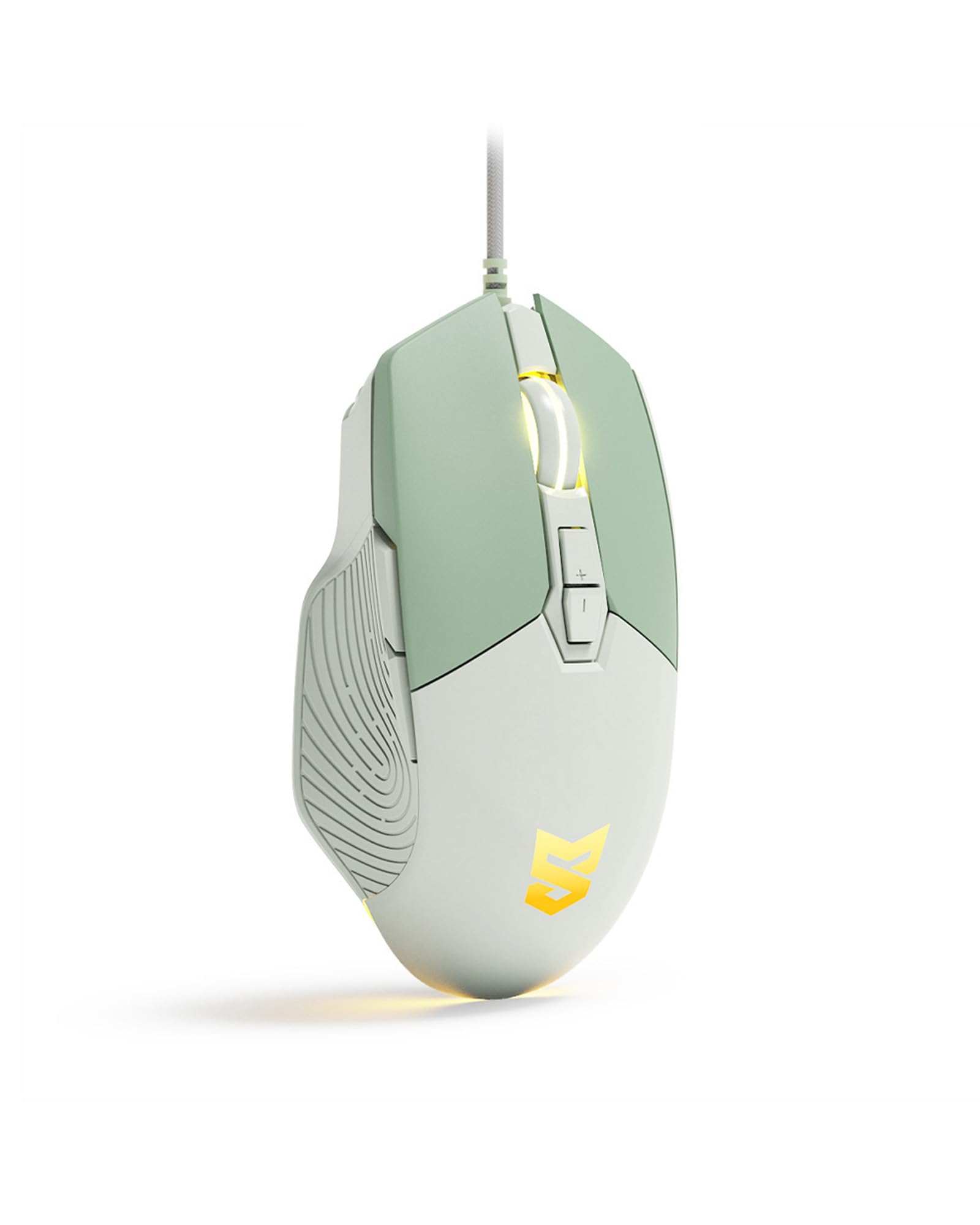
Figure 1: Generic S-M6Pro Ergonomic Wired Gaming Mouse (Mint Green variant).
2. Key Features
- High-Efficiency Optical Sensor: Features a maximum 7200 DPI for precise and accurate tracking.
- Reliable Wired Connection: Equipped with a 162mm braided rope USB-C cable for low-latency performance.
- Ergonomic Design: Shaped for excellent grip and comfort during extended use.
- Programmable Buttons: 7 programmable buttons for custom functions, macros, and ripple control via dedicated driver software.
- RGB LED Backlighting: Dynamic RGB lighting with breathing effects.
- Durable Switches: Engineered for a 10-million-click button lifespan.
- ICE Mouse Feet: Designed for ultra-smooth gliding and minimal friction, enhancing tracking precision.

Figure 2: High-precision optical sensor and RGB lighting.

Figure 3: High precision sensors for accurate tracking.
3. Setup Guide
- Unpack the Mouse: Carefully remove the gaming mouse from its packaging.
- Connect to Computer: Plug the USB-C connector of the mouse cable into an available USB port on your computer (PC, Mac, or Linux).
- Driver Installation (Optional): The mouse is plug-and-play for basic functionality. For advanced customization, including programmable buttons, macros, and RGB effects, download and install the dedicated driver software from the manufacturer's website. Refer to the product packaging or manufacturer's website for the software download link.
- Placement: Place the mouse on a clean, flat surface or a mouse pad for optimal tracking performance.

Figure 4: Ergonomic design for comfortable grip during use.
4. Operating Instructions
4.1 Button Functions
The S-M6Pro mouse features 7 programmable buttons. Default functions are listed below:
- Left Button: Primary click function.
- Right Button: Secondary click function (context menu).
- Roller Button (Scroll Wheel): Scroll up/down, middle click.
- DPI+ Button: Increases DPI sensitivity.
- DPI- Button: Decreases DPI sensitivity.
- Forward Button: Navigates forward in web browsers or file explorers.
- Back Button: Navigates backward in web browsers or file explorers.

Figure 5: Labeled buttons on the S-M6Pro gaming mouse.
4.2 DPI Adjustment
The mouse supports four adjustable DPI levels, allowing you to switch sensitivity on the fly to match your task or game. Use the DPI+ and DPI- buttons to cycle through the available settings:
- 1200 DPI
- 2400 DPI
- 4800 DPI
- 7200 DPI (Maximum)

Figure 6: Visual representation of adjustable DPI settings.
4.3 RGB LED Backlighting
The mouse features dynamic RGB LED backlighting with a breathing effect. The lighting can be customized using the dedicated driver software. This software allows for adjustment of colors, effects, and brightness.

Figure 7: RGB LED backlighting in action.
4.4 Software Customization
Utilize the dedicated driver software to unlock the full potential of your S-M6Pro mouse. The software allows you to:
- Program the 7 buttons with custom functions or macros.
- Adjust DPI settings beyond the default levels.
- Modify polling rate.
- Set Lift-Off Distance (LOD).
- Control RGB lighting effects and colors.
- Save profiles to the mouse's on-board memory.
The software ensures a personalized gaming and computing experience.
5. Maintenance
- Cleaning: Use a soft, dry cloth to wipe the surface of the mouse. For stubborn dirt, slightly dampen the cloth with water. Avoid using harsh chemicals or abrasive materials.
- Sensor Care: Keep the optical sensor on the underside of the mouse clean and free from dust or debris to ensure accurate tracking. Use a cotton swab or compressed air if necessary.
- Cable Management: Avoid sharp bends or excessive pulling on the braided USB-C cable to prevent damage.
- Mouse Feet: The ICE mouse feet are designed for durability. If they become worn over time, replacement feet may be available from the manufacturer or authorized retailers to maintain optimal glide performance.

Figure 8: Underside of the mouse with optical sensor and ICE feet.
6. Troubleshooting
| Problem | Possible Cause | Solution |
|---|---|---|
| Mouse not responding | Loose USB connection, faulty USB port, driver issue. |
|
| Inaccurate or jerky tracking | Dirty optical sensor, unsuitable surface, incorrect DPI setting. |
|
| Buttons not working as expected | Software configuration, driver issue. |
|
| RGB lighting not functioning | Software setting, power issue. |
|
7. Specifications
| Feature | Detail |
|---|---|
| Brand | Generic |
| Model Number | S-M6Pro |
| Color | Mint Green |
| Connectivity Technology | Wired USB-C |
| Movement Detection Technology | Optical |
| Mouse Maximum Sensitivity | 7200 DPI (Adjustable) |
| Button Quantity | 7 Programmable Buttons |
| Hand Orientation | Right |
| Compatible Devices | Personal Computer |
| Hardware Platform | Linux, Mac, PC |
| Item Weight | 139 Grams |
| Item Dimensions (L x W) | 5"L x 2.7"W |
| Enclosure Material | Plastic |
| Batteries Required | No |
8. Warranty Information
Specific warranty details for the Generic S-M6Pro Ergonomic Wired Gaming Mouse are typically provided with the product packaging or available on the manufacturer's official website. Please refer to these resources for comprehensive warranty terms and conditions.
9. Customer Support
For technical assistance, troubleshooting beyond this manual, or inquiries regarding your Generic S-M6Pro Ergonomic Wired Gaming Mouse, please contact the manufacturer's customer support. Contact information can usually be found on the product packaging, the manufacturer's official website (Linkerfoo), or through your retailer.
10. Product Video Demonstration
Video 1: A short demonstration of the Wired Gaming Mouse, showcasing its design and RGB lighting effects. This video is 20 seconds long and provides a visual overview of the product's aesthetics and basic functionality.


