
1. Product Overview
The OWMSIC S51 Smartwatch is a versatile wearable device designed to enhance your daily life with smart features and fitness tracking capabilities. It features a 1.39-inch HD touchscreen, Bluetooth calling, and extensive sports modes, compatible with both Android and iOS smartphones.

Image: The OWMSIC S51 Smartwatch, showcasing its main display with health metrics and a secondary screen illustrating an incoming Bluetooth call.
Key Features:
- 1.39" HD Touchscreen: Vibrant display with improved color quality and touch response.
- Bluetooth Calls & Notifications: Make and receive calls directly from the watch, and get smart notifications from various apps.
- 112+ Sports Modes: Track a wide range of activities with real-time data.
- IP68 Waterproof: Designed to withstand sweat and rain.
- Ultra-Long Battery Life: Up to 7 days of usage and 30 days standby on a single charge.
- Health Monitoring: Includes heart rate, blood oxygen, and sleep tracking.
- Customizable Watch Faces: Personalize your watch with over 200 built-in options or custom designs.
2. Setup Guide
2.1 Unboxing
Upon opening the package, ensure all components are present:
- OWMSIC S51 Smartwatch
- Smartwatch straps
- User Manual (this document)
- Charging cable
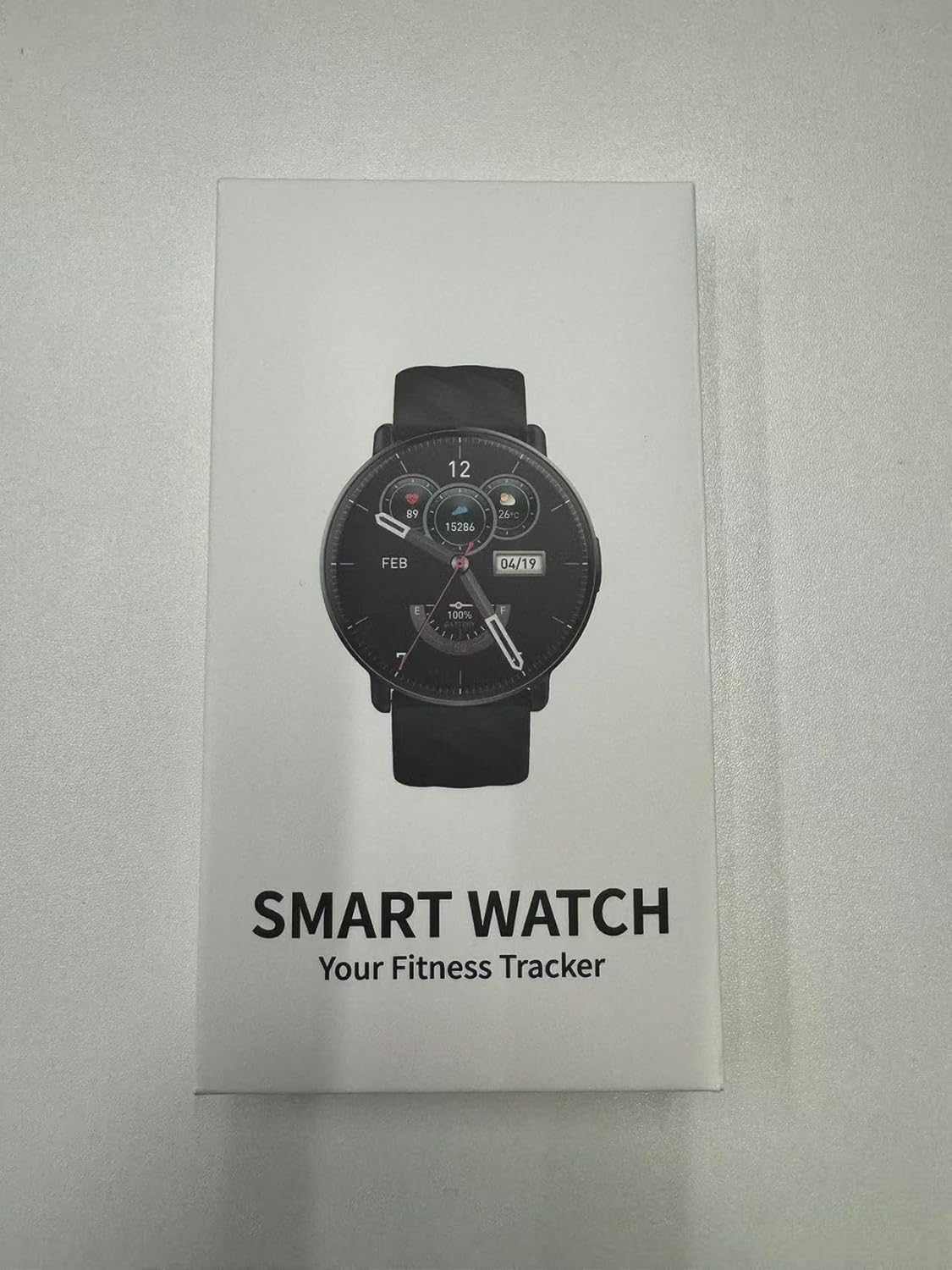
Image: The retail packaging for the OWMSIC S51 Smartwatch, indicating its primary function as a fitness tracker.
2.2 Initial Charging
Before first use, fully charge your smartwatch. Connect the charging cable to the watch's charging port and a 5V/1A USB power source. A full charge typically takes approximately 1.5 hours.

Image: Visual representation of the smartwatch charging process and its impressive battery life statistics.
2.3 Pairing with Your Smartphone
- Download the companion app (refer to the watch screen or packaging for the app name/QR code) from your smartphone's app store.
- Ensure Bluetooth is enabled on your smartphone.
- Open the app and follow the on-screen instructions to search for and pair with your OWMSIC S51 Smartwatch.
- Grant necessary permissions to the app for full functionality (e.g., notifications, health data access).
3. Operating Instructions
3.1 Basic Navigation
- Touchscreen: Swipe left/right, up/down to navigate through menus and features. Tap to select.
- Side Button: Typically used to wake the screen, return to the home screen, or access the app list.
3.2 Bluetooth Calls and Smart Notifications
Once paired with your phone, you can manage calls and notifications directly from your watch.
- Making/Receiving Calls: Use the built-in microphone and high-fidelity speakers. Access call logs, dial pad, and contacts on the watch.
- Smart Notifications: Receive alerts for SMS, Facebook, WhatsApp, Instagram, Twitter, and other applications.

Image: The smartwatch's capabilities for voice assistance, Bluetooth calls, and displaying smart notifications from popular applications.
3.3 Sports Modes and Activity Tracking
The S51 Smartwatch offers over 112 sports modes to track your physical activities. It records data such as steps, distance, and calories in real-time.
- Select your desired sport from the watch's menu to begin tracking.
- Review your activity data on the watch or in the companion app for detailed insights.

Image: Overview of the smartwatch's extensive sports tracking capabilities and its waterproof design.
3.4 Health Monitoring
Monitor your health metrics directly from your wrist:
- Heart Rate: Continuous or on-demand heart rate monitoring.
- Blood Oxygen (SpO2): Measure your blood oxygen saturation levels.
- Sleep State: Tracks your sleep patterns, including deep sleep, light sleep, and wake times.
Important: The data provided by this smartwatch is for reference only and should not be used for medical purposes. Consult a professional doctor if you need medical help.

Image: Detailed view of the smartwatch's health tracking functions, including heart rate, blood oxygen, and sleep analysis.
3.5 Other Daily Functions
The smartwatch includes various other useful functions:
- Raise wrist to light up screen
- Password protection
- Weather forecast
- Do not disturb setting
- Sedentary reminder
- Stopwatch
- Remote camera control
- Calculator
- Music player control
- Calendar
- Find phone
- Alarm clock
- Sound and vibration settings
- Timer
- Brightness adjustment
- Power saving mode
- Language setting
- Female physiological period tracking

Image: A visual representation of the diverse range of functions available on the OWMSIC S51 Smartwatch.
4. Maintenance
4.1 Cleaning Your Smartwatch
To maintain optimal performance and appearance:
- Wipe the screen and body with a soft, lint-free cloth.
- For stubborn dirt, slightly dampen the cloth with water. Avoid harsh chemicals.
- Ensure the charging contacts are clean and dry before charging.
4.2 Water Resistance
The OWMSIC S51 Smartwatch has an IP68 waterproof rating, meaning it is resistant to dust and can withstand immersion in water up to 1.5 meters for 30 minutes. It is suitable for daily use, such as washing hands, sweating during exercise, and exposure to rain. However, it is not recommended for hot showers, saunas, or diving, as steam and high water pressure may compromise the seal.
4.3 Battery Care
- Charge the device using the provided charging cable and a 5V/1A power source.
- Avoid fully discharging the battery frequently to prolong its lifespan.
- Do not expose the device to extreme temperatures.
5. Troubleshooting
If you encounter issues with your OWMSIC S51 Smartwatch, refer to the following common solutions:
5.1 Common Issues and Solutions
- Watch not turning on: Ensure the watch is fully charged. Connect it to the charger for at least 10 minutes.
- Cannot pair with phone:
- Ensure Bluetooth is enabled on your phone and the watch.
- Make sure the watch is within range of your phone.
- Restart both your phone and the watch.
- Try unpairing and re-pairing through the companion app.
- Notifications not appearing:
- Check app permissions on your phone to ensure the companion app has access to notifications.
- Verify that notifications are enabled within the companion app settings for specific applications.
- Ensure 'Do Not Disturb' mode is not active on the watch.
- Inaccurate health data:
- Ensure the watch is worn snugly on your wrist, not too loose or too tight.
- Clean the sensor on the back of the watch.
- Environmental factors and movement can affect readings.
5.2 Important Warnings
- Do not disassemble, strike, or throw the device into fire.
- Do not place the device in high temperature or deep water environments.
- The smartwatch data is for reference only and cannot be used for medical purposes.
- If you require medical assistance, please consult a professional doctor.
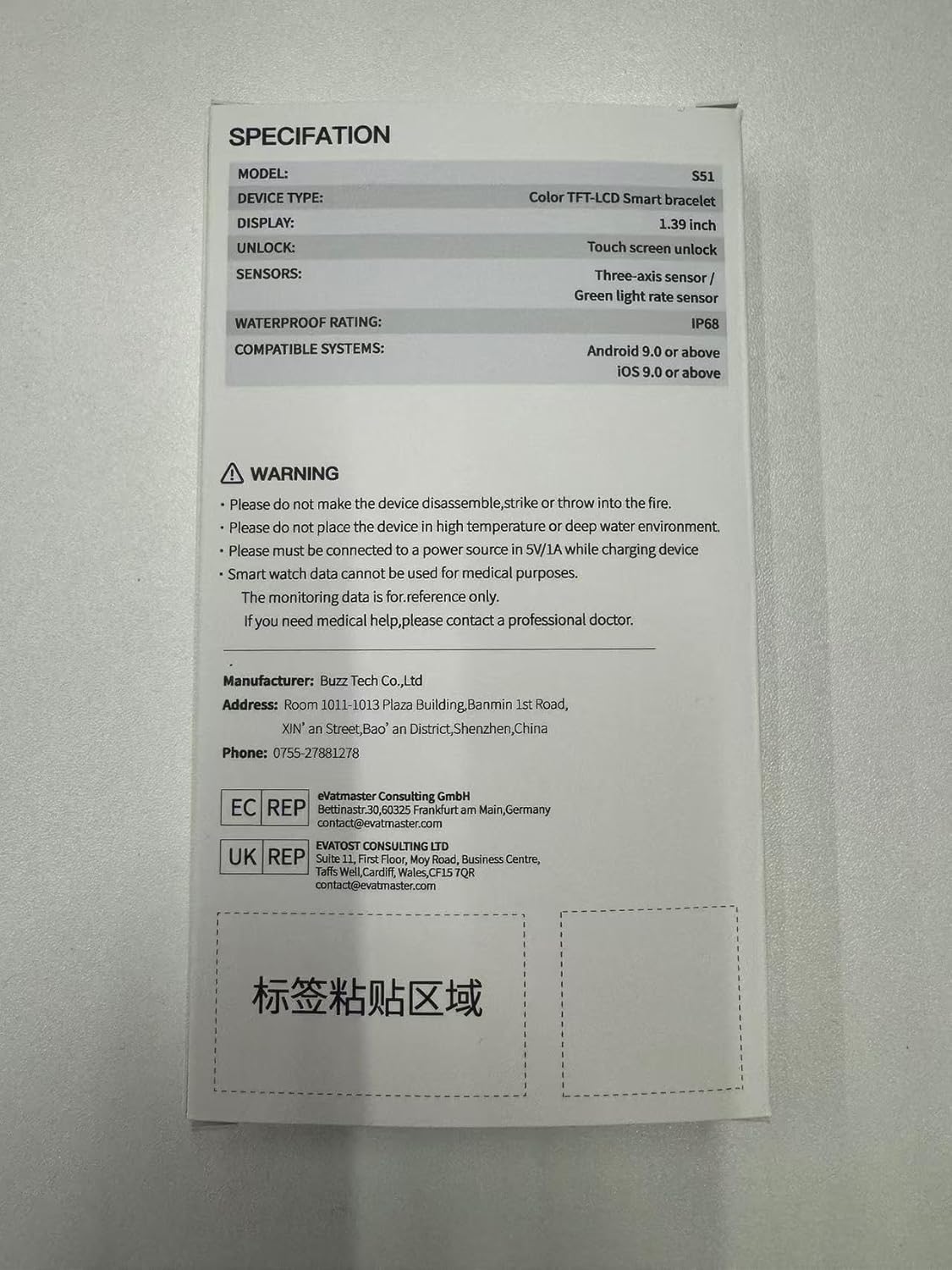
Image: The product specification label and safety warnings found on the back of the smartwatch packaging.
6. Specifications
| Feature | Detail |
|---|---|
| Model Number | S51 |
| Display | 1.39-inch HD Touch Screen, Color TFT-LCD |
| Sensors | Three-axis sensor, Green light rate sensor |
| Waterproof Rating | IP68 |
| Compatible Systems | Android 9.0 or above, iOS 9.0 or above |
| Battery Capacity | 1 Amp Hour (Lithium Ion) |
| Battery Life (Typical Use) | 5-7 days |
| Battery Life (Low Power Mode) | Up to 30 days |
| Charging Time | Approx. 1.5 hours |
| Connectivity | Bluetooth |
| Memory Storage Capacity | 128 MB |
| Item Weight | 30 Grams (1.06 ounces) |
| GPS | Via Smartphone |
| Special Features | Activity Tracker, Bluetooth calling, Cycle Tracking, Music Player, Notifications |
7. Warranty and Support
7.1 Warranty Information
Specific warranty details are typically provided with your purchase documentation or on the product's official website. Please retain your proof of purchase for any warranty claims.
7.2 Customer Support
OWMSIC is committed to providing excellent customer service. If you have any questions, concerns, or require assistance with your S51 Smartwatch, please do not hesitate to contact us. We are dedicated to helping you resolve any issues promptly.
For support, please refer to the contact information provided on the OWMSIC official website or your purchase platform.