
Kiseely TG1
Kiseely Portable Induction Cooktop User Manual
Model: TG1
Important Safeguards
Please read all instructions carefully before using this appliance to ensure safe and efficient operation. Keep this manual for future reference.
- Do not immerse the appliance, power cord, or plug in water or other liquids.
- This appliance is for household use only. Do not use outdoors.
- Ensure the voltage indicated on the appliance matches your local power supply before connecting.
- Do not operate the cooktop if the power cord or plug is damaged, or if the appliance malfunctions or has been damaged in any way. Contact customer service for repair.
- Place the cooktop on a stable, level, heat-resistant surface. Ensure adequate ventilation around the unit.
- Do not place metal objects such as knives, forks, spoons, or lids on the induction cooktop surface as they can become hot.
- Keep children away from the appliance during operation and cooling.
- Individuals with pacemakers or similar medical devices should consult their doctor before using an induction cooktop.
- Use only induction-compatible cookware. Non-compatible cookware will not heat.
- Do not block the air vents on the bottom or sides of the cooktop.
- Always unplug the cooktop when not in use and before cleaning.
Product Overview
The Kiseely Portable Induction Cooktop (Model TG1) is a compact and efficient cooking appliance designed for versatility. It features a durable glass surface, sensor touch controls, and multiple cooking modes to simplify your cooking experience.

Figure 1: Kiseely Portable Induction Cooktop showing overall dimensions (290mm width, 370mm length, 63mm height). The cooktop features a central induction coil area and a touch control panel at the bottom.
Key Features:
- 2200W High Power: Provides rapid heating for efficient cooking.
- Ultra-thin Body: Compact and portable design for easy storage and use in various locations.
- Sensor Touch Control: Intuitive and easy-to-clean touch panel for precise adjustments.
- 8 Cooking Modes: Pre-set functions for common cooking tasks.
- Easy Clean Glass Surface: Smooth glass top simplifies cleaning.

Figure 2: The Kiseely Portable Induction Cooktop, emphasizing its 2.4-inch ultra-thin body, 2200W high power, fast heating capability, and LED sensor touch controls.
Control Panel Overview:
The cooktop features a user-friendly sensor touch control panel with dedicated buttons for various functions.
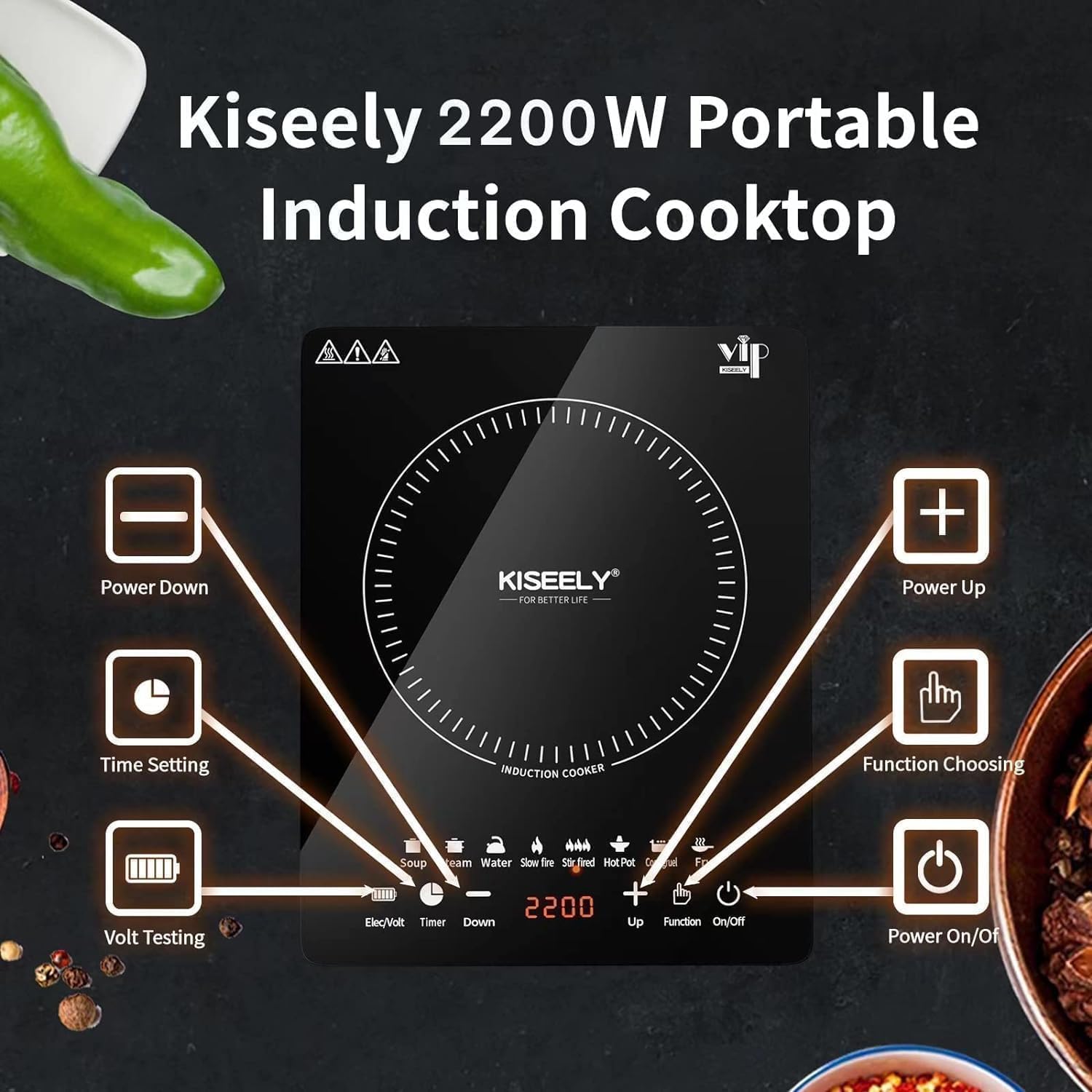
Figure 3: Detailed view of the Kiseely Induction Cooktop's control panel. Buttons include Power Down, Power Up, Time Setting, Function Choosing, Volt Testing, and Power On/Off. Cooking modes like Soup, Steam, Water, Slow Fire, Stir Fried, Hot Pot, Congee, and Fry are also visible.
- Power On/Off: Activates or deactivates the cooktop.
- Up/Down (+/-): Adjusts power levels, temperature, or timer settings.
- Function: Selects between different cooking modes.
- Timer: Sets the cooking duration.
- Elec/Volt: Displays electrical voltage or power consumption.
- Cooking Modes: Dedicated icons for Soup, Steam, Water, Slow Fire, Stir Fried, Hot Pot, Congee, and Fry.
Setup and Installation
- Unpacking: Carefully remove the cooktop from its packaging. Retain packaging materials for future transport or storage.
- Placement: Place the induction cooktop on a dry, stable, and heat-resistant surface. Ensure there is at least 10 cm (4 inches) of clear space around all sides for proper ventilation. Do not place it near heat sources or on metal surfaces.
- Power Connection: Plug the power cord into a standard 120V AC electrical outlet. Ensure the outlet is properly grounded and can support the 2200W power requirement of the cooktop.
- Initial Cleaning: Before first use, wipe the glass surface with a damp cloth to remove any dust or residue from manufacturing.
Operating Instructions
Basic Operation:
- Power On: Place an induction-compatible pot or pan centrally on the cooking zone. Press the "On/Off" button to turn on the cooktop. The display will illuminate.
- Select Mode: Press the "Function" button to cycle through the available cooking modes (Soup, Steam, Water, Slow Fire, Stir Fried, Hot Pot, Congee, Fry). Each mode has a default power or temperature setting.
- Adjust Settings: Use the "+" and "-" buttons to adjust the power level or temperature within the selected mode. The display will show the current setting.
- Set Timer (Optional): Press the "Timer" button, then use "+" and "-" to set the desired cooking time. The cooktop will automatically turn off when the timer expires.
- Power Off: After cooking, press the "On/Off" button to turn off the cooktop. The fan may continue to run for a short period to cool the unit. Unplug the appliance from the wall outlet when not in use.
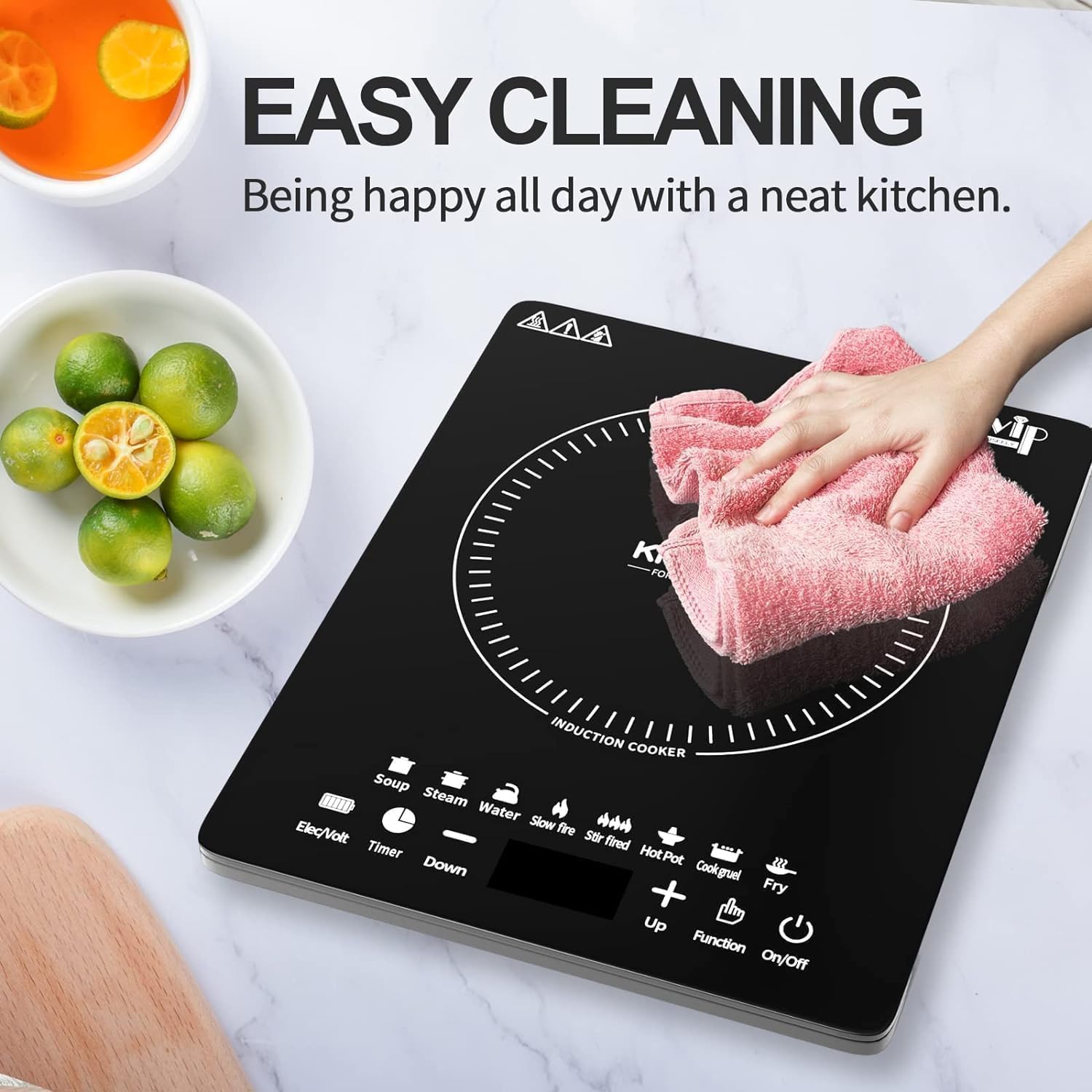
Figure 4: A hand interacting with the sensor touch control panel of the Kiseely Induction Cooktop, demonstrating ease of use for selecting functions and adjusting settings.
Cooking Modes:
The cooktop offers 8 pre-set cooking modes for convenience:
- Soup: Ideal for simmering soups and broths.
- Steam: Suitable for steaming vegetables, fish, or dumplings.
- Water: Quickly boils water.
- Slow Fire: For gentle cooking and maintaining low temperatures.
- Stir Fried: High heat for quick stir-frying.
- Hot Pot: Maintains a consistent temperature for hot pot meals.
- Congee: Designed for slow cooking congee or porridge.
- Fry: For frying various foods at appropriate temperatures.
Compatible Cookware
Induction cooktops require cookware made of ferromagnetic materials. To check if your cookware is compatible, hold a magnet to the bottom of the pot or pan. If the magnet sticks, the cookware is suitable for induction cooking.
Compatible Cookware Types:
- Cast Iron: All types of cast iron cookware.
- Magnetic Stainless Steel: Cookware specifically designed for induction.
- Enamel Iron: Pots and pans with an enamel coating over iron.
Non-Compatible Cookware Types:
- Ceramic cookware
- Copper cookware
- Glass cookware
- Aluminum cookware
- Cookware with a bottom diameter less than 12 cm (4.7 inches).
- Cookware with uneven or curved bottoms.

Figure 5: Visual guide to cookware compatibility. Shows cast iron cookware as compatible, while ceramic, copper, and glass cookware are not. A magnet test is illustrated for identifying compatible induction cookware.
Cleaning and Maintenance
Regular cleaning and proper maintenance will ensure the longevity and optimal performance of your induction cooktop.
- Always Unplug: Before cleaning, ensure the cooktop is turned off and unplugged from the power outlet. Allow it to cool completely.
- Glass Surface: Wipe the glass surface with a soft, damp cloth and a mild detergent. For stubborn stains, use a non-abrasive ceramic cooktop cleaner. Avoid abrasive pads, harsh chemicals, or scouring powders, as they can scratch the glass.
- Control Panel: Wipe the control panel with a soft, damp cloth. Ensure no liquid enters the control area.
- Exterior: Clean the exterior housing with a soft, damp cloth.
- Vents: Periodically check and clean the air intake and exhaust vents to prevent dust buildup, which can affect performance. Use a soft brush or vacuum cleaner.
- Storage: When not in use for extended periods, store the cooktop in a dry, safe place, away from direct sunlight and moisture.

Figure 6: A hand gently wiping the glass surface of the Kiseely Induction Cooktop with a soft cloth, demonstrating the ease of cleaning the smooth surface.
Troubleshooting
If you encounter issues with your Kiseely Induction Cooktop, please refer to the following common problems and solutions before contacting customer service.
| Problem | Possible Cause | Solution |
|---|---|---|
| Cooktop does not turn on. |
|
|
| Cookware is not heating. |
|
|
| Display shows an error code (e.g., "E0", "E1"). |
|
|
| Fan continues to run after turning off. |
|
|
Specifications
| Feature | Detail |
|---|---|
| Brand | Kiseely |
| Model Number | TG1 |
| Power | 2200W |
| Power Source | Electric |
| Controls Type | Touch |
| Heating Elements | 1 |
| Material | Glass |
| Product Dimensions | 14.57 x 11.4 x 2.7 inches (37 x 29 x 6.8 cm) |
| Item Weight | 5.21 pounds (2.36 kg) |
| UPC | 795490987930 |
Warranty and Support
For warranty information, technical support, or customer service inquiries, please refer to the contact information provided with your purchase or visit the official Kiseely website. Please have your model number (TG1) and purchase details ready when contacting support.
Ask a question about this manual
Ask about setup, troubleshooting, compatibility, parts, safety, or missing instructions. Manuals+ will review the question and use this page’s manual context to help answer it.