
1. Introduction and Compatibility
This manual provides instructions for the CNSTWEI 12.8-inch HD touchscreen car stereo system, designed for Ford Taurus models manufactured between 2010 and 2019. This system replaces the factory OEM screen, integrating Android functionalities while retaining original car radio system features.
Important Compatibility Note: There are variations in the central control panel designs for Ford Taurus models within the specified years. Before installation, it is crucial to verify that your vehicle's dashboard matches the compatible configurations shown in the image below. Incompatible versions are also depicted for clarity.

This image illustrates different central control panel configurations for the Ford Taurus (2010-2019). Ensure your vehicle's dashboard matches the compatible versions shown with a green checkmark. An incompatible version is marked with a red 'X'.
2. What's in the Box
The product package includes the following components:
- 1 x Carplay Screen (12.8-inch HD touchscreen)
- 1 x Power Cable
- 1 x USB Cable
- 1 x GPS Antenna
- 1 x AUX Cable
- 1 x Plastic base
- 1 x Installation screw set
- 1 x Installation instruction manual
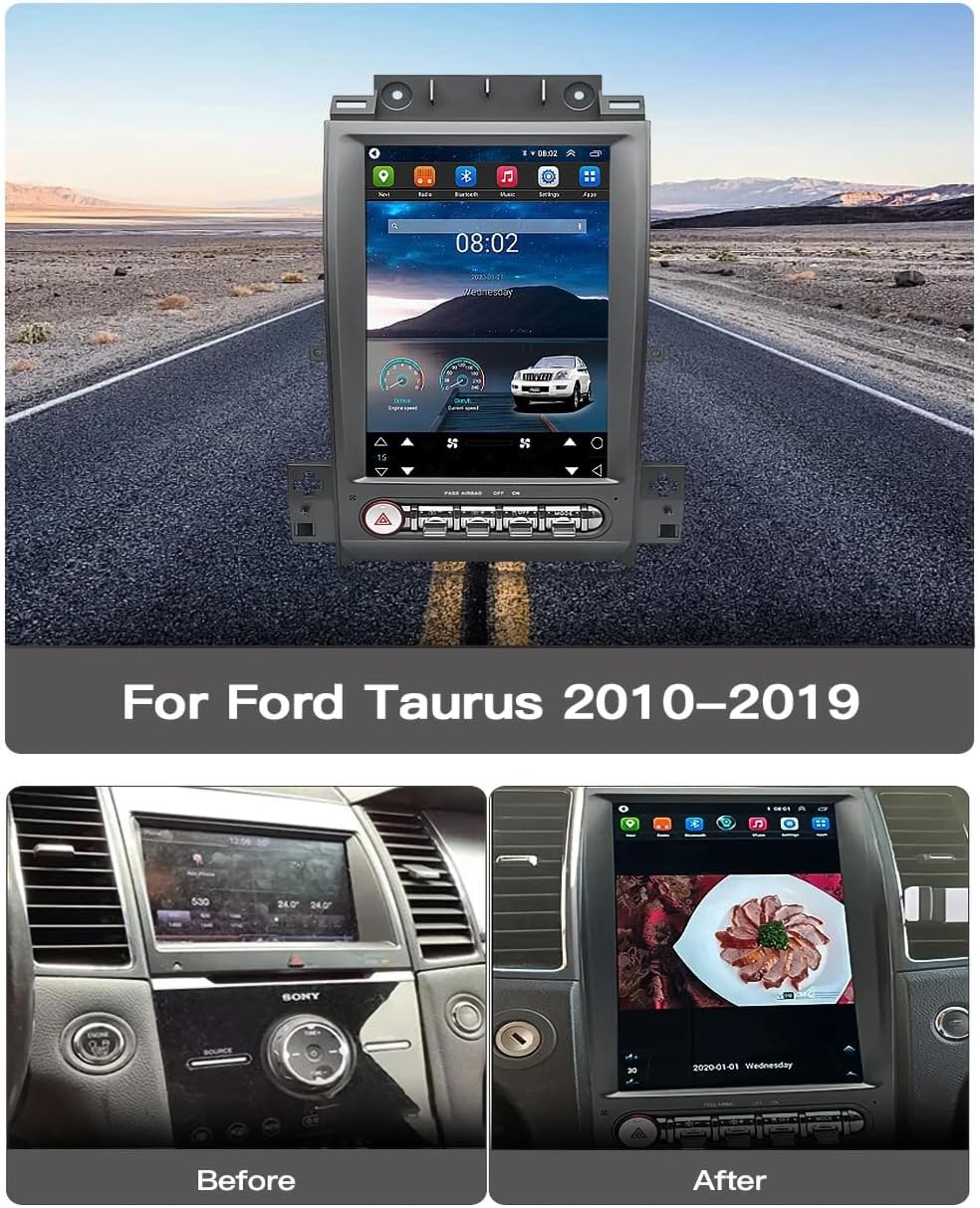
The CNSTWEI 12.8-inch car stereo unit designed for Ford Taurus 2010-2019 models, showcasing its large display and integrated controls.
3. Setup and Installation
Installation of this car stereo system requires removing the vehicle's dashboard to connect the necessary wiring. It is recommended to follow the detailed steps provided in the included installation instruction manual. Most installation issues arise from incorrect cable connections or settings. Please ensure all connections are secure and settings are configured correctly before reassembling the dashboard.
If you encounter any difficulties during installation, please refer to the dedicated installation guide or contact customer support for assistance.

The 12.8-inch car stereo unit seamlessly integrated into the dashboard of a Ford Taurus, displaying the main user interface.
4. Operating Instructions
4.1 General Operation
The system features a 12.8-inch HD touchscreen for intuitive control. Navigate through applications and settings by tapping and swiping on the display. The system runs on Android 14, providing access to various apps and functionalities.
4.2 Apple CarPlay and Android Auto
The unit supports both Apple CarPlay and Android Auto, allowing seamless integration with your smartphone for navigation, music, calls, and messages. This feature helps maintain focus on driving by presenting essential phone functions on the car's display.
- Wireless CarPlay: Connect your iPhone via Bluetooth. Follow the on-screen prompts to establish the CarPlay connection.
- Wired Android Auto: Connect your Android phone via a USB cable. Follow the on-screen prompts to establish the Android Auto connection.

This image demonstrates the Apple CarPlay and Android Auto interfaces on the 12.8-inch screen, highlighting both wireless CarPlay and wired Android Auto connection methods.
4.3 Bluetooth Connectivity
The system features Bluetooth 5.0 for clear audio and stable connections. You can synchronize phone contacts, make hands-free calls, play music, and use voice control.
- Pairing: Access the Bluetooth settings menu on the car stereo. Enable Bluetooth on your smartphone and search for available devices. Select 'CarBT' (or similar device name) from the list and enter the default PIN (usually '0000') if prompted.
- Music Playback: Once paired, you can stream audio from your phone to the car stereo.
- Hands-Free Calling: Manage calls directly from the car stereo interface.

The car stereo displaying music playback via Bluetooth 5.0, showing track information and audio controls.
4.4 Radio and Music Playback
The system includes a built-in radio tuner. You can also play music and videos via USB or AUX connections.
- Radio: Select the 'Radio' application to access FM/AM stations. You can manually tune or scan for stations.
- Local Music: Use the 'Music' application to play audio files stored on the device or connected USB drives.
4.5 Navigation
With the included GPS antenna, you can utilize various navigation applications. Link your preferred navigation apps to the homescreen for quick access.
4.6 System Settings and Audio Adjustment
Access the 'Settings' menu to configure various aspects of the system, including display brightness, volume levels, and audio equalizer settings.

Screenshots of the audio settings interface, allowing for detailed sound adjustments including equalizer and balance controls.
4.7 Video Demonstration
This video provides a visual overview of the CNSTWEI 12.8-inch car stereo system, demonstrating its various functions such as navigation, radio, Bluetooth, music playback, and system settings.
5. Specifications
| Feature | Detail |
|---|---|
| Brand | CNSTWEI |
| Model Name | Carplay Screen for Ford Taurus 2010-2019 |
| Screen Size | 12.8 Inches |
| Operating System | Android |
| Memory Storage Capacity | 64 GB (for 4+64GB model) |
| Display Type | LCD |
| Touch Screen Type | Capacitive |
| Resolution | 1024 * 768 PX HD |
| Connectivity Technology | Bluetooth, Wi-Fi |
| Bluetooth Version | 5.0 |
| Supported Navigation System | GPS (Worldwide Map Type) |
| Audio Output Mode | Stereo |
| Human-Interface Input | Touchscreen |
| Compatible Vehicle Type | Car (Ford Taurus 2010-2019) |
6. Troubleshooting
If you encounter issues with your car stereo system, consider the following common troubleshooting steps:
- No Power: Check all power cable connections to ensure they are securely attached. Verify the vehicle's fuse box for any blown fuses related to the stereo system.
- No Sound: Confirm that the volume is not muted or set to a very low level. Check speaker wire connections. Ensure the correct audio source (e.g., Radio, Bluetooth, USB) is selected.
- Touchscreen Unresponsive: Try restarting the system. If the issue persists, ensure the screen is clean and free of debris.
- Bluetooth Connection Issues: Ensure Bluetooth is enabled on both the car stereo and your phone. Delete previous pairings and attempt to re-pair the devices. Check that the device name and PIN are correct.
- GPS Signal Problems: Ensure the GPS antenna is properly installed and has a clear view of the sky.
- System Lag/Freezing: Close unnecessary applications. A system reset may resolve temporary performance issues.
Many problems can be resolved by verifying correct cable connections and system settings. If issues persist after following these steps, please contact CNSTWEI customer support for further assistance.
7. Maintenance
To ensure the longevity and optimal performance of your CNSTWEI car stereo, follow these maintenance guidelines:
- Screen Cleaning: Use a soft, lint-free cloth to gently wipe the touchscreen. For stubborn smudges, slightly dampen the cloth with water or a screen-safe cleaner. Avoid harsh chemicals or abrasive materials.
- Software Updates: Periodically check for available software updates to ensure your system has the latest features and bug fixes. Follow the instructions provided with the update.
- Avoid Extreme Temperatures: Do not expose the unit to extreme heat or cold for extended periods, as this can affect its electronic components.
- Cable Management: Ensure all cables are properly routed and secured to prevent damage from vibration or accidental snagging.
8. Warranty and Support
For information regarding the product warranty, including coverage details and duration, please refer to the warranty card included with your purchase or contact CNSTWEI customer support directly. For technical assistance, installation guidance, or any other inquiries, please reach out to the seller or manufacturer through the provided contact channels.