
Introduction
This manual provides detailed instructions for the setup, operation, and maintenance of your Lococo Wireless Microphone Headset Double Professional (Model G106-2). This 2.4G wireless system is designed for clear audio transmission, suitable for various applications such as teaching, fitness instruction, public speaking, and more. Please read this manual thoroughly before using the product to ensure optimal performance and longevity.
Package Contents
Verify that all items listed below are included in your package:
- 2 x 2.4G Wireless Headset Microphones (Transmitters)
- 1 x 2.4G Wireless Receiver (6.35mm plug)
- 1 x 3.5mm Adapter
- 1 x USB Charging Cable (dual Type-C)
- 1 x User Manual (this document)

Image: The complete package contents, including two headset microphones, one receiver, a 3.5mm adapter, and the dual USB charging cable.
Product Overview
The Lococo Wireless Microphone system features two headset microphones and a single receiver, allowing two individuals to use microphones simultaneously. The headset microphones are designed for comfort and can also be converted into handheld microphones for versatile use.
Key Features:
- 2.4G Wireless Technology: Ensures stable signal transmission with anti-interference capabilities.
- Dual Microphone Support: Two headset microphones can connect to one receiver simultaneously.
- 2-in-1 Design: Each headset microphone can be used as a headset or converted to a handheld microphone.
- USB-C Rechargeable: Built-in rechargeable lithium-ion batteries for both transmitters and receiver.
- Wide Compatibility: Connects to PA systems, voice amplifiers, mixers, and bus speakers via 3.5mm or 6.35mm jacks.

Image: Demonstrates two individuals using the wireless headset microphones at the same time, highlighting the dual-user capability.

Image: Illustrates the installation steps for converting the headset microphone into a handheld microphone, showing its flexible design.
Setup Instructions
Follow these steps to set up your Lococo Wireless Microphone system:
- Charge the Devices: Before first use, fully charge both headset microphones (transmitters) and the receiver using the provided dual USB-C charging cable. A full charge typically takes 2-3 hours. The indicator light will change when charging is complete.
- Connect the Receiver:
- For devices with a 6.35mm microphone input (e.g., PA systems, voice amplifiers, mixers), plug the 6.35mm receiver directly into the input jack.
- For devices with a 3.5mm microphone input, attach the included 3.5mm adapter to the 6.35mm receiver, then plug it into the 3.5mm input jack.
- Power On: Turn on the power switch on both the receiver and each headset microphone (transmitter). The blue indicator light on both devices will flash, indicating they are searching for a connection.
- Automatic Pairing: The devices are designed for automatic pairing. Once powered on, the blue lights will stop flashing and remain solid, indicating a successful connection. No manual pairing is typically required.
Note:
- This microphone system is for voice input only and does not have auditory function or a built-in speaker.
- The system is not supported by iPhones, Bluetooth speakers, PCs, or Laptops.
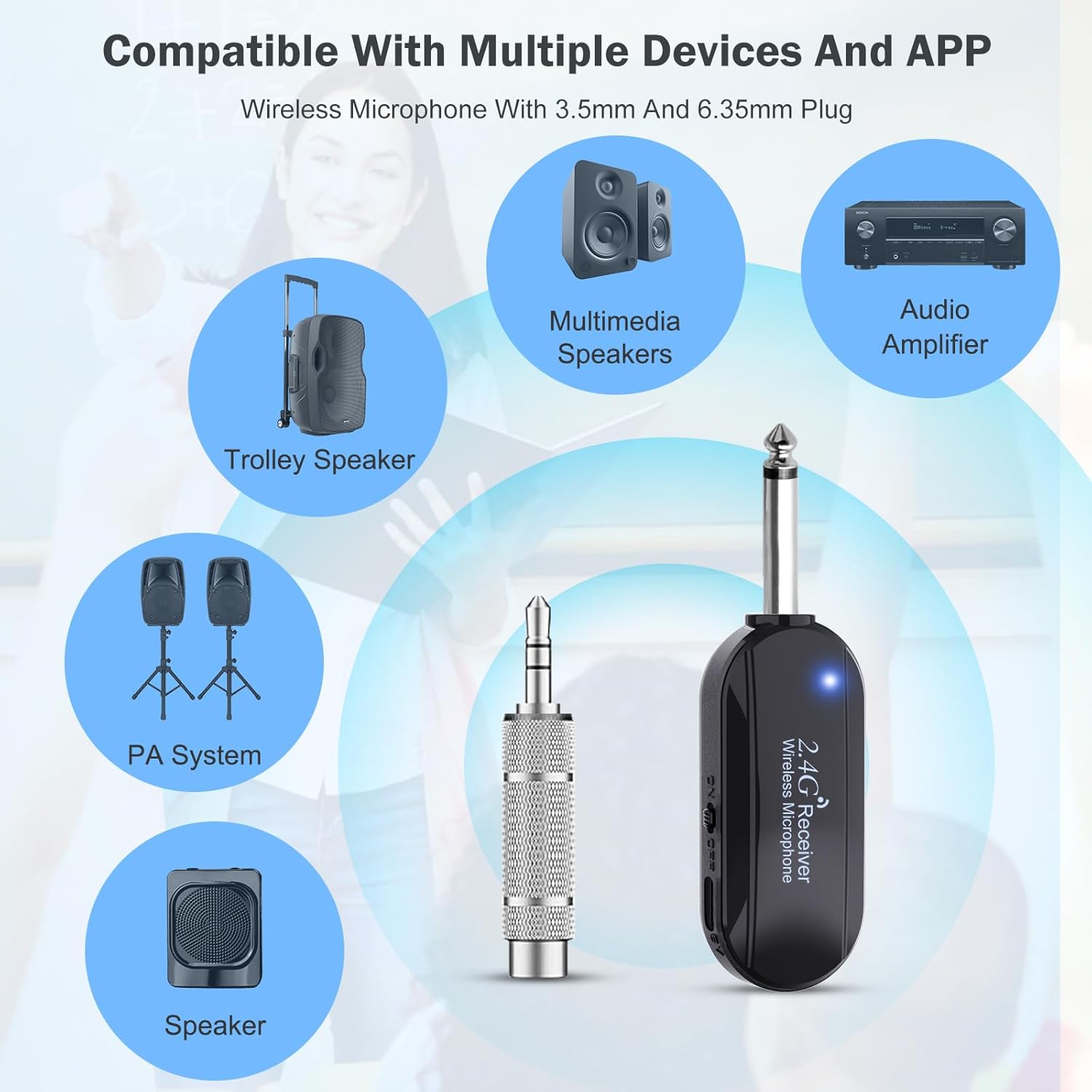
Image: Illustrates the compatibility of the wireless microphone with devices like PA systems, multimedia speakers, audio amplifiers, trolley speakers, and general speakers, while also indicating incompatibility with AUX, laptops, tablets, and cell phones.
Operating Instructions
Volume Control:
Each headset microphone (transmitter) has volume control buttons (+/-) to adjust the microphone's input level. Adjust as needed for optimal sound.
Operating Range:
The wireless system offers an operating range of up to 100 feet (30 meters) in open areas. Performance may vary depending on environmental factors and obstructions.

Image: Shows the wireless microphone and receiver with an indication of an ultra-long distance connection up to 100 feet (30 meters) in open areas, emphasizing its range.
Charging Instructions
The headset microphones and receiver are equipped with built-in rechargeable lithium-ion batteries.
- Battery Life: Provides approximately 6 hours of working time on a full charge.
- Charging Time: A full charge takes approximately 2-3 hours.
- Charging Method: Use the included USB cable, which features two Type-C interfaces, to charge both the transmitter(s) and the receiver simultaneously. Connect the USB-A end to a standard USB power adapter (not included).
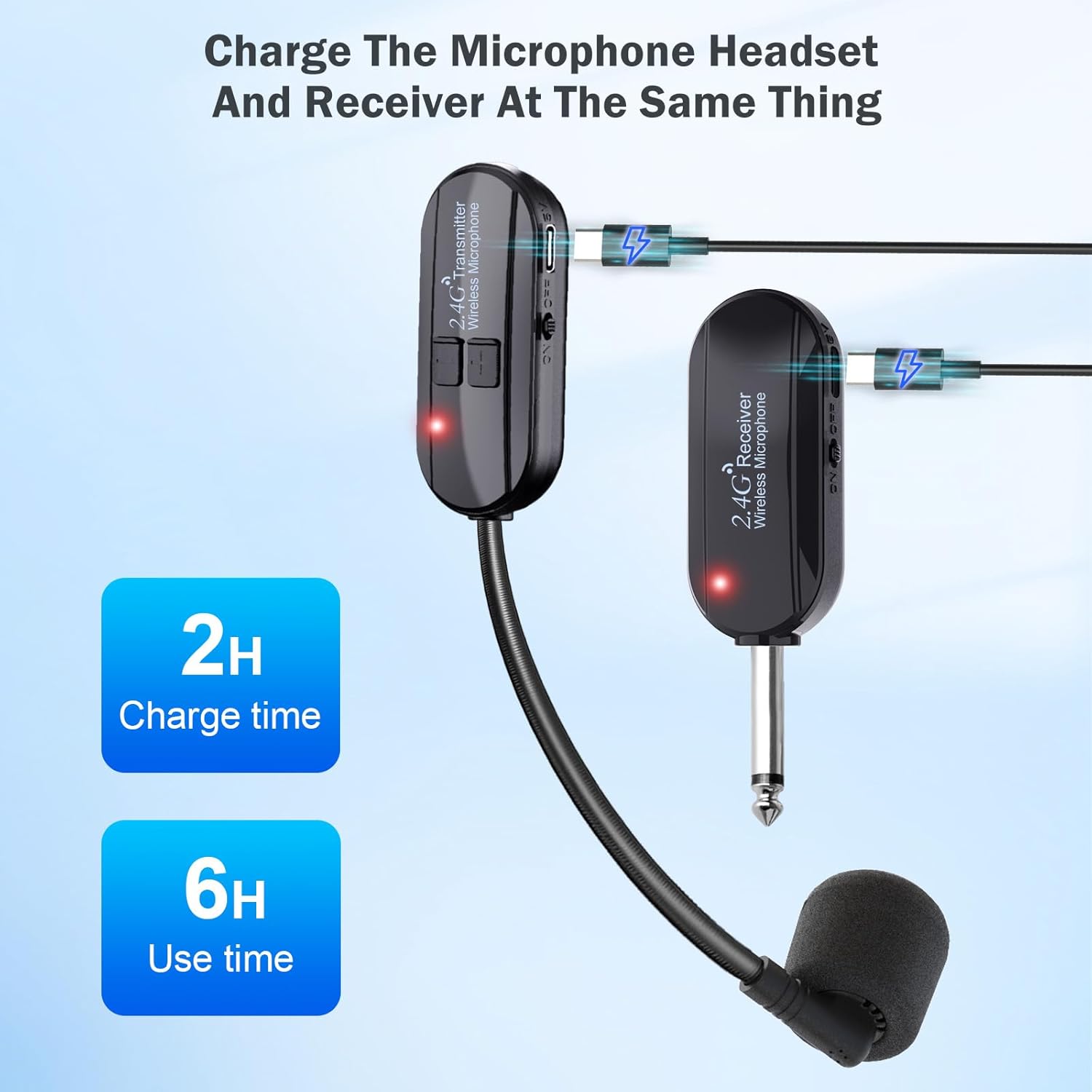
Image: Depicts the charging process for both the headset microphone and the receiver using the dual USB-C cable, indicating a 2-hour charge time for 6 hours of use.
Troubleshooting
No Sound / Re-pairing:
If you experience no sound or a lost connection, follow these steps to re-pair the devices:
- Turn off both the receiver and the transmitter(s).
- Turn on the receiver first, then turn on the transmitter(s).
- The blue indicator lights will flash and then become solid when re-pairing is successful.

Image: Illustrates the re-pairing process by showing the power switches and volume buttons on the transmitter and receiver, with instructions to turn off and then turn on both devices to re-establish connection.
General Issues:
Ensure the microphone is connected to a compatible device (PA system, voice amplifier, mixer, bus speaker) and not an unsupported device (iPhone, Bluetooth speaker, PC, Laptop).
If problems persist, please refer to the Warranty and Support section for contact information.
Specifications
| Feature | Detail |
|---|---|
| Model Name | G106-2 |
| Connectivity Technology | 2.4G Wireless |
| Microphone Type | Condenser |
| Operating Range | Up to 100 feet (30 meters) in open areas |
| Battery Type | Rechargeable Lithium Polymer |
| Working Time | Approx. 6 hours |
| Charging Time | Approx. 2-3 hours |
| Charging Interface | USB-C |
| Receiver Connector Type | 6.35mm Jack (with 3.5mm adapter included) |
| Compatible Devices | Amplifier, PA System, Speaker, Mixer, Voice Amplifier |
| Material | Plastic |
| Item Weight | 5 ounces |
Warranty and Support
All Lococo products come with a one-year warranty from the date of purchase. This warranty covers manufacturing defects and ensures timely support for any product-related issues.
Should you encounter any questions or require assistance with your Lococo Wireless Microphone Headset, please contact the Lococo after-sales support team. They are committed to providing timely support and help based on the actual situation of your product.
For support, please refer to the contact information provided with your purchase or visit the official Lococo website.