1. Introduction
The TIDRADIO TD-M13 is a state-of-the-art 4G LTE Push-to-Talk Over Cellular (POC) walkie talkie designed for global communication. It offers unlimited long-range coverage by leveraging cellular networks, making it ideal for various professional and personal applications. This manual provides essential information for setting up, operating, and maintaining your TD-M13 device.

Figure 1: TIDRADIO TD-M13 Global Walkie Talkies with SIM Cards.
2. Package Contents
Please verify that all items are present in your package:
- 2 x TD-M13 POC Radio
- 2 x 2000mAh Battery
- 2 x SIM Card (pre-activated, first year free service)
- 2 x USB-C Cable & Adapter
- 2 x Belt Clip
- 2 x Hand Strap
- 1 x User Manual
3. Product Overview and Basic Functions
The TD-M13 features a compact design with essential controls and a clear display. Key functions include Odmaster Recording, OTA Updates, 1W Loud Audio Speaker, 2000mAh Battery, USB-C Charging, Group Call capabilities, and a Large Screen for easy navigation.
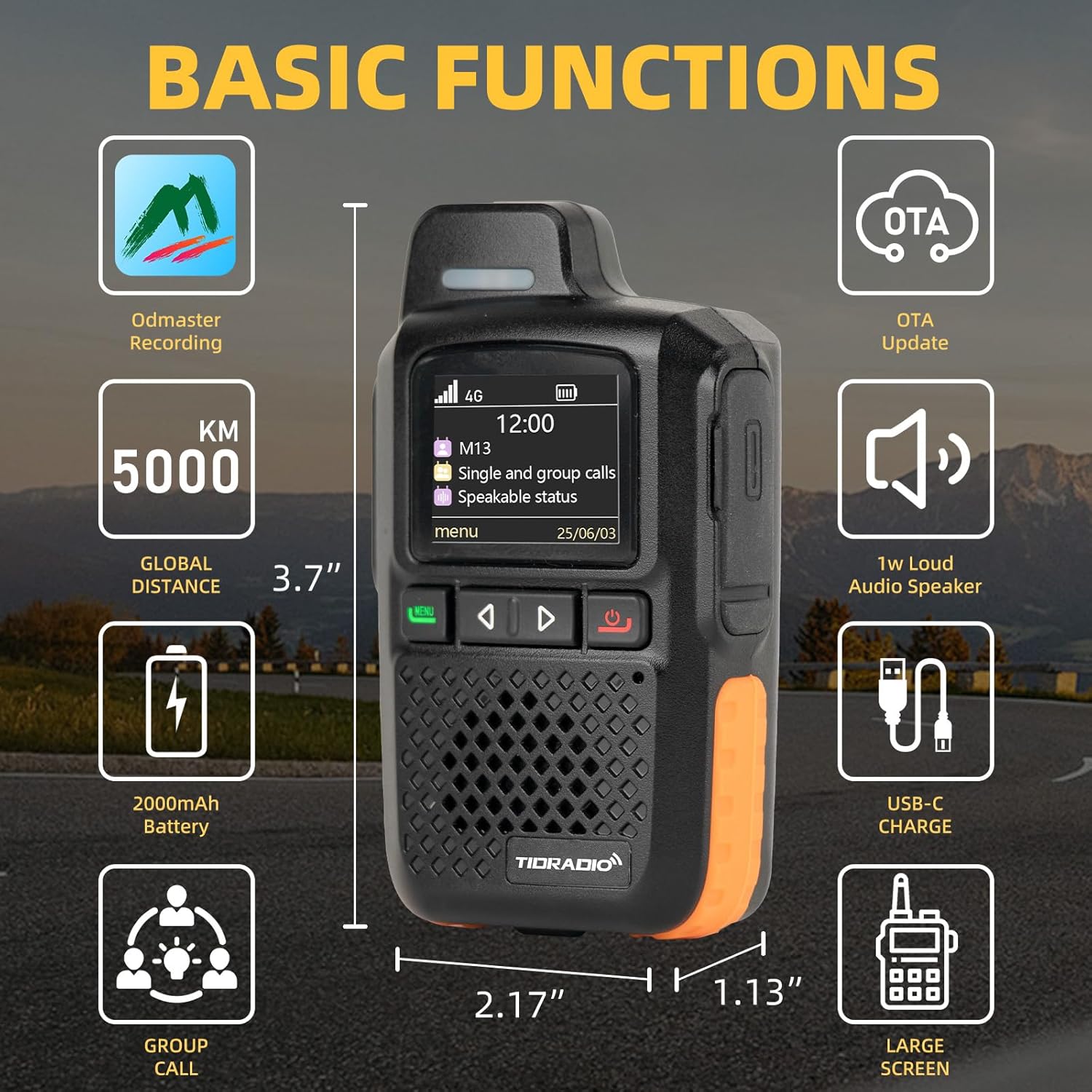
Figure 2: TD-M13 Product Dimensions and Basic Functions.
4. Setup Guide
4.1. Battery Installation
- Locate the battery compartment cover on the back of the radio.
- Slide the cover downwards to open.
- Insert the 2000mAh battery, ensuring the contacts align correctly.
- Replace the battery compartment cover and slide it upwards until it clicks into place.
4.2. SIM Card Insertion
The TD-M13 operates on 4G LTE networks and requires a SIM card for communication. Your package includes pre-activated SIM cards with free service for the first year.
- With the battery removed, locate the SIM card slot, usually beneath the battery.
- Carefully insert the provided SIM card into the slot, ensuring the correct orientation (refer to the diagram near the slot if available).
- Reinstall the battery and battery cover.
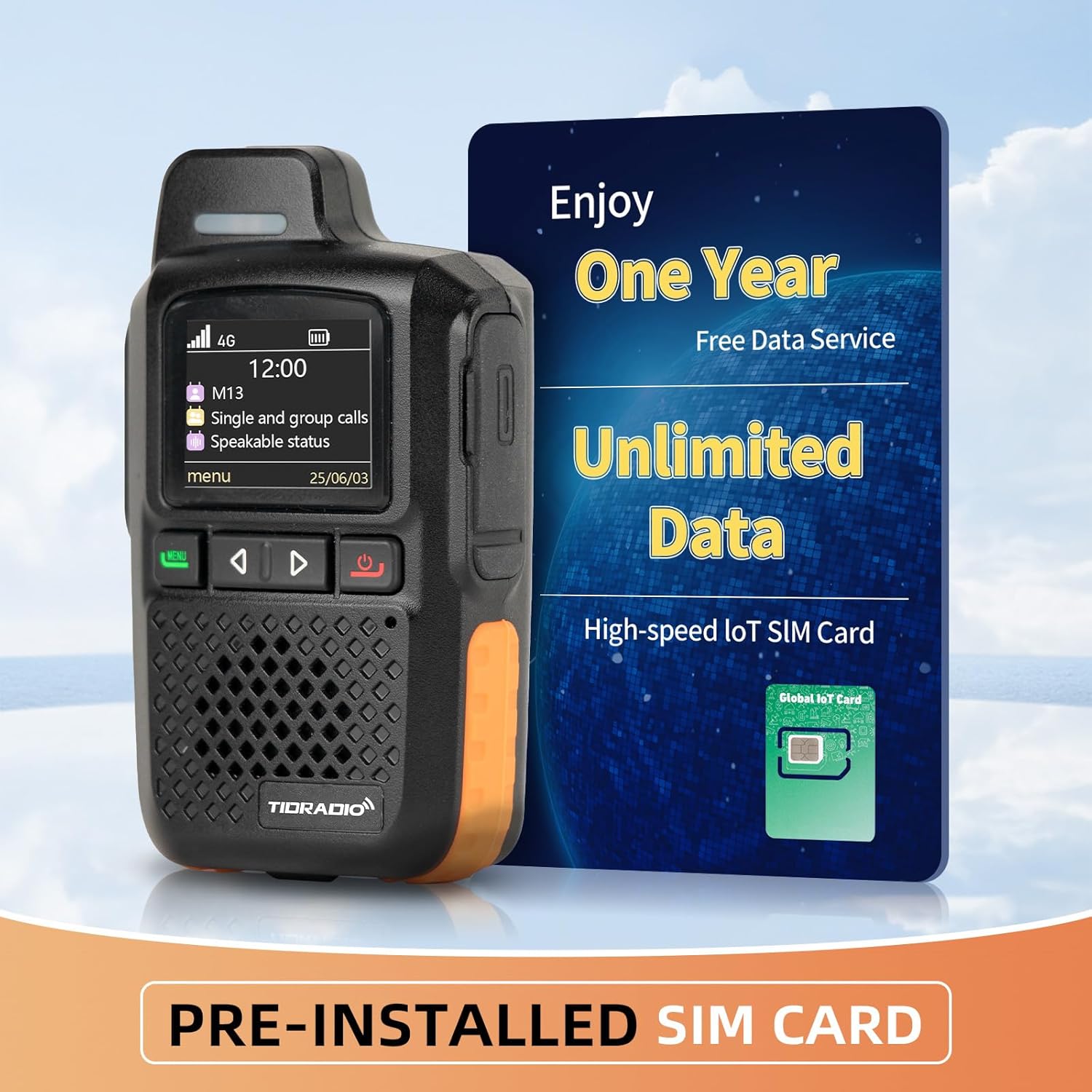
Figure 3: Pre-installed SIM Card and Data Service Information.
4.3. Initial Charging
Before first use, fully charge your TD-M13 radio.
- Connect the provided USB-C cable to the radio's charging port.
- Connect the other end of the cable to the USB-C adapter and plug it into a power outlet.
- The charging indicator will show the charging status. A full charge provides up to 100 hours of standby time.
4.4. Odmaster App Setup
The Odmaster App is crucial for managing your TD-M13 device and team communications.
- Download and install the Odmaster App on your smartphone (available on major app stores).
- Open the app and follow the on-screen instructions to create an account.
- Add your TD-M13 POC device by scanning the QR code displayed on the radio's screen or provided in the packaging.
- Once bound, you can add friends and create groups (supports up to 200 members) for communication.
- Note: If you need to change the bound account, unbind the existing account first before binding a new one.
5. Operating Instructions
5.1. Power On/Off
- To power on: Press and hold the Power button until the screen illuminates.
- To power off: Press and hold the Power button until a power-off prompt appears, then confirm.
5.2. Making Calls
The TD-M13 supports both one-to-one private calling and group calling.
- One-to-One Calling: Select the desired contact from your contact list on the radio or via the Odmaster App, then press the PTT (Push-to-Talk) button to initiate a private call.
- Group Calling: Select the desired group from your group list. Press the PTT button to broadcast your message to all members within that group.
- Receiving Calls: When a call is received, the radio will alert you. Simply release the PTT button to listen and press it to respond.

Figure 4: Global Intercom Capability of TD-M13.
5.3. Odmaster App Features
The Odmaster App enhances your communication experience with features like conversation recording and direct phone communication.
- Recording Conversation: The app automatically records conversations. You can review past messages even if you missed them live.
- Talk on Phone: The app allows for seamless communication between your radio and a smartphone, enabling broader connectivity.

Figure 5: Odmaster App Conversation Recording Feature.

Figure 6: Odmaster App 'Talk on Phone' Feature.
5.4. OTA Updates
The TD-M13 supports Over-The-Air (OTA) updates for continuous performance enhancements and new features. With a single click, you can update your device online to unlock the latest features, enhanced security, and performance optimizations.
6. Maintenance and Care
- Battery Care: To maximize battery life, avoid fully discharging the battery frequently. Charge the device regularly, especially if it will be stored for an extended period.
- Cleaning: Use a soft, damp cloth to clean the exterior of the radio. Do not use harsh chemicals or abrasive cleaners.
- Water Resistance: The TD-M13 is water resistant. While it can withstand splashes, avoid submerging the device in water. Ensure all port covers are securely closed to maintain water resistance.
- Storage: Store the radio in a cool, dry place away from direct sunlight and extreme temperatures.
7. Troubleshooting
If you encounter issues with your TD-M13, refer to the following common troubleshooting steps:
| Problem | Possible Cause / Solution |
|---|---|
| No Power | Battery is low or depleted. Charge the battery. Ensure battery is correctly installed. |
| Cannot Make/Receive Calls | No network signal (check 4G LTE indicator). SIM card not properly inserted or activated. Device not bound to Odmaster App. Ensure you are in a group or have selected a contact. |
| Poor Audio Quality | Weak network signal. Obstructions between devices. Speaker/microphone blocked. |
| Odmaster App Connectivity Issues | Ensure your smartphone has internet access. Restart the app and the radio. Re-bind the device if necessary. |
| Device Not Updating (OTA) | Ensure the device has a stable internet connection. Battery level might be too low for an update. Try again later. |
If the problem persists after trying these steps, please contact customer support.
8. Specifications
| Feature | Detail |
|---|---|
| Model Number | TD-M13 |
| Brand | TIDRADIO |
| Dimensions (L x W x H) | 1.1 x 1.96 x 3.7 inches (2.79 x 4.98 x 9.4 cm) |
| Weight | 1 pound (approx. 453g) |
| Battery | 2000mAh Nonstandard Battery (included) |
| Standby Time | Up to 100 hours |
| Charging Port | USB-C |
| Network Type | 4G LTE (POC) |
| Number of Channels | 200 |
| Talking Range Maximum | Unlimited (5000+ miles via cellular network) |
| Water Resistance Level | Water Resistant |
| Color | Black |
9. Warranty and Support
9.1. Warranty Information
The TIDRADIO TD-M13 comes with a 1-year warranty from the date of purchase. Please retain your proof of purchase for warranty claims. The warranty covers manufacturing defects but does not cover damage caused by misuse, accidents, or unauthorized modifications.
9.2. Customer Support
For any questions or assistance regarding your TD-M13, please contact TIDRADIO customer support immediately. You can reach us through Amazon or our official after-sales support email.
Amazon Contact Path:
- Go to your 'Orders' page on Amazon.
- Select the relevant order for your TD-M13.
- Click on 'Get help'.
- Select 'Other'.
- Click 'Send seller' to send your question directly.
We are committed to providing excellent service and support for your product.


