
1. Important Safety Information
Please read and understand all instructions before assembly and use. Retain this manual for future reference.
- Weight Limit: Do not load more than 800 pounds onto the bed frame. Exceeding this limit may cause damage or injury.
- Drawer Safety: Use caution when opening and closing the drawers to avoid pinching fingers or other injuries.
- LED Lights: Handle the LED lights and their connections carefully during assembly and use to prevent damage or electrical hazards.
- Assembly: Ensure all components are securely fastened according to the assembly instructions. Loose parts can lead to instability.
2. Product Overview
The GarveeHome LED Twin Bed Frame is designed for comfort and functionality, featuring a 2-tier storage headboard, integrated LED lighting, a charging station, and a versatile storage drawer.
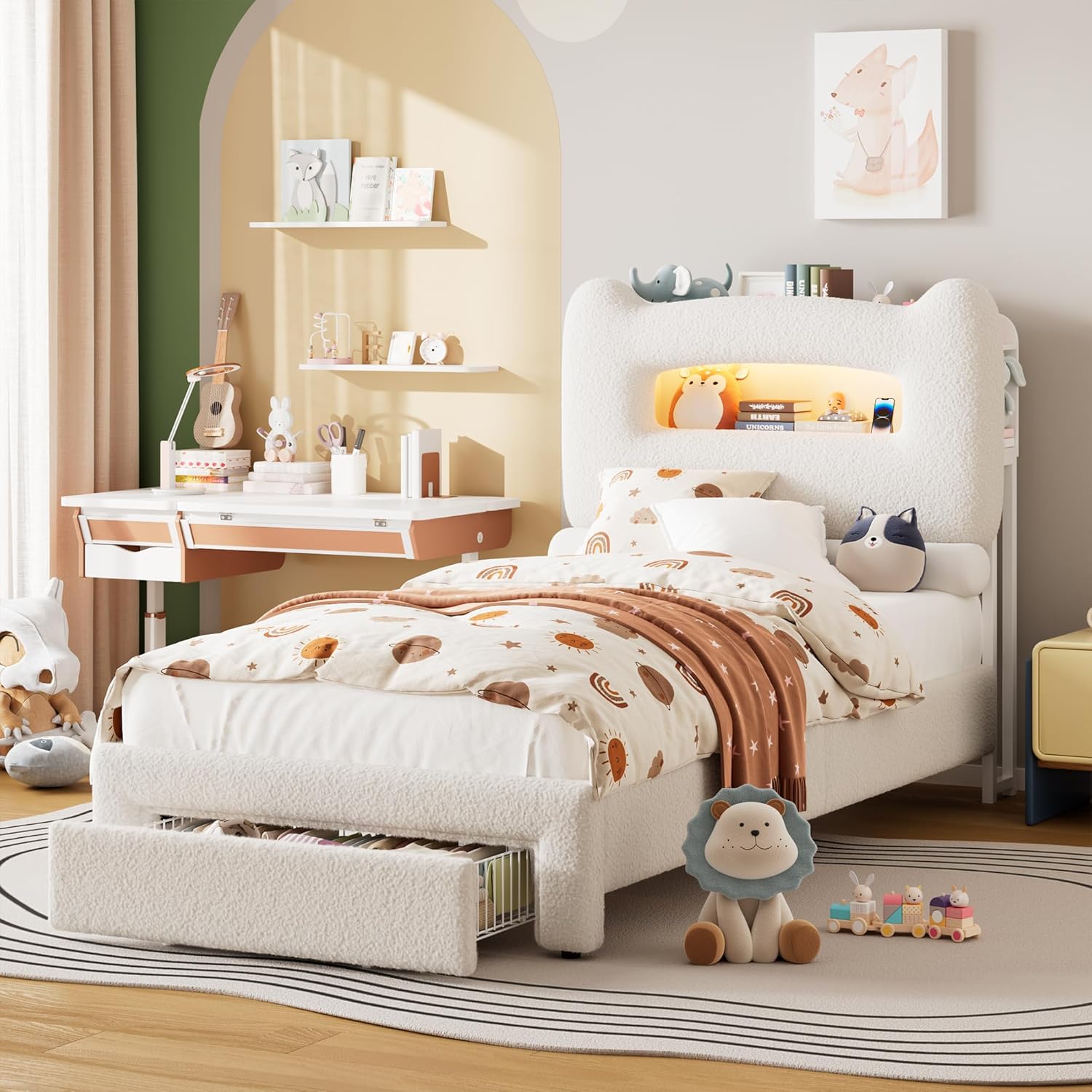
Image 2.1: The GarveeHome LED Twin Bed Frame with its storage headboard and integrated lighting, set up in a child's bedroom.
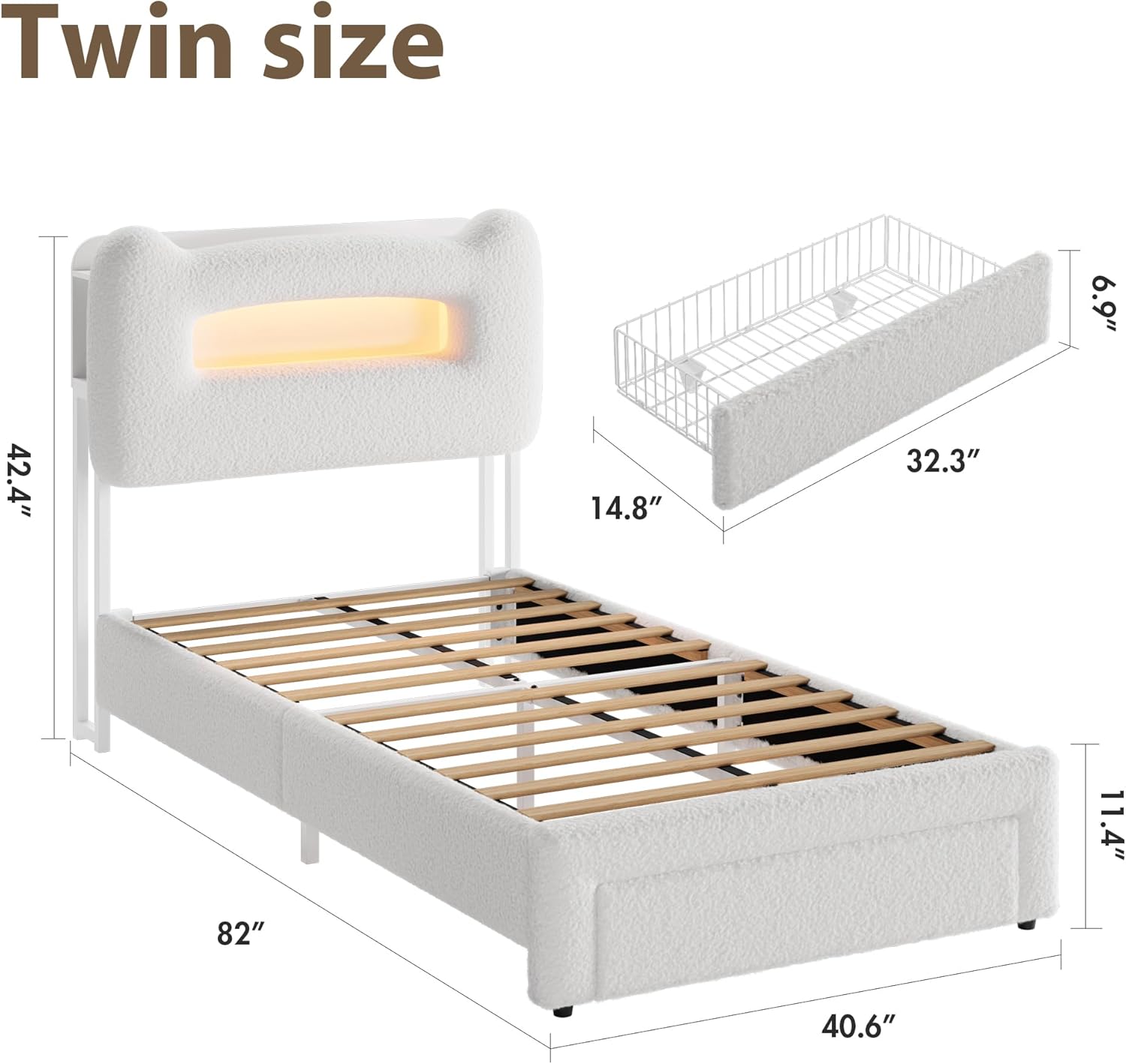
Image 2.2: Detailed dimensions of the twin bed frame and its removable storage drawer.
3. Setup and Assembly
This bed frame requires assembly. Please ensure all parts are present before beginning. Assembly instructions are included with the product packaging.
3.1 Unpacking and Part Identification
- Carefully unpack all components from the packaging.
- Refer to the included parts list and hardware diagram to identify each piece.
- Place all parts on a clean, soft surface to prevent scratches.
3.2 Frame Assembly
- Assemble the main bed frame structure using the provided bolts and tools. Ensure all connections are tightened securely.
- Install the heavy-duty metal support beams and wooden slats into the frame. These provide mattress support and eliminate the need for a box spring.

Image 3.1: Detail of the sturdy wooden slats and metal frame construction.
3.3 Headboard and Storage Installation
- Attach the upholstered headboard to the main bed frame.
- Ensure the 2-tier storage shelves, side cubbies, and central compartment are correctly aligned and secured.
3.4 Storage Drawer Installation
- Assemble the storage drawer according to the instructions.
- The drawer can be installed on the left, right, or foot of the bed, depending on your room layout and preference.

Image 3.2: The under-bed storage drawer with wheels, demonstrating its capacity.
3.5 Electrical Connections (LED Lights & Charging Station)
- Connect the power cable for the LED lights and charging station to a standard wall outlet.
- Ensure all connections are firm and secure.
4. Operating Instructions
4.1 LED Lighting System
The integrated LED lights in the headboard offer customizable illumination.
- Control Methods: The LED lights can be controlled via a dedicated remote control or a smartphone application. Refer to the separate LED light instruction sheet for app download and pairing details.
- Features: Enjoy RGB color options, music synchronization mode, adjustable brightness levels, and a timing function for automatic on/off.

Image 4.1: The LED lighting system in operation, highlighting control options and features.
4.2 Charging Station
The headboard includes a built-in charging station for convenience.
- Ports: The charging station features 2 standard power outlets, 2 USB ports, and 1 Type-C port.
- Usage: Plug in your electronic devices for charging. Ensure the bed frame's power cable is connected to a live outlet.
4.3 Storage Headboard
Utilize the multi-functional headboard for organized storage.
- 2-Tier Shelf: Ideal for books, small decor items, or personal belongings.
- Side Cubbies: Convenient for storing phones, remote controls, or other small essentials.
- Central Hollow Space: Provides additional storage for larger items.

Image 4.2: Detailed view of the headboard's storage compartments and charging station.
5. Maintenance
Regular maintenance helps prolong the life and appearance of your bed frame.
- Upholstered Fabric: For general cleaning, gently vacuum the sherpa fabric to remove dust and debris. For spills, blot immediately with a clean, damp cloth. Avoid harsh chemicals.
- LED Lights: Keep the LED light strip and control unit free from dust. Do not use liquid cleaners directly on electrical components.
- Frame Structure: Periodically check all bolts and screws to ensure they remain tight. Re-tighten if necessary to maintain stability.
- Storage Drawer: Keep the drawer tracks clean and free of obstructions for smooth operation.

Image 5.1: Close-up of the boucle upholstered fabric, highlighting its texture.
6. Troubleshooting
If you encounter issues with your bed frame, refer to the following common problems and solutions.
| Problem | Possible Cause | Solution |
|---|---|---|
| LED lights not turning on or flickering. | Loose power connection, remote battery low, app not connected. | Check if the power adapter is securely plugged into the wall outlet and the bed frame. Replace remote batteries. Re-pair the app with the LED lights. If issues persist, disconnect and reconnect the power. |
| Charging station not working. | No power, device incompatibility. | Ensure the bed frame's power cable is plugged into a live wall outlet. Test with a different device or cable to rule out device issues. |
| Storage drawer is difficult to open/close. | Obstruction in the track, misaligned. | Check for any items blocking the drawer's path. Ensure the drawer is properly aligned on its wheels. Clean any debris from the floor under the bed. |
| Bed frame is squeaking or unstable. | Loose bolts or connections. | Inspect all assembly bolts and screws. Tighten any that are loose. |
7. Specifications
| Feature | Detail |
|---|---|
| Brand | GarveeHome |
| Model Number | nl7oZWryMaCdNqJp4BKr8wVaZ |
| Size | Twin |
| Product Dimensions (L x W x H) | 75.98" x 38.98" x 44.49" |
| Color | Beige |
| Material | Fabric (Upholstered) |
| Item Weight | 77.2 Pounds |
| Assembly Required | No (Assembly instructions included) |
| Special Features | Upholstered, LED Lights, 2-Tier Storage Headboard, Charging Station (2 Outlets, 2 USB, 1 Type-C), Storage Drawer, Heavy Duty Metal Support, No Box Spring Needed |
| Compatible Mattress Size | Twin |
8. Warranty and Support
For warranty information and customer support, please refer to the documentation included with your purchase or contact GarveeHome directly through their official channels. Keep your purchase receipt as proof of purchase.
If you have any questions or require assistance with assembly, operation, or troubleshooting that is not covered in this manual, please reach out to GarveeHome customer service.