
1. Introduction
Thank you for purchasing the QISHENKOLA SF3000 Retro Handheld Game Console. This device offers a versatile entertainment experience, combining classic gaming with multimedia functions and emergency charging capabilities. This manual provides essential information for setup, operation, and maintenance to ensure optimal use of your console.
2. Safety Information
Please read and understand all safety instructions before using the device. Failure to follow these instructions may result in electric shock, fire, or other hazards.
- This product is for external use only.
- Do not expose the device to extreme temperatures, direct sunlight, or high humidity.
- Avoid dropping or subjecting the device to strong impacts.
- Do not attempt to disassemble, repair, or modify the device yourself. Contact customer support for assistance.
- Use only the provided charging cable and a compatible power adapter.
- Keep the device away from water and other liquids.
- Supervise children when they are using the device.
3. Package Contents
Verify that all items are present in the package:
- 1 x SF3000 Handheld Retro Game Console
- 1 x Charging Cable
- 1 x TF-card (pre-installed or included separately)
- 1 x User Manual

Image 3.1: Contents of the SF3000 package, including the console, charging cable, TF card, and manual.
4. Product Overview
The SF3000 console features a 4.5-inch IPS HD screen, dual joysticks, and various buttons for control. It supports multiple functions beyond gaming.
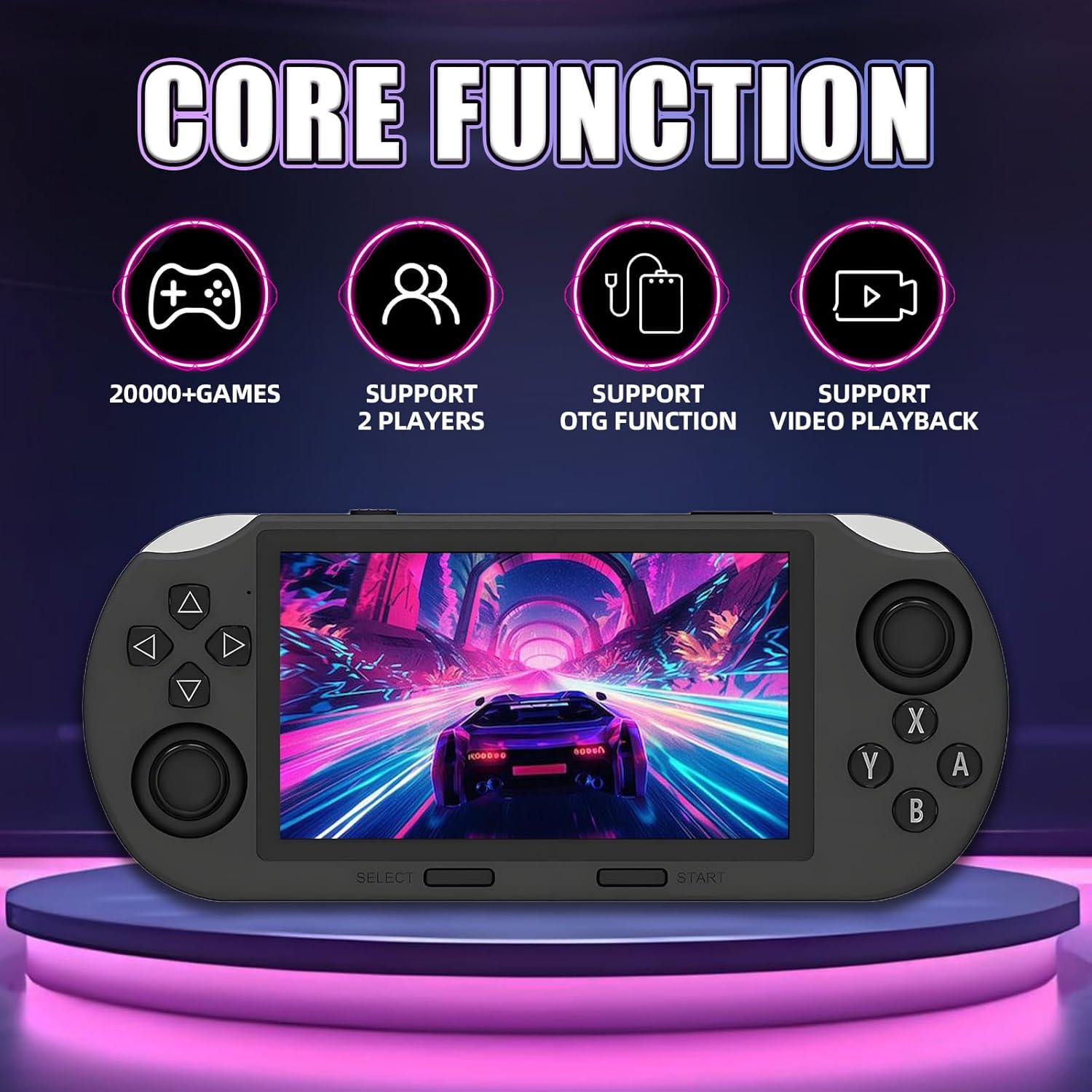
Image 4.1: Overview of the SF3000's core functions, including 20,000+ games, 2-player support, OTG function, and video playback.

Image 4.2: Close-up of the SF3000's 4.5-inch IPS high-definition screen with 854x480 resolution.

Image 4.3: Detailed view of the SF3000's control buttons, integrated brackets for standing, and the FHD Link Interface (HDMI) for TV connection.
5. Setup
5.1 Initial Charging
Before first use, fully charge the console. Connect the provided charging cable to the console's charging port and the other end to a USB power adapter (not included) or a computer's USB port. The charging indicator will show the charging status.
5.2 TF Card Installation
The TF card, pre-loaded with games, should be inserted into the designated slot. Ensure it is properly seated before powering on the device.
6. Operating Instructions
6.1 Power On/Off
- To Power On: Press and hold the power button for approximately 3 seconds.
- To Power Off: Press and hold the power button for approximately 3 seconds until the device shuts down.
6.2 Gaming
The console comes pre-installed with over 20,000 games and supports 14+ emulators. Games are categorized for easy navigation.
- Navigate through the game library using the directional pad or joysticks.
- Select a game by pressing the 'A' button.
- Games typically launch within 3 seconds of selection.
- Use the high-precision 3D dual joysticks and responsive buttons for gameplay.
6.3 Multimedia Functions
In addition to gaming, the SF3000 supports various multimedia features:
- Digital Photo Album: View stored images.
- E-book Reader: Read electronic books.
- Video Player: Play video files.
- Music Player: Listen to audio files.
6.4 Emergency Charging for Mobile Phones
The console can function as an emergency power bank for mobile phones.
- Ensure the SF3000 console has sufficient battery charge.
- Connect your mobile phone to the console using the appropriate charging cable (the console's charging cable or your phone's cable).
- The console will begin charging your phone.

Image 6.1: Illustration of the SF3000 in both game mode and emergency phone charging mode.

Image 6.2: Visual representation of the 3000mAh battery capacity and its ability to charge a mobile phone.
6.5 Connecting to a TV
The console features an HD interface for connecting to a television or projector for a larger screen experience.
- Locate the HD output port on the SF3000 console.
- Connect an HD cable (not included) from the console to the HD input port on your TV or projector.
- Switch your TV's input source to the corresponding HD channel.
- The console's display will be mirrored on the larger screen.

Image 6.3: The SF3000 console connected to a television for a large-screen gaming experience.
7. Maintenance
- Clean the console regularly with a soft, dry cloth. Do not use liquid cleaners.
- Store the device in a cool, dry place away from dust and direct sunlight.
- Avoid placing heavy objects on the console.
- Important Note: This emulator console does not support users changing or updating the system by themselves, nor refreshing the system. Unauthorized modifications may void the warranty and cause irreversible damage.
8. Troubleshooting
If you encounter any issues with your SF3000 console, please refer to the following common solutions:
- Device not powering on: Ensure the battery is charged. Connect the console to a power source and try again.
- Games not loading: Check if the TF card is properly inserted. Restart the device.
- Screen issues (no display, flickering): Restart the console. Ensure the screen is clean and free from physical damage.
- Buttons or joysticks unresponsive: Restart the console. Ensure no debris is obstructing the controls.
- Emergency charging not working: Ensure the console has sufficient battery. Check the connection cable between the console and your phone.
If problems persist, please contact customer support for further assistance.
9. Specifications
| Feature | Specification |
|---|---|
| Number of Games | 20,000+ |
| Built-in Emulators | 14+ |
| Screen Specifications | 4.5-inch IPS Display |
| Resolution | 854×480 |
| Processor | Dual Core Processor |
| System Memory | DDR3 2GB |
| Battery Capacity | 3000mAh (5-7 hours continuous use) |
| Product Dimensions | 7.87 x 3.43 x 1.5 inches |
| Material | Plastic |
| Item Model Number | SF3000 |
10. Support
For any questions, technical support, or issues not covered in this manual, please contact QISHENKOLA customer service. Refer to the contact information provided with your purchase or on the product packaging.