1. Safety Information
Your safety is paramount. Please read this manual thoroughly before operating the INSDRGN A14 Electric Bike. Failure to follow instructions can result in serious injury or damage to the product.
- Always wear a helmet and appropriate safety gear when riding.
- Ensure all components are securely fastened before each ride.
- Do not operate the e-bike under the influence of alcohol or drugs.
- Adhere to local traffic laws and regulations.
- Avoid riding in adverse weather conditions or on slippery surfaces.
- The INSDRGN A14 is UL2849 certified, ensuring it has passed strict electrical, battery, and charger system tests.

Image: Illustration depicting UL2849 safety certification for the INSDRGN Electric Bike, emphasizing electrical and battery system testing.
2. Setup and Assembly
The INSDRGN A14 Electric Bike requires some assembly. Follow these steps carefully to ensure proper setup.
2.1. Unboxing and Initial Setup
Video: "A14 Installation steps" - This video demonstrates the complete assembly process of the INSDRGN A14 Electric Bike, from unboxing to final checks.
- Unpack Components: Carefully remove all parts from the packaging. Lay them out to identify all items.
- Handlebar Installation:
- Put the folding riser upright and fasten the handle.
- Open the lock on the top of the folding riser. Place the handlebar into the folding riser and snap the top handle tight.
- Seat Post Installation: Take out the seat post, put it into the frame, and fasten the handle. Adjust to a comfortable height.
- Pedal Installation:
- Install the pedal with the "R" logo on the right chainring and tighten it clockwise.
- Install the pedal with the "L" logo on the left crank and tighten it counterclockwise.
- Front Fender and Headlight Installation:
- Unscrew the screws counterclockwise, place the front fender and the headlight in order, then tighten the screws clockwise.
- Tighten the screws securing the front fork and the fender clockwise.
- Front Wheel Installation:
- Loosen the nut that fixes the front fork shaft and remove the fixed shaft.
- Remove the nuts and washers on the front axle.
- Insert the front axle into the front wheel hub, and place the nuts and washers onto the front axle in order.
- Install the front wheel. Place the washers and nuts on each side of the axle in order and tighten.
- Tighten the nuts clockwise to ensure that the front wheels are securely fastened.
- Fasten the nut protection caps to the nuts on both sides of the axle.
- Adjust Bell and Holder: Adjust the angle of the bell and the phone holder on the handlebar.
- Secure Battery: Insert the key into the battery lock and turn it clockwise twice to ensure that the battery is secured.
- Power On: Insert the key and turn it clockwise to switch on the display. Turn the key clockwise again to switch on the headlight.
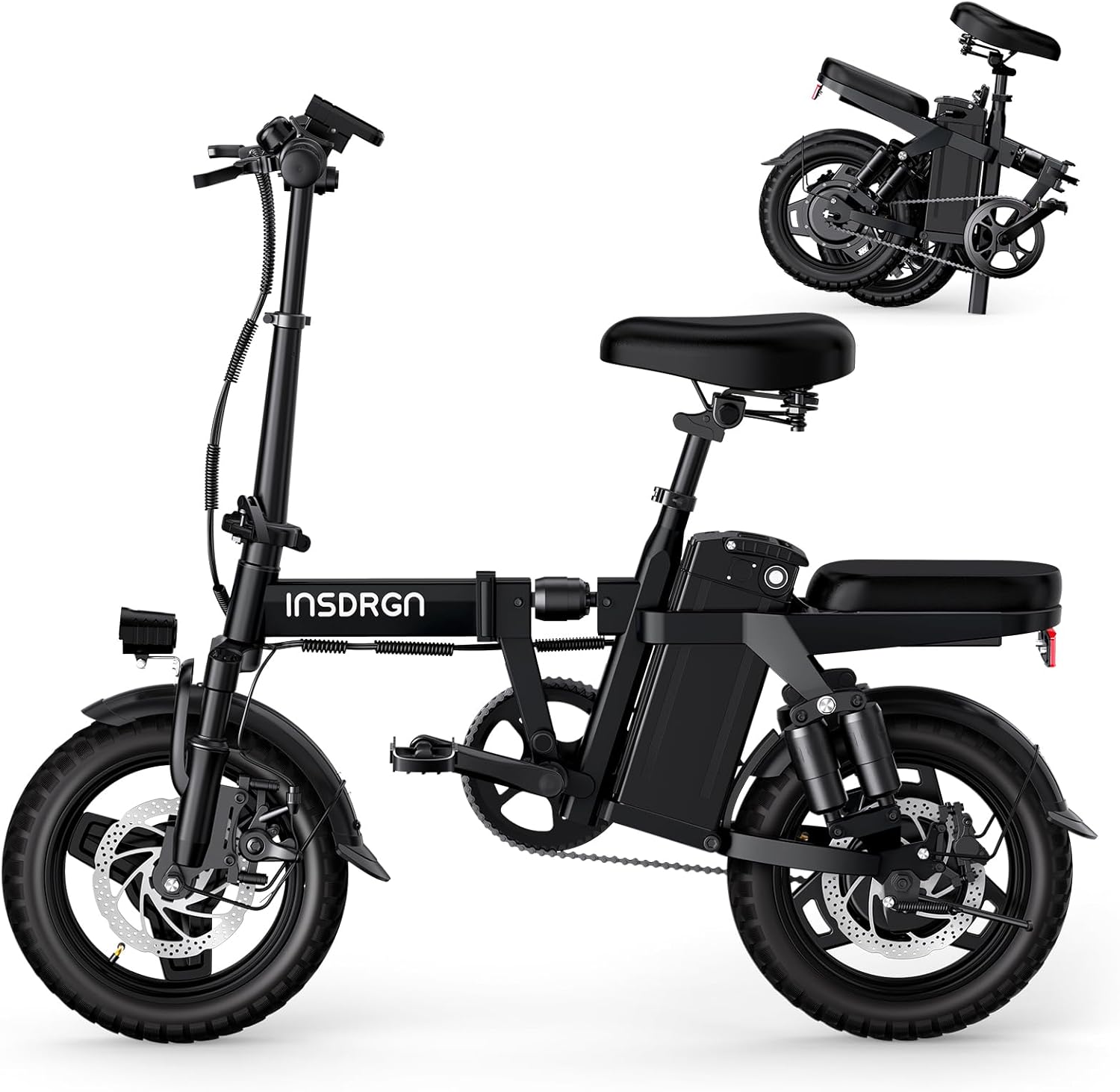
Image: The INSDRGN A14 Electric Bike in its fully assembled, ready-to-ride state.
3. Operating Instructions
The INSDRGN A14 Electric Bike offers a versatile riding experience with multiple modes and features.
3.1. Powering On and Off
- To power on the bike, insert the key into the ignition on the handlebar and turn it clockwise once. The display will illuminate.
- To activate the headlight, turn the key clockwise a second time.
- To power off, turn the key counterclockwise until the display turns off.
3.2. Riding Modes
The A14 features three distinct riding modes:

Image: Visual representation of the three riding modes: Pure Electric, Electric Assist, and Normal Bike Mode.
- Pure Electric Mode: Utilizes the throttle for propulsion without pedal input.
- AI Electric Assist Mode: The advanced AI technology automatically adjusts pedal assist, providing a smooth and effortless ride. This mode is designed for stress-free cycling.
- Normal Bike Mode: Operates as a traditional bicycle, relying solely on pedal power.
3.3. Throttle and Braking
- Throttle: Control your speed using the twist throttle on the handlebar.
- Brakes: The e-bike is equipped with a superior braking system featuring a 44.99% brake disc ratio for enhanced efficiency and stability. Apply both front and rear brakes smoothly for controlled stopping.

Image: Close-up of the INSDRGN A14 Electric Bike's front wheel, highlighting the large brake disc for efficient braking.
3.4. Suspension System
The INSDRGN A14 features a 9-module damping system and dual suspension to absorb shocks and provide a comfortable ride on various terrains.
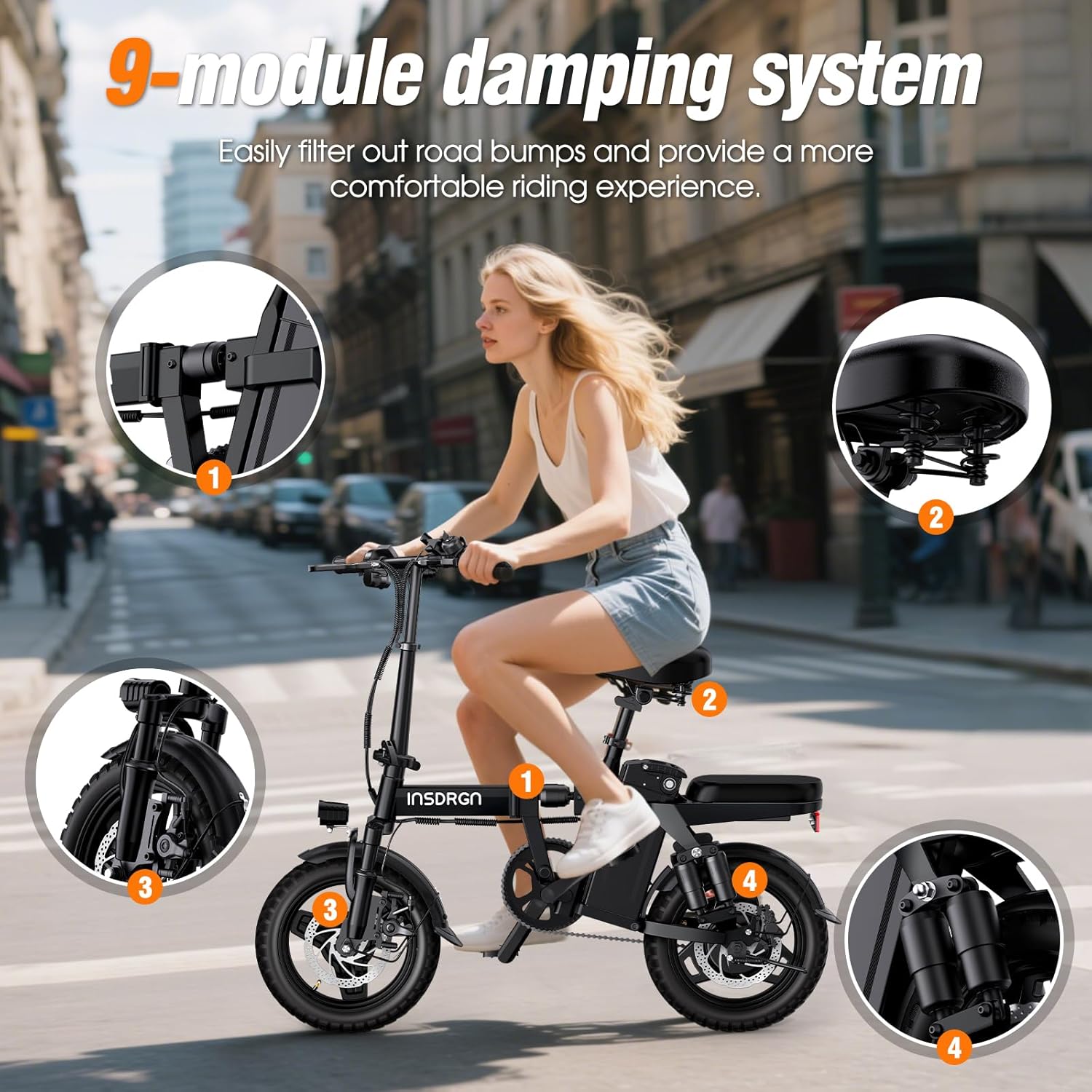
Image: Diagram illustrating the 9-module damping system and suspension points on the INSDRGN A14 Electric Bike for enhanced comfort.
4. Maintenance
Regular maintenance ensures the longevity and optimal performance of your INSDRGN A14 Electric Bike.
4.1. Battery Care
- The 499Wh removable battery charges in approximately 5 hours.
- The battery can be charged while installed on the bike or removed for convenient charging indoors.
- Always use the official charger provided with your e-bike.
- Store the battery in a cool, dry place when not in use.

Image: The INSDRGN A14 Electric Bike with its portable battery being charged, illustrating both on-bike and off-bike charging options.
4.2. Brake Adjustment
Proper brake adjustment is crucial for safety. If your brakes feel loose or too tight, follow these steps:
Video: "A14 Brake Adjustment" - This video provides a visual guide on how to adjust the brakes on your INSDRGN A14 Electric Bike.
- Loosen the fixed 2 screws above the brake caliper.
- Adjust the gap between the brake pads and both sides of the brake disc to ensure even spacing and no rubbing.
- Tighten the two fixed screws on the brake caliper clockwise.
- Test the brakes for proper function and responsiveness.
4.3. General Maintenance Tips
- Keep the bike clean, especially the chain and moving parts.
- Regularly check tire pressure (14x2.125 inch wheels).
- Inspect all bolts and fasteners for tightness.
- Lubricate the chain periodically.
5. Folding and Storage
The INSDRGN A14 features a compact foldable design for easy transport and storage.
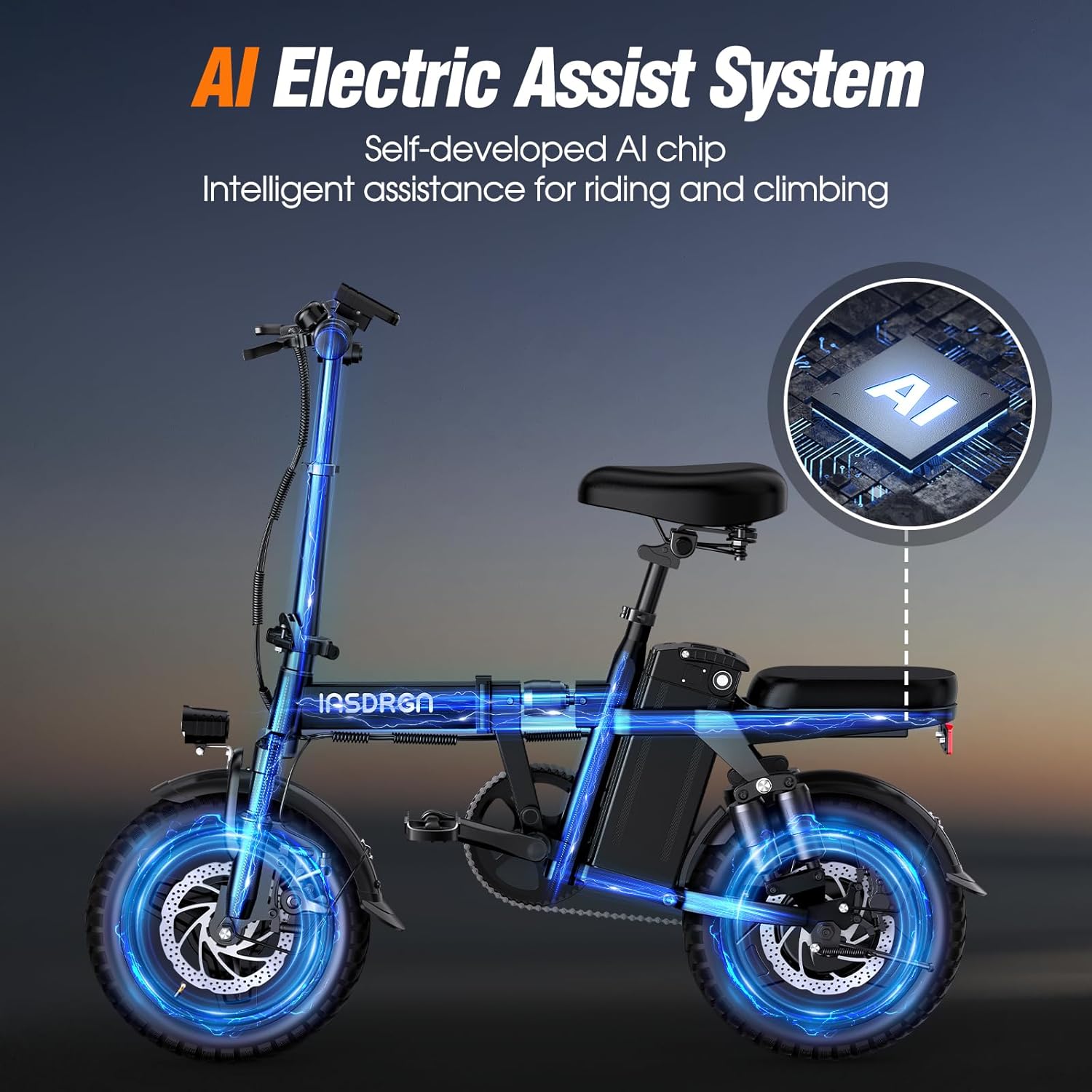
Image: The INSDRGN A14 Electric Bike being folded and placed into a car trunk, demonstrating its compact size after folding (less than 0.135m³).
- To fold the bike, release the quick-release levers on the handlebar stem and the main frame hinge.
- Fold the handlebar down and then fold the main frame in half.
- The bike folds to a compact size of less than 0.135m³, making it ideal for storage in small spaces or vehicle trunks.
- For lighter transport, the battery can be removed before folding.
6. Troubleshooting
This section addresses common issues you might encounter with your INSDRGN A14 Electric Bike.
- Bike Not Powering On: Ensure the battery is fully charged and securely locked into place. Check the key ignition for proper engagement.
- Motor Not Engaging: Verify that the battery has sufficient charge. If using pedal assist, ensure you are pedaling. Check for any loose connections to the motor.
- Brakes Rubbing/Ineffective: Refer to the "Brake Adjustment" section (4.2) to properly adjust the brake calipers and cables.
- Unusual Noises: Inspect all moving parts for loose components or obstructions. Check the chain for proper lubrication and tension.
- Battery Rattling: If the battery rattles within its tray, consider adding thin foam padding around the battery to secure it more firmly.
7. Specifications
| Feature | Detail |
|---|---|
| Model Name | A14 |
| Bike Type | Electric Bike |
| Brand | INSDRGN |
| Motor Power | 400W (Peak 650W) |
| Battery | 48V 10.4Ah / 499Wh Removable Lithium Battery |
| Charging Time | Approximately 5 hours |
| Max Range (AI Assist) | Up to 28 miles |
| Max Speed | 20 mph (Safety Speed Limit) |
| Wheel Size | 14 Inches (14x2.125 inch wheels) |
| Frame Material | Carbon Steel |
| Suspension Type | Dual (9 Shock Absorbers) |
| Brake Style | Disc (44.99% Brake Ratio) |
| Special Feature | Foldable |
| Vehicle Weight | 63.9 lbs |
| Maximum Load | 300 lbs |
| Recommended Height | 4'10" – 6'1" |
| Certifications | UL2849 Certified |

Image: Visual detailing the 500W brushless motor with 750W peak power, IPX65 waterproof rating, 20MPH safety speed limit, and 30° uphill capability.

Image: Dimensions of the INSDRGN A14 Electric Bike, including height, length, and folded size, along with maximum load and vehicle weight.
8. Warranty and Support
INSDRGN is committed to supporting its customers. For any questions, concerns, or warranty claims, please contact our support team.
- Live Chat Support: Contact us via email at yyo2025@outlook.com.
- We offer 24-hour after-sale support to ensure your satisfaction.

Image: INSDRGN customer support representatives, indicating available assistance.


