1. Introduction
Thank you for choosing the VOOPNU DH-JHD07 Air Purifier. This device is designed to improve your indoor air quality by effectively filtering airborne pollutants. This manual provides essential information for safe operation, maintenance, and troubleshooting to ensure optimal performance of your air purifier.
2. Important Safety Instructions
- Read all instructions before using the appliance.
- Ensure the power supply voltage matches the rating label on the appliance.
- Do not operate the appliance with a damaged cord or plug.
- Keep the air inlet and outlet clear of obstructions.
- This air purifier uses a pure physical filtration system and does not produce ozone.
- The child lock feature helps prevent accidental operation.
- Unplug the appliance before cleaning or performing any maintenance.
3. Product Overview
The VOOPNU DH-JHD07 Air Purifier features a sleek design with a 360° air intake and outlet, a smart touch control panel, and an integrated air quality display.

3.1 Smart Touch Panel
The top of the air purifier features a smart touch panel with various controls and an air quality display. This display shows PM2.5 readings and uses color-coded lights to indicate air quality (Green: Good, Yellow: Moderate, Red: Bad).
3.2 Air Intake and Outlet
The device utilizes a 360° surround air intake and outlet design for efficient air circulation and purification across rooms up to 1095 sq. ft.
4. Setup
- Unpack the Purifier: Carefully remove the air purifier from its packaging.
- Choose a Location: Place the air purifier on a flat, stable surface, ensuring at least 12 inches (30 cm) of clearance around all sides for optimal airflow.
- Install the Filter: Open the bottom cover of the air purifier, remove the protective packaging from the H13 True HEPA filter, and insert the filter back into the unit. Secure the bottom cover.
- Connect Power: Plug the power adapter into the air purifier and then into a standard electrical outlet.
5. Operating Instructions
5.1 Power On/Off
Press the power button on the smart touch panel to turn the air purifier on or off.
5.2 Auto Mode and Air Quality Display
In Auto Mode, the air purifier automatically adjusts its fan speed based on real-time air quality readings (PM2.5). The display and indicator lights provide visual feedback:
- Green Light: Good air quality (0-35 ug/m³), Fan Speed 1.
- Yellow Light: Moderate air quality (36-75 ug/m³), Fan Speed 2.
- Red Light: Bad air quality (>75 ug/m³), Fan Speed 3.

Video 1: Air Quality Detection and Auto Mode. This video demonstrates the air purifier's ability to detect air quality and automatically adjust its operation, showcasing the smart touch panel and air quality sensor.
5.3 Fan Speed Adjustment
Manually select from multiple fan speed settings to suit your preference or specific air purification needs.
5.4 Sleep Mode and Mute Function
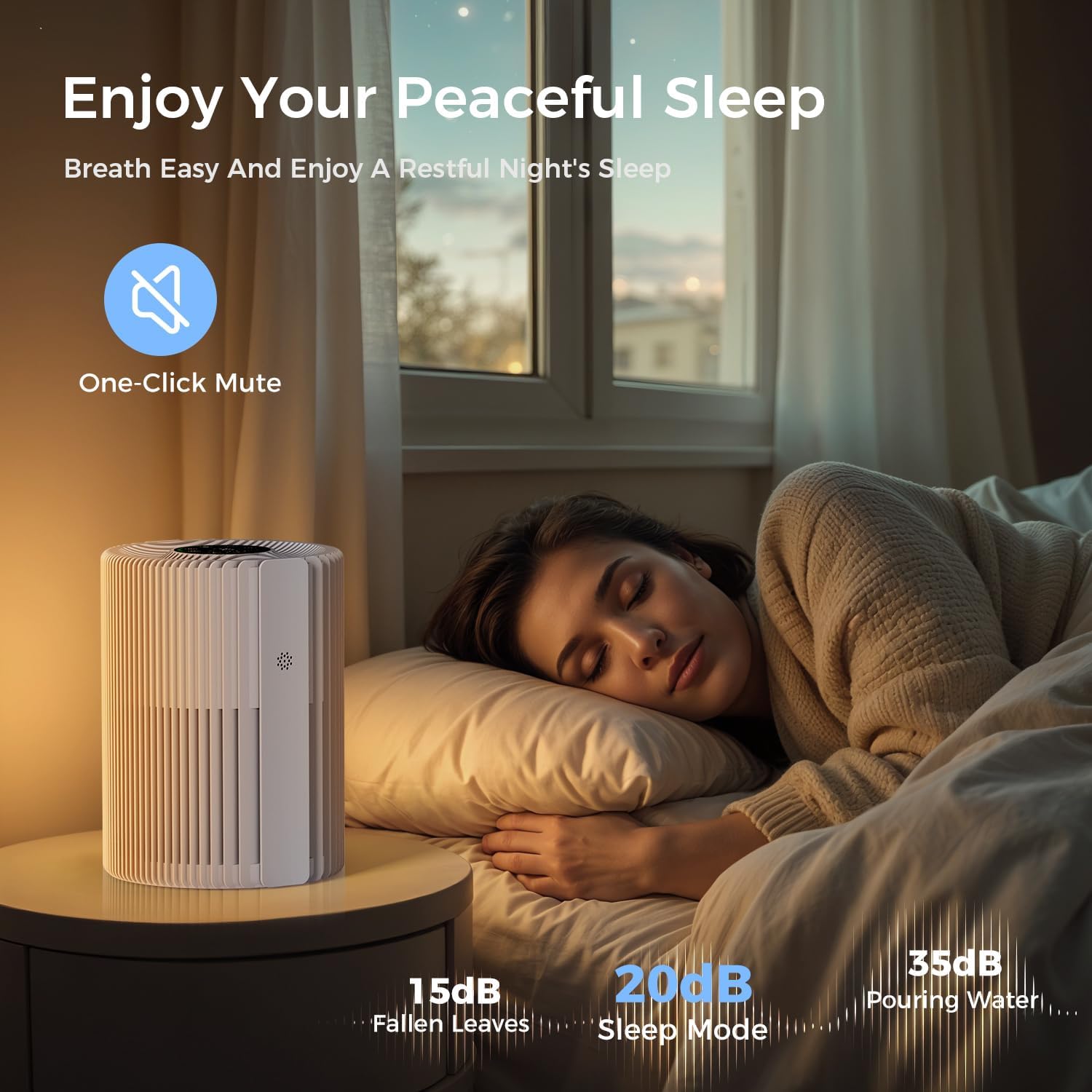
Activate Sleep Mode for ultra-quiet operation, ideal for nighttime use. The one-touch mute function silences button sounds to prevent disturbances.
5.5 Child Lock
Engage the child lock feature to prevent unintended changes to settings by children or pets.
6. Maintenance
6.1 Filter Replacement
The air purifier will remind you to replace the filter after approximately 2,000 hours of use. For optimal performance and clean air, it is recommended to replace the filter regularly.
- Unplug the air purifier.
- Open the bottom cover.
- Remove the old filter.
- Insert a new VOOPNU H13 True HEPA filter.
- Close the bottom cover securely.
- Reset the filter replacement indicator (refer to the control panel instructions for specific steps).
6.2 Cleaning the Exterior
Wipe the exterior of the air purifier with a soft, dry cloth. Do not use abrasive cleaners or solvents.
7. Troubleshooting
| Problem | Possible Cause | Solution |
|---|---|---|
| Unit does not turn on | No power supply; Power cord not connected properly | Check power connection; Ensure outlet is functional |
| Weak airflow | Filter clogged; Air inlets/outlets blocked | Replace filter; Clear obstructions |
| Unusual noise | Foreign object inside; Unit not on a stable surface | Unplug and check for objects; Place on a stable surface |
| Air quality not improving | Filter needs replacement; Room size too large for setting | Replace filter; Increase fan speed or use Auto Mode |
8. Specifications
- Model: DH-JHD07
- Brand: VOOPNU
- Product Dimensions: 6.93"D x 6.93"W x 9.51"H (17.6 x 17.6 x 24.15 cm)
- Item Weight: 2.2 Pounds (1 kg)
- Coverage Area: Up to 1095 sq. ft/hour
- Filtration Type: H13 True HEPA 4-layer filtration (Hair Barrier, Pre-Filter, H13 HEPA, Activated Carbon)
- Power Source: DC
- Features: Air Quality Display (PM2.5), Auto Mode, Sleep Mode, Child Lock, One-Touch Mute
9. Warranty and Support
For warranty information and customer support, please refer to the documentation included with your product packaging or contact VOOPNU customer service directly. Keep your purchase receipt as proof of purchase for warranty claims.


