1. Introduction
This manual provides essential instructions for setting up, operating, and maintaining your Generic C8 4G Flip Phone. Designed for ease of use, this device features large buttons, clear displays, and essential communication functions.

Figure 1: Generic C8 4G Flip Phone with charging dock.
2. Setup
2.1 What's in the Box
- Generic C8 4G Flip Phone
- 1400mAh Battery
- USB Cable (Type-C)
- Charging Dock
- User Manual

Figure 2: Included items in the product packaging.
2.2 Battery and SIM Card Installation
Before first use, ensure the battery and SIM card are correctly installed. The phone supports Nano SIM cards.
Video 1: Demonstration of battery and SIM card removal/installation (Nokia 2780 Flip Phone, similar process).
2.3 Charging the Device
The C8 4G Flip Phone can be charged using the included USB Type-C cable or by placing it in the charging dock.
- USB Type-C Charging: Connect the USB cable to the phone's Type-C port and a compatible power adapter.
- Charging Dock: Place the phone securely into the charging dock. Ensure the charging indicator appears on the screen.
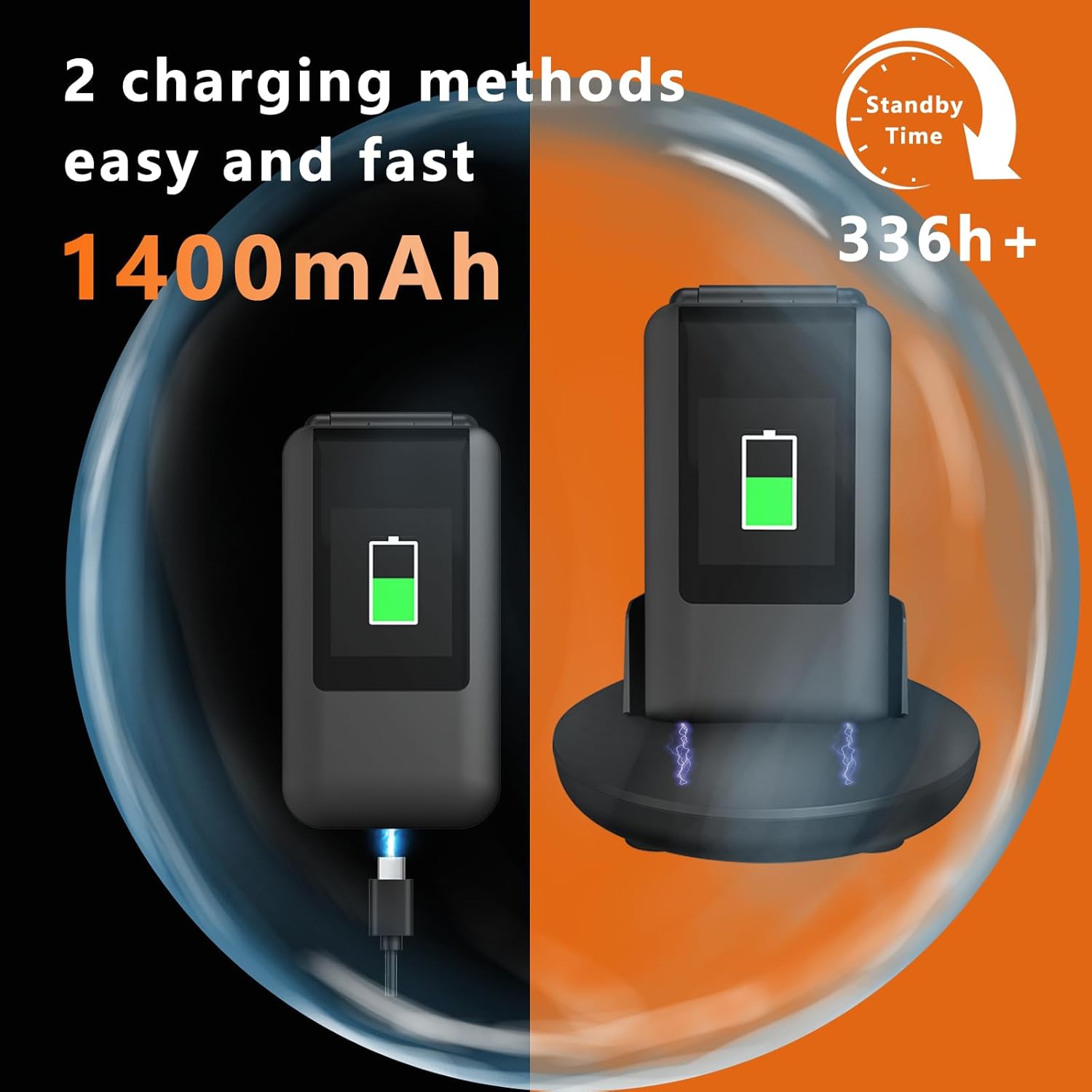
Figure 3: The phone supports both USB Type-C direct charging and charging via the included dock.
2.4 Network Compatibility
This phone is unlocked and supports 4G VoLTE, 3G WCDMA, and 2G/GSM networks. Optimal compatibility is with T-Mobile and its MVNOs (MetroPCS, Panda, Tello Mobile, Ultra Mobile, SpeedTalk, Simple Mobile, Red Pocket (GSMT)). It is not compatible with CDMA carriers (Verizon, Sprint, Boost, PagePlus) or AT&T.
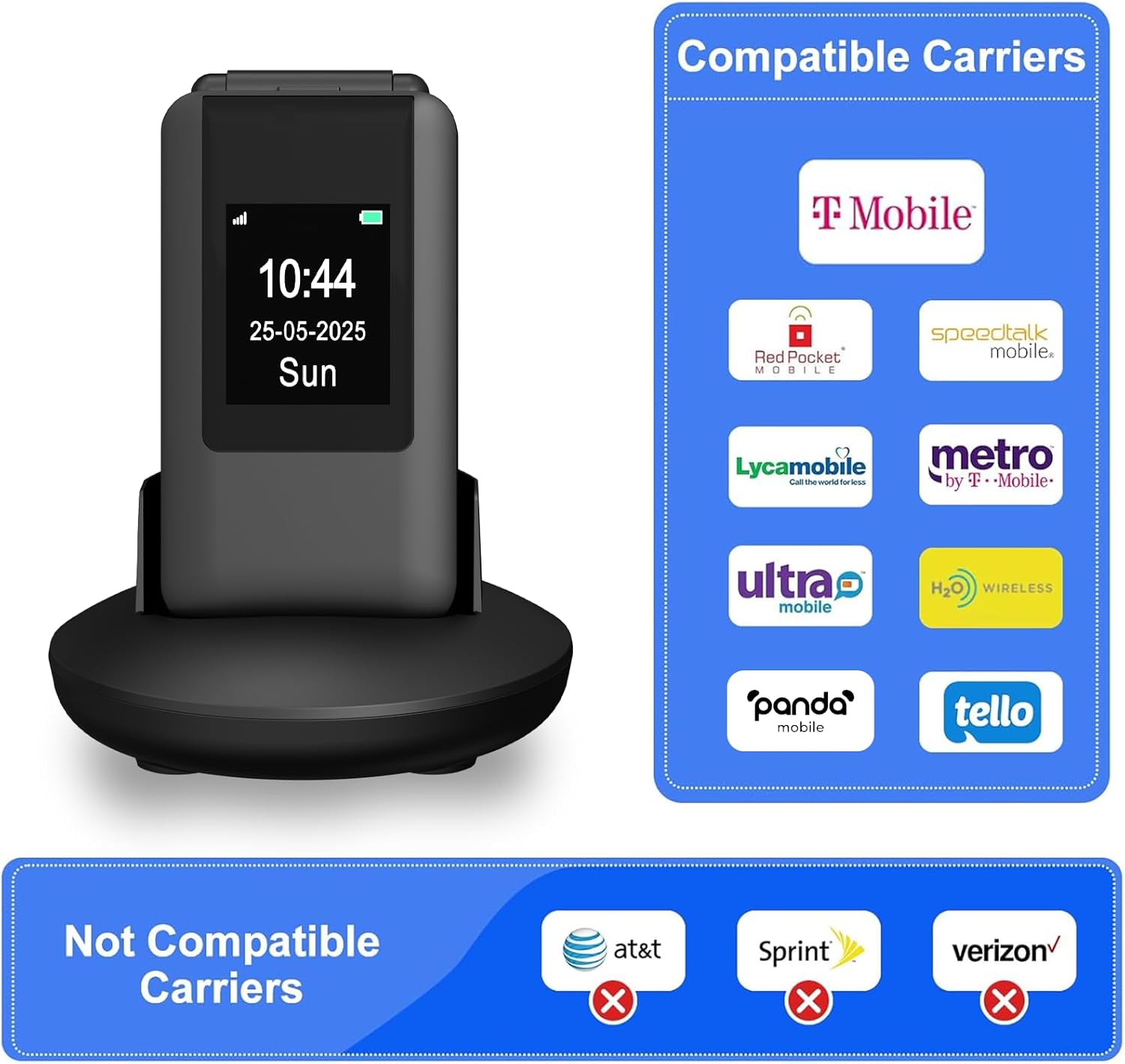
Figure 4: Overview of compatible and incompatible network carriers.
3. Operating Instructions
3.1 Basic Functions and Display
The C8 features a dual-screen design with a 2.8-inch inner screen and a 1.5-inch outer display. The outer display shows time, caller ID, and notifications without opening the phone. The large buttons and clear fonts enhance usability.
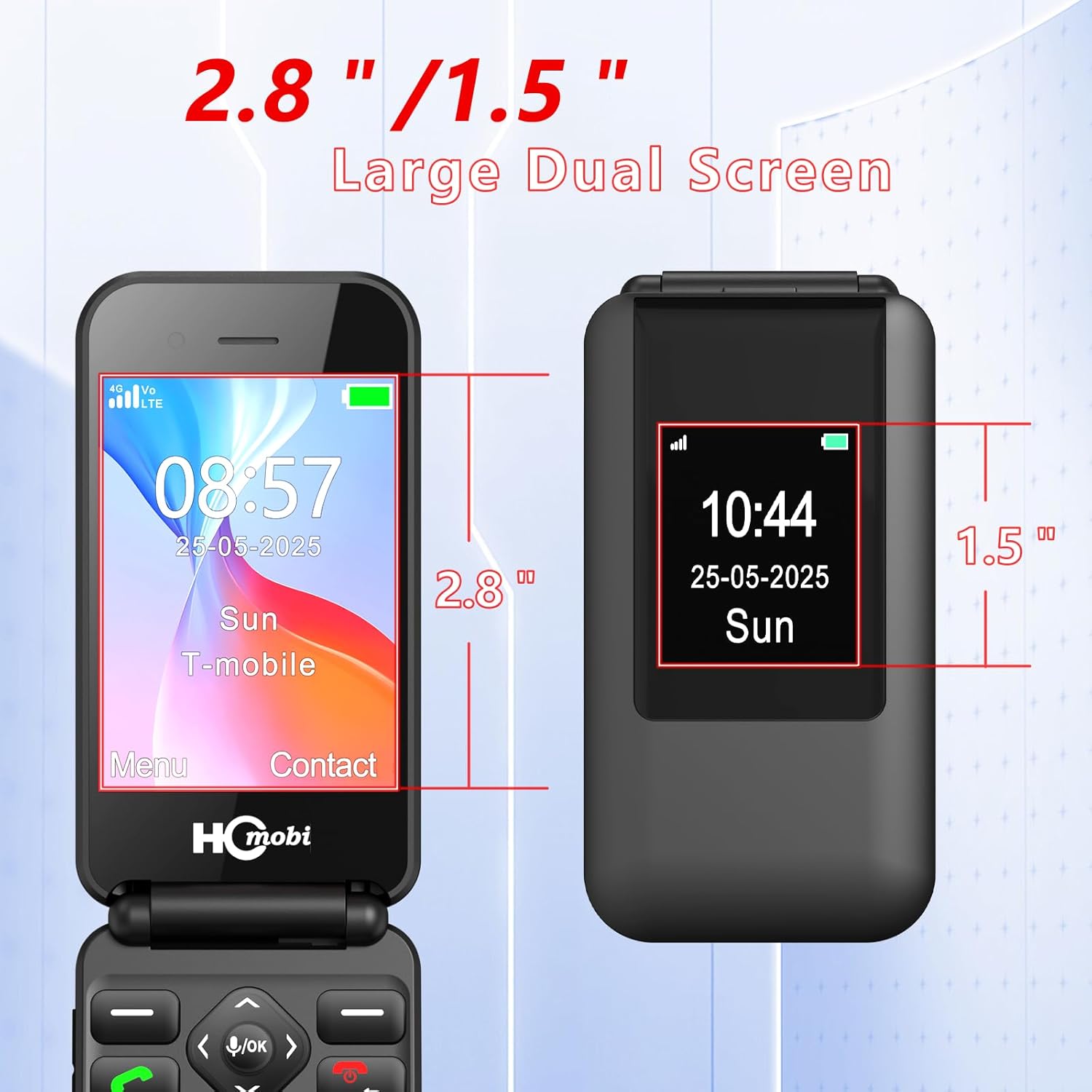
Figure 5: Dual screen dimensions for the C8 Flip Phone.
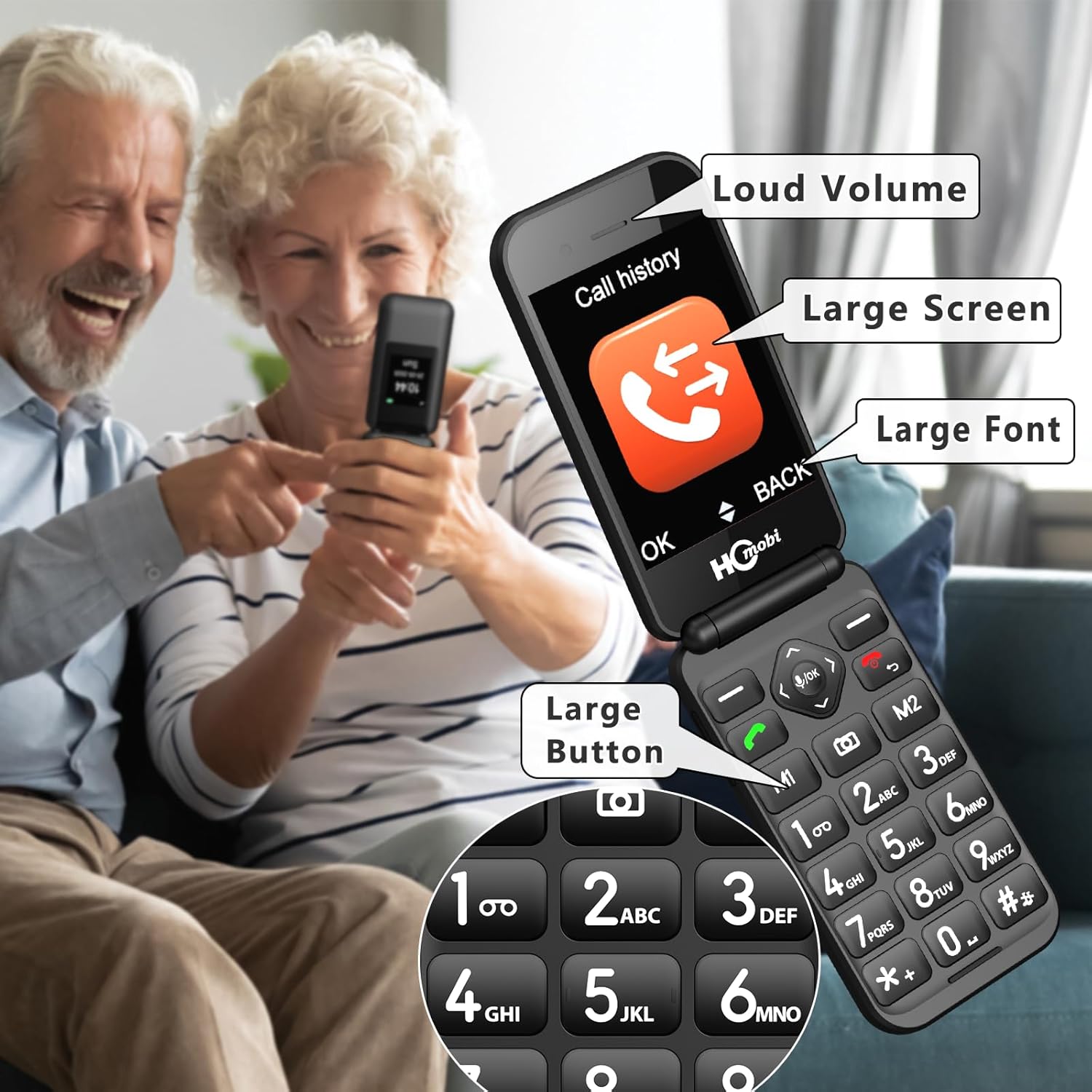
Figure 6: Key features for enhanced readability and usability.
3.2 Making Calls and Speed Dial
To make a call, open the phone, dial the number using the large keypad, and press the green call button. For quick access, you can set up speed dial contacts.
- M1/M2 Keys: Assign frequently called numbers to M1 and M2 for direct dialing.
- Numbers 2-9: Assign up to 8 contacts to number keys 2-9 for speed dialing.
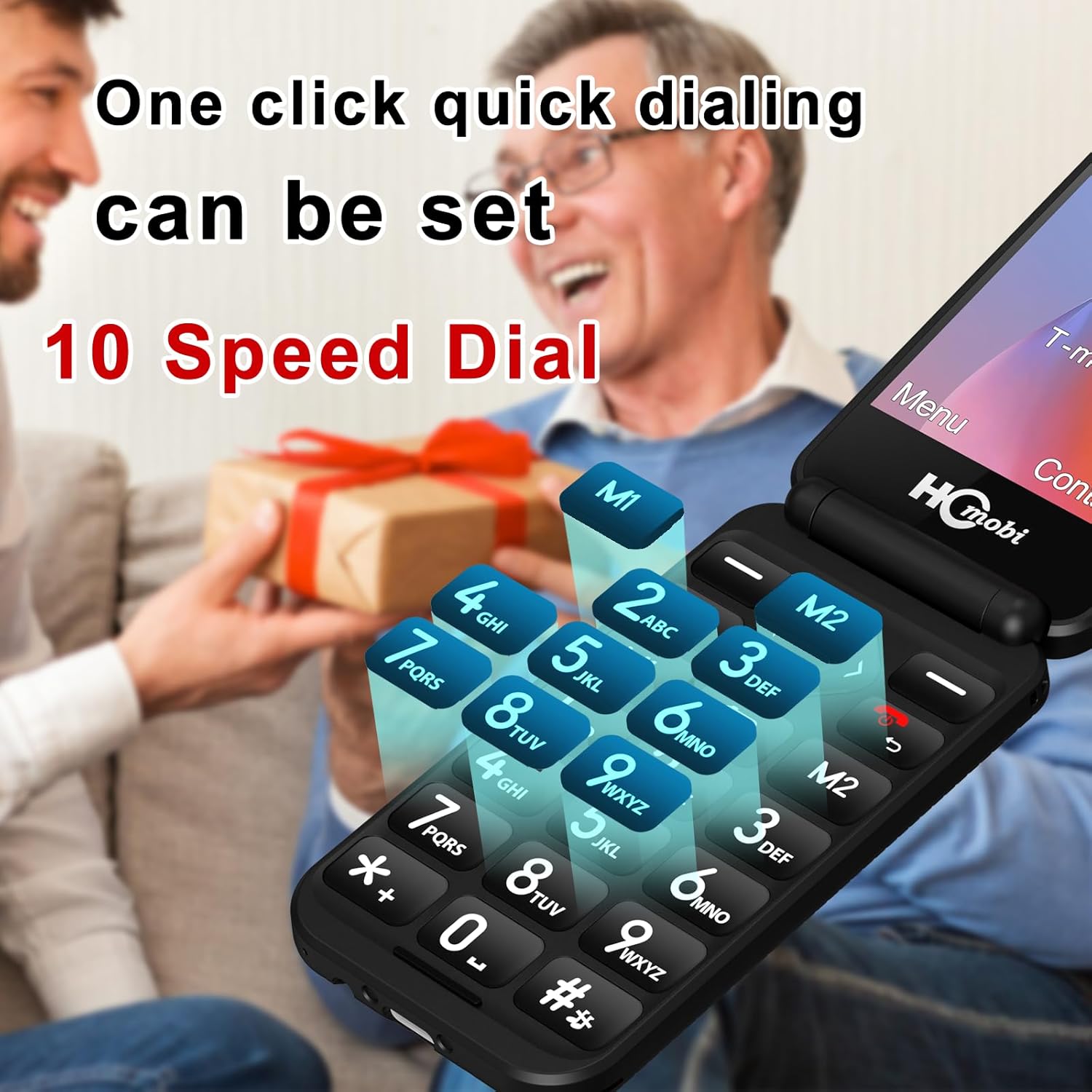
Figure 7: Speed dial functionality with M1/M2 keys and number assignments.
Video 2: How to set Photo Speed Dial and SOS function (Easyfone T300, similar process).
3.3 SOS Emergency Button
In case of an emergency, press and hold the SOS button on the back of the phone for 3 seconds. The phone will automatically dial up to 5 pre-set emergency numbers and send a text message to these contacts.
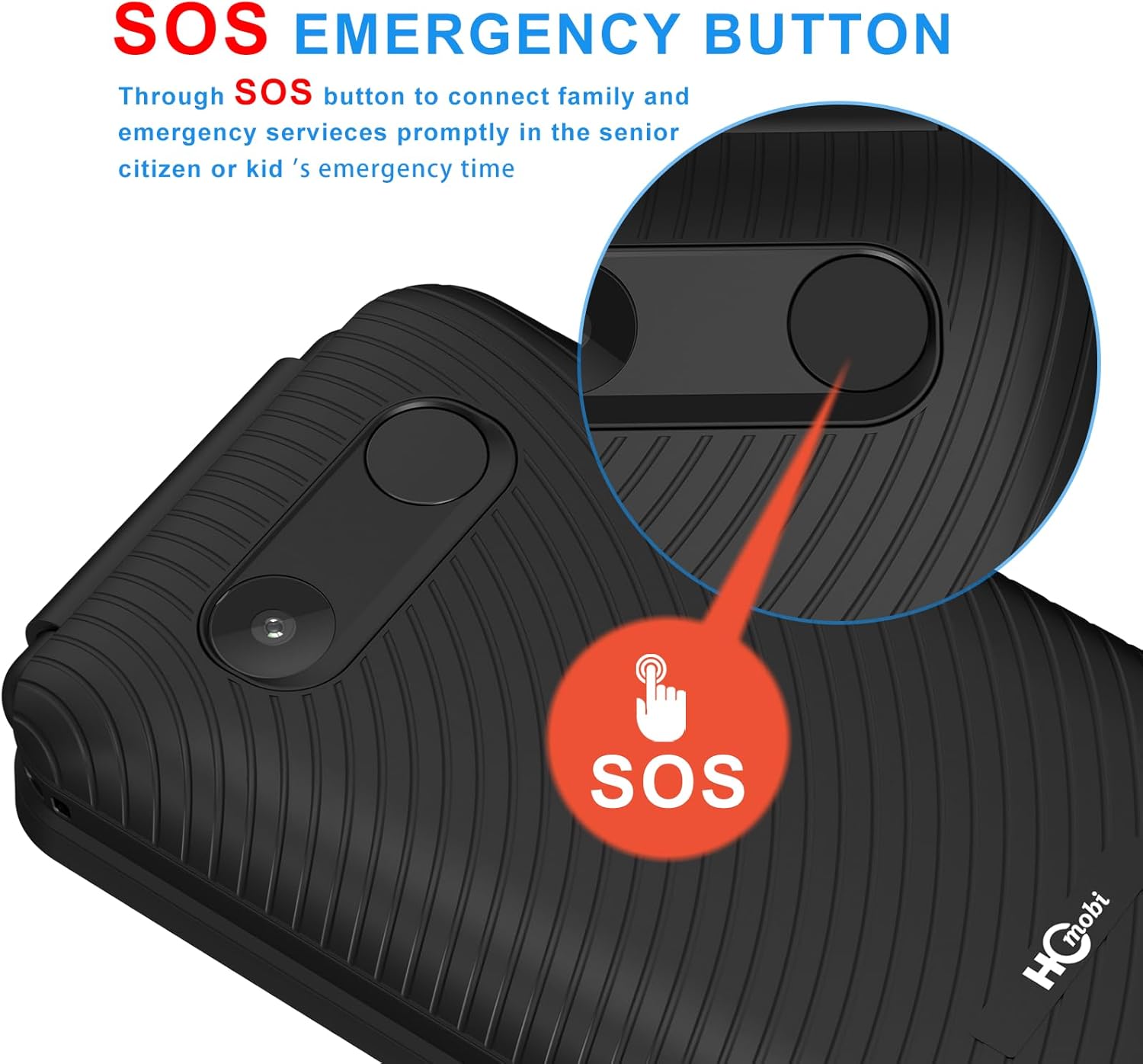
Figure 8: Location and function of the SOS emergency button.
3.4 Additional Functions
The C8 4G Flip Phone includes several useful features:
- Camera: Capture photos with the integrated camera.
- Bluetooth: Connect to Bluetooth headsets or other devices.
- FM Radio: Listen to FM radio stations.
- Alarm Clock: Set alarms for reminders.
- Calculator: Perform basic calculations.
- MP3 Player: Play MP3 audio files.
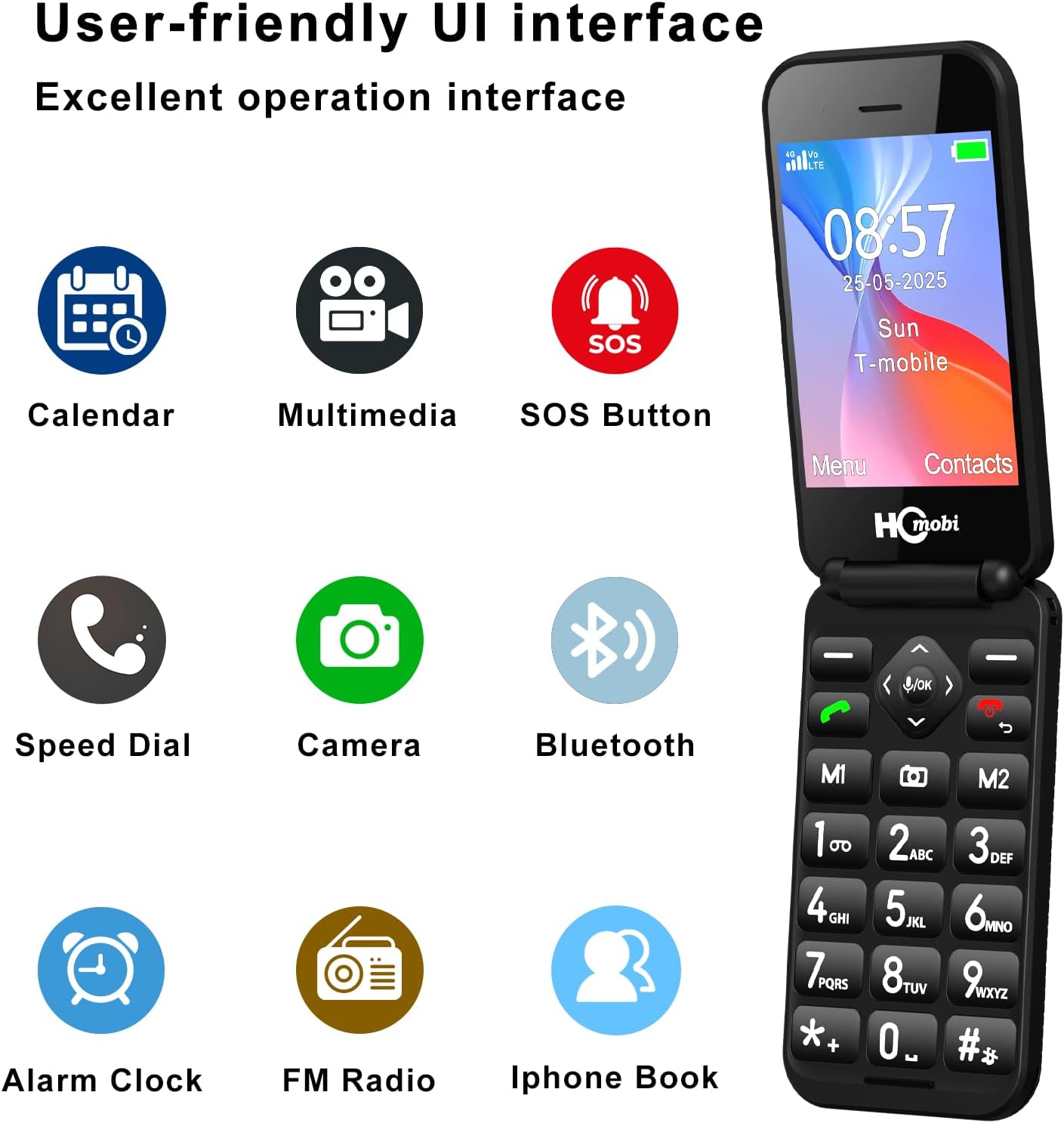
Figure 9: User-friendly interface displaying available functions.
Video 3: Demonstration of ringtone settings and FM radio frequency input (artfone G3, similar process).
4. Maintenance
To ensure the longevity and optimal performance of your C8 4G Flip Phone, follow these maintenance guidelines:
- Cleaning: Use a soft, dry cloth to clean the phone's exterior. Avoid harsh chemicals or abrasive materials.
- Battery Care: Avoid extreme temperatures. Do not expose the battery to direct sunlight or very cold conditions. Charge the battery regularly, but avoid overcharging for extended periods.
- Storage: When not in use for extended periods, store the phone in a cool, dry place.
5. Troubleshooting
If you encounter issues with your C8 4G Flip Phone, refer to the following common solutions:
- Phone not turning on: Ensure the battery is correctly installed and charged. Connect the phone to the charger and wait a few minutes before attempting to power on.
- No network signal: Verify that your SIM card is properly inserted and active. Check your location for network coverage. Ensure your carrier is compatible with the phone (refer to Section 2.4).
- Poor call quality: Check your network signal strength. Move to an area with better reception. Ensure the earpiece and microphone are not obstructed.
- Battery draining quickly: Reduce screen brightness. Close unused applications. Limit background data usage.
6. Specifications
| Feature | Specification |
|---|---|
| Model Name | C8 |
| Operating System | MOCOR RT0S |
| Connectivity Technology | 4G LTE |
| Cellular Technology | 4G |
| Screen Size | 2.8 Inches (Main), 1.5 Inches (External) |
| Resolution | 320 x 240 |
| Battery Capacity | 1400 Milliamp Hours |
| Phone Talk Time | Up to 8 Hours |
| Standby Time | Up to 336 Hours |
| Memory Storage Capacity | 32 GB (expandable via microSD) |
| Item Weight | 5.3 ounces |
| Color | Matte Black |
7. Warranty and Support
For warranty information and customer support, please refer to the documentation provided with your purchase or contact the retailer. Keep your proof of purchase for any warranty claims.