
1. Introduction
Thank you for choosing the PAKASEPT Professional Hair Color Organizer. This wall-mounted storage cabinet is designed to provide efficient and organized storage for hair dye creams, tubes, and other salon essentials. Featuring integrated LED lighting with adjustable brightness and color, it enhances both functionality and aesthetic appeal in professional environments such as barbershops, salons, and spas. This manual provides detailed instructions for assembly, operation, maintenance, and troubleshooting to ensure optimal use of your new organizer.
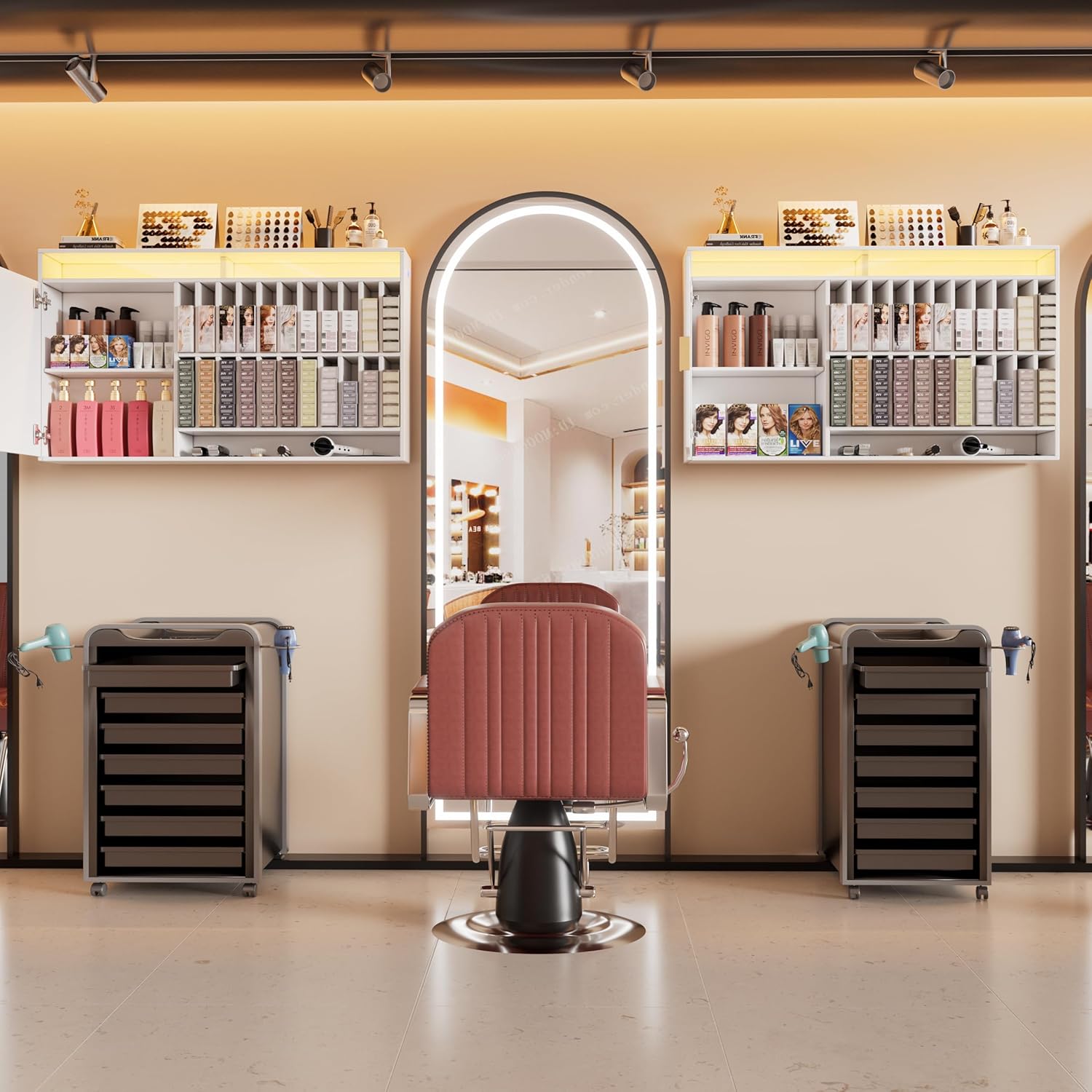
Image 1.1: The PAKASEPT Professional Hair Color Organizer in a salon environment.
2. Safety Information
Please read all safety instructions carefully before assembly and use. Retain this manual for future reference.
- Wall Mounting: Ensure the wall surface is suitable for supporting the weight of the cabinet and its contents. Use appropriate hardware for your wall type (e.g., drywall anchors, wood studs, concrete anchors). Consult a professional if unsure.
- Electrical Safety: The LED lighting requires an electrical connection. Ensure all connections are secure and follow local electrical codes. Do not expose electrical components to water or excessive moisture.
- Assembly: Assemble the unit on a soft, clean surface to prevent scratches. Do not overtighten screws during assembly.
- Weight Capacity: Do not overload the shelves. Distribute weight evenly to maintain stability.
- Cleaning: Disconnect power to the LED light before cleaning. Use a soft, damp cloth; avoid abrasive cleaners.
3. Package Contents
Verify that all components are present before beginning assembly. If any parts are missing or damaged, contact customer support.
- Main cabinet components (Engineered Wood panels)
- LED light strip and power adapter
- Hardware kit (screws, wall anchors, hinges, handles, etc.)
- Assembly Instructions Manual
4. Specifications
| Feature | Detail |
|---|---|
| Material | Engineered Wood |
| Mounting Type | Wall Mount |
| Room Type | Commercial Space |
| Product Dimensions (D x W x H) | 7.9"D x 45.3"W x 28.7"H |
| Special Feature | LED Light with Adjustable Brightness and Color |
| Finish Type | Matte |
| Color | White |
| Required Assembly | Yes |
| Included Components | Hardware |

Image 4.1: Product dimensions and internal layout.
5. Setup and Installation
The product comes with detailed instructions and tools. It is recommended to follow the steps in the accompanying instructions, then lay out each board by number, and finally assemble, which will make the installation easier.
Assembly Steps:
- Unpack and Identify Parts: Carefully unpack all components. Lay out each board and hardware piece, matching them with the provided parts list and numbering in the separate assembly guide.
- Assemble the Cabinet Structure: Follow the step-by-step diagrams in the assembly guide to connect the main panels using the provided screws and fasteners. Ensure all connections are secure but do not overtighten.
- Install Shelves and Dividers: Insert the internal shelves and dividers as indicated in the instructions. These are designed for compartmentalized storage.
- Attach Doors and Hinges: Secure the metal hinges to the cabinet frame and doors. Ensure the doors open and close smoothly.
- Install Handles: Attach the gold handles to the cabinet doors.
- Mount LED Light Strip: Carefully attach the LED light strip to the designated area on the cabinet. Connect the power adapter.
Wall Mounting:
- Choose Location: Select a suitable wall location, ensuring it is structurally sound and free from electrical wires or plumbing.
- Mark Drilling Points: Use a level and the provided mounting template (if applicable) or measure the cabinet's mounting points to mark the drilling locations on the wall.
- Drill Holes: Drill pilot holes at the marked locations using an appropriate drill bit size for your wall anchors.
- Install Wall Anchors: Insert the wall anchors into the drilled holes.
- Mount Cabinet: Carefully lift the assembled cabinet and align its mounting brackets with the installed wall anchors. Secure the cabinet to the wall using the provided screws. Ensure it is level and firmly attached.

Image 5.1: Details of lighting control, hinges, and storage compartments.
6. Operating Instructions
LED Light Operation:
The integrated LED light strip offers adjustable brightness and color temperature to suit your needs.
- Power On/Off: Locate the touch switch on the cabinet. A single touch will turn the LED light on or off.
- Change Color Mode: With the light on, touch the switch repeatedly to cycle through the three available color modes: Warm Yellow, Warm White, and Cool White.
- Adjust Brightness: Press and hold the touch switch to adjust the brightness level. Release when the desired brightness is achieved.

Image 6.1: LED light color options (White, Cool Color, Warm Color).
7. Maintenance
Regular maintenance will ensure the longevity and appearance of your PAKASEPT Hair Color Organizer.
- Cleaning: For general cleaning, wipe the surfaces with a soft, slightly damp cloth. Avoid using harsh chemicals, abrasive cleaners, or scouring pads, as these can damage the matte finish.
- Spills: Wipe up spills immediately to prevent staining, especially on the engineered wood surfaces.
- Dusting: Regularly dust the cabinet with a dry, soft cloth to prevent dust buildup.
- Hardware Check: Periodically check all screws and fasteners to ensure they remain tight. Retighten if necessary.
8. Troubleshooting
If you encounter any issues with your organizer, refer to the following common problems and solutions:
- LED Light Not Working:
- Ensure the power adapter is securely plugged into both the cabinet and a working electrical outlet.
- Check if the touch switch is functioning correctly by gently pressing it.
- Verify there are no visible damages to the LED strip or wiring.
- Cabinet Feels Unstable After Mounting:
- Ensure all wall mounting screws are fully tightened into the wall anchors.
- Confirm that the wall anchors used are appropriate for your wall material.
- Distribute contents evenly within the cabinet to avoid unbalanced weight.
- Doors Do Not Close Properly:
- Check if the hinges are correctly installed and tightened.
- Adjust the hinges if necessary to align the doors.
- Ensure no items inside the cabinet are obstructing the door's closure.
9. Warranty and Support
We stand by the quality of our products. If you receive a defective or damaged product, please contact our customer support immediately. We provide replacements without extra fees and hassle-free returns.
For further assistance, technical support, or warranty claims, please contact PAKASEPT customer service through the retailer's platform or visit our official website.
Please have your model number (B0FKBSPS2X) and purchase date available when contacting support.