
MOZC YYK-Q17-AI-02
MOZC AI Language Translation Earbuds User Manual
Model: YYK-Q17-AI-02
1. Introduction
Thank you for choosing the MOZC AI Language Translation Earbuds. These earbuds are designed to facilitate real-time communication across language barriers, offering advanced translation capabilities, high-quality audio, and comfortable wear. This manual provides detailed instructions for setup, operation, and maintenance to ensure optimal performance.
2. Package Contents
- MOZC AI Language Translation Earbuds (Left and Right)
- Charging Case
- USB Type-C Charging Cable
- User Manual (This Document)
3. Product Overview
The MOZC AI Language Translation Earbuds consist of two individual earbuds and a portable charging case. The charging case features a digital display for battery status, and the earbuds are designed for ergonomic comfort and secure fit.

Figure 3.1: Earbuds securely placed within the charging case, displaying battery levels.

Figure 3.2: Battery life and charging indicators for the earbuds and charging case.
4. Setup
4.1. Initial Charging
Before first use, fully charge the earbuds and charging case. Connect the provided USB Type-C cable to the charging port on the case and a compatible power source. The digital display on the case will indicate the charging progress. A full charge typically takes approximately 1.5 hours.
4.2. App Installation
To utilize the full translation features, download the dedicated MOZC translation app on your smartphone. Scan the QR code provided in the physical user manual or search for the app on your device's app store (compatible with iOS and Android).

Figure 4.1: App interface and device compatibility.
4.3. Bluetooth Pairing
- Ensure the earbuds are charged and placed in the charging case.
- Open the charging case. The earbuds will automatically enter pairing mode.
- On your smartphone, enable Bluetooth and search for available devices.
- Select "MOZC Earbuds" (or similar name) from the list to connect.
- Once connected, a confirmation sound will play, and the earbuds will be ready for use.
5. Operating Instructions
5.1. Translation Modes
The MOZC AI Language Translation Earbuds support various translation modes through the dedicated app, enabling communication in up to 168 languages and accents. These modes are powered by an advanced AI chip, offering up to 99% accuracy and a 0.2-second response time.

Figure 5.1: Global conversation capabilities with 168 languages.

Figure 5.2: Performance metrics of the integrated AI chip.
The primary translation modes include:
- Touch Mode: Tap the earbud to speak, and the translation will be played through the other earbud or your phone's speaker.
- Free-speech Mode: Continuous translation for natural conversations, ideal for dynamic interactions.
- Speaker Mode: Your speech is translated and played through your phone's speaker, while the other person's speech is translated and played through your earbuds.
- Offline Mode: Supports translation without an internet connection in select regions (requires prior download of language packs).
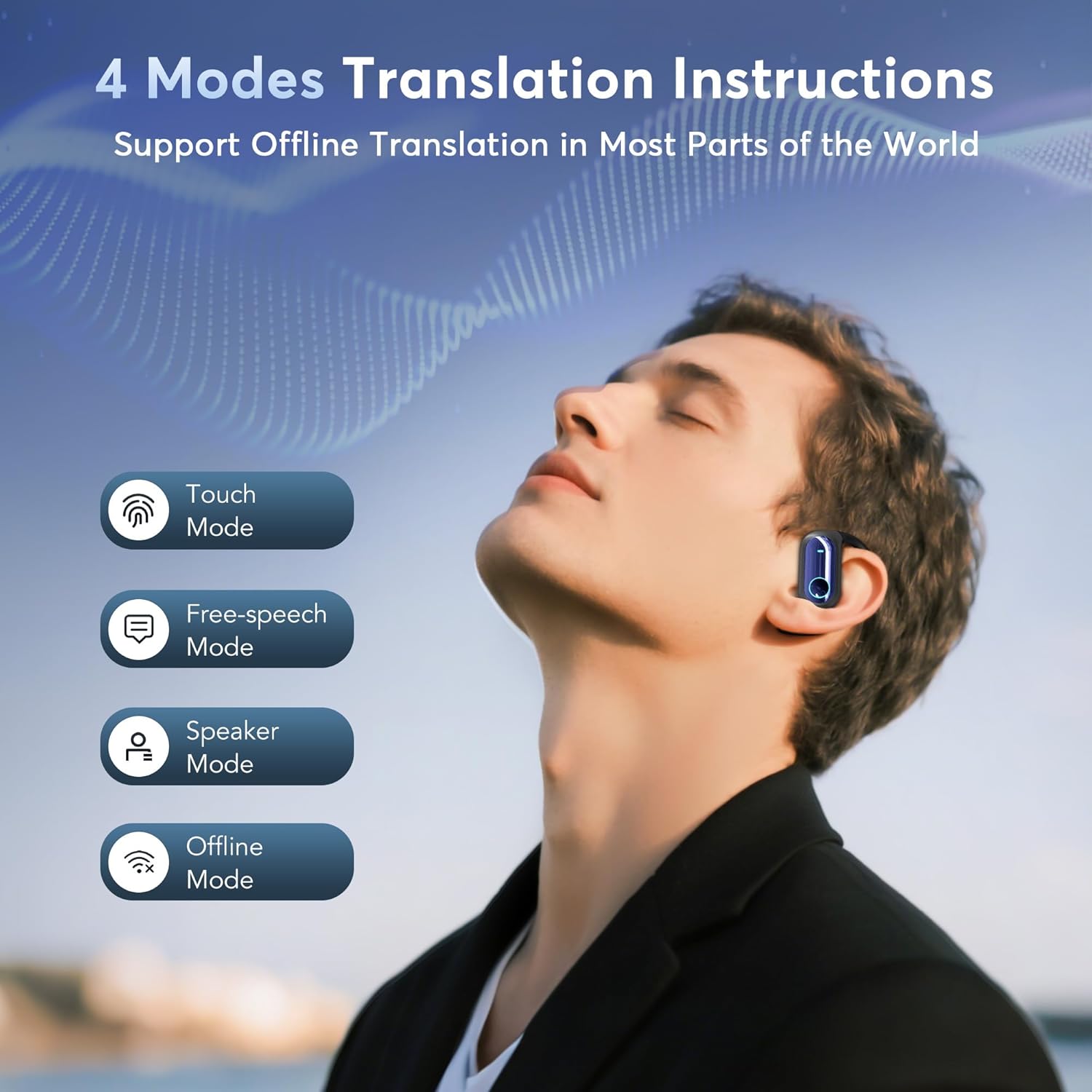
Figure 5.3: Overview of the four available translation modes.
Additional translation functionalities include:
- Live Recording: Records and translates spoken content in real-time.
- Simultaneous Interpretation: Provides near-instantaneous translation for seamless communication.
- Face-to-Face Translation: Optimized for direct conversations, allowing two individuals to communicate naturally.

Figure 5.4: Advanced translation features in action.
5.2. Basic Audio Functions
Beyond translation, the earbuds function as standard Bluetooth headphones for music playback and calls. Refer to the app or the physical user manual for specific touch controls for playback, volume, and call management.
6. Charging and Battery
The earbuds provide approximately 8 hours of single playtime on a full charge. The charging case extends the total usage time to about 50 hours. The case itself can be fully recharged in approximately 1.5 hours using the provided USB Type-C cable.
7. Maintenance
To ensure the longevity and optimal performance of your earbuds:
- Clean the earbuds and charging case regularly with a soft, dry cloth.
- Avoid exposing the device to extreme temperatures, moisture, or corrosive substances.
- Store the earbuds in their charging case when not in use to protect them and keep them charged.
- Do not attempt to disassemble or repair the device yourself. Contact customer support for assistance.
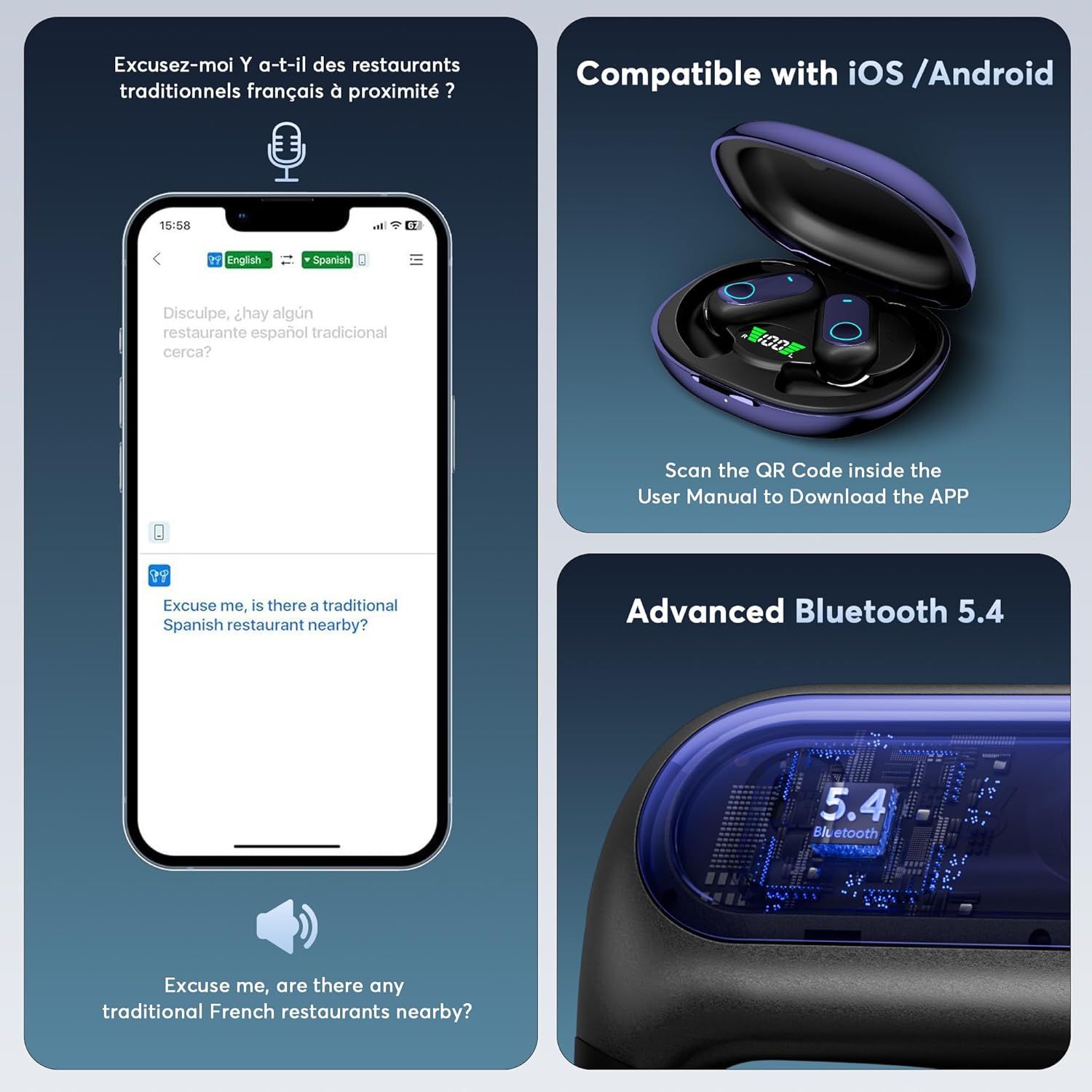
Figure 7.1: Ergonomic design for comfortable wear.
8. Troubleshooting
| Issue | Possible Cause | Solution |
|---|---|---|
| Earbuds not pairing | Low battery; Bluetooth off; Earbuds not in pairing mode | Charge earbuds; Enable Bluetooth on device; Place earbuds in case, open lid to enter pairing mode. |
| No sound | Volume too low; Not connected; App issue | Adjust volume; Reconnect Bluetooth; Restart app. |
| Translation inaccuracy | Poor internet connection; Background noise; Unclear speech | Ensure stable internet; Move to a quieter environment; Speak clearly and at a moderate pace. |
| App not responding | Software glitch; Outdated app version | Close and reopen the app; Check for app updates; Restart your phone. |
If issues persist, please contact MOZC customer support for further assistance.
9. Specifications
- Model: YYK-Q17-AI-02
- Brand: MOZC
- Bluetooth Version: 5.4
- Supported Languages: 168+
- Translation Accuracy: Up to 99%
- Response Time: 0.2 seconds
- Earbud Playtime: Approximately 8 hours
- Total Playtime (with Charging Case): Approximately 50 hours
- Charging Time (Case): Approximately 1.5 hours (Type-C)
- Item Weight: 0.634 ounces (per earbud, approximate)
- Package Dimensions: 2.8 x 2.8 x 0.71 inches
- Compatibility: iOS and Android devices
10. Safety Information
Please read and follow these safety guidelines:
- Do not use the earbuds at excessively high volumes for extended periods to prevent hearing damage.
- Keep the device away from water and other liquids.
- Avoid dropping or subjecting the device to strong impacts.
- Dispose of the device and its batteries responsibly according to local regulations.
- Keep out of reach of children and pets.
11. Warranty and Support
MOZC products come with a standard manufacturer's warranty. For detailed warranty information, product support, or to report any issues, please refer to the contact information provided on the product packaging or the official MOZC website. Please have your model number (YYK-Q17-AI-02) and purchase date ready when contacting support.