1. Introduction
Welcome to the user manual for your new Sefwon A14 Promax smartphone. This guide provides essential information to help you set up, operate, and maintain your device. Please read this manual thoroughly to ensure optimal performance and longevity of your smartphone.
The Sefwon A14 Promax is an unlocked Android 13 smartphone featuring a 6.8-inch FHD screen, 12GB RAM, 512GB internal storage, a powerful Snapdragon 8cen2 processor, and a 6800 mAh battery. It includes advanced camera capabilities with 48MP and 108MP sensors, 5G connectivity, Dual SIM support, and Face ID for enhanced security.

Image 1.1: Front and back view of the Sefwon A14 Promax Smartphone, showcasing its sleek design and camera module.
2. What's in the Box
Upon opening your Sefwon A14 Promax package, please verify that all the following items are included:
- Sefwon A14 Promax Smartphone
- 1 x SIM Needle
- 1 x USB-C 2.0 Charger Cable
- 1 x Power Adapter
- 1 x Phone Case
- 1 x User Manual (this document)
3. Setup
3.1. Charging the Device
Before initial use, fully charge your Sefwon A14 Promax smartphone. Connect the USB-C 2.0 Charger Cable to the phone's USB-C port and the Power Adapter. Plug the Power Adapter into a wall outlet. The charging indicator will appear on the screen.

Image 3.1: The Sefwon A14 Promax Smartphone connected to a charger, illustrating the charging process for its 6800 mAh battery.
3.2. Installing SIM and SD Cards
The Sefwon A14 Promax supports Dual SIM cards and expandable storage. To install:
- Locate the SIM tray on the side of the phone.
- Insert the SIM needle into the small hole next to the tray to eject it.
- Place your Nano-SIM card(s) and/or microSD card into the designated slots on the tray. Ensure the gold contacts face downwards.
- Carefully reinsert the tray into the phone until it clicks into place.
3.3. Initial Power On and Configuration
Press and hold the Power button on the side of the phone until the Sefwon logo appears. Follow the on-screen prompts to complete the initial setup, which includes selecting your language, connecting to a Wi-Fi network, and setting up your Google account.
4. Operating Your Smartphone
4.1. Screen and Navigation
Your A14 Promax features a vibrant 6.8-inch FHD screen. Navigate the interface using touch gestures:
- Tap: Select an item or open an app.
- Swipe: Scroll through screens or lists.
- Pinch: Zoom in or out on photos and web pages.
- Long Press: Access contextual menus or move icons.
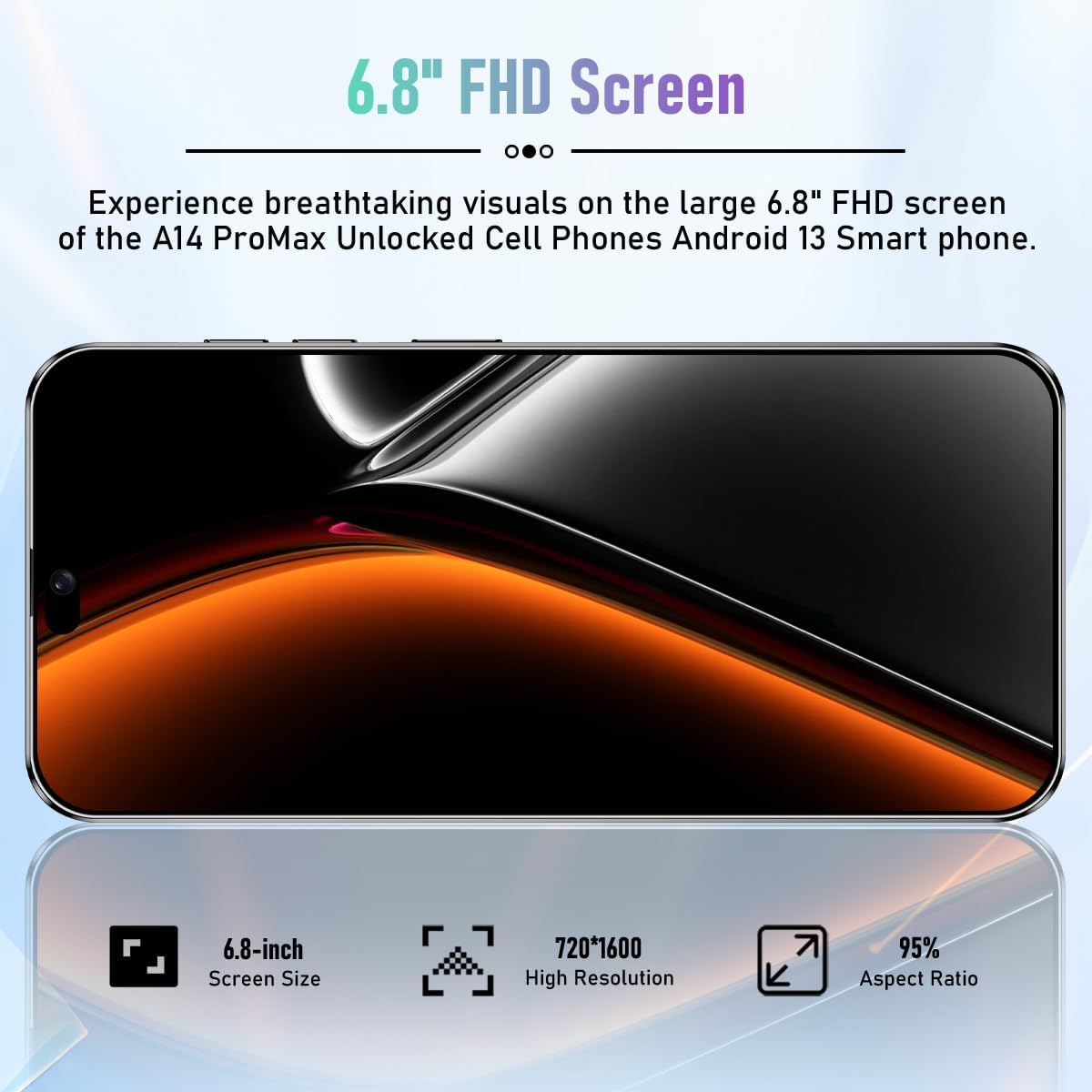
Image 4.1: Detailed view of the Sefwon A14 Promax's 6.8-inch FHD screen, highlighting its high resolution and aspect ratio for an immersive visual experience.
4.2. Calls and Messaging
To make a call, open the Phone app and dial the number or select a contact. For messaging, use the pre-installed Messaging app to send and receive SMS/MMS messages.
4.3. Camera Functions
The A14 Promax is equipped with a dual-camera system featuring a 48MP primary lens and a 108MP sensor. Open the Camera app to access various modes like Photo, Video, Portrait, and more. Tap the shutter button to capture images.

Image 4.2: An illustration of the Sefwon A14 Promax's 108MP camera system, demonstrating its capability to capture high-quality images.
4.4. Connectivity
Your device supports 5G cellular networks and Wi-Fi connectivity. Access these settings via the Quick Settings panel (swipe down from the top of the screen) or through the main Settings app.
4.5. Security Features
The A14 Promax offers multiple security options:
- Face ID: Unlock your phone using facial recognition. Set this up in Settings > Security > Face Unlock.
- Fingerprint Lock: Use your fingerprint for quick and secure unlocking. Configure this in Settings > Security > Fingerprint.
- PIN/Pattern/Password: Standard lock screen security options.
4.6. Storage and Performance
The phone comes with 12GB RAM for smooth multitasking and 512GB of internal storage for your apps and files. Storage can be expanded further using a microSD card.

Image 4.3: Visual representation of the Sefwon A14 Promax's memory configuration, featuring 12GB RAM and 512GB ROM, with expandable storage capability.
4.7. Android 13 Operating System
Your Sefwon A14 Promax runs on Android 13, offering enhanced privacy controls, improved notification management, and a personalized user experience. Explore the various features and customization options available in the Settings app.

Image 4.4: Screenshots illustrating the user interface of the Android 13 operating system on the Sefwon A14 Promax Smartphone.
5. Maintenance
5.1. Battery Care
To maximize the lifespan of your 6800 mAh battery:
- Avoid extreme temperatures.
- Do not leave the phone charging for extended periods after it reaches 100%.
- Use the provided charger and cable.
5.2. Cleaning Your Device
Use a soft, lint-free cloth to clean the screen and body of your phone. Avoid using harsh chemicals or abrasive materials, which can damage the finish.
5.3. Software Updates
Regularly check for and install software updates to ensure your device has the latest features, security patches, and performance improvements. Go to Settings > System > System update to check for updates.
6. Troubleshooting
If you encounter issues with your Sefwon A14 Promax, try the following common troubleshooting steps:
- Device not turning on: Ensure the battery is charged. Connect the charger and wait a few minutes before attempting to power on again.
- Apps crashing or freezing: Close and reopen the app. If the issue persists, restart the phone.
- Connectivity issues (Wi-Fi/5G): Toggle Wi-Fi or cellular data off and on. Restart your router for Wi-Fi issues.
- Slow performance: Close unused apps, clear cache, or restart the device. Consider freeing up storage space if it's nearly full.
- Screen unresponsive: Force restart the device by holding the Power button for approximately 10-15 seconds.
For persistent issues, refer to the official Sefwon support website or contact customer service.
7. Specifications
Below are the key technical specifications for the Sefwon A14 Promax smartphone:
| Feature | Specification |
|---|---|
| Model Name | A14 Promax |
| Operating System | Android 13.0 |
| Screen Size | 6.8 Inches FHD |
| Processor | Snapdragon 8cen2 |
| RAM Memory | 12 GB |
| Storage Capacity | 512 GB (Expandable) |
| Rear Camera | 48MP + 108MP |
| Battery Capacity | 6800 mAh |
| Cellular Technology | 5G/4G/3G |
| Connectivity Technologies | Wi-Fi, USB Type C |
| Special Features | Dual SIM, Face ID, Fingerprint Lock |
| Color | Black |
| Item Weight | 9.9 ounces |
| Package Dimensions | 7.09 x 3.15 x 1.57 inches |

Image 7.1: A summary graphic highlighting key specifications of the Sefwon A14 Promax, including memory, OS, camera, screen size, battery, and security features.
8. Warranty and Support
For warranty information and customer support, please refer to the documentation provided with your purchase or visit the official Sefwon website. Keep your proof of purchase for warranty claims.