
1. Introduction
This manual provides detailed instructions for the proper use and maintenance of your GISNPA 7-in-1 Digital Water Quality Tester, Model C-600A-TS. This device is designed for accurate measurement of pH, Total Dissolved Solids (TDS), Electrical Conductivity (EC), Salinity, Oxidation-Reduction Potential (ORP), Specific Gravity (S.G), and Temperature in various water sources.
Key Features:
- Multi-Functional 7-in-1 Design: Measures pH, TDS, EC, Salinity, Temperature, ORP, and S.G.
- Broad Testing Compatibility: Suitable for household drinking water, hydroponics, pools, aquariums, laboratories, and more.
- User-Friendly LCD Screen: Features a clear LCD display for real-time readings, auto-lock function, and auto-shutoff for battery conservation.
- IP67 Waterproof Rating: Resists dust and short-term water immersion, making it suitable for various environments.
- High-Accuracy Probe: Equipped with a high-accuracy probe and upgraded chips for reliable data.

Figure 1: GISNPA 7-in-1 Digital Water Quality Tester. This image shows the main unit of the water quality tester, highlighting its digital display and control buttons.

Figure 2: Close-up of the tester's large display backlit screen, showing clear readings for salinity and temperature.
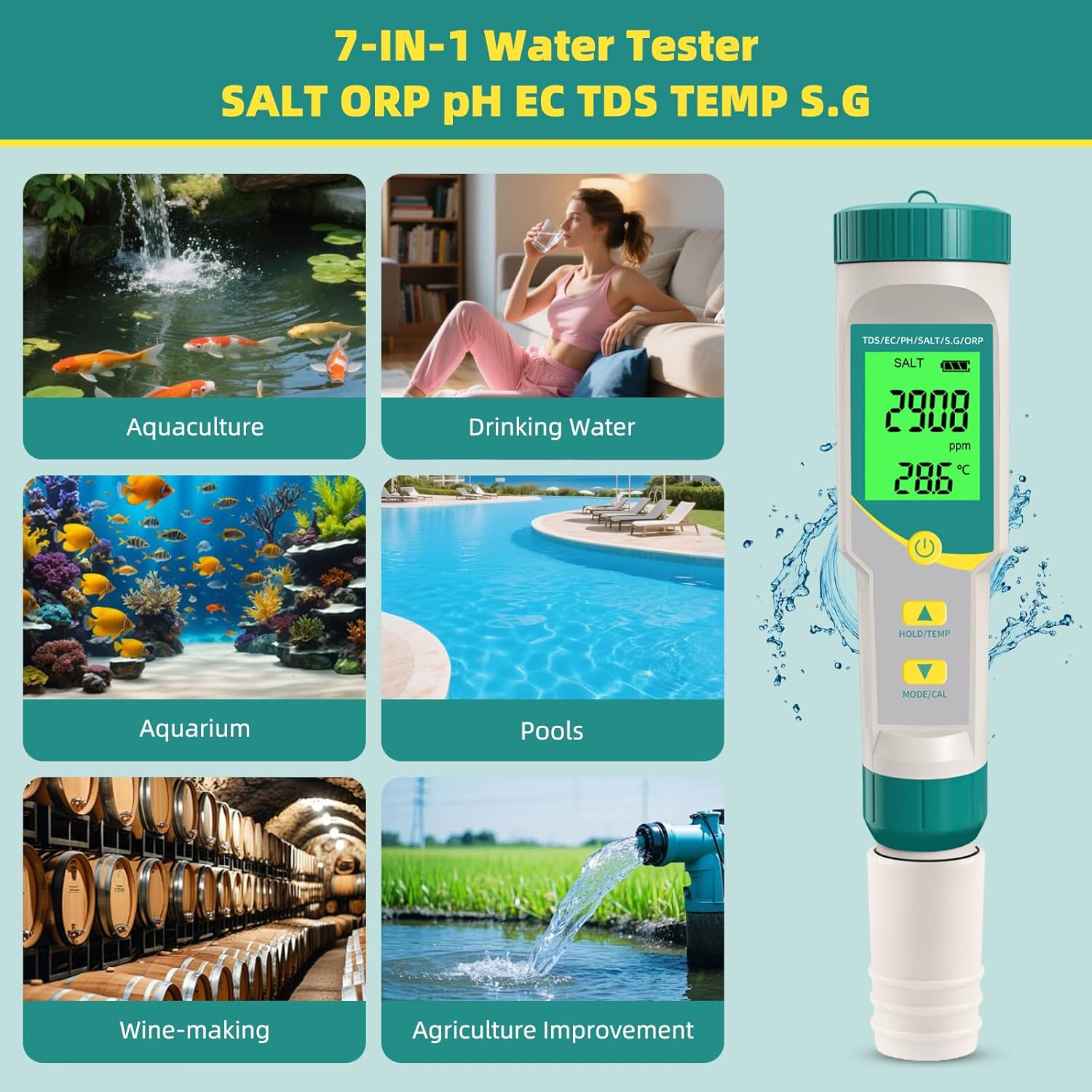
Figure 3: Visual representation of the diverse applications for the 7-in-1 water tester, including aquaculture, drinking water, aquariums, pools, wine-making, and agriculture.
Video 1: This video demonstrates various scenarios where the GISNPA 7-in-1 Water Quality Test Pen can be effectively used, showcasing its versatility across different water testing needs.
2. Package Contents
Upon opening the package, please verify that all components are present:
- GISNPA 7-in-1 Digital Water Quality Tester
- User Manual
- 3 pH Calibration Powders (pH 4.00, pH 6.86, pH 9.18)
- Additional batteries (typically 3 x 1.5V LR44)
- Conductivity solutions (if included in your specific kit)
- Wrist strap
3. Device Components and Setup
Familiarize yourself with the main components of your water quality tester:

Figure 4: Exploded diagram showing the components of the water quality meter, including the protective cover, high-sensitivity probe, battery compartment, On/Off button, Data hold/temperature switch, and Mode/calibration key.

Figure 5: Detailed view of the newly upgraded probe, highlighting its high accuracy, upgraded chips and algorithms, and sponge protection.
Initial Setup:
- Battery Installation: Ensure batteries are correctly installed in the battery compartment. The device typically uses 3 x 1.5V LR44 batteries.
- Protective Cap Removal: Carefully remove the protective cap from the probe before use.
- Rinse Probe: Rinse the probe with distilled water before and after each use.
4. Operating Instructions
The GISNPA 7-in-1 tester allows for easy switching between measurement modes. Follow these steps for general operation:
- Power On: Press the power button to turn on the device.
- Select Mode: Press the "MODE/CAL" button to cycle through the different measurement modes (pH, TDS, EC, Salinity, ORP, S.G). The selected mode will be displayed on the screen.
- Immerse Probe: Dip the probe into the water sample, ensuring the electrodes are fully submerged.
- Read Measurement: Wait for the reading to stabilize. The auto-lock function will typically hold the stable reading.
- Hold/Temperature: Press the "HOLD/TEMP" button to hold the current reading or to switch between Celsius and Fahrenheit temperature units.
- Power Off: Press the power button again to turn off the device. The device also features an auto-shutoff function to save battery.
Specific Applications:
4.1. Aquarium Water Testing
Maintain optimal water conditions for your aquatic life by regularly testing pH, temperature, ORP, and salinity. Refer to the table below for ideal ranges.

Figure 6: Table illustrating ideal ranges for pH, temperature, ORP, and salt in freshwater, saltwater, and coral tanks, along with images of the tester in use for each type of aquarium.
4.2. Swimming Pool Testing
Ensure your swimming pool water is safe and balanced by monitoring pH, ORP, and salinity levels, especially for saltwater pools.

Figure 7: Illustration showing the digital pH/Temperature tester in a swimming pool, with ideal pH (7.2-7.8), ORP (650-750 mV), and Temperature (77.0F-82.4F) levels indicated.

Figure 8: Image demonstrating the use of the tester for measuring salinity in a saltwater pool, with an ideal range of 2700-3400 ppm.
4.3. Drinking Water Quality
Regularly check the pH, EC, and TDS values of your drinking water to ensure it meets quality standards.

Figure 9: A person testing drinking water with the GISNPA tester, showing typical healthy ranges for TDS (0-50 ppm), EC (0-50 uS/cm), and pH (6.5-8.5 pH).
5. Calibration
While your GISNPA tester comes pre-calibrated from the factory, periodic calibration is essential to maintain accuracy, especially for pH measurements. The kit includes pH buffer powders for this purpose.
pH Calibration Procedure:
- Prepare Solutions: Dissolve the pH 4.00, pH 6.86, and pH 9.18 buffer powders separately in 250ml of distilled water each.
- Power On: Turn on the tester.
- Enter Calibration Mode: Press and hold the "MODE/CAL" button until "CAL" appears on the screen.
- Calibrate pH 6.86: Dip the probe into the pH 6.86 solution. The tester will automatically recognize the solution and begin calibration. Wait for the reading to stabilize and lock.
- Calibrate pH 4.00: Rinse the probe with distilled water. Dip it into the pH 4.00 solution. The tester will calibrate automatically.
- Calibrate pH 9.18 (Optional): Rinse the probe. Dip it into the pH 9.18 solution. The tester will calibrate automatically. This step is typically performed if your measurements frequently fall into the alkaline range.
- Exit Calibration: Once calibration is complete, the tester will automatically exit calibration mode or you may press the power button.
- Rinse and Store: Rinse the probe thoroughly with distilled water and replace the protective cap.
Video 2: This video provides a step-by-step guide on how to calibrate the GISNPA pH water quality test pen using buffer solutions.
6. Maintenance
Proper maintenance ensures the longevity and accuracy of your water quality tester.
- Cleaning the Probe: Always rinse the probe with distilled water before and after each use. For stubborn residues, gently clean with a soft brush and a mild cleaning solution, then rinse thoroughly.
- Storage: Store the tester with the protective cap securely in place. Ensure the probe is kept moist by adding a few drops of storage solution or distilled water to the cap if recommended by the manufacturer (check specific instructions). Do not store dry.
- Battery Replacement: Replace batteries when the low battery indicator appears on the display. Use 3 x 1.5V LR44 batteries.
- Handle with Care: The glass pH probe tip is delicate. Avoid dropping the device or subjecting it to harsh impacts.
7. Troubleshooting
If you encounter issues with your GISNPA water quality tester, refer to the following common problems and solutions:
| Problem | Possible Cause | Solution |
|---|---|---|
| Inaccurate readings | Probe is dirty or damaged; Device needs calibration; Low battery. | Clean the probe; Perform calibration; Replace batteries. |
| Display not turning on | Dead batteries; Incorrect battery installation. | Replace batteries; Check battery polarity. |
| Reading fluctuates excessively | Insufficient immersion depth; Air bubbles on probe; Water sample not stable. | Ensure probe is fully submerged; Gently shake to remove bubbles; Allow sample to settle. |
| "CAL" error during calibration | Incorrect buffer solution; Contaminated buffer solution; Probe issue. | Ensure correct buffer solution is used; Use fresh buffer solutions; Clean or replace probe if damaged. |
8. Specifications
Detailed technical specifications for the GISNPA 7-in-1 Digital Water Quality Tester, Model C-600A-TS:
- Product Dimensions: 7 x 1.3 x 1.3 inches
- Item Weight: 3.04 ounces
- Model Number: C-600A-TS
- Manufacturer: GISNPA
- Waterproof Rating: IP67
- Power Source: 3 x 1.5V LR44 batteries
- Measurement Modes: pH, TDS, EC, Salinity, ORP, S.G, Temperature
9. Warranty and Support
Your GISNPA 7-in-1 Digital Water Quality Tester comes with a 12-month warranty from the date of purchase. This warranty covers manufacturing defects and ensures reliable performance under normal use conditions.
For technical support, warranty claims, or any inquiries regarding your product, please contact GISNPA customer service. When contacting support, please have your order number available for faster assistance.
Contact Information: Refer to the contact details provided on the product packaging or the official GISNPA website.