
1. Introduction
Thank you for choosing the BEWEAI 11-Channel 2.4GHz Remote Control Excavator Toy. This realistic RC construction vehicle is designed to provide an immersive play experience with its multi-directional controls, digging capabilities, and authentic features. This manual provides essential information for setup, operation, maintenance, and troubleshooting to ensure safe and enjoyable use.
2. What's in the Box
- 1 × Remote Control Excavator
- 1 × Remote Control
- 2 × 1200mAh Rechargeable Batteries
- 1 × USB Charging Cable
- 1 × Screwdriver
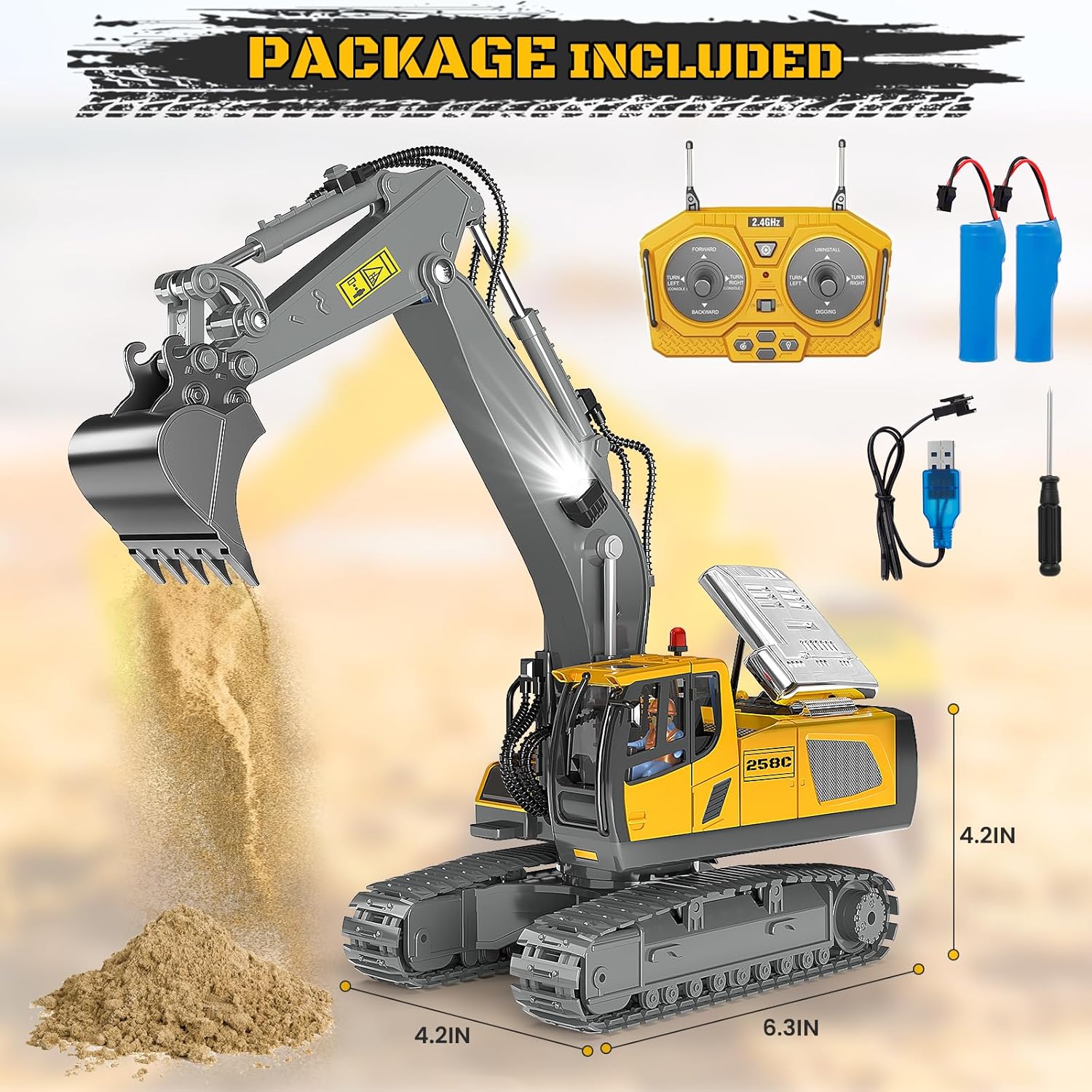
Image: The package contents including the excavator, remote control, two rechargeable batteries, USB charging cable, and a screwdriver.
3. Setup
3.1 Charging the Excavator Batteries
- Connect one of the 1200mAh rechargeable batteries to the USB charging cable.
- Plug the USB charging cable into a compatible USB power source (e.g., computer, USB wall adapter).
- The indicator light on the USB cable will show charging status (refer to cable instructions for specific light indications).
- Allow sufficient time for a full charge (approximately 2-3 hours).
3.2 Installing Batteries in the Excavator
- Locate the battery compartment on the underside of the excavator.
- Use the included screwdriver to open the battery compartment cover.
- Connect a fully charged 1200mAh rechargeable battery to the excavator's power connector.
- Carefully place the battery inside the compartment. Note: Manually rotate the track slightly before installing the battery to ensure proper fit.
- Close the battery compartment cover and secure it with the screwdriver.
3.3 Installing Batteries in the Remote Control
- Locate the battery compartment on the back of the remote control.
- Use the included screwdriver to open the battery compartment cover.
- Insert 2 AA batteries (not included) into the compartment, ensuring correct polarity (+/-).
- Close the battery compartment cover and secure it with the screwdriver.
Video: An unboxing and first look at the BEWEAI Remote Control Excavator, demonstrating how to install the batteries in both the excavator and the remote control.
4. Operating Instructions
4.1 Powering On
- Turn on the excavator using the power switch located on its body. The lights will flash.
- Turn on the remote control using its power switch. The remote's indicator light will turn solid, indicating a successful connection.
4.2 Basic Controls (11-Channel)
The remote control features two joysticks and several buttons for precise control:
- Left Joystick: Controls forward/backward movement and left/right turning of the tracks.
- Right Joystick: Controls the digging and unloading functions of the metal shovel.
- Left/Right Turn Buttons (Console): Rotates the excavator's cab 680 degrees left or right.
- Light Button: Toggles the bright LED lights on/off.
- Sound Button: Toggles realistic engine sound effects on/off.
- One-Click Demo Button: Activates an automatic demonstration sequence of the excavator's functions.
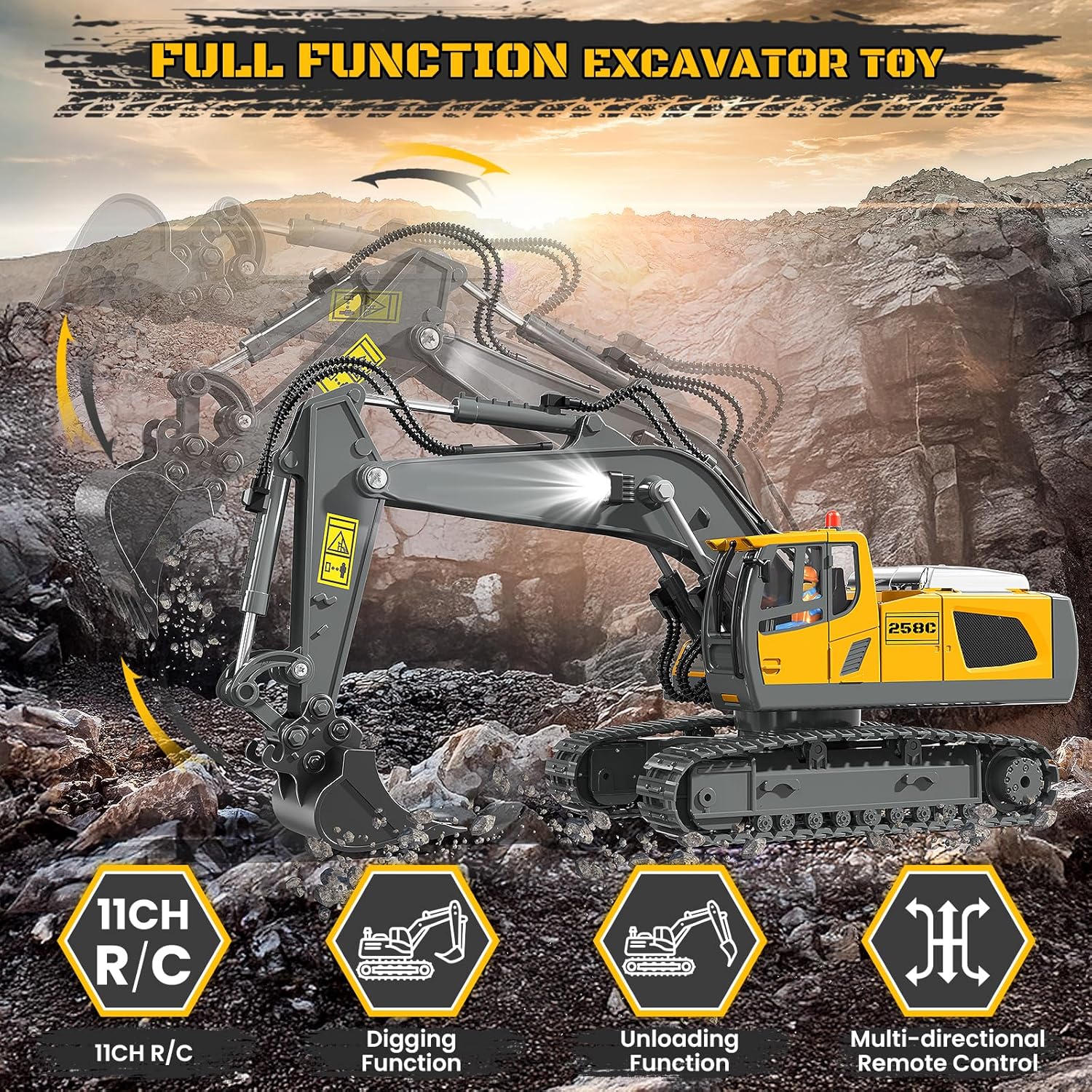
Image: The BEWEAI Remote Control Excavator highlighting its 11-channel functions including digging, unloading, 680° rotation, and multi-directional control.

Image: The excavator performing a 680-degree rotation, with indicators for one-click demo, front headlight, and sound function.
4.3 Terrain and Digging
The heavy-duty tracks provide superb traction on various outdoor surfaces such as sand, dirt, and grass. For optimal digging performance, use the excavator on soft materials like fine sand or loose soil. Attempting to dig in hard or rocky terrain may strain the motors and reduce battery life.
Video: Demonstrates the excavator's digging and movement capabilities on various terrains, including dirt and grass, highlighting its smooth operation.
Video: Overview of the excavator's functions, options, and testing, showing how to operate the remote control for different movements and actions.
5. Maintenance
- Cleaning: Wipe the excavator and remote control with a soft, dry cloth after each use. Avoid using water or harsh chemicals.
- Battery Care: Always remove batteries from the excavator and remote control when not in use for extended periods. Store batteries in a cool, dry place.
- Storage: Store the toy in a dry environment, away from direct sunlight and extreme temperatures.
6. Troubleshooting
- Excavator not responding:
- Ensure both the excavator and remote control are powered on.
- Check if batteries in both devices are fully charged and correctly installed.
- Ensure the remote control antennas are extended.
- Difficulty with battery installation: The excavator's battery compartment is located on the underside. Use the provided screwdriver to access it. Ensure the track is slightly rotated to allow the battery to fit properly.
- Poor digging performance: The excavator performs best on soft, loose materials like fine sand. Avoid hard soil, rocks, or dense materials to prevent motor strain.
- Short battery life: Continuous use of digging functions, lights, and sounds will consume battery power faster. Utilize the two included rechargeable batteries for extended playtime.
7. Specifications
| Feature | Detail |
|---|---|
| Model Number | BC1043 |
| Control Channels | 11 Channels |
| Frequency | 2.4GHz |
| Excavator Battery | 2 × 1200mAh Lithium Ion (included) |
| Remote Control Battery | 2 × AA batteries (not included) |
| Product Dimensions | 10.4 x 4.3 x 15.8 inches |
| Item Weight | 1.92 pounds |
| Recommended Age | 6 - 12 years |
Video: Detailed measurements of the BEWEAI Remote Control Excavator and its remote control, providing a clear understanding of its size.
8. Warranty and Support
For warranty information or technical support, please refer to the contact details provided on the product packaging or reach out to the BEWEAI customer service team. Keep your purchase receipt as proof of purchase.