
1. Introduction
Thank you for choosing the Wispeed Airo V16 Electric Scooter. This manual provides essential information for the safe operation, maintenance, and troubleshooting of your scooter. Please read it thoroughly before your first ride and keep it for future reference.
Product Overview
The Wispeed Airo V16 is a high-performance electric scooter designed for urban mobility. It features a powerful 400W motor (700W peak), a long-lasting 15.6Ah lithium battery offering up to 60 km of range, and a top speed of 25 km/h. Equipped with 10-inch inflatable wheels and front/rear suspensions, it ensures a comfortable ride. Safety features include a rear disc brake, integrated front and rear lights, left/right turn signals, high-visibility reflectors, a bell, and a code lock. The scooter is IP65 certified for resistance against splashes and dust.
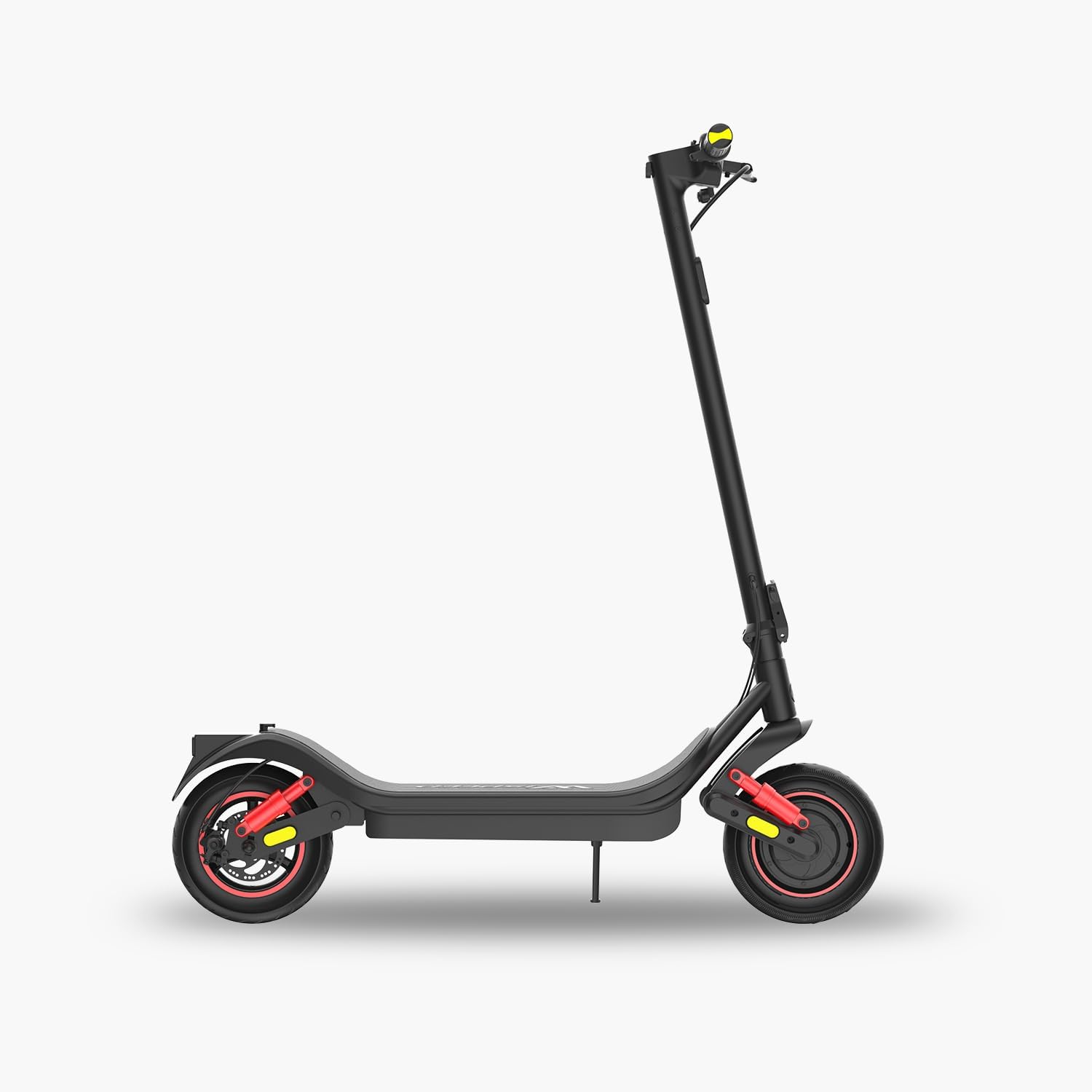
Figure 1.1: Front view of the Wispeed Airo V16 Electric Scooter.

Figure 1.2: Side view of the Wispeed Airo V16 Electric Scooter, showcasing its sleek design.

Figure 1.3: Rear view of the Wispeed Airo V16 Electric Scooter, highlighting the rear fender and brake.
What's in the Box
- Wispeed Airo V16 Electric Scooter
- AC Charger
- User Manual
Video 1.1: A detailed presentation of the Wispeed Airo V16 Electric Scooter, showcasing its features and design.
2. Safety Information
Operating an electric scooter carries inherent risks. To ensure your safety and the safety of others, please adhere to the following guidelines:
- Always wear a helmet and appropriate protective gear (knee pads, elbow pads) when riding.
- Familiarize yourself with and obey all local laws and regulations regarding electric scooter usage.
- Do not ride in adverse weather conditions (heavy rain, snow, ice) or on slippery surfaces.
- The maximum load capacity for this scooter is 120 kg. Do not exceed this limit.
- This scooter is designed for adult use.
- Maintain a safe distance from other vehicles and pedestrians.
- Avoid riding on busy roads or areas with heavy traffic.
- The scooter is IP65 certified, meaning it is resistant to splashes and dust. However, avoid submerging it in water or riding through deep puddles.
- Regularly check the brakes, tires, and all moving parts for proper function before each ride.
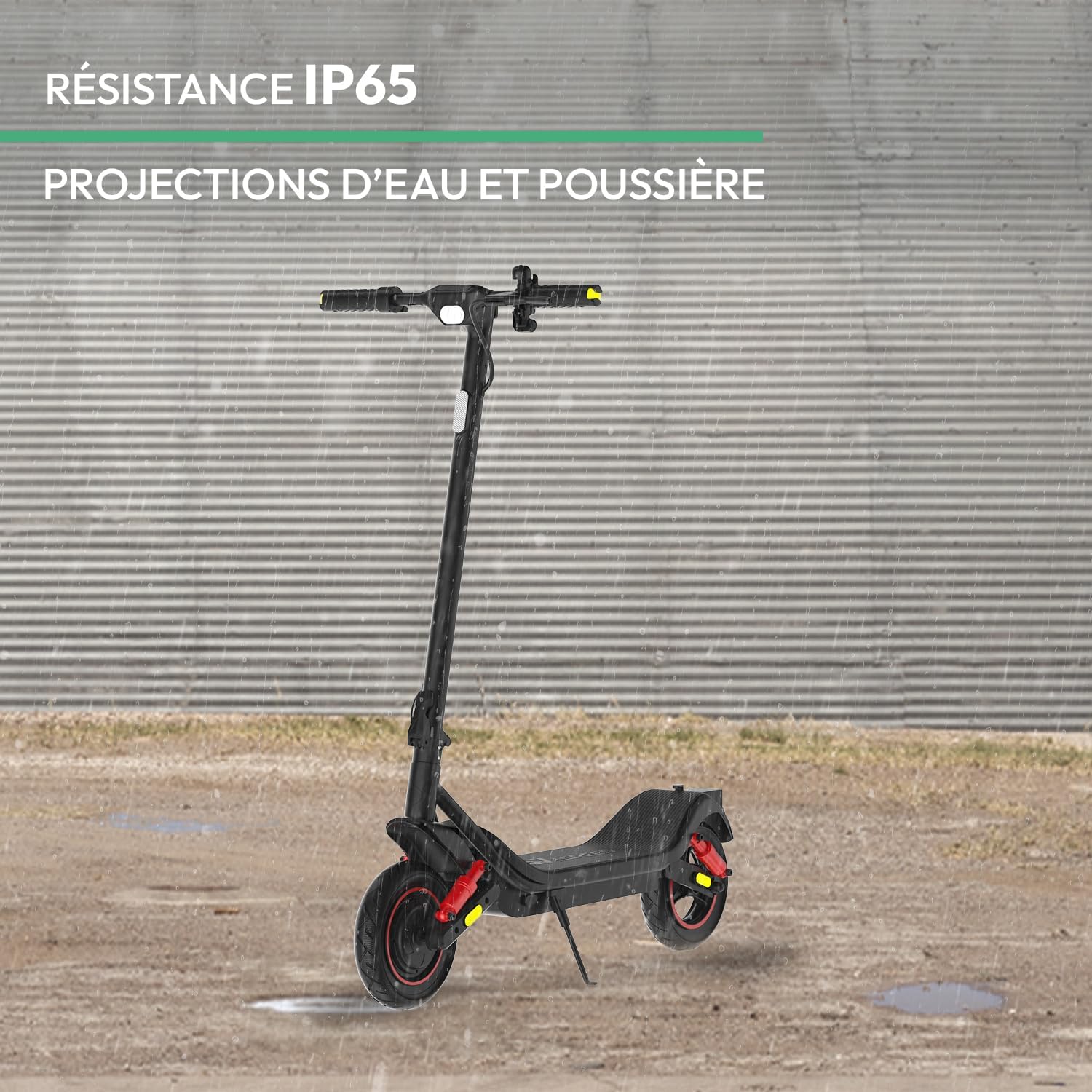
Figure 2.1: The Wispeed Airo V16 demonstrating its IP65 resistance to water splashes and dust.
3. Setup
Unboxing and Initial Assembly
Your Wispeed Airo V16 scooter comes largely pre-assembled. Follow these steps to prepare it for its first use:
- Carefully remove the scooter and all accessories from the packaging.
- Unfold the scooter by releasing the folding mechanism. Ensure the stem is securely locked in the upright position.
- Attach the handlebars if they are not already installed. Connect any visible cables and secure them.
- Check that all screws and fasteners are tight.
Video 3.1: A demonstration of unboxing and initial setup of the electric scooter.

Figure 3.1: The Wispeed Airo V16 Electric Scooter in its folded position, ready for transport or storage.
Initial Charging
Before your first ride, fully charge the scooter's battery. Connect the charger to the charging port on the scooter and then to a power outlet. The charging indicator on the charger will change color (e.g., red to green) when fully charged. The typical charging time is approximately 8 hours.
Tire Pressure
Ensure the 10-inch inflatable tires are properly inflated to the recommended pressure (check the tire sidewall for details) before each ride for optimal performance and safety.
4. Operating Instructions
Power On/Off
To turn on the scooter, press and hold the power button on the LED display. To turn it off, press and hold the power button again.
LED Display and Riding Modes
The integrated LED display shows real-time information such as speed, battery level, and selected riding mode. You can switch between the following riding modes:
- Walking Mode: Up to 6 km/h
- Eco Mode: Up to 15 km/h
- Standard Mode: Up to 20 km/h (or 25 km/h depending on local regulations and settings)

Figure 4.1: Close-up of the integrated LED display, showing speed, battery, and mode indicators.
Braking System
The Airo V16 is equipped with a reliable rear disc brake. Apply the brake lever gently to slow down and firmly for emergency stops. Always practice braking in a safe, open area before riding in traffic.
Lights and Turn Signals
The scooter features integrated front and rear lights for visibility, as well as left and right turn signals to indicate your intentions to others. Ensure these are functional before riding, especially in low-light conditions.

Figure 4.2: View of the scooter's handlebars showing the integrated lights and turn signals for enhanced safety.
Code Lock
Utilize the integrated code lock feature to prevent unauthorized use of your scooter. Refer to the specific instructions in the quick start guide for setting and using your personal code.
5. Maintenance
Regular maintenance ensures the longevity and safe operation of your Wispeed Airo V16 scooter.
Cleaning
- Wipe the scooter with a damp cloth after each use. Avoid using high-pressure water jets or harsh chemicals.
- Do not wash the scooter directly with water to prevent damage to electronic components.
Battery Care
- Charge the battery regularly, even if the scooter is not in use for extended periods (at least once a month).
- Do not overcharge or completely drain the battery.
- Store the scooter in a cool, dry place, away from direct sunlight and extreme temperatures.
Tire and Brake Inspection
- Check tire pressure before each ride.
- Inspect tires for wear, punctures, or damage.
- Ensure the disc brake is functioning correctly and the brake pads are not excessively worn. Adjust or replace as needed.
6. Troubleshooting
This section addresses common issues you might encounter with your Wispeed Airo V16 scooter.
Scooter Does Not Turn On
- Check if the battery is charged. Connect the charger and allow it to charge for a few hours.
- Ensure the power button is pressed and held for a few seconds.
- Verify all cable connections are secure.
Reduced Range or Power
- Ensure the battery is fully charged.
- Check tire pressure; under-inflated tires can reduce efficiency.
- Riding conditions (e.g., uphill, heavy load, strong headwind) can affect range.
- Battery performance may degrade over time or in cold weather.
Brakes Not Responsive
- Inspect the brake cable for tension and damage. Adjust if necessary.
- Check the brake pads for wear. Replace if worn out.
- Ensure the disc rotor is clean and free from oil or debris.
For issues not covered here, please contact customer support.
7. Specifications
| Feature | Specification |
|---|---|
| Brand | Logicom |
| Model Name | V16 |
| Motor Power | 400W (700W max peak) |
| Max Speed | 25 km/h |
| Max Range | 60 km (with 15.6Ah battery) |
| Max Incline | 14% |
| Wheel Size | 10 Inches |
| Wheel Material | Synthetic Rubber (Pneumatic) |
| Suspension Type | Dual Suspension (Front & Rear) |
| Brake Type | Rear Disc Brake |
| IP Rating | IP65 (Splash and Dust Resistant) |
| Max Load | 120 Kilograms |
| Product Weight | 31 Kilograms |
| Charging Time | 8 hours |
| Dimensions (L x W x H) | 50L x 20W x 78H centimeters |
| Special Features | LED Display, Front/Rear Lights, Turn Signals, Code Lock |

Figure 7.1: Close-up of the 10-inch inflatable wheels and dual suspension system for a smooth ride.

Figure 7.2: Illustration of the powerful 400W motor, capable of handling inclines up to 14%.
8. Warranty and Support
Warranty Information
The Wispeed Airo V16 Electric Scooter comes with a 2-year manufacturer's warranty. This warranty covers defects in materials and workmanship under normal use. Please retain your proof of purchase for warranty claims. The warranty does not cover damage caused by misuse, accidents, unauthorized modifications, or normal wear and tear.
Customer Support
If you have any questions, require assistance with setup, operation, or encounter any issues not covered in this manual, please contact Logicom customer support. Refer to the contact information provided with your purchase or on the official Logicom website.