
1. Product Overview
Thank you for purchasing the VITSR PD100W 24000mAh Mobile Battery. This high-capacity power bank is designed to provide reliable and fast charging for a wide range of devices, including laptops, smartphones, tablets, and gaming consoles. Its durable aluminum alloy casing and integrated LED emergency light make it suitable for various situations, from daily use to outdoor adventures and emergencies.
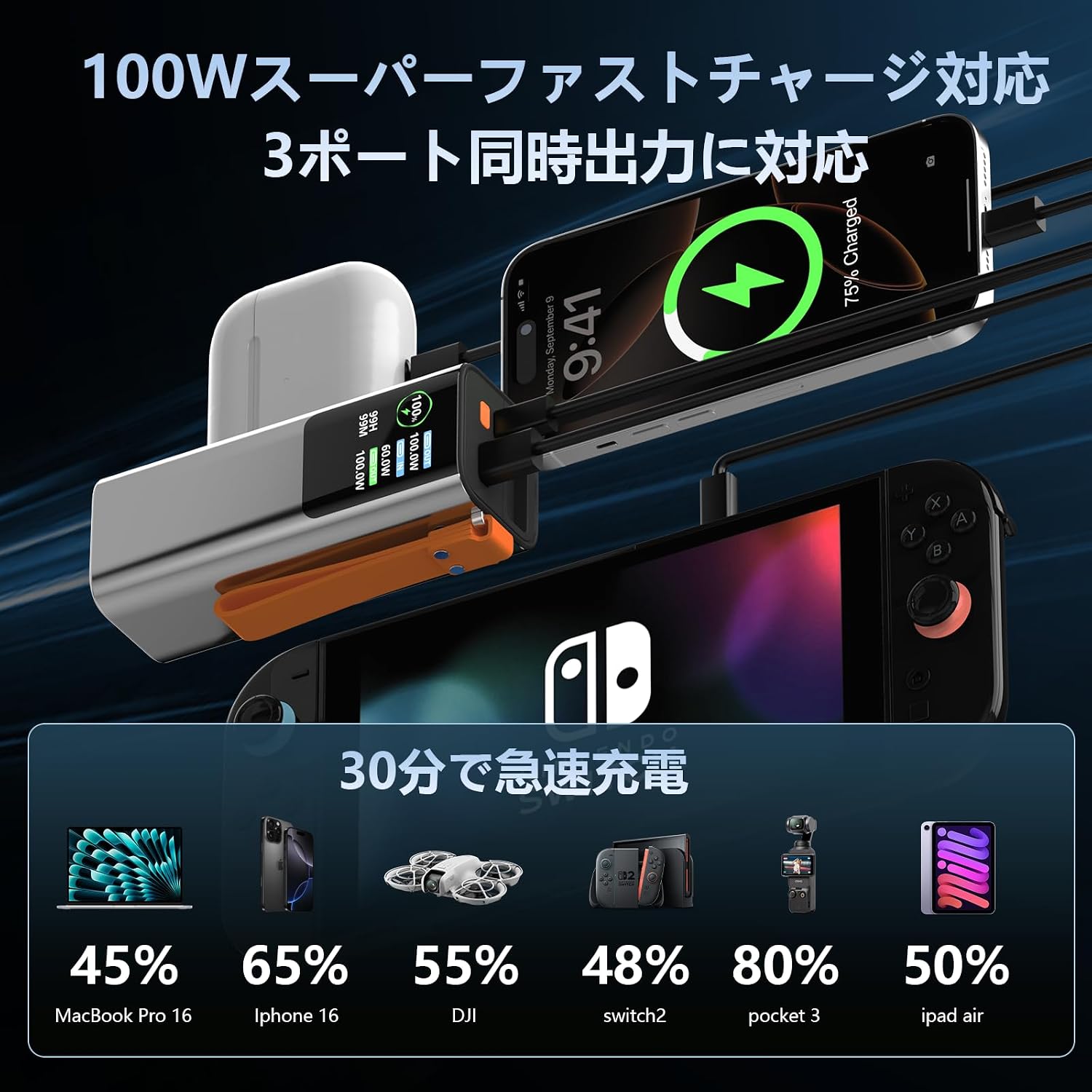
Image: The VITSR mobile battery simultaneously charging a MacBook, iPhone, and Nintendo Switch, demonstrating its multi-device fast charging capability.
2. Key Features
- Genuine 24000mAh (88.8Wh) Capacity: Provides ample power for multiple charges of various devices. This capacity is also approved for carry-on luggage on airplanes.
- 100W Fast Charging with 3 Outputs: Equipped with two USB-C ports (up to 100W each) and one USB-A port (up to 22.5W), supporting SCP/FCP/QC/PPS protocols for universal compatibility and rapid charging. The power bank itself can be fully recharged in 1-2 hours with 60W fast input.
- Integrated LED Emergency Light: Features a bright LED light with two modes: constant illumination and SOS signal. Ideal for power outages, camping, or emergency situations.
- Durable Aluminum Alloy Casing: The premium aluminum alloy body offers superior heat dissipation, V-0 flame retardancy, and enhanced durability compared to standard ABS materials, while remaining lightweight.
- Advanced Safety Protection: Utilizes automotive-grade 21700 lithium-ion power cells and incorporates a 6-fold safety protection system against over-voltage, over-current, over-charge, over-discharge, over-heat, and short-circuits. PSE certified for safety.

Image: Visual representation of the mobile battery's safety features, including PSE certification and multi-layer protection.
3. Setup
3.1 Initial Charging
- Before first use, fully charge the mobile battery.
- Connect the included Type-C cable to one of the USB-C input/output ports on the power bank and to a compatible 60W (or higher) PD wall charger (not included).
- The digital display will show the charging progress. Charging is complete when the display shows 100%.
3.2 Connecting Devices
- Use appropriate charging cables for your devices. For optimal fast charging, use USB-C to USB-C cables for PD-compatible devices.
- Connect your device to one of the available USB-C or USB-A output ports on the mobile battery.
4. Operating Instructions
4.1 Charging Devices
- Once a device is connected, the mobile battery will automatically begin charging. The digital display will show the remaining battery percentage and the output wattage for each port.
- To stop charging, simply disconnect the device.
4.2 Using the LED Emergency Light

Image: The integrated LED light on the mobile battery, illustrating its two operational modes.
- Constant Light Mode: Long press the power button to turn on the LED light. Long press again to turn it off.
- SOS Signal Mode: Double-click the power button to activate the SOS flashing signal. Double-click again to turn it off.
4.3 Checking Battery Level
- The integrated digital display shows the remaining battery percentage, allowing you to monitor power levels at a glance.
5. Maintenance
5.1 Storage
- Store the mobile battery in a cool, dry place away from direct sunlight and extreme temperatures.
- For long-term storage, it is recommended to charge the battery to approximately 50-70% every three months to maintain battery health.
5.2 Cleaning
- Wipe the exterior of the power bank with a soft, dry cloth. Do not use harsh chemicals or abrasive cleaners.
5.3 Battery Longevity
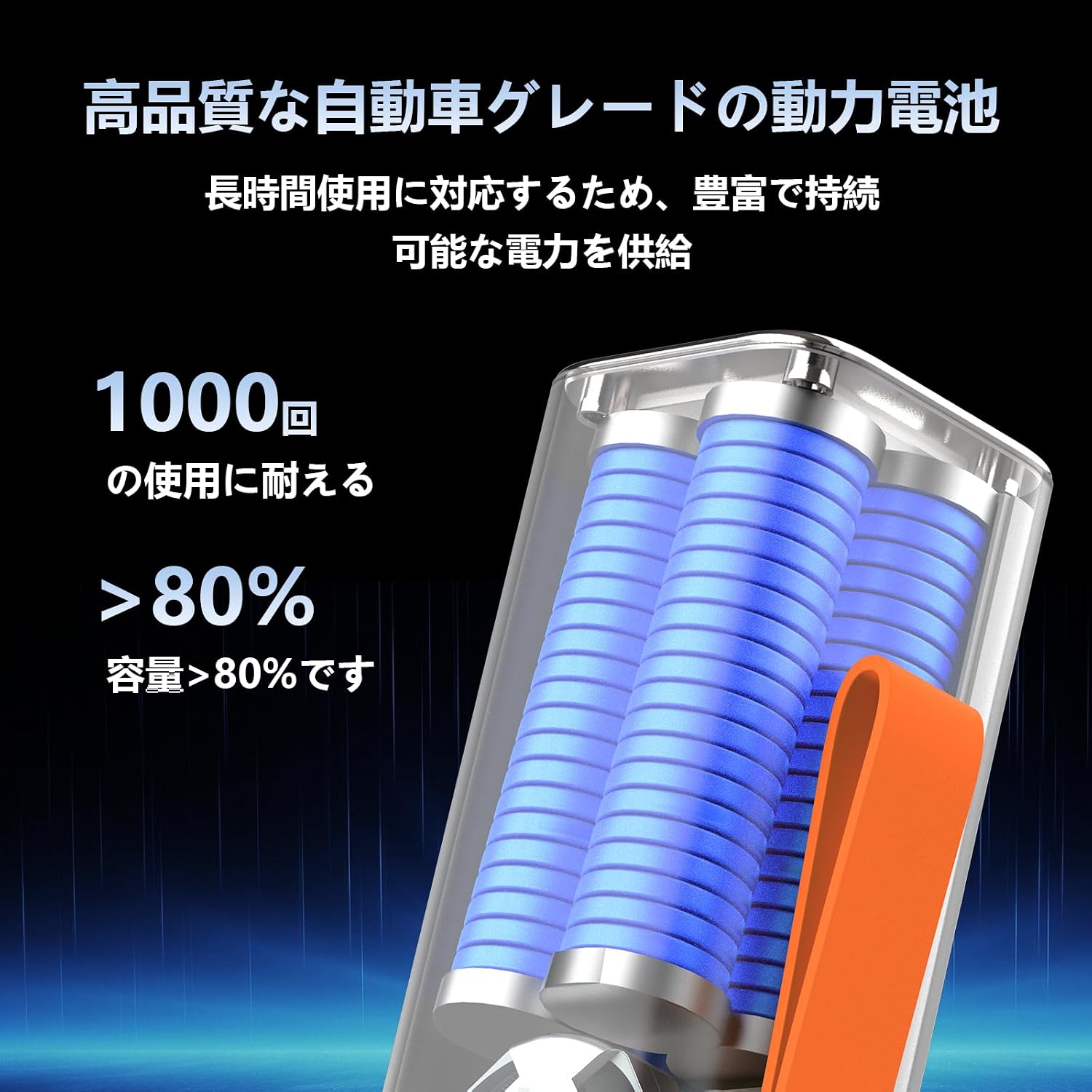
Image: Illustration of the mobile battery's internal cells, highlighting its long-term capacity retention.
- The automotive-grade 21700 lithium-ion cells are designed for durability, maintaining over 80% of their original capacity after 1000 charge cycles.
6. Troubleshooting
6.1 Device Not Charging
- Ensure the mobile battery is sufficiently charged.
- Check that the charging cable is securely connected to both the power bank and your device.
- Try using a different charging cable or port.
- Verify that your device is compatible with the power bank's output specifications.
6.2 Slow Charging
- Ensure your device supports fast charging protocols (PD, QC, etc.) and that you are using a compatible cable.
- Charging multiple devices simultaneously may reduce the charging speed for individual devices.
6.3 LED Light Not Working
- Ensure the mobile battery has power.
- Follow the instructions for activating the LED light (long press for constant, double-click for SOS).
If you encounter persistent issues, please contact customer support at lnbaosheng@outlook.com.
7. Specifications

Image: Dimensions and weight of the VITSR mobile battery.
| Feature | Detail |
|---|---|
| Brand | VITSR |
| Model Name | M266 |
| Battery Capacity | 24000mAh (88.8Wh) |
| Battery Type | Lithium-Ion (21700 cells) |
| Color | Silver |
| Input | Up to 60W (USB-C) |
| Output (USB-C x 2) | Up to 100W each (PD3.1 compatible) |
| Output (USB-A x 1) | Up to 22.5W |
| Total Max Output | 165W |
| Compatible Devices | MacBook, Steam Deck, iPhone, Nintendo Switch, Laptops, Drones, Action Cameras |
| Safety Certifications | PSE Certified, 6-fold safety protection |
| LED Light Modes | Constant On, SOS Signal |
| GTIN | 723967503758 |
8. Warranty and Support
This VITSR mobile battery comes with a 1-year warranty from the date of purchase. Please retain your proof of purchase for warranty claims.
For technical support, warranty inquiries, or any questions regarding your product, please contact our customer service team:
- Email: lnbaosheng@outlook.com
When contacting support, please provide your product model (M266) and a detailed description of the issue.