
Introduction
This manual provides detailed instructions for the setup, operation, and maintenance of your GUGUMO GPS Digital Speedometer. This device offers real-time, accurate speed readings using GPS satellite technology, making it suitable for a wide range of vehicles. Its plug-and-play design ensures ease of use, and the clear LED display enhances driving awareness.
What's in the Box
Carefully unpack your GUGUMO GPS Digital Speedometer package. The following items should be included:
- 2 x GUGUMO GPS Digital Speedometer Units
- 2 x USB Power Cables (approx. 2m / 78.74in each)
- 2 x Car Charger Adapters (USB port)
- 2 x Suction Cup Mounts
- 4 x Adhesive Pads
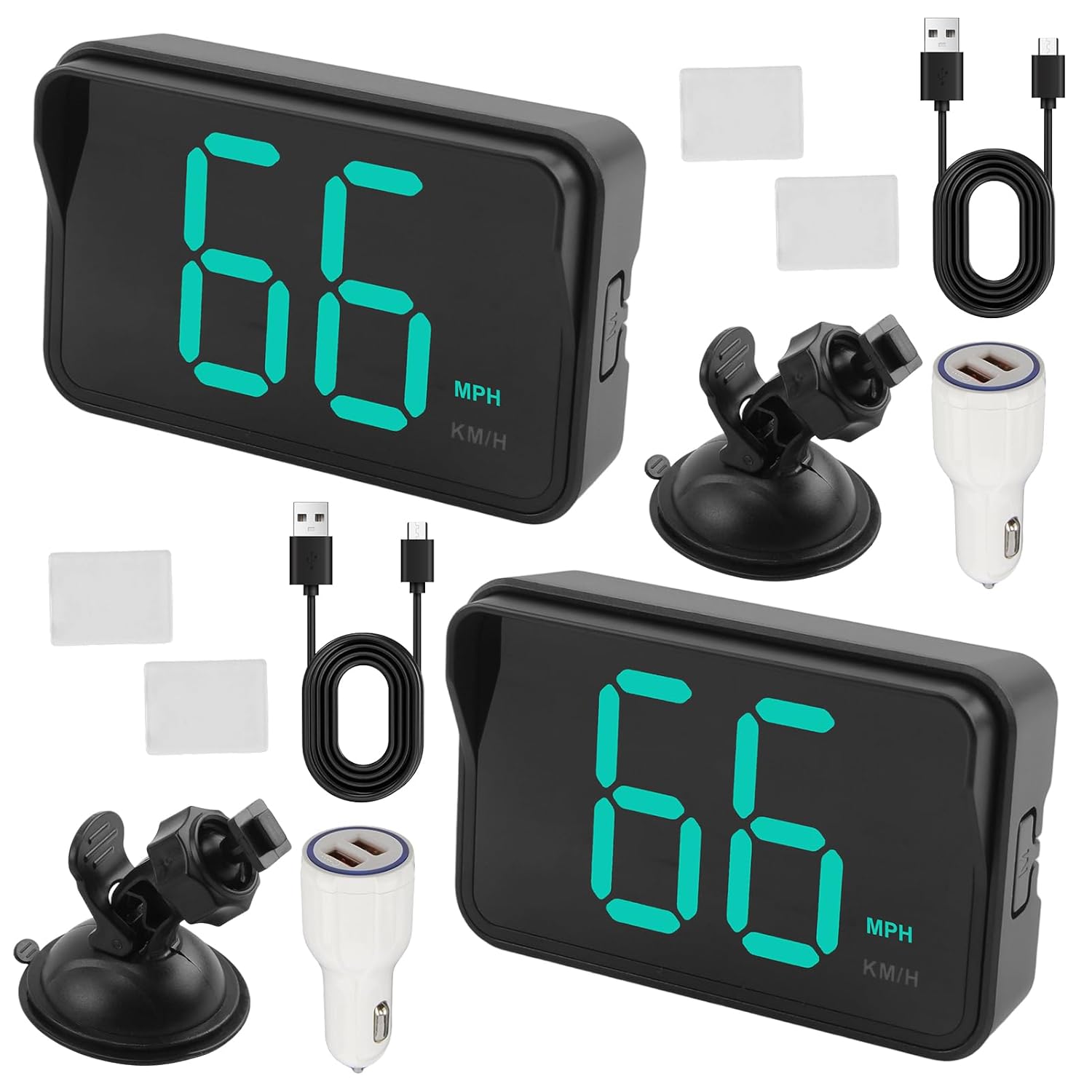
Image: The complete package contents, including two speedometer units and all accessories.
Product Features
- Streamlined Functionality: Designed for clear speed display without complex settings.
- Advanced GPS Technology: Utilizes high-precision GPS for accurate, real-time speed readings, independent of vehicle systems.
- Universal Compatibility: Suitable for cars, trucks, motorcycles, SUVs, golf carts, and other vehicles.
- Smart Power Management: Features an intelligent motion sensor for automatic power-on when moving and power-off after 3 minutes of inactivity, ensuring energy efficiency.
- Enhanced Visibility: Large LED display with bright, clear digits visible in various lighting conditions. Adjustable brightness settings are available.
- Easy Installation: Plug-and-play USB connectivity with compact design and multiple mounting options.

Image: The speedometer's compatibility with different vehicle types.
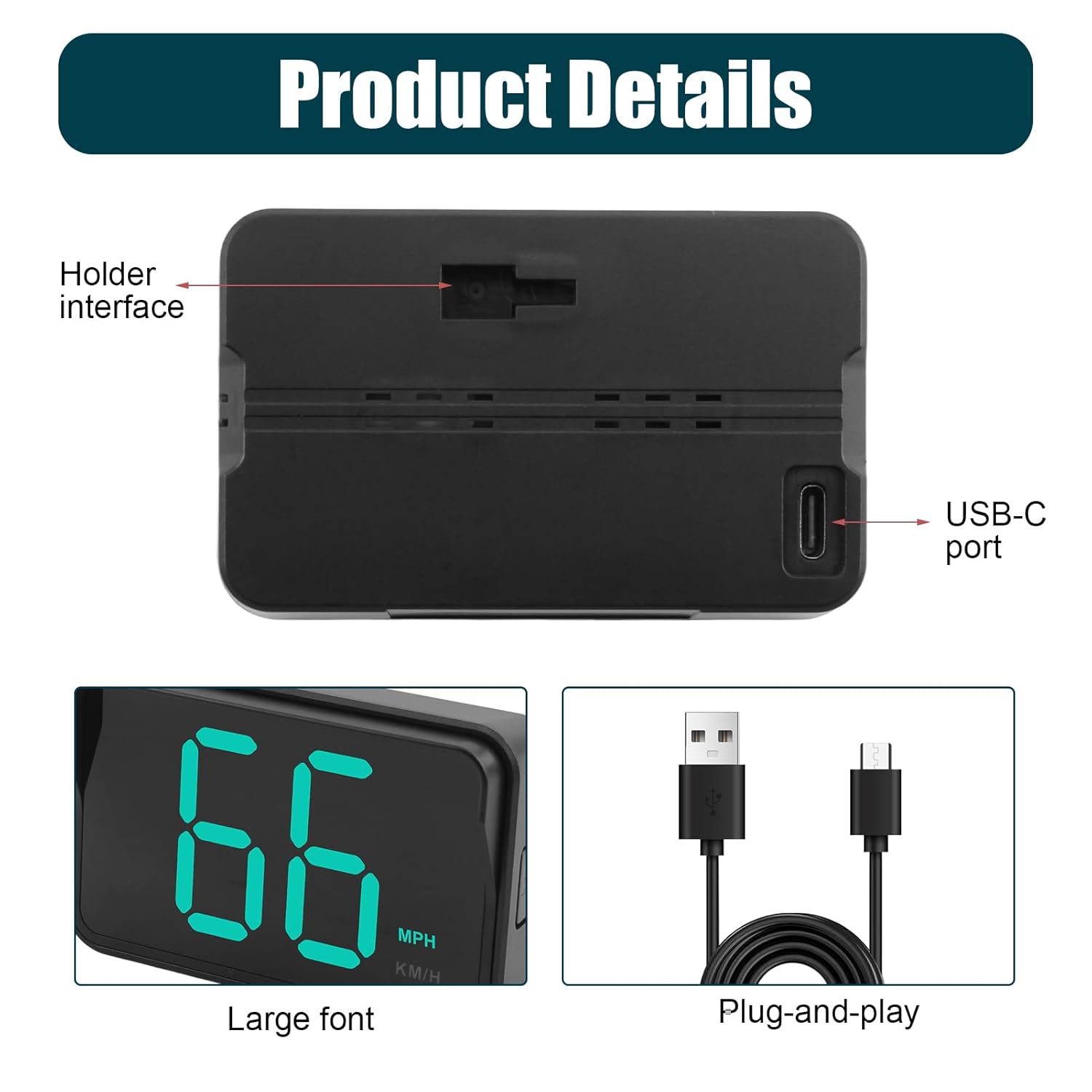
Image: Detailed view of the speedometer's features, including ports and display.
Setup
1. Mounting the Device
The GUGUMO GPS Digital Speedometer offers two primary installation methods:
- Suction Cup Mount: Attach the suction cup to a smooth, flat surface on your dashboard or windshield. Ensure the surface is clean and dry for optimal adhesion. Adjust the angle for best visibility.
- Adhesive Pad Mount: For a more permanent placement, use the provided adhesive pads. Clean the desired area on your dashboard or center console, peel off the backing from the adhesive pad, and firmly press the speedometer into place.

Image: Two methods for mounting the speedometer.

Image: Example of dashboard placement for optimal head-up display.
2. Power Connection
Connect the provided USB power cable to the USB-C port on the speedometer. Plug the other end of the USB cable into a power source:
- A standard USB port in your vehicle.
- The included car charger adapter, plugged into your vehicle's cigarette lighter socket.
The device will power on automatically once connected to a power source and movement is detected.
Operating Instructions
1. Initial Power-On and GPS Signal Acquisition
Once powered, the speedometer will begin searching for a GPS signal. This may take a few moments, especially during the first use or if the device has been moved significantly. Ensure the device has a clear view of the sky for best signal reception. The display will show '---' or similar until a stable GPS signal is acquired, after which it will display your current speed.
2. Speed Unit Selection (MPH/KM/H)
The device allows you to switch between Miles Per Hour (MPH) and Kilometers Per Hour (KM/H). Locate the button on the side or back of the unit. A single short press of this button will toggle between MPH and KM/H display modes.
3. Automatic Operation
- Automatic Power On: The speedometer will automatically power on when it detects vehicle movement and is connected to power.
- Automatic Power Off: The device will automatically power off after approximately 3 minutes of inactivity (no movement detected), conserving energy.
4. Brightness Adjustment
The display brightness is designed to adjust automatically to ambient light conditions. If manual adjustment is needed, refer to the specific button functions on your device. (Note: Some models may feature automatic brightness adjustment only.)
Maintenance
To ensure the longevity and optimal performance of your GUGUMO GPS Digital Speedometer, follow these maintenance guidelines:
- Cleaning: Use a soft, dry cloth to clean the display and exterior of the device. Avoid using abrasive cleaners or solvents, which can damage the surface.
- Storage: When not in use for extended periods, store the device in a cool, dry place away from direct sunlight and extreme temperatures.
- Cable Care: Handle the USB power cable gently. Avoid sharp bends or kinks that could damage the internal wires.
Troubleshooting
| Problem | Possible Cause | Solution |
|---|---|---|
| Device does not power on. | No power supply or faulty connection. | Ensure the USB cable is securely connected to both the device and a working power source (vehicle USB port or car charger). Check if the vehicle's power outlet is active. |
| No speed displayed ('---' or similar). | No GPS signal or weak signal. | Move the vehicle to an open area with a clear view of the sky. Avoid tunnels, dense foliage, or covered parking. Wait a few moments for the device to acquire a signal. |
| Speed reading is inaccurate. | Temporary GPS signal fluctuation or environmental interference. | Ensure the device has a strong GPS signal. Compare with other reliable speed sources if available. Minor discrepancies (e.g., 1-2 MPH) can occur due to GPS precision limits. |
| Display is dim or hard to read in daylight. | Direct sunlight glare or insufficient brightness setting. | Reposition the device to minimize direct sunlight exposure. If your model has manual brightness adjustment, increase the brightness. |
| Device does not turn off automatically. | Continuous vibration or movement detected. | Ensure the vehicle is completely stationary for at least 3 minutes. If the issue persists, disconnect the power cable when not in use. |
Specifications
- Brand: GUGUMO
- Model: B0FK4L1QVL
- Material: Plastic
- Connectivity: USB (Plug-and-Play)
- Display Type: LED
- Dimensions (approx.): 8cm (3.15in) length x 4.6cm (1.81in) width x 1.8cm (0.71in) height (main unit)
- Cable Length (approx.): 2m (78.74in)
- Power Management: Intelligent motion sensor for auto on/off

Image: Product dimensions and component sizes.
Warranty and Support
For warranty information or technical support, please refer to the documentation included with your purchase or contact GUGUMO customer service directly. You can often find support contact details on the official GUGUMO website or through the retailer where the product was purchased.
Visit the GUGUMO Store for more information.


