
1. Introduction
Thank you for choosing the Dewould Mini G-Type Wireless Charging Speaker, Clock Alarm, and LED Desk Lamp. This all-in-one device combines multiple functionalities to enhance your living space. Please read this manual carefully to ensure proper use and optimal performance of your product.
This device features a wireless charging pad, a Bluetooth speaker, a digital clock with an alarm function, and a multi-color LED desk lamp. It is designed for indoor use in various settings such as bedrooms, living rooms, and home offices.
2. Product Overview
2.1 Key Features
- Wireless Charging: 15W wireless charging for compatible smartphones.
- Bluetooth Speaker: 5W speaker output for wireless audio streaming from Bluetooth-enabled devices within a 33-foot range.
- Digital Clock & Alarm: Displays time and date, with a customizable alarm function.
- LED Desk Lamp: Built-in colorful LED lights with 13 different colors and 4 modes (dynamic, single color, slow fade, camping light).
- White Noise Function: Includes various white noise options for relaxation.
- Multiple Connection Modes: Supports Bluetooth 5.2, TF card playback, U disk playback, and AUX input.
2.2 Package Contents
- 1 x Dewould Mini G-Type Night Light (Model: MINI 3401)
- 1 x TYPE-C Charging Cable
- 1 x User Manual (This document)
2.3 Product Dimensions
The device measures approximately 9.25 inches (23.5 cm) in height, 9.25 inches (23.5 cm) in length, and 3.14 inches (8 cm) in width. It weighs approximately 6.4 ounces (181 grams).

Image: Product dimensions showing height (160mm), length (140mm), and width (50mm).

Image: The product packaging box for the Dewould Mini G-Type device.
3. Setup Instructions
3.1 Power Connection
- Connect the provided TYPE-C cable to the charging port on the back of the device.
- Plug the other end of the cable into a compatible USB power adapter (not included).
- The device will power on, and the digital display will illuminate.
3.2 Initial Clock Setup
Upon first power-on, you may need to set the correct time. Refer to the 'Clock and Alarm Settings' section for detailed instructions on adjusting the time and date.
3.3 Bluetooth Pairing
- Ensure the device is powered on.
- Press the 'Mode' button (often labeled 'M' or similar) until the Bluetooth indicator (BT) flashes on the display. This indicates pairing mode.
- On your smartphone or other Bluetooth-enabled device, go to Bluetooth settings and search for available devices.
- Select "MINI 3401" or a similar name from the list to pair.
- Once paired, the Bluetooth indicator will stop flashing and remain solid. You can now play audio through the speaker.

Image: Diagram illustrating Bluetooth 5.2 wireless technology for stable connection up to 10 meters.
4. Operating Instructions
4.1 Control Buttons and Ports

Image: Detailed view of the comfort buttons for one-key adjustment and multiple connection modes including USB, TF card, and AUX.
4.2 Wireless Charging
The device features a 15W wireless charging pad located on the top surface. To charge your compatible smartphone:
- Place your smartphone directly onto the wireless charging area.
- Ensure the phone is centered on the charging pad for optimal connection.
- A charging indicator (often a lightning bolt icon) will appear on your phone's screen to confirm charging has begun.
Note:
- Remove any metal objects or thick cases from your phone that may interfere with wireless charging.
- Charging speed may vary depending on your phone model and case.
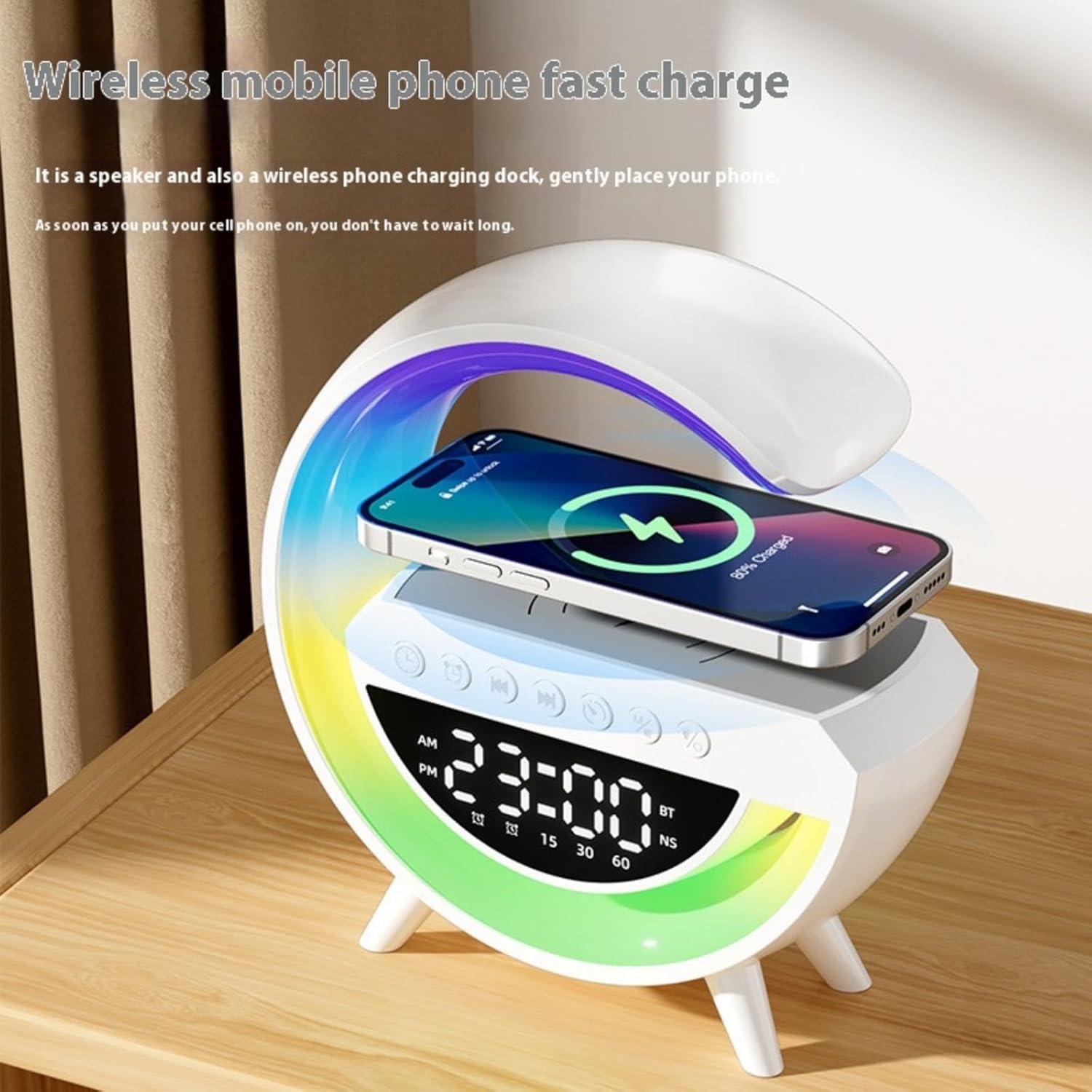
Image: A smartphone placed on the device's top surface, indicating active wireless charging.
4.3 Bluetooth Speaker Function
After successful Bluetooth pairing (refer to Section 3.3):
- Play music or audio from your paired device.
- Use the volume buttons on the device or your paired smartphone to adjust the audio level.
- Use the track forward/back buttons on the device for navigation. A long press on these buttons may adjust volume.
The speaker provides 360-degree panoramic sound. For optimal audio quality, ensure the device is placed on a stable surface.

Image: An exploded view showing the internal speaker components, highlighting the sound technology.
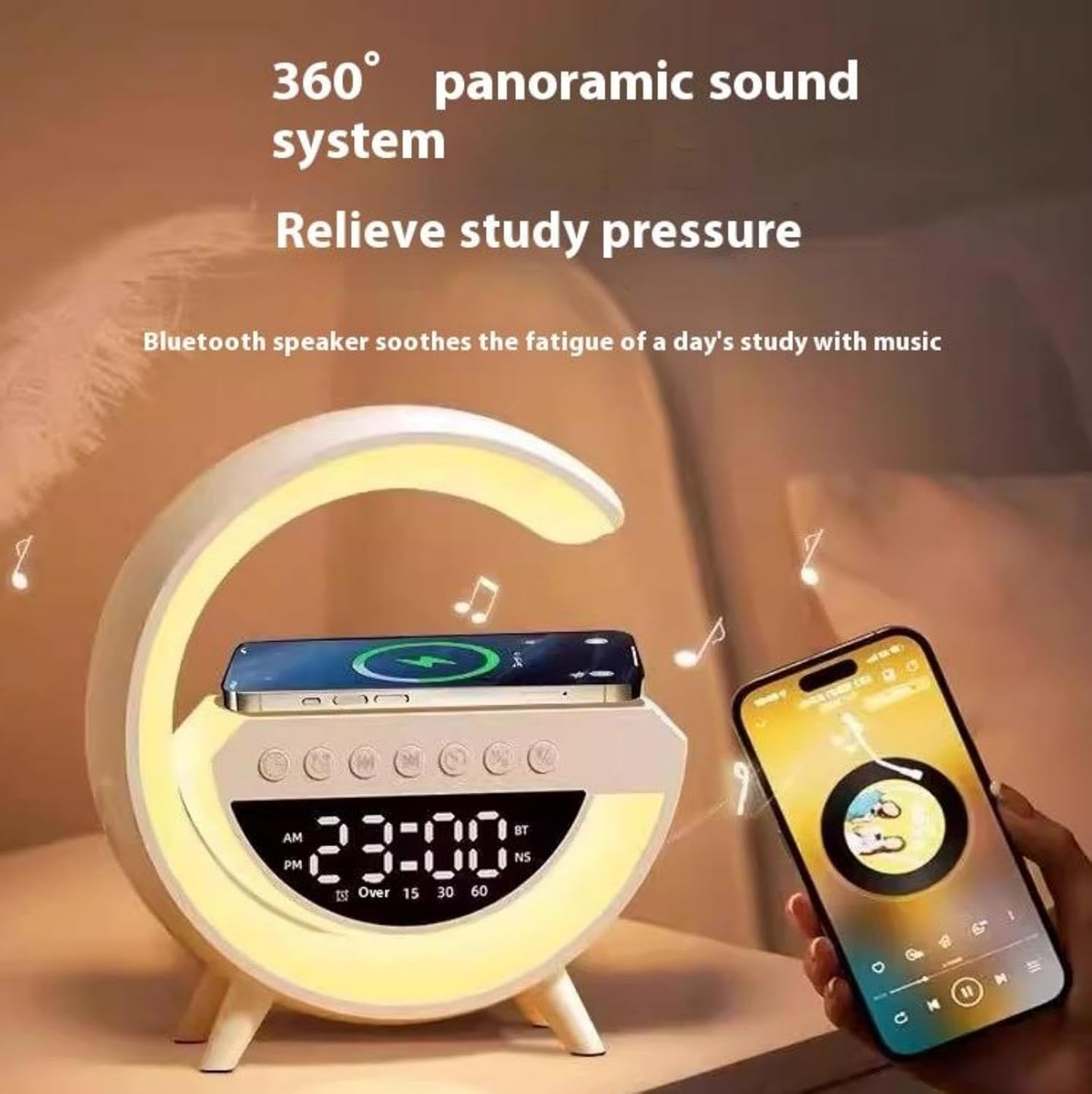
Image: The device positioned next to a smartphone playing music, emphasizing its 360-degree panoramic sound system.
4.4 Clock and Alarm Settings
The device features a mirror LED clock display. Specific button functions for setting time and alarm are typically found on the device's control panel.
- Setting Time: Locate the 'Time Set' or 'Clock' button. Press and hold to enter time setting mode. Use the '+' and '-' buttons (or track forward/back) to adjust hours and minutes. Press the 'Time Set' button again to confirm and move to the next setting (e.g., AM/PM, date).
- Setting Alarm: Locate the 'Alarm Set' button. Press and hold to enter alarm setting mode. Use the '+' and '-' buttons to set the desired alarm time. Press 'Alarm Set' again to confirm. You may also be able to select an alarm sound or buzzer.
- Activating/Deactivating Alarm: Press the 'Alarm' button briefly to toggle the alarm on or off. An alarm icon will appear on the display when active.
- Snooze Function: When the alarm sounds, press any button (other than the power button) to activate snooze. The alarm will sound again after a set interval.
Note:
- The display brightness may be adjustable. Consult the device's physical buttons for a dedicated dimming function or a combination press.

Image: The device featuring its mirror LED clock display, showing the time and various indicators.
4.5 LED Desk Lamp
The integrated LED lamp offers various lighting options:
- Turning On/Off: Locate the 'Light' or 'Lamp' button (often represented by a light bulb icon). Press it once to turn the light on, and again to turn it off.
- Changing Colors/Modes: While the light is on, press the 'Light' button repeatedly to cycle through the 13 different colors and 4 lighting modes (dynamic, single color, slow fade, camping light).

Image: The device showcasing its G-shaped design with colorful ambient lighting effects.
4.6 White Noise Function
The device includes a selection of white noise sounds to aid relaxation or sleep.
- Locate the 'White Noise' or 'Sound' button (if available, otherwise it might be integrated into the mode cycle).
- Press the button to activate the white noise function.
- Press again to cycle through different white noise options (e.g., waterfall, river, seawater, birdsong, cuckoo, alarm sound, knock).

Image: The device illustrating various white noise options such as waterfall, river, seawater, birdsong, cuckoo, alarm sound, and knock.
5. Maintenance
To ensure the longevity and proper functioning of your Dewould Mini G-Type device, follow these maintenance guidelines:
- Cleaning: Use a soft, dry cloth to wipe the surface of the device. Do not use abrasive cleaners, solvents, or chemical sprays, as these can damage the finish and electronic components.
- Avoid Water: This device is not waterproof. Keep it away from water, high humidity, and liquids to prevent damage.
- Storage: When not in use for extended periods, store the device in a cool, dry place away from direct sunlight.
- Handling: Handle the device with care. Avoid dropping it or subjecting it to strong impacts.
6. Troubleshooting
If you encounter issues with your Dewould Mini G-Type device, refer to the following common problems and solutions:
| Problem | Possible Cause | Solution |
|---|---|---|
| Device does not power on. | No power connection or faulty cable. | Ensure the TYPE-C cable is securely connected to both the device and a working power adapter. Try a different cable or adapter. |
| Wireless charging is not working. | Phone not aligned, incompatible phone, or thick case. | Ensure your phone is centered on the charging pad. Remove any thick cases or metal objects. Verify your phone supports Qi wireless charging. |
| Bluetooth speaker has no sound or poor quality. | Not paired, volume too low, or device out of range. | Ensure the device is paired correctly (BT indicator solid). Increase volume on both the device and your phone. Move your phone closer to the speaker (within 33 feet). |
| Clock display is too bright. | Brightness not adjusted. | Look for a dedicated dimming button or a combination of buttons (e.g., long press on a specific button) to adjust display brightness. Refer to the physical controls on your device. |
| Alarm does not sound. | Alarm not set or deactivated. | Verify the alarm time is set correctly and the alarm function is activated (alarm icon visible on display). |
| LED lamp not changing colors. | Incorrect button press. | Ensure the lamp is on. Press the 'Light' button repeatedly to cycle through colors and modes. |
If the problem persists after trying these solutions, please contact customer support.
7. Specifications
| Feature | Specification |
|---|---|
| Model Name | MINI 3401 |
| Product Dimensions | 9.25"L x 9.25"H x 3.14"W (23.5cm x 23.5cm x 8cm) |
| Item Weight | 6.4 ounces (approx. 181g) |
| Material | Acrylonitrile Butadiene Styrene (ABS), Polycarbonate (PC) |
| Power Source | Corded Electric (TYPE-C) |
| Wireless Charging Output | 15W |
| Speaker Output Power | 5W |
| Bluetooth Version | 5.2 |
| Bluetooth Range | Up to 33 feet (10 meters) |
| LED Light Colors | 13 colors |
| LED Light Modes | 4 (Dynamic, Single Color, Slow Fade, Camping Light) |
| Battery Capacity (Internal) | 3.7V/1200MAH (for portable use, approx. 3.5-4 hours) |
| UPC | 724470415286 |

Image: Visual representation of product parameters including dimensions (23.5cm / 9.25in height and length, 8cm / 3.14in width).
8. Warranty and Support
This product comes with a standard manufacturer's warranty. Please retain your proof of purchase for any warranty claims. For detailed warranty terms and conditions, or for technical support, please refer to the contact information provided by your retailer or the manufacturer's official website.
If you have any questions or require assistance with your Dewould Mini G-Type device, please do not hesitate to contact our customer support team.