
1. Product Overview
The TOOSPON 50000mAh Portable Power Bank (Model APD101) is a high-capacity external battery designed to charge multiple electronic devices on the go. It features 22.5W fast charging capabilities, multiple output ports, and a built-in flashlight for convenience.

Figure 1: Front view of the TOOSPON 50000mAh Portable Power Bank, highlighting its compact form factor and port layout.
Key Features:
- High Capacity: 50000mAh battery for extended device charging.
- Fast Charging: Supports 22.5W output via USB-C and USB-A ports, compatible with QC4.0 and QC3.0 protocols.
- Multi-Device Charging: Equipped with 4 USB-A output ports and 1 USB-C input/output port, allowing simultaneous charging of up to 5 devices.
- Built-in Flashlight: Integrated LED flashlight for emergency lighting.
- Safety Protections: Smart chip technology provides protection against overcharge, overvoltage, overcurrent, and short circuits.
2. Package Contents
Upon unboxing, please verify that all items are present:
- 1 x TOOSPON 50000mAh Portable Charger
- 1 x Type-C Charging Cable
- 1 x User Manual (this document)
3. Setup and Initial Use
3.1 Charging the Power Bank
Before first use, fully charge the power bank. Use the provided Type-C cable and connect it to the USB-C port on the power bank and a compatible USB wall adapter (not included).

Figure 2: The power bank being recharged using its USB-C input port.
The LED indicator lights will illuminate to show the charging status. A full charge is indicated when all lights are solid.
3.2 Understanding the Ports and Indicators

Figure 3: Detailed view of the power bank's charging ports and indicator lights.
- USB 1-4 Output: Standard USB-A ports for charging devices.
- Type-C Input/Output: Recharges the power bank and charges compatible devices.
- Pilot Lamp (LED Indicators): Displays the current battery level and charging status.
- Power Button: Activates the power bank and controls the flashlight.
4. Operating Instructions
4.1 Charging Your Devices
- Connect your device's charging cable to one of the available USB-A or USB-C output ports on the power bank.
- Connect the other end of the cable to your device.
- The power bank will automatically begin charging your device. The LED indicators will show the remaining battery capacity.
- Disconnect your device once charging is complete.
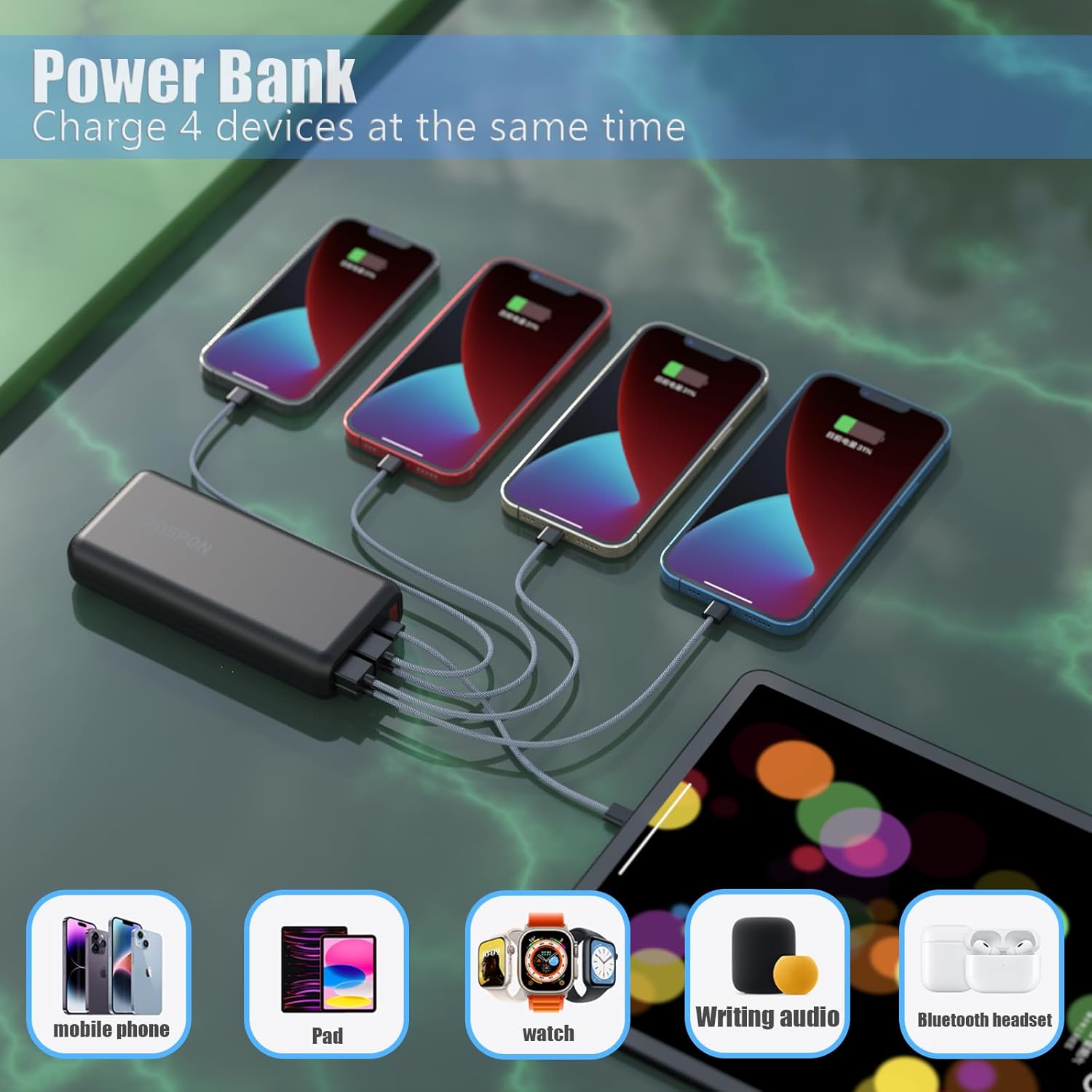
Figure 4: The power bank's capability to charge multiple devices concurrently.
4.2 Using the Built-in Flashlight
- To turn on the flashlight, press and hold the Power Button for approximately 3 seconds.
- To turn off the flashlight, press and hold the Power Button again for approximately 3 seconds.

Figure 5: The integrated LED flashlight providing illumination.
5. Maintenance and Safety
5.1 General Care
- Keep the power bank away from extreme temperatures, direct sunlight, and moisture.
- Avoid dropping or subjecting the power bank to strong impacts.
- Clean the device with a soft, dry cloth. Do not use harsh chemicals or abrasive materials.
- Store the power bank in a cool, dry place when not in use. For optimal battery health, recharge it at least once every three months.
5.2 Safety Precautions
The TOOSPON power bank incorporates multiple safety features to protect your devices and the power bank itself. Adhere to the following guidelines:
- Do not disassemble, modify, or repair the device.
- Do not expose the power bank to fire or water.
- Avoid using the power bank in environments with high humidity or dust.
- Keep out of reach of children.
- Important Note: Due to its high capacity, this 50000mAh portable charger is generally NOT ALLOWED ON AIRPLANES for carry-on or checked luggage. Please check airline regulations before traveling.

Figure 6: Overview of the power bank's integrated safety safeguards.
6. Troubleshooting
If you encounter issues with your power bank, refer to the following common solutions:
- Device not charging: Ensure the power bank is sufficiently charged. Check that the charging cable is securely connected to both the power bank and your device. Try a different cable or port.
- Slow charging: Verify that your device and cable support fast charging. Some devices may charge slower if multiple devices are connected simultaneously.
- Power bank not charging: Ensure the Type-C charging cable is properly connected to a working power source. Try a different wall adapter or cable.
- Flashlight not working: Ensure the power bank is turned on and has sufficient charge. Press and hold the Power Button for 3 seconds to activate/deactivate.
If problems persist, please contact customer support.
7. Specifications

Figure 7: Physical dimensions of the power bank.
| Feature | Detail |
|---|---|
| Model Number | APD101 |
| Battery Capacity | 50000 Milliamp Hours (mAh) |
| Product Dimensions | 5.5 x 2.76 x 1.01 inches |
| Item Weight | 13.7 ounces |
| Input (USB-C) | 18W (5V/3A) |
| Output (USB-C) | 22W (5V/4.5A) |
| Output (USB-A) | 22.5W (5V/4.5A) |
| Special Features | Auto Shut-Off, Built-in Flashlight, LED Indicator Lights, Over Charging Protection, Short Circuit Protection |
| Color | Black |
8. Warranty and Support
8.1 Warranty Information
TOOSPON provides a 365-day replacement guarantee for this product from the date of purchase. This warranty covers manufacturing defects and ensures your satisfaction with the product.
8.2 Customer Support
For any questions, concerns, or warranty claims, please do not hesitate to contact our customer service team. We offer 7/24 hours online support to assist you.
Please refer to the contact information provided with your purchase or on the official TOOSPON website for the most current support channels.