
Introduction
This instruction manual provides guidance for the proper use and care of your Ranyi Holster Case. This durable nylon wallet pouch is designed to protect and conveniently carry your compatible Eyoyo Mini Barcode Scanner models. Please read this manual thoroughly to ensure optimal performance and longevity of your product.

Image 1: Front and back view of the Ranyi Holster Case, showcasing its design and the integrated belt clip.
Compatibility
The Ranyi Holster Case is specifically designed to be compatible with the following Eyoyo Mini Barcode Scanner models:
- Eyoyo Mini 1D Barcode Scanner EY-009L
- Eyoyo Mini 2D Barcode Scanner EY-015
- Eyoyo Mini 2D Barcode Scanner EY-015P
- Eyoyo Mini 2D Barcode Scanner EY-015PS
Ensure your scanner model matches one of the listed compatible devices for proper fit and function.
Setup and Attachment
The Ranyi Holster Case offers multiple options for secure attachment, allowing you to carry your barcode scanner conveniently.
- Using the Belt Loop Clip:
The holster features a sturdy metal belt clip on the back. To attach, simply slide the clip over your belt or waistband. Ensure the clip is fully engaged for a secure hold.
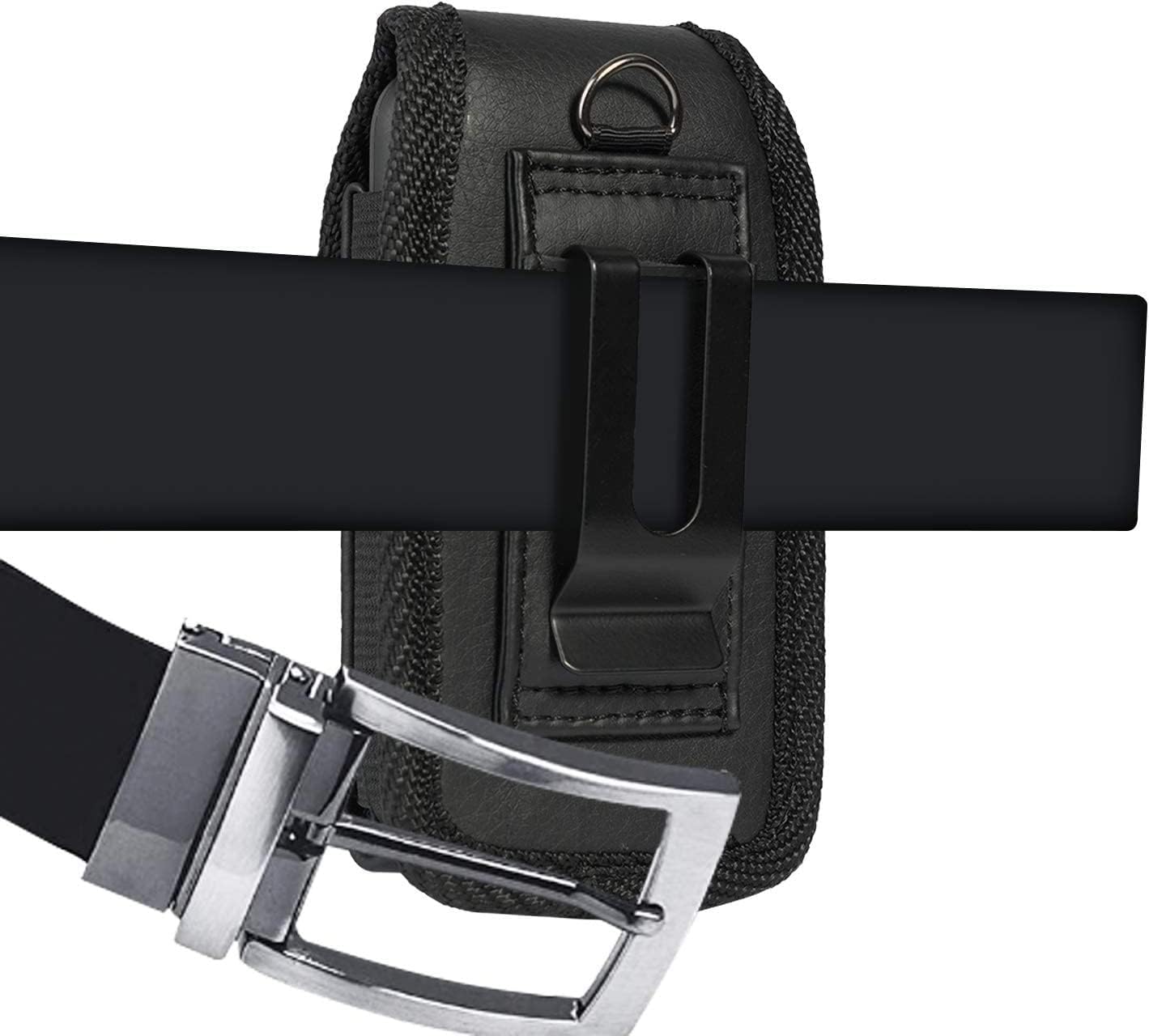
Image 2: The holster case securely attached to a belt using its integrated belt clip.
- Using the Carabiner:
For alternative attachment, a carabiner can be used. Locate the D-ring at the top of the holster. Attach a carabiner (not included) to this D-ring, and then clip it to a belt loop, backpack, or other suitable attachment point.
- Wearing on a Belt:
Once attached, the holster allows for comfortable, hands-free carrying of your scanner at your side.

Image 3: A person demonstrating how the holster case is worn on a belt, providing easy access to the scanner.
Operating Instructions
This section details how to insert and retrieve your barcode scanner from the holster case.
- Inserting the Scanner:
Open the top flap of the holster. Carefully slide your compatible Eyoyo Mini Barcode Scanner into the main compartment of the pouch. Ensure it fits snugly without excessive force.
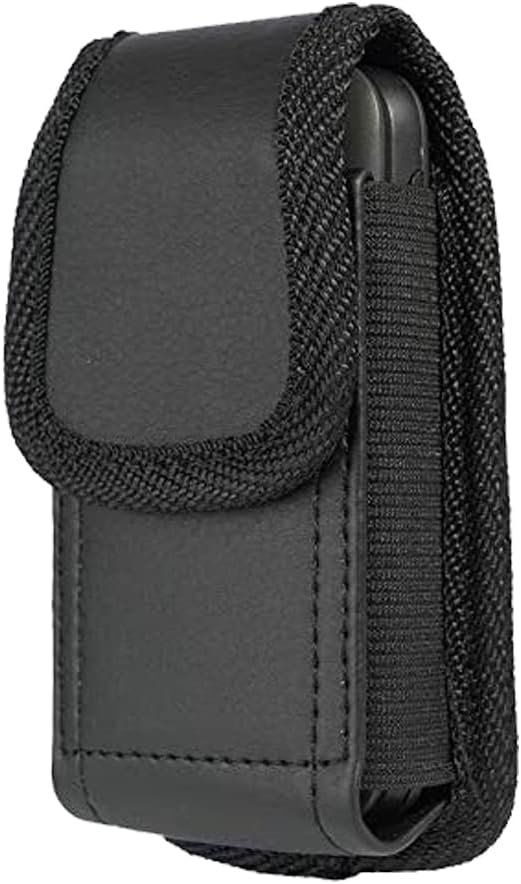
Image 4: The holster case with its top flap open, ready to receive a barcode scanner.
- Securing the Scanner:
Once the scanner is inside, close the top flap. The flap is equipped with a strong magnetic closure to keep your device secure and prevent accidental falls.
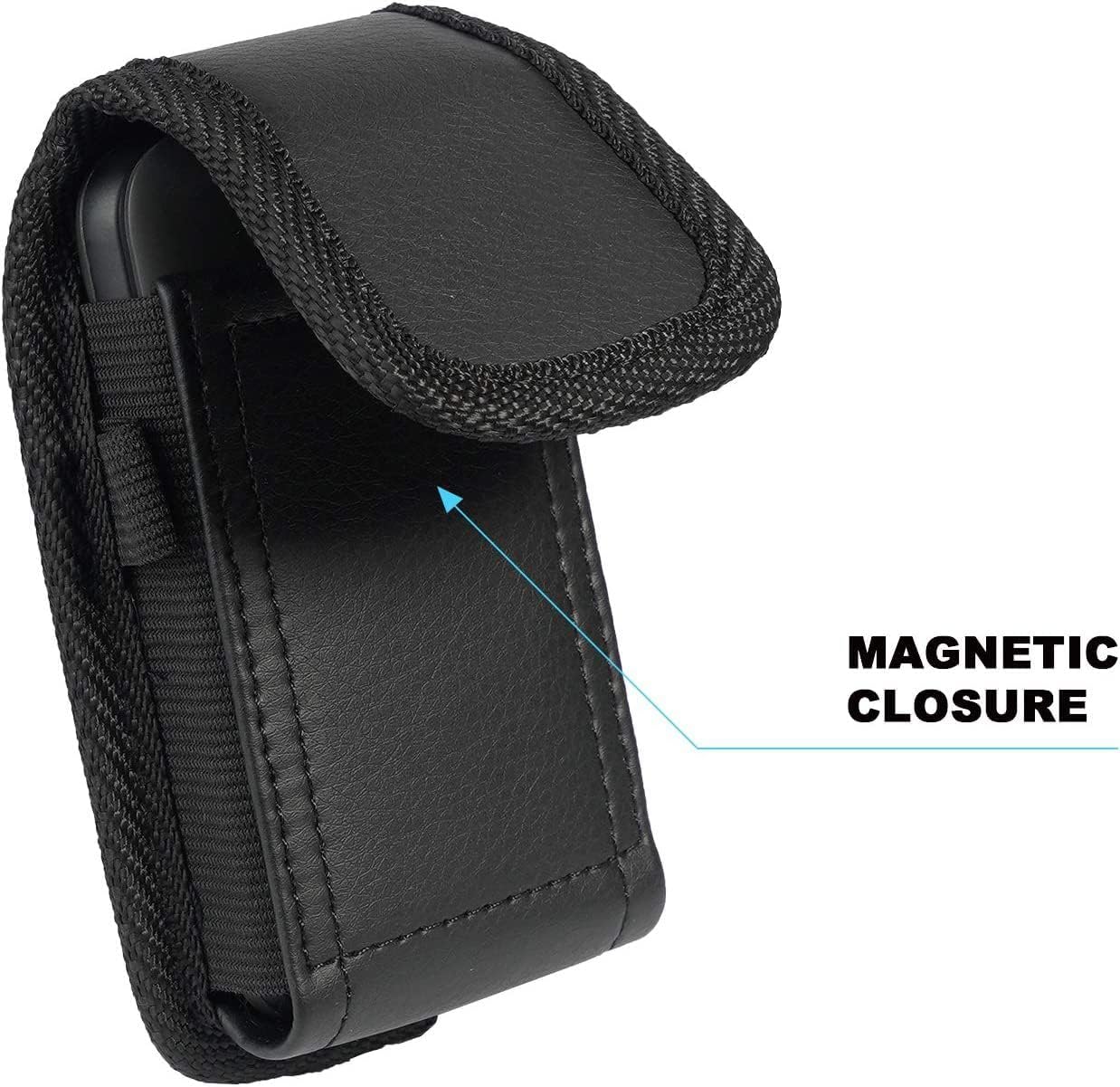
Image 5: A detailed view highlighting the magnetic closure mechanism of the holster case.
- Retrieving the Scanner:
To access your scanner, simply lift the top flap to disengage the magnetic closure and pull the scanner out.
Maintenance and Care
To maintain the appearance and functionality of your Ranyi Holster Case, follow these simple care instructions:
- Cleaning: Wipe the exterior with a soft, damp cloth. For stubborn dirt, a mild soap solution can be used, followed by wiping with a clean, damp cloth. Avoid harsh chemicals or abrasive cleaners.
- Drying: Allow the case to air dry completely. Do not use direct heat sources like hair dryers, as this may damage the material.
- Storage: Store the case in a cool, dry place when not in use.
- Avoid Overloading: Do not attempt to force incompatible or oversized devices into the holster, as this can stretch or damage the material and stitching.
Troubleshooting
If you encounter any issues with your Ranyi Holster Case, consider the following:
- Scanner does not fit: Verify that your barcode scanner model is listed under the "Compatibility" section. This holster is designed for specific Eyoyo Mini Barcode Scanners.
- Holster feels loose on belt: Ensure the belt clip is fully engaged with your belt or waistband. For thinner belts, the clip may have slight movement, but it should remain secure.
- Flap does not stay closed: Check for any obstructions preventing the magnetic closure from engaging. Ensure the scanner is fully inserted and not protruding.
Specifications
| Product Type | Holster Case / Pouch |
| Material | Nylon |
| Color | Black |
| Closure Type | Magnetic Flap |
| Attachment Options | Belt Loop Clip, D-ring for Carabiner |
| Approximate Dimensions (L x W x H) | 3.9 x 2.0 x 0.8 inches (External) |
| Approximate Item Weight | 0.32 ounces |
| Manufacturer | Ranyi |
Warranty and Support
For information regarding warranty coverage or technical support, please refer to the documentation provided with your purchase or contact Ranyi customer service through the retailer where the product was acquired.