
Velcase JY017
Velcase JY017 1080P HD FPV Foldable Drone User Manual
Model: JY017
1. Introduction
This manual provides essential instructions for the safe operation and maintenance of your Velcase JY017 1080P HD FPV Foldable Drone. Please read this manual thoroughly before operating the drone to ensure proper usage and to prevent damage or injury. Keep this manual for future reference.
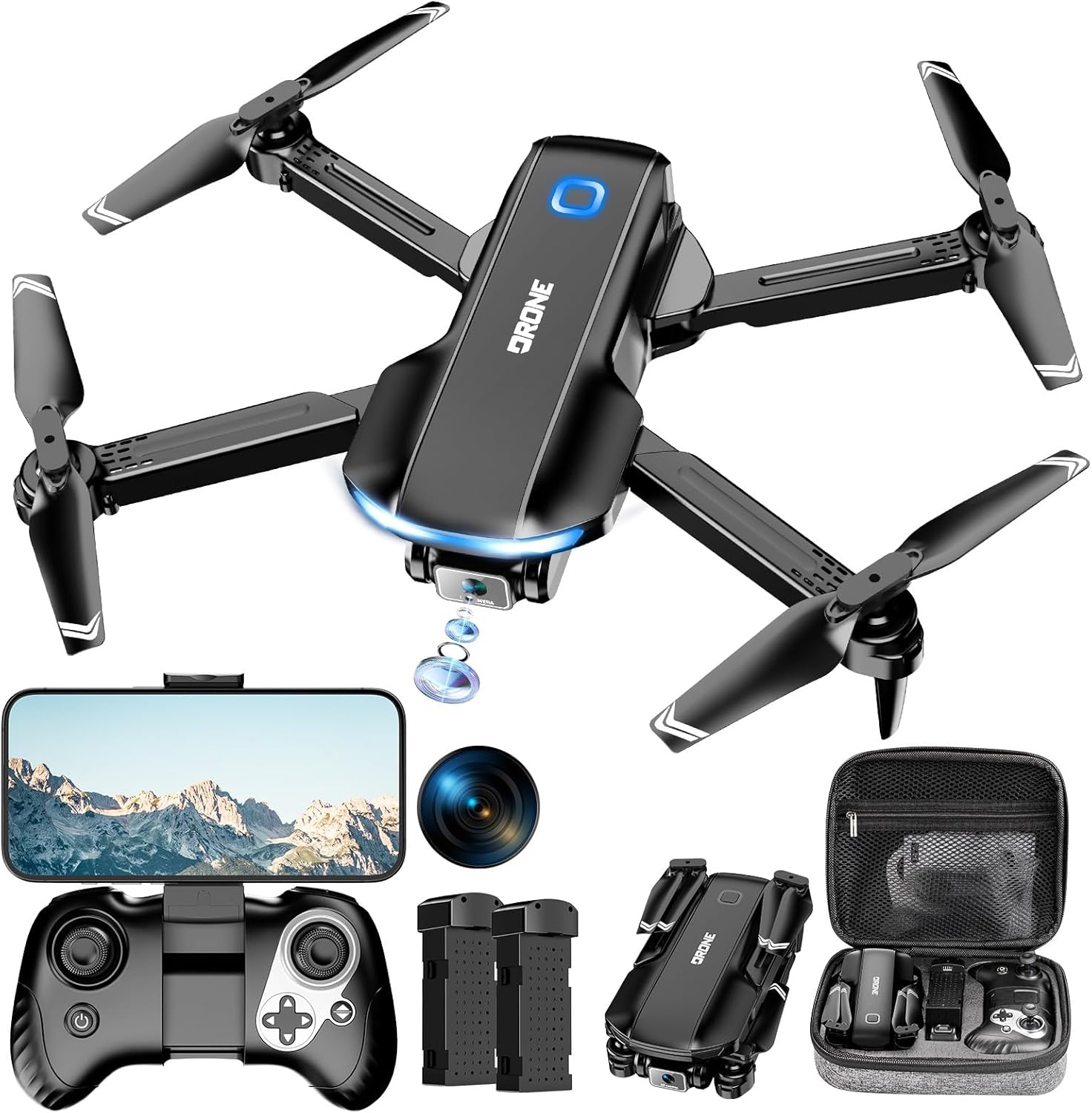
Image 1: Velcase JY017 Foldable Drone with Remote Control and Accessories. This image displays the drone in its unfolded state, along with the remote controller, two batteries, charging cables, spare propellers, propeller guards, a screwdriver, and a carrying case.
2. Safety Guidelines
Adhering to these safety guidelines is crucial for safe operation and to prevent damage to the drone or injury to individuals.
- Pre-Flight Check: Always ensure the drone and remote control batteries are fully charged. Inspect propellers for damage and ensure they are securely attached.
- Environment: Fly in open areas, away from people, animals, buildings, and trees. Avoid flying near power lines or in strong winds.
- Line of Sight: Maintain visual line of sight with the drone at all times.
- Age Recommendation: This product is intended for adults and beginners under supervision.
- Propeller Guards: For initial flights, especially indoors or in confined spaces, install propeller guards to prevent damage from collisions.
- Emergency Stop: Familiarize yourself with the emergency stop function on the remote control.
- Battery Safety: Do not overcharge batteries. Store batteries in a cool, dry place.
3. Package Contents
Verify that all items are present in the package:
- Drone x 1
- Remote Control x 1
- Drone Battery x 2 (1050mAh)
- USB Charging Cable x 1
- A, B Fan Blades x 4 (Spare)
- Screwdriver x 1
- Protective Frame x 4
- User Manual x 1
- Carrying Case x 1
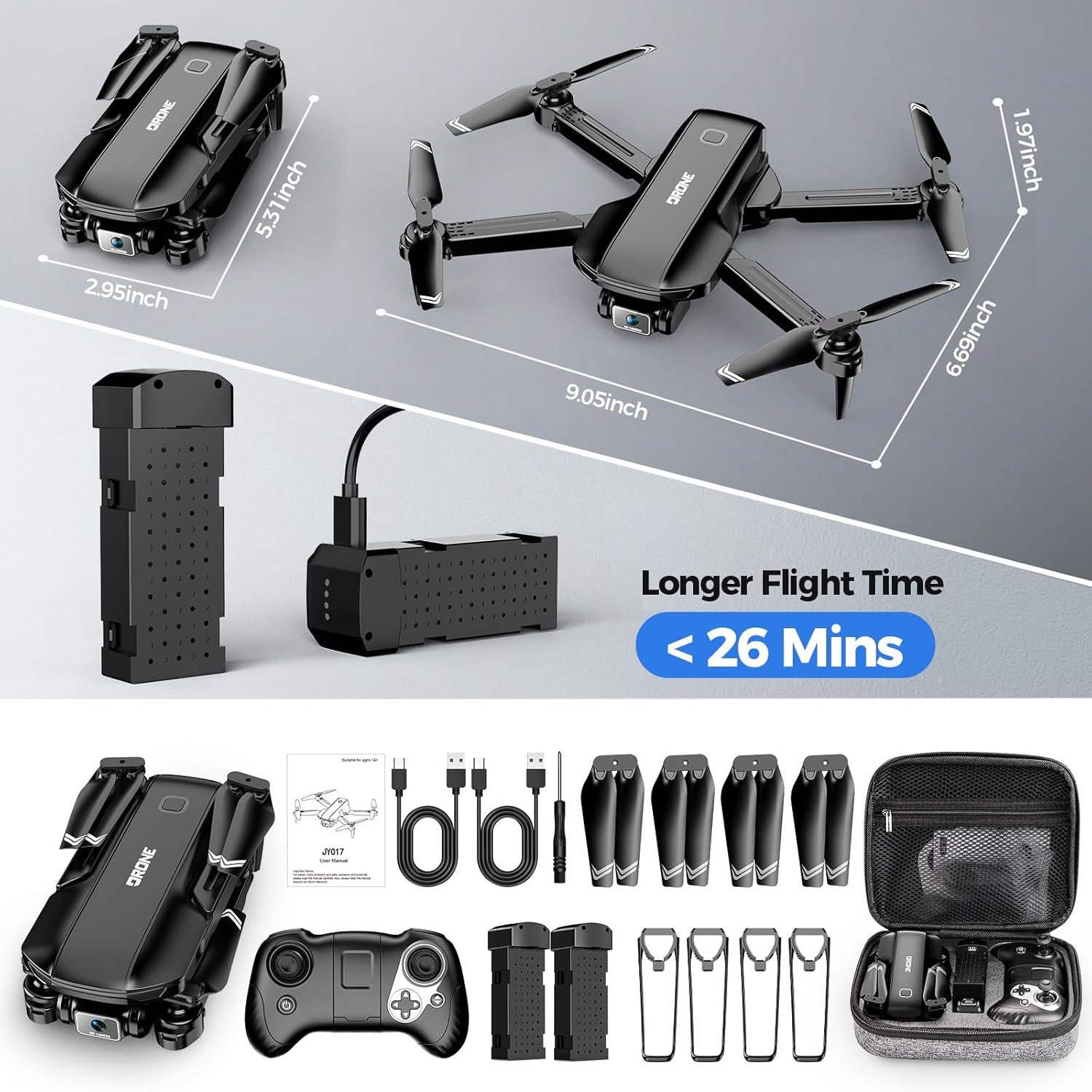
Image 2: An overview of the Velcase JY017 drone and its included accessories, neatly arranged. This includes the drone, remote, batteries, charging cables, spare propellers, propeller guards, screwdriver, and carrying case.
4. Setup
4.1. Charging the Drone Battery
Connect the drone battery to a power source using the provided USB charging cable. The indicator lights on the battery will remain on during charging and turn off when fully charged.
4.2. Installing Remote Control Batteries
Open the battery compartment on the back of the remote control and insert 3 AAA batteries (included), ensuring correct polarity. Close the compartment securely.
4.3. Deploying Drone Arms and Installing Battery
Gently unfold the drone's arms until they lock into place. Insert the charged drone battery into the designated slot on the drone until it clicks securely.

Image 3: The Velcase JY017 drone with its arms unfolded and the battery installed, ready for flight.
4.4. Installing Propeller Guards
Align each protective frame with the arm buckle on the drone and fasten it tightly. This is recommended for beginners or indoor flights.
Video 1: This comprehensive video demonstrates the initial setup of the Velcase JY017 drone, including charging the battery, installing the remote control batteries, deploying the drone arms, installing the drone battery, and attaching propeller guards. It also covers power-on, frequency alignment, and gyroscope calibration.
5. Operating Instructions
5.1. Power On and Frequency Alignment
- Place the drone on a flat, level surface.
- Long press the power button on the drone to turn it on. The drone's lights will flash slowly.
- Long press the power button on the remote control to turn it on.
- The drone's lights will change from slow flashing to constant lighting, indicating successful frequency alignment.
5.2. Gyroscope Calibration
To calibrate the gyroscope, move both joysticks on the remote control to the bottom-right corner simultaneously. The drone's lights will flash rapidly and then turn constantly on, indicating successful calibration.
5.3. One-Key Takeoff/Landing
After successful frequency alignment and gyroscope calibration, press the one-key takeoff button on the remote control. The drone's motors will unlock, and it will automatically take off and hover at a stable altitude. Press the button again for one-key landing.
5.4. Basic Flight Controls
- Rise/Decline: Use the left joystick up/down.
- Rotate Left/Right: Use the left joystick left/right.
- Move Forward/Backward: Use the right joystick up/down.
- Fly Left/Right: Use the right joystick left/right.

Image 4: The Velcase JY017 drone in flight, illustrating various maneuvers such as moving forward, backward, and sideways.
5.5. Speed Modes
The drone has 3 speed modes (low, medium, high). The default setting is low speed. Press the speed button on the remote control to cycle through speeds. One beep for low, two beeps for medium, and three beeps for high speed.
5.6. Headless Mode
In headless mode, the drone's orientation is relative to the pilot, regardless of the drone's actual front direction. This simplifies control for beginners.

Image 5: An aerial view of the drone flying, with a compass overlay indicating the functionality of headless mode, where the drone's direction is relative to the controller.
5.7. 360° Flip
Press the 360° flip button and then move the right joystick in the desired direction to perform a flip.
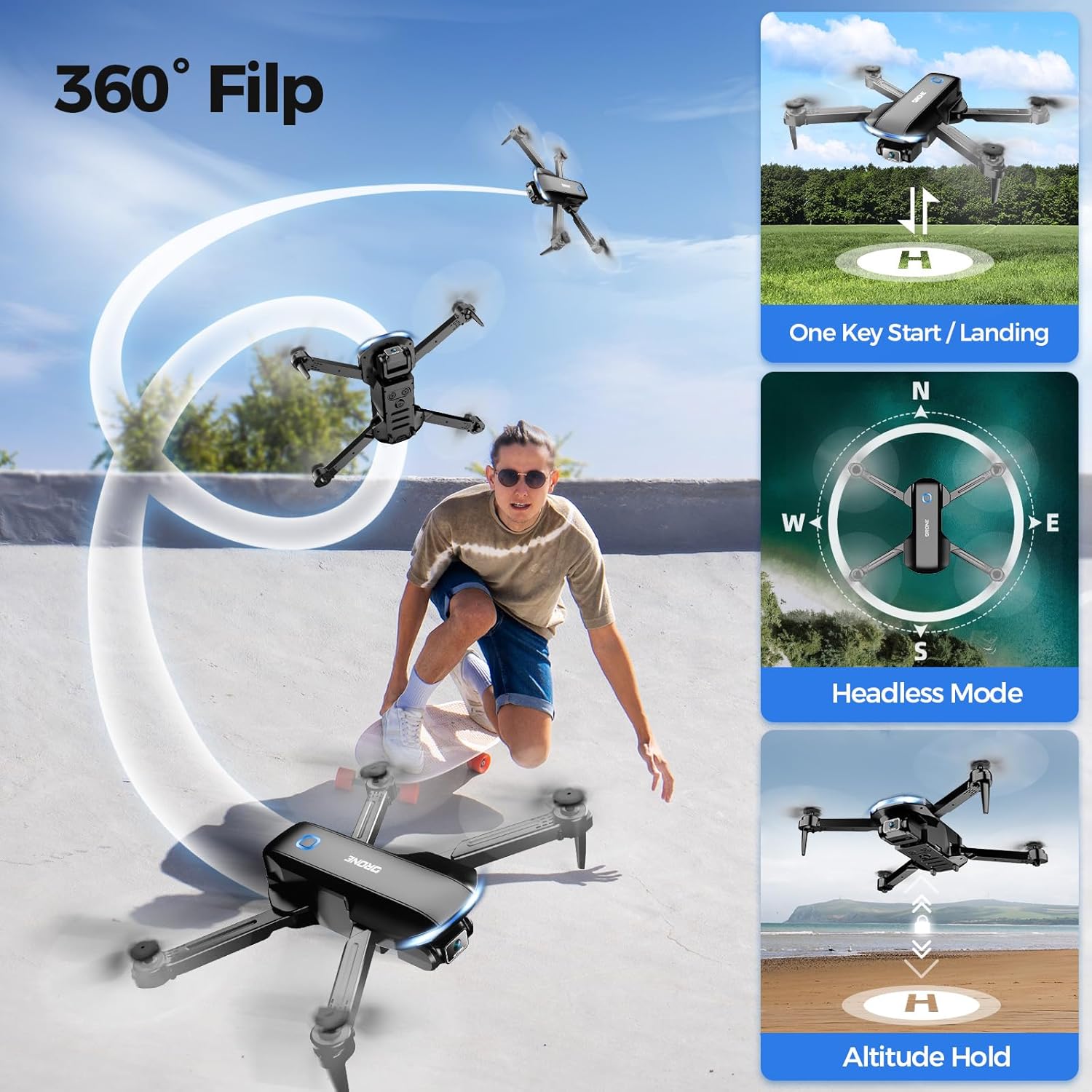
Image 6: The Velcase JY017 drone executing a 360-degree flip in mid-air, showcasing its acrobatic capabilities.
5.8. Optical Flow Positioning and Altitude Hold
The drone features optical flow positioning and altitude hold technology for stable flight, allowing it to maintain a certain height and position automatically. This is particularly useful for capturing steady photos and videos.

Image 7: The drone hovering stably above a marked landing spot, illustrating the optical flow positioning and altitude hold features.
5.9. App Control and FPV
Download and install the "JY017 FLY" app on your mobile device. Connect to the drone's Wi-Fi network (JY017-XXXXX). Once connected, open the app to access real-time video feed (FPV) and additional control functions like gravity control, trajectory flight, and gesture photo/video.

Image 8: A user operating the drone with a smartphone mounted on the remote control, displaying the 1080P FPV real-time transmission.
5.10. Gravity Control
Activate gravity control in the app. Tilt your mobile device to control the drone's flight direction.
5.11. Trajectory Flight
In the app, draw a desired flight path on the screen, and the drone will automatically follow it.
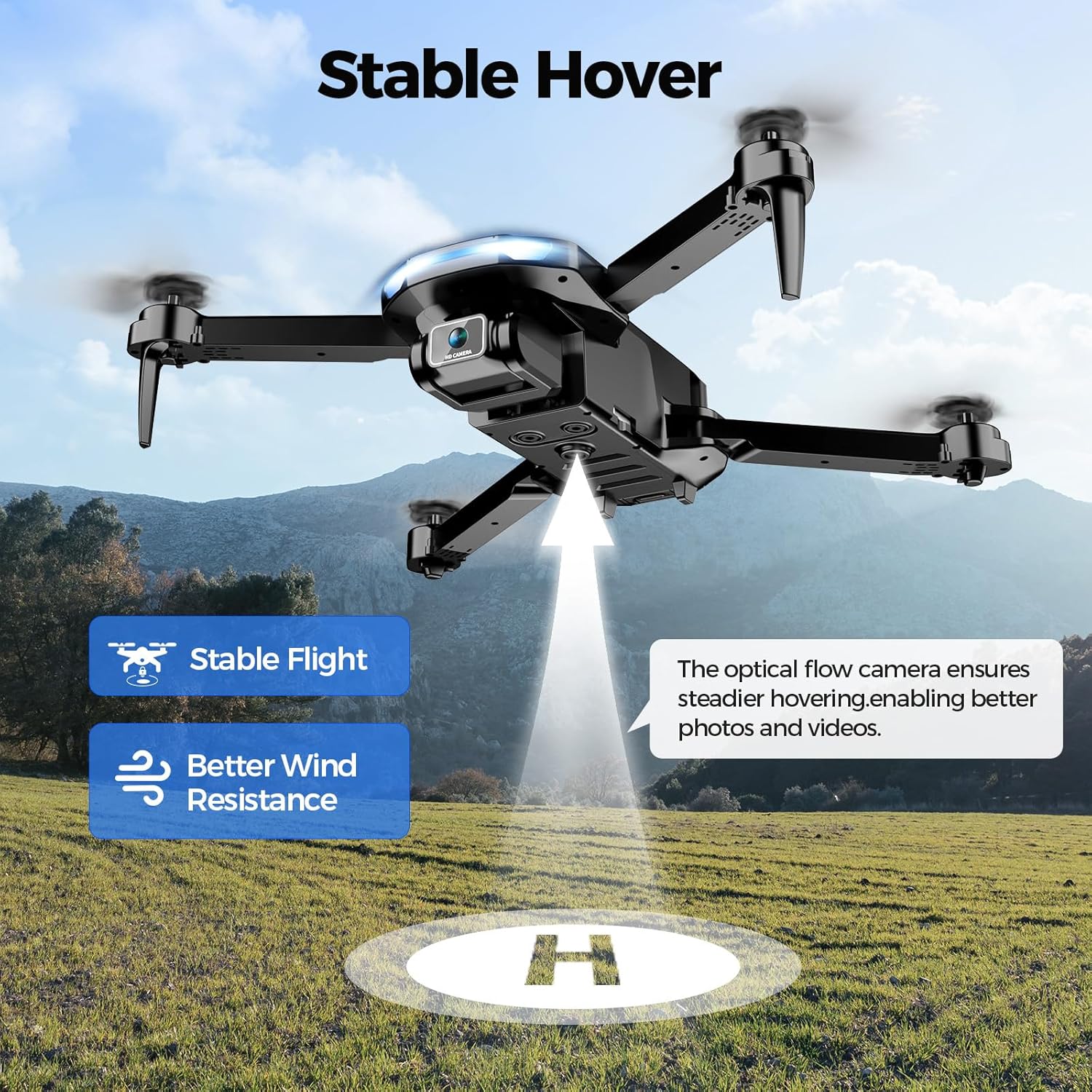
Image 9: The drone flying along a pre-drawn path on a map displayed on a smartphone, demonstrating the trajectory flight feature.
5.12. Gesture Photo/Video
Use specific hand gestures in front of the drone's camera to trigger photo capture or video recording. A "V" gesture typically takes a photo, and an open palm gesture starts/stops video recording.
6. Maintenance
6.1. Propeller Replacement
If propellers are damaged, replace them using the provided screwdriver. Ensure to match the "A" and "B" marked propellers to their corresponding arms. The drone has "A" and "B" marked arms, and the propellers are also marked "A" and "B".
6.2. Cleaning
Wipe the drone with a soft, dry cloth. Avoid using water or harsh chemicals.
6.3. Storage
When not in use, fold the drone and store it in its carrying case in a cool, dry place, away from direct sunlight.
7. Troubleshooting
| Problem | Possible Cause | Solution |
|---|---|---|
| Drone does not respond to remote control. | Low battery in drone or remote; not paired correctly. | Charge batteries; re-pair drone and remote control. |
| Drone drifts during flight. | Gyroscope not calibrated; strong wind interference. | Recalibrate gyroscope; fly in calmer conditions. |
| Poor camera quality/no FPV feed. | Weak Wi-Fi connection; app not connected. | Ensure strong Wi-Fi signal; reconnect app to drone's Wi-Fi. |
| Short flight time. | Battery not fully charged; old battery. | Fully charge battery; consider replacing old batteries. |
8. Specifications
- Brand: Velcase
- Model Name: JY017
- Color: Dark Black
- Video Capture Resolution: 1080p
- Effective Still Resolution: 2 MP
- Connectivity Technology: Wi-Fi
- Item Weight: 1 pound (approximately 16 ounces)
- Battery Capacity: 1000 Milliamp Hours (per battery)
- Control Type: App Control, Gesture Control
- Material: Plastic
- Product Dimensions: 2.91"L x 9.21"W x 6.93"H (unfolded)
- Flight Time: Up to 26 minutes (with two 1050mAh batteries)
- Optical Sensor Technology: Optical Flow
9. Warranty and Support
Velcase provides 24-hour technical support and refund services to all customers. For any issues or inquiries, please contact our customer support team.
For additional protection, 2-Year and 3-Year Protection Plans are available for purchase separately.
Ask a question about this manual
Ask about setup, troubleshooting, compatibility, parts, safety, or missing instructions. Manuals+ will review the question and use this page’s manual context to help answer it.