
Introduction
Welcome to your new AreShark LC02 Ergonomic Office Chair. This manual provides detailed instructions for assembly, operation, and maintenance to ensure optimal use and longevity of your chair.
Safety Information
Important Warnings
WARNING: This product requires assembly. Always follow the instructions provided to avoid injury. Be cautious when adjusting the recline and footrest features to prevent falls or other accidents.
Parts List
A detailed parts list and all necessary tools are included in the product package. Please verify all components are present and undamaged before beginning assembly.

Image: Overview of AreShark LC02 Office Chair components, including the seat, backrest, armrests, base, and casters, ready for assembly.
Setup and Assembly
Assembly Instructions
The AreShark LC02 office chair is designed for straightforward assembly. A detailed instruction guide and all required tools are included in the package. Assembly typically takes under 25 minutes. Follow the step-by-step instructions provided with your chair for proper construction.
Initial Setup
After assembly, ensure all screws are tightened and the chair is stable before use. Place the chair on a flat, stable surface.
Operating Instructions
Height Adjustment
To adjust the chair height, locate the lever under the seat on the right side. Pull the lever upwards while seated to lower the chair, or while standing to raise it. Release the lever to lock the height at your desired position.
Reclining Function
The chair features a 90-135° reclining function. To recline, pull the lever on the left side of the seat. Lean back to your desired angle and release the lever to lock the position. The padded armrests move with the recline for continuous support.

Image: A person demonstrating the reclining function of the AreShark LC02 Office Chair, showing the chair tilted back to 135 degrees with the footrest extended.
Retractable Footrest
To deploy the footrest, pull it out from under the seat. Extend it fully for relaxation. Push it back under the seat when not in use. The soft, thickened footrest is designed to relieve leg pressure and improve circulation.

Image: The AreShark LC02 Office Chair shown with its retractable footrest fully extended, ready for use.
Armrest Functionality
The soft padded armrests are designed to move with the recline of the chair, providing consistent comfort. They can also be folded up to allow the chair to fit more easily under a desk, optimizing your workspace.

Image: A close-up view of the AreShark LC02 Office Chair's padded armrests, highlighting their design and integration with the chair's structure.
Video Demonstration
Video: A demonstration of the LC02-002 Office Desk Leather Reclining Chair with Foot Rest, showcasing its features and adjustments.
Maintenance
Cleaning Instructions
The chair is crafted with perforation PU leather, which is stain-resistant and easy to maintain. To clean, simply wipe the surface with a damp cloth. Avoid using harsh chemicals or abrasive cleaners that may damage the material. Regular cleaning will help preserve the chair's appearance and longevity.
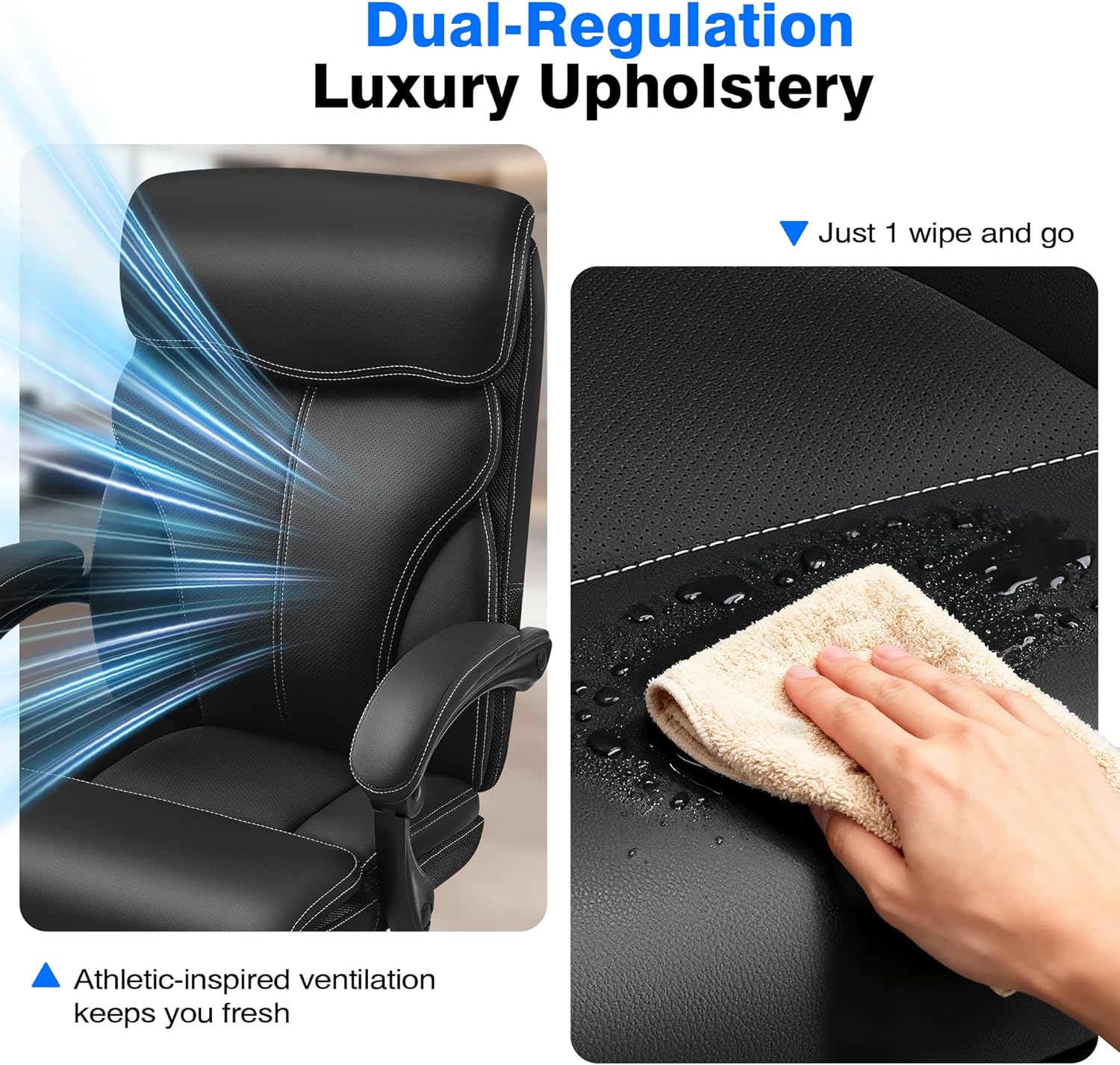
Image: A hand wiping the surface of the AreShark LC02 Office Chair with a damp cloth, demonstrating its easy-to-clean perforated PU leather material.
Troubleshooting
Common Issues
If you encounter any issues with your chair, please refer to the assembly instructions for common solutions. Ensure all connections are secure and components are correctly installed. For example, if the chair does not adjust height smoothly, check the gas lift lever and its connection. If the chair feels wobbly, re-tighten all assembly screws.
For further assistance, please contact customer service.
Specifications
- Brand: AreShark
- Model Number: LC02
- Color: Black
- Product Dimensions: 33.5"D x 27.6"W x 47.01"H
- Weight Capacity: Up to 350 lbs
- Material: Perforation PU Leather, PP cotton, high-density sponge
- Recline Angle: 90-135°
- Assembly: Required (tools and instructions included)
Warranty and Support
Warranty Information
The AreShark LC02 office chair comes with a 5-year service warranty, ensuring peace of mind regarding manufacturing defects and material quality.
Customer Service
For any questions regarding assembly, usage, warranty claims, or other support needs, please contact our 24/7 customer service team. Contact details can be found on our official website or in your product packaging.