
Introduction
This manual provides detailed instructions for the installation, operation, and maintenance of your SURAIELEC 3-Way Wireless Remote Control Light Switch and Receiver Kit. This system allows you to add or relocate 3-way light switches without complex rewiring, offering flexible control over your lighting fixtures.
The kit features a compact receiver with push-in wiring terminals for easy installation and a remote wall switch that can be mounted on any flat surface. With a reliable RF wireless range of up to 100 feet in open spaces, it ensures stable control through walls and obstacles. The system uses dynamic codes to prevent interference, allowing multiple kits to be used in the same area. It is also expandable, supporting additional remote switches or receivers for multi-way control configurations.
Setup Instructions
1. Safety Precautions
- ALWAYS turn off power at the circuit breaker before installation. Failure to do so may result in serious injury or death.
- Ensure the wiring is performed by a qualified electrician if you are unsure.
- A neutral wire is required for the receiver installation.
2. Components Overview
The kit includes a wireless wall switch and a compact receiver. The receiver connects to your light fixture and power source, while the switch acts as a remote control.

Image: Overview of the wireless switch and receiver, showing their dimensions and internal battery compartment for the switch.
3. Receiver Installation
The receiver is designed to fit into standard electrical boxes, including rose/canopy, junction boxes, or switch boxes. It features push-in terminals for quick, tool-free wiring.

Image: Close-up view of the receiver's push-in wiring terminals, indicating ease of connection.
Wiring Diagram:
Connect the receiver between the power source and the light fixture as shown in the diagram below. Ensure the neutral wire is connected.
- Line (Black): Connect to the live wire from the power source.
- Neutral (White): Connect to the neutral wire from the power source.
- Load (Red): Connect to the live wire of the light fixture.
- Nout (White): Connect to the neutral wire of the light fixture.

Image: Detailed wiring diagram for the SURAIELEC wireless receiver, showing connections for power input (AC 100-125V), neutral, and load.
4. Wireless Switch Installation
The wireless switch can be mounted on any flat surface using screws or adhesive (not included). It is designed in a decorator rocker style and is compatible with standard wall plates.
Steps for Mounting:
- Remove Battery Insulation Sheet: Before mounting, open the switch cover and remove the battery insulation sheet to activate the pre-installed CR2032 battery.
- Mount the Switch Base: Secure the switch base to your desired wall location using screws.
- Attach Wall Plate: Place the decorative wall plate over the switch base.
- Secure the Cover: Snap the switch cover onto the wall plate.

Image: Step-by-step visual guide for installing the wireless wall switch, including removing the battery insulation sheet and mounting the switch and faceplate.
5. Pairing (Pre-programmed)
The switch and receiver are pre-programmed for immediate use. If re-pairing is needed or you are adding additional switches/receivers, follow these steps:
- To Pair: Press and hold the receiver's pairing button until the indicator light flashes. Then, press the desired button on the wireless switch. The indicator light will stop flashing to confirm successful pairing.
- To Clear Pairing: Press and hold the receiver's pairing button for approximately 10 seconds until the indicator light flashes rapidly, then turns off. This clears all paired switches.
Operating Instructions
Basic Operation
Once installed and paired, operate the light switch by pressing the rocker panel. Press the top part of the rocker for ON, and the bottom part for OFF.

Image: A woman demonstrating the use of the wireless wall switch in a home environment, highlighting its ease of use.
Multi-Way Control
The SURAIELEC system is expandable, allowing for various multi-way control configurations:
- Multiple Switches, One Receiver: Control a single light fixture from several wireless switches (e.g., 4-way or 5-way setups).
- One Switch, Multiple Receivers: Control multiple light fixtures simultaneously with a single wireless switch.

Image: An illustration showing a wireless light switch controlling multiple lights in a hallway, demonstrating multi-way control capabilities.

Image: An illustration showing a wireless light switch controlling multiple lights in a kitchen, demonstrating multi-way control capabilities.
Wireless Range
The system offers a reliable RF wireless range of up to 100 feet in open spaces. The signal can pass through walls and obstacles, providing flexible placement options for your wireless switch.
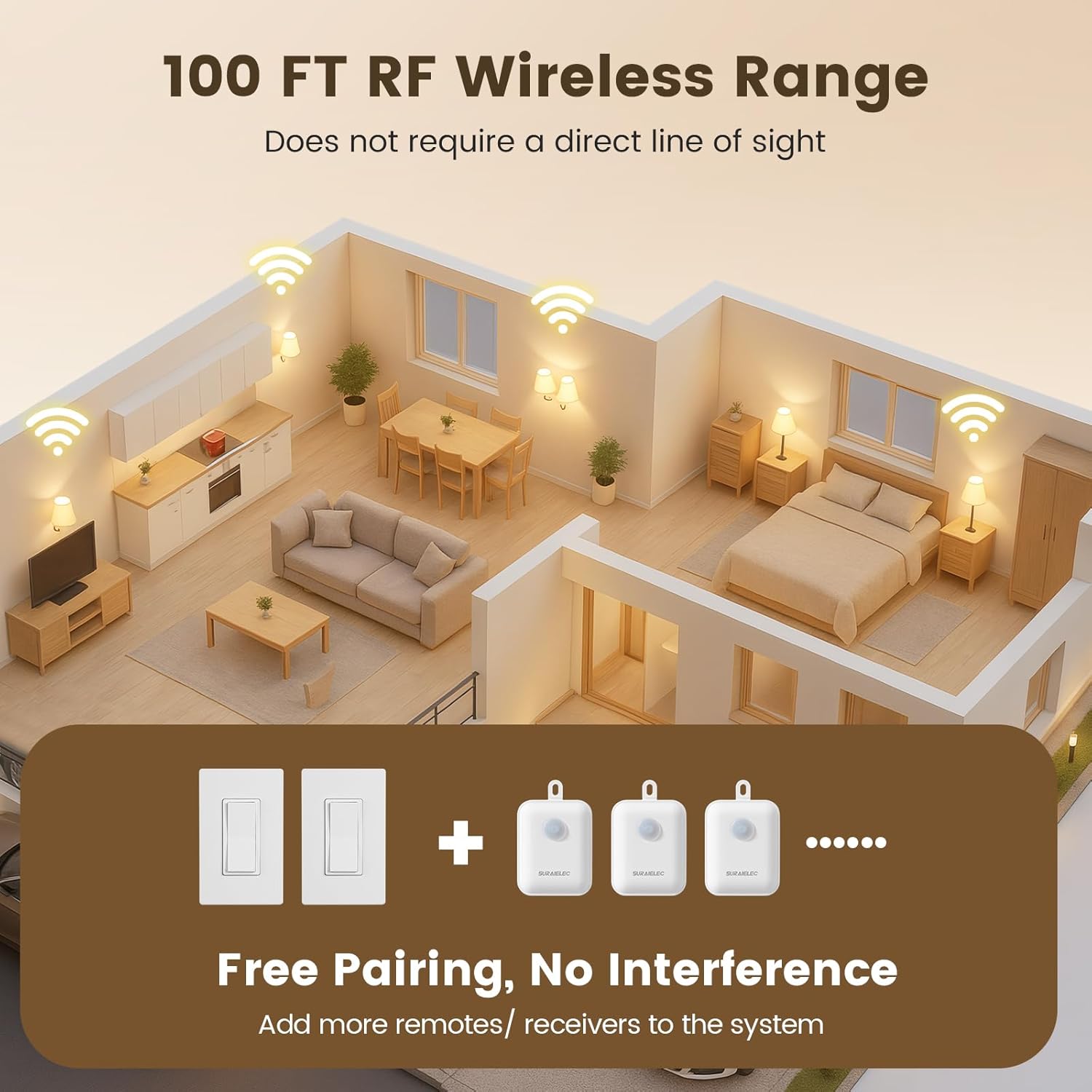
Image: A diagram depicting a house layout with wireless signals extending up to 100 feet, illustrating the effective range of the RF wireless system.
Maintenance
Cleaning
Wipe the surface of the wireless switch and receiver with a soft, dry cloth. Do not use abrasive cleaners or solvents, as these may damage the finish or internal components.
Battery Replacement
The wireless switch is powered by a CR2032 coin cell battery. If the switch becomes unresponsive, the battery may need replacement.
- Carefully pry open the switch cover to access the battery compartment.
- Remove the old CR2032 battery.
- Insert a new CR2032 battery with the positive (+) side facing up.
- Snap the switch cover back into place.
Troubleshooting
| Problem | Possible Cause | Solution |
|---|---|---|
| Light does not turn ON/OFF via wireless switch. | No power to receiver, receiver not wired correctly, switch battery dead, switch not paired. |
|
| Reduced wireless range or intermittent control. | Excessive metal obstructions, other strong RF interference sources. |
|
| Multiple kits interfering with each other. | Incorrect pairing or rare signal overlap. |
|
Specifications
| Feature | Detail |
|---|---|
| Model | UHRT06C |
| Part Number | KW21H |
| Operation Mode | ON-OFF |
| Current Rating | 15 Amps |
| Operating Voltage | 125 Volts |
| Wattage (Resistive) | 1875 Watts |
| Wattage (LED) | 200 Watts |
| Wattage (Fluorescent) | 1000 Watts (8 Amps) |
| Wattage (Tungsten) | 1250 Watts (10 Amps) |
| Circuit Type | 3-way |
| Control Method | Remote |
| Connectivity Protocol | RF (433.92MHz) |
| Wireless Range | Up to 100 ft (open space) |
| Switch Type | Rocker |
| Mounting Type | Wall Mount (Switch) |
| Material | Polycarbonate (Housing), Brass (Contact) |
| Item Dimensions (Switch) | 2.91 x 0.31 x 4.69 inches (L x W x H) |
| Item Dimensions (Receiver) | 1.54 x 1.02 x 1.97 inches (L x W x H) |
| Color | White |
| Included Components | Wireless Switch, Receiver |
| Certifications | FCC |
| IP Rating | IP20 |
Warranty Information
The SURAIELEC 3-Way Wireless Remote Control Light Switch & Receiver Kit comes with a 1 Year Limited Warranty from the date of purchase. This warranty covers defects in materials and workmanship under normal use. It does not cover damage caused by misuse, accident, unauthorized modification, or improper installation.
Please retain your proof of purchase for warranty claims.
Customer Support
If you encounter any issues or have questions regarding the installation or operation of your SURAIELEC product, please contact our customer support team. For the quickest assistance, refer to the contact information provided on the product packaging or the official SURAIELEC website.