
1. Introduction
This manual provides comprehensive instructions for the Atari 2600+ PAC-MAN Edition Console. This system is designed to allow users to experience classic Atari 2600 and 7800 games with modern conveniences such as HDMI output and wireless control. The console comes in a distinct PAC-MAN yellow finish and includes the PAC-MAN: Double Feature 2-in-1 game cartridge and a PAC-MAN Edition of the Atari CX-40+ Wireless Joystick.
Key features include:
- PAC-MAN Edition console with illuminated character icons.
- Backward and forward compatibility with Atari 2600 and 7800 game cartridges.
- Includes PAC-MAN: Double Feature 2-in-1 game cartridge (PAC-MAN 7800 and PAC-MAN 2600).
- PAC-MAN Edition Atari CX-40+ Wireless Joystick.
- HDMI output for connection to modern televisions.

Image 1.1: The Atari 2600+ PAC-MAN Edition Console packaging, displaying the console, wireless joystick, and game cartridge.
2. Setup
Follow these steps to set up your Atari 2600+ PAC-MAN Edition Console:
- Unpack Contents: Carefully remove the console, wireless joystick, PAC-MAN: Double Feature cartridge, HDMI cable, and USB power cable from the packaging.
- Connect to TV: Connect one end of the HDMI cable to the HDMI port on the back of the Atari 2600+ console and the other end to an available HDMI input on your television.
- Connect Power: Connect the USB power cable to the console's power input and plug the other end into a compatible USB power adapter (not included) or a powered USB port.
- Insert Game Cartridge: Gently insert the PAC-MAN: Double Feature cartridge into the cartridge slot on top of the console. Ensure it is fully seated.
- Prepare Wireless Joystick: Ensure the PAC-MAN Edition CX-40+ Wireless Joystick is charged or has fresh batteries. The joystick connects wirelessly to the console. For optimal performance, ensure the wireless adapter is connected to the console.
- Power On: Press the power button on the console. Switch your television's input to the corresponding HDMI port.
- TV Settings: For the best gaming experience and to minimize input lag, it is recommended to enable 'Game Mode' on your television if available. Refer to your TV's manual for instructions on activating this feature.

Image 2.1: The Atari 2600+ console with the PAC-MAN: Double Feature cartridge inserted into the slot.
3. Operating the Console
3.1. Playing Games
The Atari 2600+ console supports both Atari 2600 and Atari 7800 game cartridges. To play a game:
- Ensure the console is powered off before inserting or removing cartridges.
- Insert the desired game cartridge firmly into the slot.
- Power on the console. The game should load automatically.
- Use the console's switches (e.g., Difficulty, Select, Reset) as required by the specific game.
3.2. Using the CX-40+ Wireless Joystick
The included PAC-MAN Edition CX-40+ Wireless Joystick provides directional control and a single action button. It is designed to replicate the feel of the original Atari CX-40 joystick.
- Directional Control: Move the joystick in the desired direction (up, down, left, right).
- Action Button: Press the red button for in-game actions such as firing or selecting.
- Wireless Connectivity: The joystick connects via a wireless adapter. Ensure the adapter is properly connected to the console for wireless play.
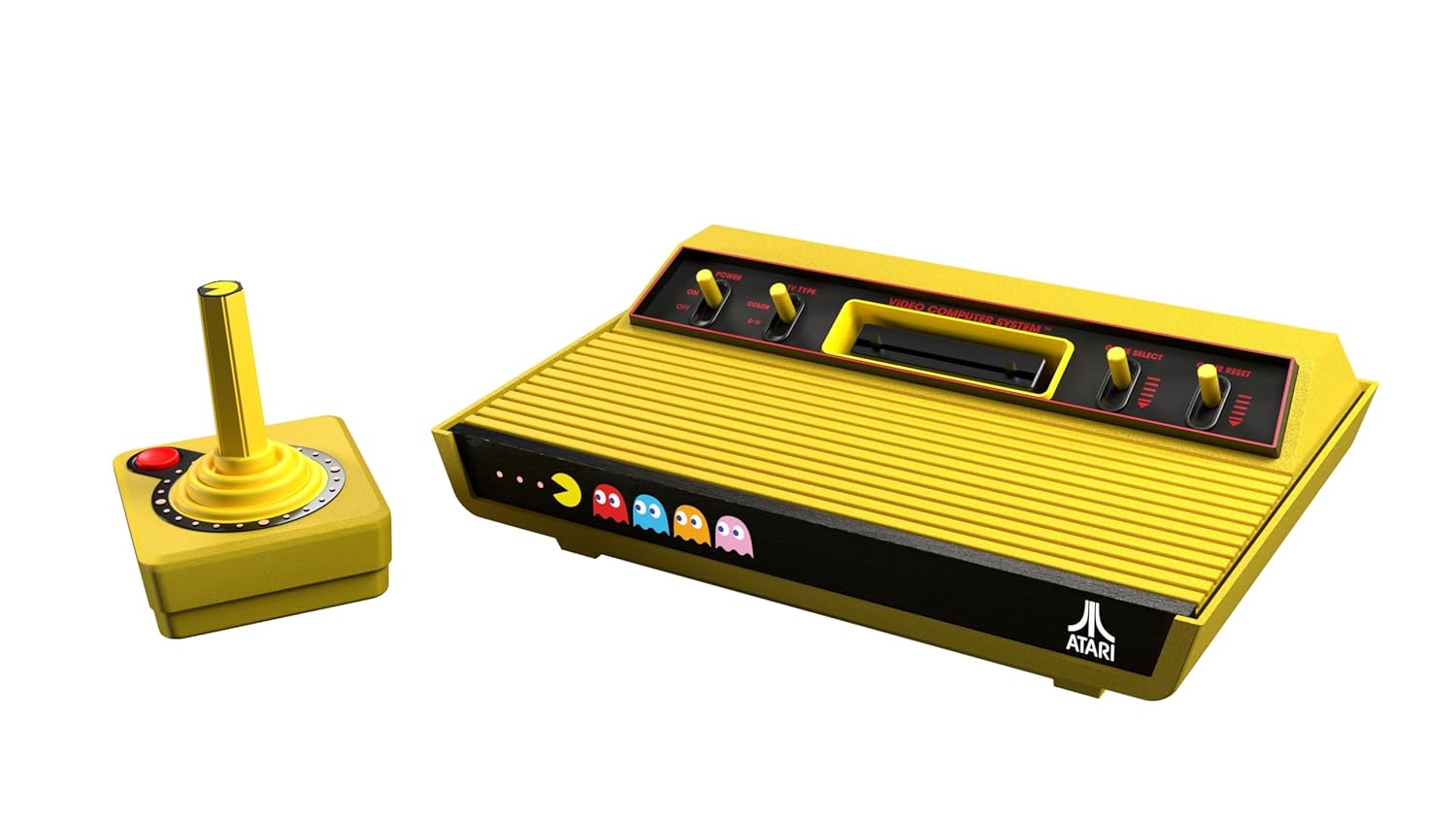
Image 3.1: The Atari 2600+ console alongside its wireless CX-40+ joystick.
3.3. PAC-MAN: Double Feature Cartridge
This 2-in-1 cartridge includes two versions of PAC-MAN:
- PAC-MAN 7800: An arcade-style version of the game.
- PAC-MAN 2600: The original home console version, released in 1982.
The specific version played may depend on the console's mode or game selection options presented upon startup.
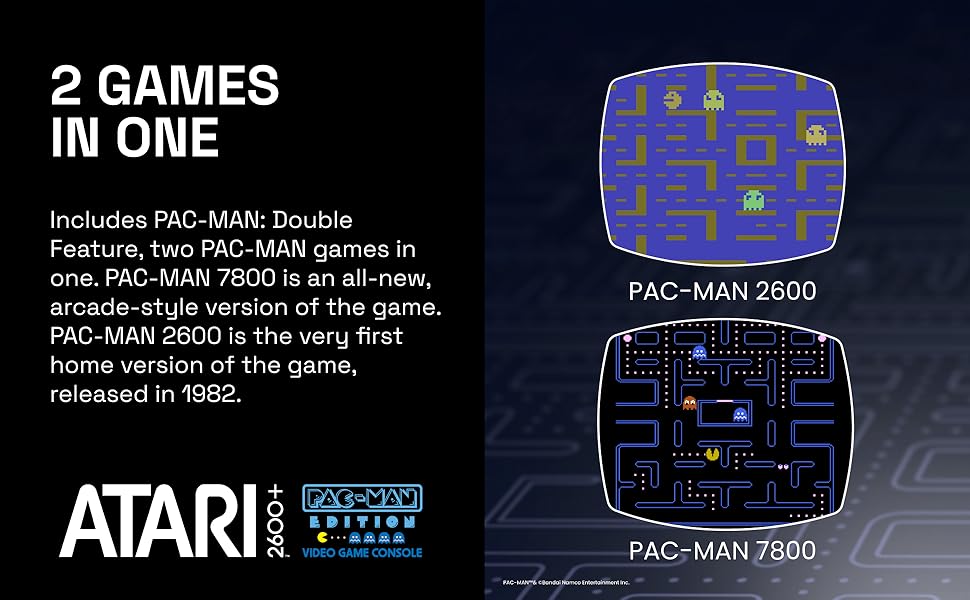
Image 3.2: Visual comparison of PAC-MAN 2600 and PAC-MAN 7800 gameplay.
4. Maintenance
Proper maintenance ensures the longevity and optimal performance of your console:
- Cleaning: Use a soft, dry cloth to clean the console and joystick. Avoid abrasive cleaners or solvents. For stubborn dirt, a slightly damp cloth can be used, followed by immediate drying.
- Storage: Store the console and accessories in a cool, dry place away from direct sunlight and extreme temperatures.
- Cartridge Care: Keep game cartridges clean and free of dust. Store them in their cases when not in use. Avoid touching the connector pins.
- Power Off: Always power off the console before disconnecting cables or removing cartridges.
5. Troubleshooting
If you encounter issues with your Atari 2600+ console, refer to the following common problems and solutions:
| Problem | Possible Cause | Solution |
|---|---|---|
| No video or audio output | Incorrect TV input, loose HDMI cable, console not powered on. | Ensure TV is on correct HDMI input. Check HDMI cable connections. Verify console power. |
| Game does not load | Cartridge not fully inserted, dirty cartridge pins, incompatible cartridge. | Re-insert cartridge firmly. Clean cartridge pins. Ensure cartridge is for Atari 2600 or 7800. |
| Joystick unresponsive or laggy | Low joystick battery, wireless adapter issue, TV input lag. | Charge or replace joystick batteries. Ensure wireless adapter is securely connected. Activate 'Game Mode' on your TV to reduce input lag. |
| Console freezes during gameplay | Cartridge issue, power fluctuation. | Power cycle the console. Re-insert cartridge. Try a different game cartridge if available. |
6. Specifications
- Model Number: 2600+
- Compatibility: Atari 2600 and Atari 7800 cartridges
- Output: HDMI
- Controller: CX-40+ Wireless Joystick (PAC-MAN Edition)
- Included Game: PAC-MAN: Double Feature (2-in-1 cartridge)
- Package Dimensions: 17.09 x 8.03 x 5.24 inches
- Item Weight: 3.47 pounds
- Manufacturer: Plaion
- Release Date: October 31, 2025
7. Warranty and Support
For warranty information and technical support, please refer to the official Deep Silver or Atari website, or contact their customer service directly. Details regarding product registration, warranty periods, and service procedures are typically available on the manufacturer's support pages.
You may also find additional resources and FAQs on the official Atari+ Platform website.