1. Introduction
Thank you for choosing the Philips TAH2300BK/00 Bluetooth Over-Ear Headphones. This manual provides essential information for setting up, operating, and maintaining your headphones to ensure optimal performance and longevity.
The Philips TAH2300BK/00 headphones are designed for an immersive audio experience, featuring Extra Bass mode for enhanced low frequencies and passive noise isolation to minimize external distractions. With up to 55 hours of battery life and a comfortable, foldable over-ear design, these headphones are ideal for extended listening sessions and easy portability.

Image 1.1: Philips TAH2300BK/00 Bluetooth Over-Ear Headphones.
2. Package Contents
Ensure all items are present in the package:
- Philips TAH2300BK/00 Headphones
- Quick Start Guide
- USB-C Charging Cable
3. Setup
3.1 Charging the Headphones
Before first use, fully charge the headphones. Connect the supplied USB-C cable to the charging port on the headphones and to a USB power source. A full charge takes approximately 2 hours and provides up to 55 hours of playback. A quick 15-minute charge can provide up to 10 hours of playback.
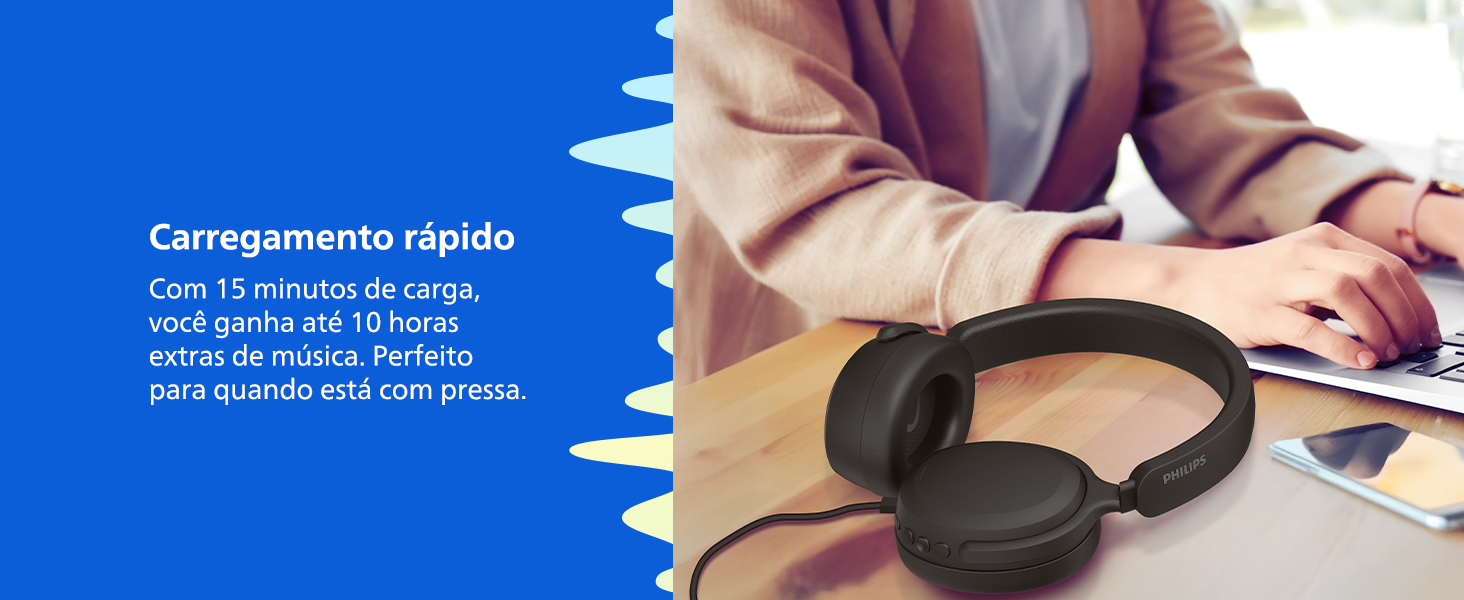
Image 3.1: Fast charging feature of the headphones.
3.2 Bluetooth Pairing
- Ensure the headphones are turned off.
- Press and hold the power button for approximately 5 seconds until the LED indicator flashes blue and red, indicating pairing mode.
- On your Bluetooth-enabled device (smartphone, tablet, laptop), go to the Bluetooth settings and search for available devices.
- Select "Philips TAH2300BK" from the list.
- Once connected, the LED indicator will turn solid blue.
3.3 Multipoint Connection
The headphones support multipoint connection, allowing you to connect to two Bluetooth devices simultaneously. This enables seamless switching between music on one device and calls on another.

Image 3.2: Multipoint Bluetooth connectivity.
4. Operating Instructions
The headphones feature intuitive controls located on the earcups.
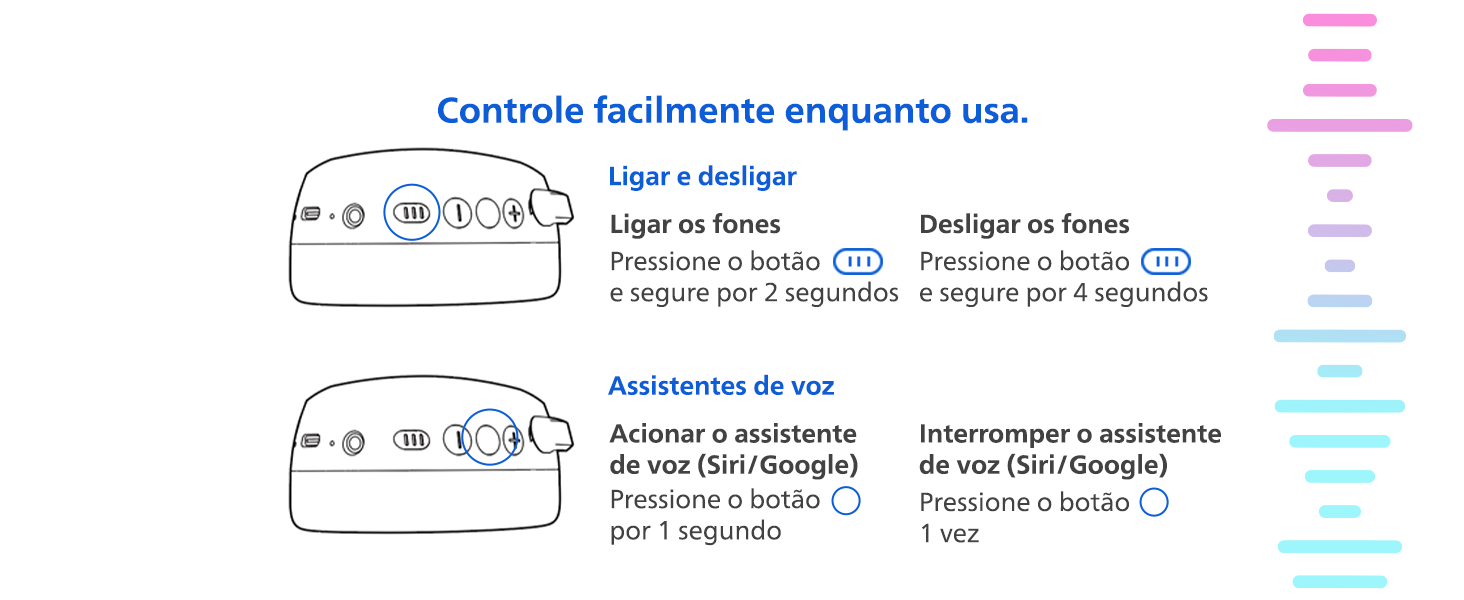
Image 4.1: Power and Voice Assistant Controls.
4.1 Power On/Off
- Power On: Press and hold the power button for 2 seconds.
- Power Off: Press and hold the power button for 4 seconds.
4.2 Voice Assistant
- Activate Voice Assistant (Siri/Google): Press the voice assistant button once for 1 second.
- Interrupt Voice Assistant: Press the voice assistant button once.
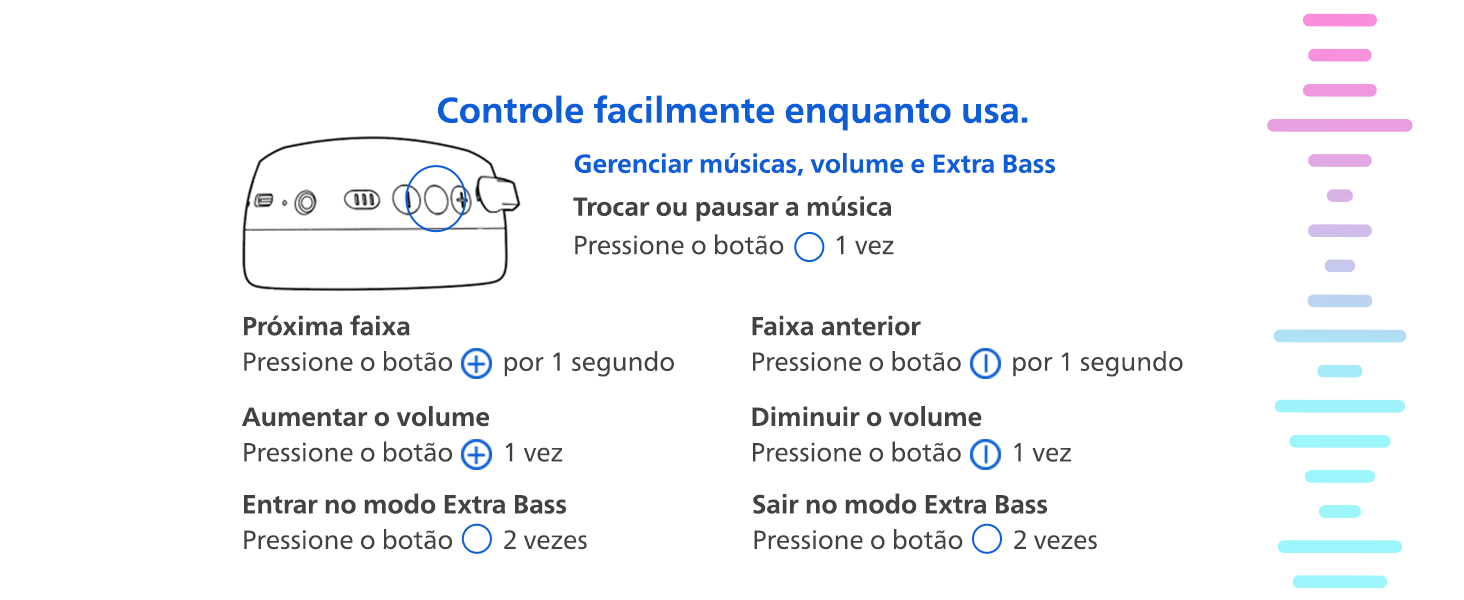
Image 4.2: Music, Volume, and Extra Bass Controls.
4.3 Music Playback
- Play/Pause: Press the multifunction button once.
- Next Track: Press the '+' button for 1 second.
- Previous Track: Press the '-' button for 1 second.
4.4 Volume Control
- Increase Volume: Press the '+' button once.
- Decrease Volume: Press the '-' button once.
4.5 Extra Bass Mode
- Activate Extra Bass: Press the multifunction button twice.
- Deactivate Extra Bass: Press the multifunction button twice.
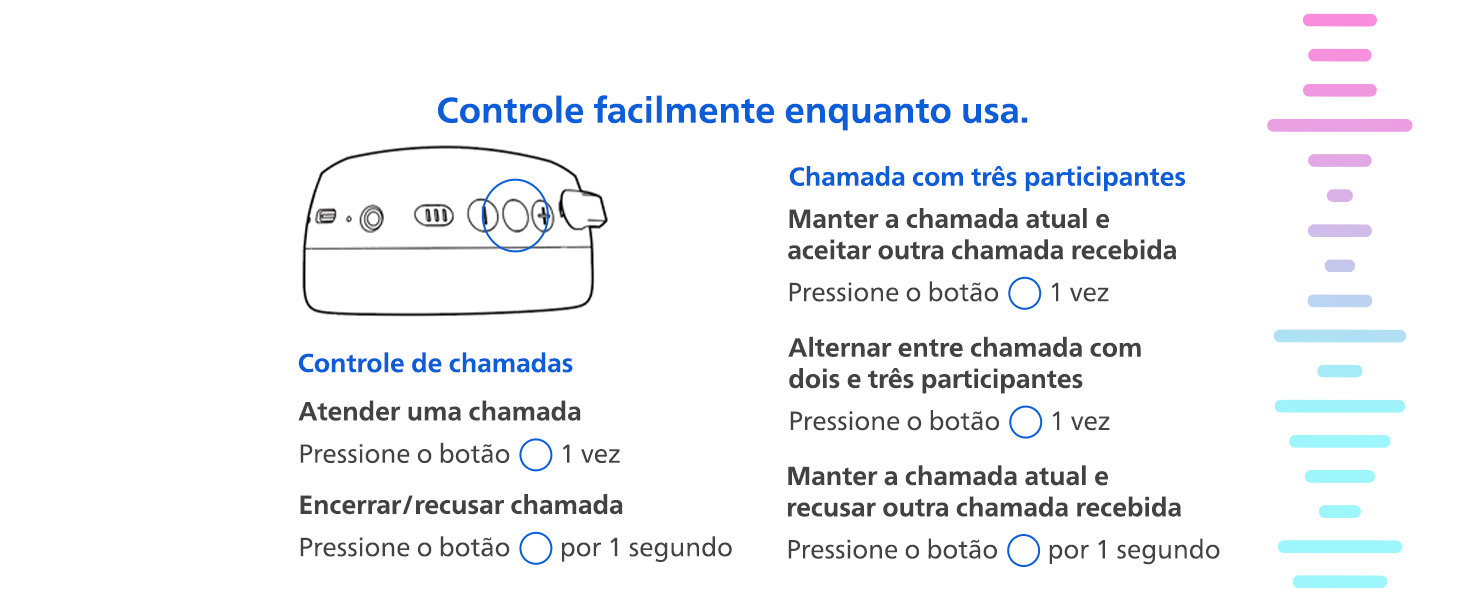
Image 4.3: Call Controls.
4.6 Call Management
- Answer a Call: Press the multifunction button once.
- End/Reject a Call: Press the multifunction button for 1 second.
- Hold Current Call & Accept Incoming: Press the multifunction button once.
- Hold Current Call & Reject Incoming: Press the multifunction button for 1 second.
- Switch Between Two/Three Participants (during a 3-way call): Press the multifunction button once.
5. Maintenance
5.1 Cleaning
Wipe the headphones with a soft, dry cloth. Do not use cleaning agents containing alcohol, ammonia, benzene, or abrasives, as these may damage the unit.
5.2 Storage
When not in use, store the headphones in a clean, dry place. The foldable design allows for compact storage.
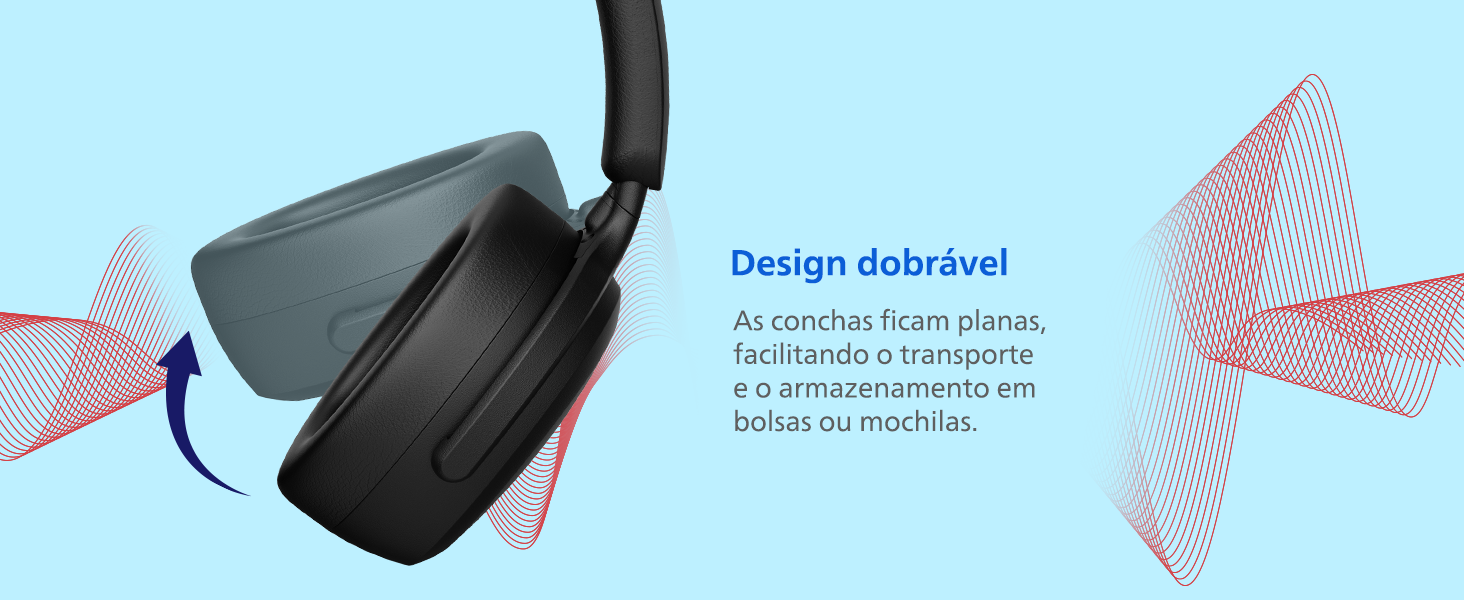
Image 5.1: Foldable design for easy storage.
6. Troubleshooting
- No Power: Ensure the headphones are charged. Connect to a power source using the USB-C cable.
- No Sound: Check if the headphones are paired correctly with your device. Ensure the volume is not muted on either the headphones or the connected device.
- Cannot Pair: Make sure the headphones are in pairing mode (LED flashing blue and red). Ensure your device's Bluetooth is enabled and within range. Try restarting both the headphones and your device.
- Poor Sound Quality: Move closer to your connected device to reduce interference. Ensure there are no obstacles between the headphones and the device.
7. Specifications
| Feature | Specification |
|---|---|
| Model Name | TAH2300BK/00 |
| Connectivity Technology | Wireless (Bluetooth) |
| Wireless Communication Technology | Bluetooth |
| Noise Control | Passive Noise Cancellation |
| Sensitivity | 112 dB |
| Impedance | 32 Ohm |
| Battery Life (Average) | 55 Hours |
| Charging Time | 2 Hours |
| Special Features | Extra Bass Mode |
| Control Method | Button |
| Material | Plastic |
| Color | Black |
| Product Dimensions | 8.29 x 16.57 x 19.76 cm |
| Product Weight | 360 g |
| Water Resistance Level | Not Water Resistant |
| Compatible Devices | Cell phones, Notebooks, Tablets |
| Certification | Anatel |
8. Warranty and Support
The Philips TAH2300BK/00 headphones come with a manufacturer's warranty of 1 year from the date of purchase. Please retain your proof of purchase for warranty claims.
For technical support, troubleshooting assistance, or warranty service, please visit the official Philips support website or contact their customer service. You can find more information and support resources on the Philips Brand Store.