
1. Introduction
This user manual provides essential information for the safe and efficient operation of your ECOGREAT OSCAL PowerMax 6000 Power Station BP3600 Expansion Battery. This 3600Wh LiFePO4 battery pack is designed to significantly extend the capacity of your OSCAL PowerMax 6000 or PowerMax 3600 series portable power station. Please read this manual thoroughly before use and retain it for future reference.
2. Safety Instructions
WARNING: Failure to follow these safety instructions may result in fire, electric shock, injury, or damage to the product or property.
- Do not disassemble, repair, or modify the battery pack. Incorrect reassembly may cause fire or electric shock.
- Keep the battery pack away from heat sources, direct sunlight, flammable materials, and corrosive substances.
- Do not expose the battery pack to water or other liquids. Operate and store in a dry, well-ventilated environment.
- Ensure proper ventilation during operation and charging. Do not cover the unit.
- Use only original or certified cables and accessories provided by ECOGREAT.
- Keep out of reach of children and pets.
- In case of fire, use a dry powder fire extinguisher. Water may cause further hazards.
- Dispose of the product according to local regulations. Do not dispose of with household waste.
3. Package Contents
Please check that all the following items are included in your package:
- OSCAL PowerMax BP3600 Expansion Battery
- Expansion Battery Connection Cable
- User Manual (this document)
If any items are missing or damaged, please contact ECOGREAT customer support immediately.
4. Product Overview
The OSCAL PowerMax BP3600 is a robust expansion battery designed to seamlessly integrate with your PowerMax 6000 or PowerMax 3600 power station, providing significant additional energy storage.

Figure 4.1: Front view of the OSCAL PowerMax BP3600 Expansion Battery, showing the display panel, power button, and connection ports.
Key features include:
- High Capacity: 3600Wh LiFePO4 battery for extended power.
- Expandable System: Connects to PowerMax 6000/3600 series for scalable energy solutions.
- Integrated Display: Provides real-time status of battery level and operation.
- Durable Design: Built for various environments, featuring wheels and an ergonomic handle for portability.
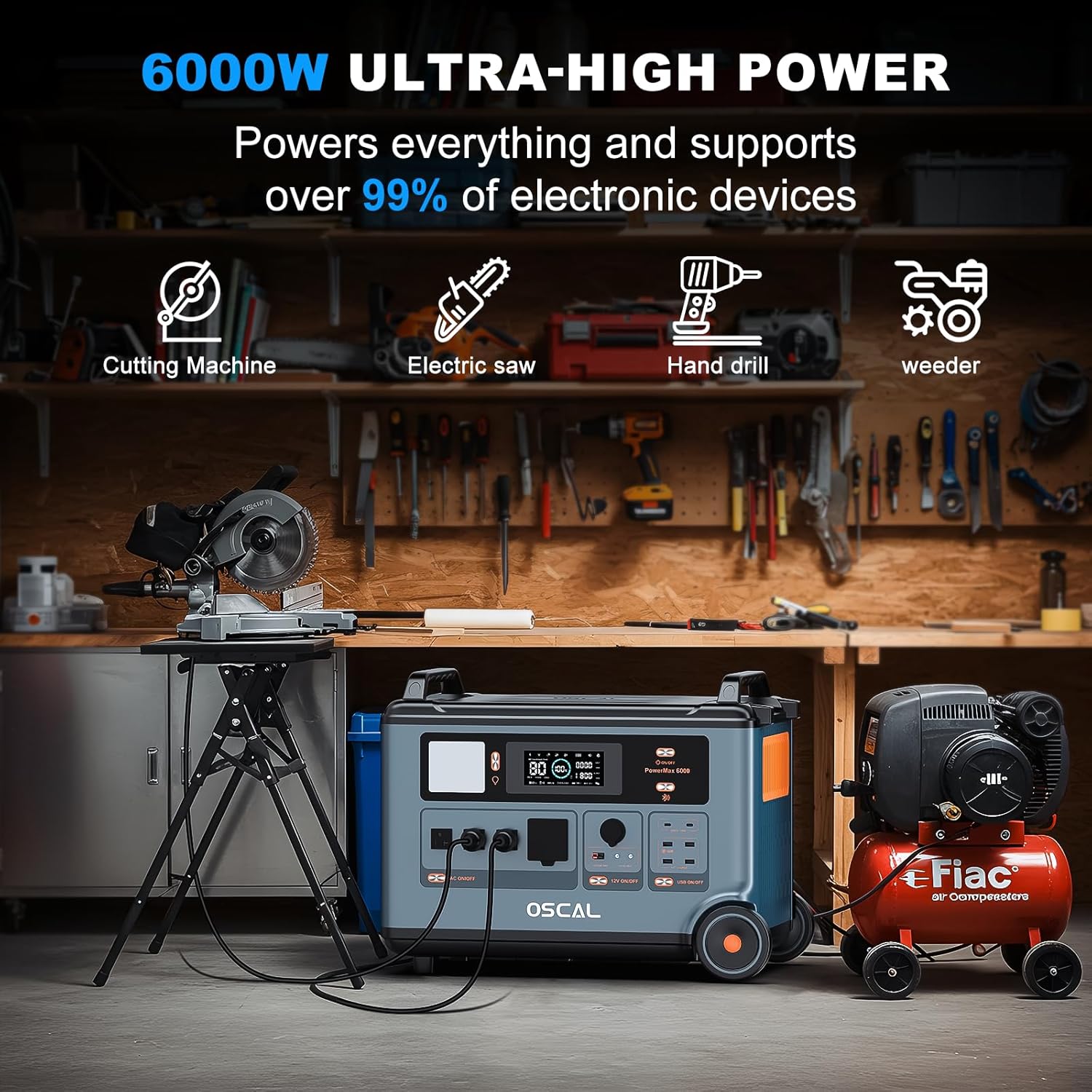
Figure 4.2: The PowerMax system, including the BP3600 expansion battery, providing power to a range of high-wattage tools such as a cutting machine, electric saw, hand drill, and weeder, demonstrating its versatility for demanding applications.
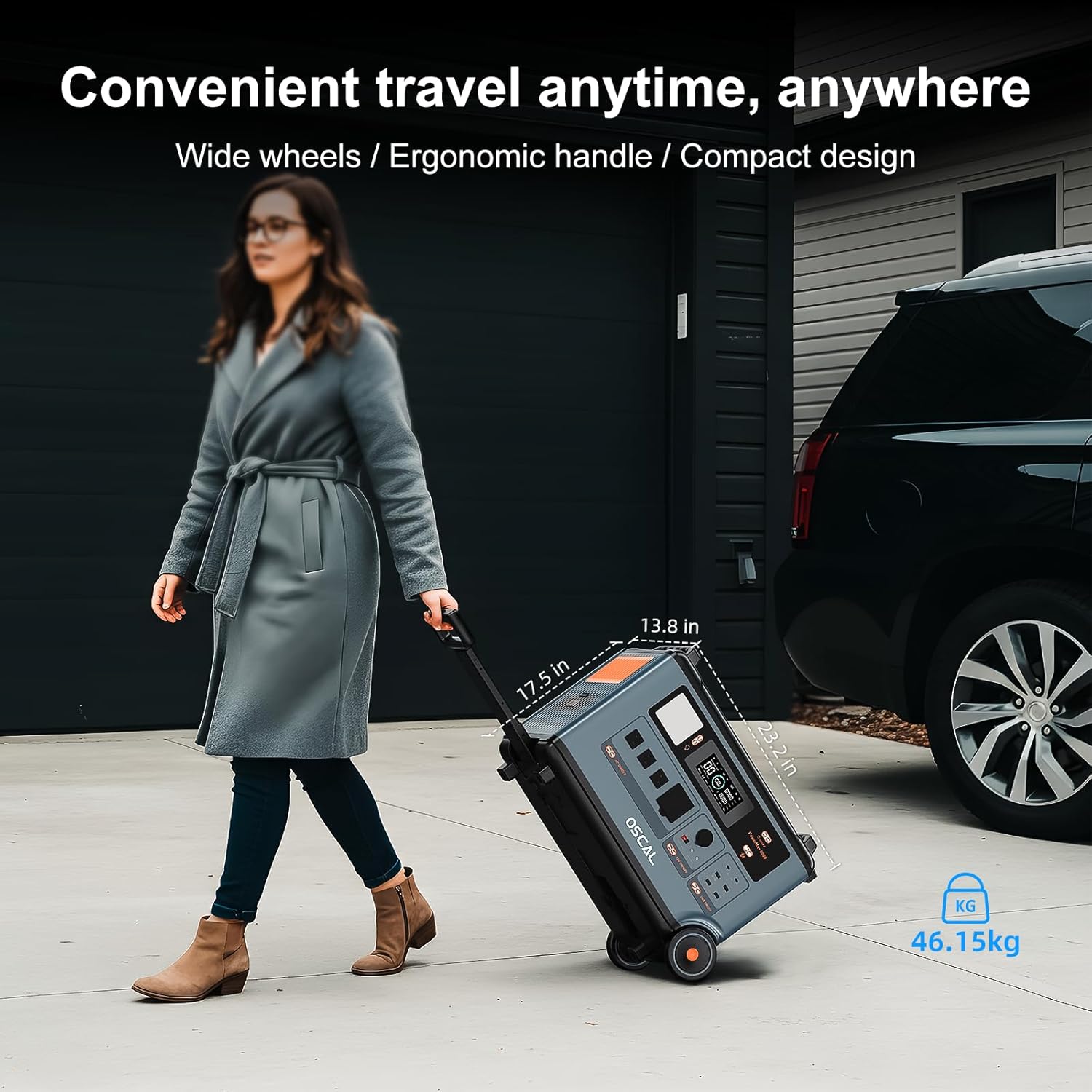
Figure 4.3: A user transporting the OSCAL PowerMax BP3600 expansion battery using its integrated wheels and ergonomic handle, highlighting its convenient portability and compact design for travel.

Figure 4.4: A smartphone screen displaying the mobile application interface for intelligent control of the PowerMax 6000 system. The app allows monitoring of input/output power, battery percentage, estimated discharge time, and control over AC, DC, USB, and speaker functions.
5. Setup
To set up your BP3600 Expansion Battery with a PowerMax 6000 or PowerMax 3600 power station:
- Unpack: Carefully remove the BP3600 expansion battery and all accessories from its packaging.
- Position: Place the BP3600 on a stable, flat surface near your PowerMax 6000/3600 power station. Ensure adequate ventilation around both units.
- Connect: Locate the expansion battery connection ports on both the BP3600 and your main PowerMax unit. Use the provided expansion battery connection cable to securely link the two units. Ensure the connection is firm to prevent accidental disconnection.
- Power On: Turn on the main PowerMax 6000/3600 power station first, then press the power button on the BP3600 expansion battery. The display on both units should indicate a successful connection and show the combined battery status.
- Initial Charge (Recommended): For optimal performance, it is recommended to fully charge the entire system (main unit + expansion battery) before first use.
Note: Up to 15 expansion battery packs can be connected to a single PowerMax 6000 unit for maximum capacity expansion.
6. Operating Instructions
Once connected, the BP3600 expansion battery operates in conjunction with your main PowerMax 6000/3600 unit. The main unit will manage the charging and discharging of the entire battery system.
6.1 Charging the System
Connect your PowerMax 6000/3600 power station to an appropriate power source (AC wall outlet, solar panels, car charger). The BP3600 will charge simultaneously with the main unit. Monitor the charging status on the main unit's display or via the mobile application.
- Ensure all connections are secure before initiating charging.
- Avoid charging in extreme temperatures.
6.2 Discharging the System
When the BP3600 is connected, the main PowerMax unit will draw power from the combined battery capacity. Simply connect your devices to the output ports of the main PowerMax unit as usual. The display will show the remaining battery percentage for the entire system.
- Do not overload the system beyond its rated output capacity.
- For optimal battery life, avoid consistently discharging the battery to 0%.
6.3 Mobile App Control
The PowerMax system supports intelligent control via a mobile application. This app allows you to:
- Monitor real-time input and output power.
- Check battery percentage and estimated discharge/charge time.
- Control AC, DC, and USB outputs remotely.
- Receive low battery notifications.
- Personalize electricity usage settings.
Refer to the main PowerMax 6000/3600 user manual for detailed instructions on downloading and connecting the mobile application.
7. Maintenance
Proper maintenance ensures the longevity and performance of your BP3600 Expansion Battery.
- Cleaning: Use a dry, soft cloth to wipe the exterior of the battery pack. Do not use harsh chemicals or abrasive materials.
- Storage: If storing for an extended period, ensure the battery is charged to approximately 50-80%. Store in a cool, dry place (0°C to 40°C / 32°F to 104°F) away from direct sunlight and moisture. Recharge every 3-6 months to prevent deep discharge.
- Temperature: Avoid operating or storing the unit in extreme temperatures (below 0°C or above 45°C).
- Inspection: Periodically check cables and connectors for any signs of wear or damage. Replace damaged components immediately.
8. Troubleshooting
If you encounter issues with your BP3600 Expansion Battery, refer to the following common problems and solutions:
| Problem | Possible Cause | Solution |
|---|---|---|
| BP3600 not recognized by main unit. | Loose connection cable, BP3600 not powered on, faulty cable. | Ensure the connection cable is securely plugged into both units. Power on the BP3600 after the main unit. Try a different connection cable if available. |
| System not charging. | Charging cable not connected, power source issue, main unit fault. | Verify the charging cable is properly connected to the main unit and the power source. Check if the power source is active. Refer to the main PowerMax manual for charging troubleshooting. |
| Reduced runtime after expansion. | Battery not fully charged, high power draw, aging battery. | Ensure both the main unit and expansion battery are fully charged. Reduce the number of connected devices or their power consumption. If the battery is old, its capacity may naturally degrade over time. |
| Unusual noises or smells. | Internal fault, overheating. | Immediately power off the unit and disconnect it from all power sources and devices. Contact customer support. Do not attempt to use the unit. |
For further assistance, please contact ECOGREAT customer support.
9. Specifications
| Feature | Detail |
|---|---|
| Brand | ECOGREAT |
| Model Name | BP3600 |
| Battery Type | LiFePO4 (Lithium Iron Phosphate) |
| Battery Capacity | 3600Wh |
| Compatibility | OSCAL PowerMax 6000, OSCAL PowerMax 3600 Series |
| Max Expansion | Up to 15 BP3600 units with PowerMax 6000 (total 57600Wh) |
| Product Dimensions | 13.3"L x 17.5"W x 23.2"H |
| Item Weight | 25.5 Kilograms (approx. 56.1 pounds) |
| Special Feature | Fast Charging (when connected to compatible PowerMax unit) |
| UPC | 664404867319 |
| Manufacturer | Shenzhen Doke Communication Co.,Ltd |
10. Warranty and Support
The ECOGREAT OSCAL PowerMax BP3600 Expansion Battery comes with a 5-Year Warranty from the date of purchase. This warranty covers defects in materials and workmanship under normal use.
The warranty does not cover:
- Damage caused by misuse, abuse, accident, or negligence.
- Unauthorized repair or modification.
- Normal wear and tear.
- Damage from improper storage or operation outside specified environmental conditions.
For warranty claims, technical support, or any questions regarding your product, please contact ECOGREAT customer support through the retailer where you purchased the product or visit the official ECOGREAT website for contact information.
Please retain your proof of purchase for warranty validation.