
1. Overview
The ECOGREAT OSCAL PowerMax 6000 is a high-capacity solar power station designed to provide reliable power for various applications, including home backup, outdoor activities, and emergency situations. It features a 3600Wh LiFePO4 battery and delivers a continuous AC output of 6000W (with a 9000W peak surge capacity), supporting both 120V and 240V dual voltage output. The unit is equipped with multiple output ports, fast charging capabilities, and an advanced Battery Management System (BMS) for enhanced safety and longevity.
2. Safety Information
Please read and understand all safety instructions before operating the PowerMax 6000. Failure to follow these instructions may result in electric shock, fire, or serious injury.
- Do not disassemble, repair, or modify the unit.
- Keep the unit away from fire, heat sources, and direct sunlight.
- Avoid exposure to water, rain, or high humidity.
- Ensure proper ventilation during use to prevent overheating.
- Keep out of reach of children and pets.
- Use only approved accessories and cables.
- In case of fire, use a dry powder fire extinguisher.
3. Package Contents
Verify that all items are present in your package:
- OSCAL PowerMax 6000 Power Station
- AC Charging Cable
- Car Charging Cable
- Solar Charging Cable
- User Manual
- Warranty Card
4. Product Features and Components

Figure 4.1: Front view of the OSCAL PowerMax 6000, showcasing its various output ports, display screen, and integrated wheels for portability. A mobile phone displaying the companion app is also visible, indicating remote control capabilities.
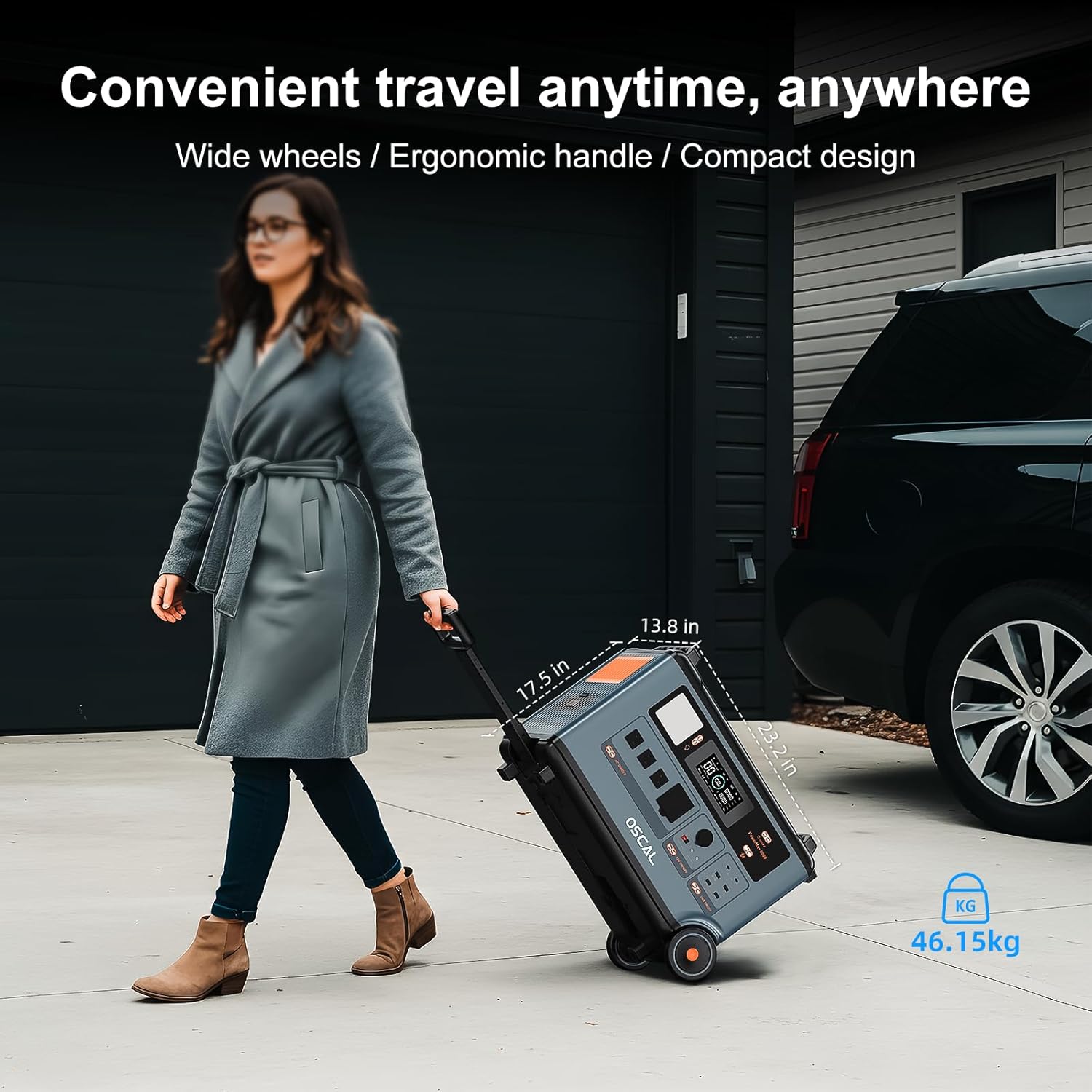
Figure 4.2: The PowerMax 6000 features wide wheels and an ergonomic handle, facilitating convenient transport and mobility for various applications.
4.1 Front Panel
- Display Screen: Shows battery level, input/output wattage, remaining runtime, and other operational status.
- AC Output Ports: Four 120V AC outlets (three standard, one 30A) and one 240V AC outlet for high-power appliances. Each section can be activated independently.
- DC Output Ports: Includes a 12V car charger port and two DC 5521 outputs.
- USB Output Ports: Two USB-C ports (up to 100W each) and four USB-A ports (one fast-charging, three standard 12W).
- LED Light: Integrated light with adjustable brightness for illumination in low-light conditions.
4.2 Rear Panel
- Charging Input Ports: Dedicated ports for AC, car, and solar charging.
- Parallel Connection Ports: Two ports for connecting additional PowerMax 6000 units or expansion batteries to increase capacity and output.
5. Setup & Initial Use
5.1 Unpacking and Inspection
- Carefully remove the PowerMax 6000 from its packaging.
- Inspect the unit for any signs of damage. If damaged, do not operate and contact customer support.
- Ensure all listed package contents are present.
5.2 Initial Charging
It is recommended to fully charge the PowerMax 6000 before first use. Connect the AC charging cable to a standard wall outlet and to the AC input port on the rear of the unit. The display will show charging status. The unit can charge from 0% to 100% in approximately 1.96 hours using 2200W AC input.
5.3 Powering On/Off
Press and hold the main power button on the front panel for a few seconds to turn the unit on or off. The display screen will illuminate upon activation.
5.4 Mobile App Control

Figure 5.1: The OSCAL mobile application allows users to monitor power usage, battery status, and control various functions of the PowerMax 6000 remotely.
Download the OSCAL application on your smartphone to pair and control the power station. The app allows you to monitor power usage, check charging time, and execute remote commands.
6. Operating Instructions
6.1 Using AC Outputs

Figure 6.1: The PowerMax 6000 supports 120V/240V dual voltage output, making it suitable for powering a wide range of household appliances.
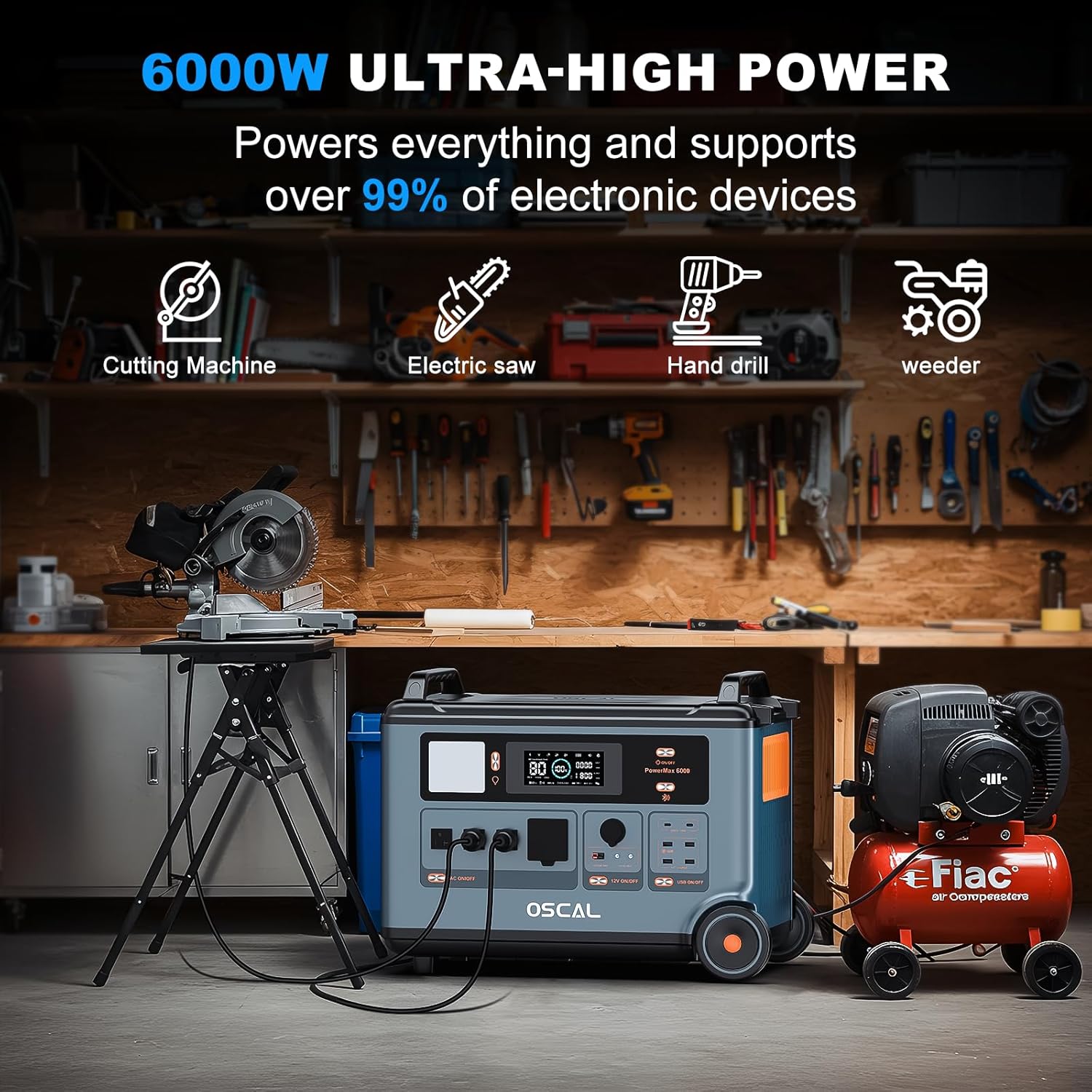
Figure 6.2: With 6000W ultra-high power, the PowerMax 6000 can operate demanding electronic devices and power tools, supporting over 99% of common electronic devices.
Press the AC ON/OFF button to activate the AC output section. Plug your appliances into the appropriate 120V or 240V outlets. The display will show the current AC power consumption.
6.2 Using DC Outputs
Press the DC ON/OFF button to activate the DC output section. Connect your 12V devices to the car charger port or the DC 5521 outputs. The display will show the current DC power consumption.
6.3 Using USB Outputs
Press the USB ON/OFF button to activate the USB output section. Connect your USB-powered devices to the USB-A or USB-C ports. The fast-charging USB-A port and 100W USB-C ports are suitable for quick device charging.
6.4 LED Light Function
Press the LED light button to turn the integrated light on. Multiple presses will cycle through different brightness levels or modes (if available).
6.5 EPS (Emergency Power Supply) Mode

Figure 6.3: The PowerMax 6000's EPS function ensures a rapid 5-8ms switchover to battery power during outages, maintaining continuous operation for critical devices.
The PowerMax 6000 is equipped with an EPS function. In the event of a power outage, it automatically switches to battery backup within 5-8 milliseconds, ensuring uninterrupted power for connected devices such as computers, medical equipment (e.g., CPAP machines), and refrigerators.
7. Charging the Power Station
7.1 AC Wall Charging
Connect the provided AC charging cable to the AC input port on the rear of the PowerMax 6000 and then to a standard wall outlet. The unit supports fast charging, reaching 100% in approximately 1.96 hours with 2200W input.
7.2 Car Charging
Use the provided car charging cable to charge the PowerMax 6000 from your vehicle's 12V cigarette lighter port. This method is suitable for charging on the go.
7.3 Solar Charging
Connect compatible solar panels (sold separately) to the solar charging input port on the rear of the PowerMax 6000 using the provided solar charging cable. The unit supports up to 2400W solar input, allowing for efficient recharging using renewable energy.
8. Advanced Features
8.1 Parallel Connection Function

Figure 8.1: The PowerMax 6000 supports parallel connection, allowing multiple units to be linked together to double the overall capacity and output for extended power needs.
The PowerMax 6000 can be connected in parallel with other compatible units or expansion batteries (sold separately) to significantly increase its total capacity and output. This feature is ideal for situations requiring prolonged power supply or higher wattage for multiple devices.
9. Maintenance
Regular maintenance ensures the longevity and optimal performance of your PowerMax 6000.
- Cleaning: Use a dry, soft cloth to clean the unit. Do not use abrasive cleaners or solvents.
- Storage: Store the unit in a cool, dry place away from direct sunlight and extreme temperatures. For long-term storage, charge the battery to approximately 50-80% every 3-6 months to maintain battery health.
- Battery Care: The LiFePO4 battery is designed for long life (up to 3500 charge cycles). Avoid fully discharging the battery frequently.
10. Troubleshooting
If you encounter issues with your PowerMax 6000, refer to the following common solutions:
- Unit Not Turning On: Ensure the battery is charged. If not, connect to a power source.
- No Output Power: Check if the specific output section (AC, DC, USB) is activated. Verify that the connected device is functioning correctly.
- Overload Protection: If the unit shuts down due to overload, disconnect some devices and restart the power station. The unit has a 5000W peak protection.
- App Connectivity Issues: Ensure Bluetooth is enabled on your smartphone and the PowerMax 6000 is within range. Restart the app and the power station if necessary.
For persistent issues, contact customer support.
11. Specifications
| Feature | Specification |
|---|---|
| Brand | ECOGREAT |
| Model Name | PowerMax 6000 |
| Battery Capacity | 3600Wh (LiFePO4) |
| AC Output | 6000W (9000W Peak), 120V/240V Dual Voltage |
| AC Charging Input | 2200W (Fast Charging) |
| Solar Charging Input | Max. 2400W (12 to 60V/15A) |
| USB-C Output | 2 x 100W Max |
| USB-A Output | 3 x 12W, 1 x Fast Charging |
| DC Output | Car Charger, 2 x DC 5521 |
| EPS Switchover Time | 5-8 ms |
| Item Weight | 56.1 pounds (25.5 kg) |
| Dimensions (LxWxH) | 590x350x441mm (23.2x13.8x17.5in) |
12. Warranty & Support
The ECOGREAT OSCAL PowerMax 6000 comes with a 2-year warranty, ensuring your satisfaction and peace of mind. For technical support, warranty claims, or any inquiries, please refer to the contact information provided on your warranty card or visit the official ECOGREAT website.