
Kepswin PS35K
Kepswin 20,000mAh Solar Power Bank (Model PS35K) Instruction Manual
Brand: Kepswin | Model: PS35K
Introduction
This manual provides detailed instructions for the safe and efficient use of your Kepswin 20,000mAh Solar Power Bank, Model PS35K. Please read this manual thoroughly before operating the device.
Key Features:
- 20,000mAh high-capacity lithium polymer battery.
- UL, CE, FCC, RoHS, and UN38.3 certified for safety.
- Simultaneous charging for up to 6 devices with 3 built-in cables (Type C, Lightning, Micro USB) and 1 USB-A input cable, plus additional USB-A output ports and a Type-C In/Output port.
- Integrated solar panel for emergency charging.
- Dual LED flashlight with Normal, SOS, and Strobe modes.
- Durable, waterproof, dustproof, and shockproof ABS+PC material construction.
- Thickened anti-fall silicone corners and silicone cover for charging ports.
- Includes a carabiner clip for portability.
Product Overview
Familiarize yourself with the components of your solar power bank.

Components:
- Solar Panel: For emergency solar charging.
- Power ON/OFF Switch: Activates the device and flashlight.
- Battery Status Indicators: Blue LED lights indicating remaining battery capacity.
- Solar Charging Indicator: Green LED light indicating active solar charging.
- Built-in Output Cables: Micro USB, Type-C, Lightning.
- Built-in Input Cable: USB-A.
- USB Output Ports: Two additional USB-A ports for charging.
- Type-C In/Output Port: For charging the power bank or external devices.
- LED Flashlight: Dual LED lights with multiple modes.
- Compass: Integrated for navigation.
- Carabiner: For attaching the power bank to gear.
- Protection Cover: Shields charging ports from water and dust.
Setup
Initial Charging (Recommended):
Before first use, fully charge the power bank using a wall adapter for optimal performance. This ensures the internal battery is properly conditioned.
- Open the protection cover on the side of the power bank.
- Connect the built-in USB-A input cable or a Type-C cable to the Type-C In/Output port.
- Plug the other end into a USB wall adapter (not included) or a computer's USB port.
- The blue battery status indicator lights will illuminate and blink, indicating charging. All four lights will be solid when fully charged.
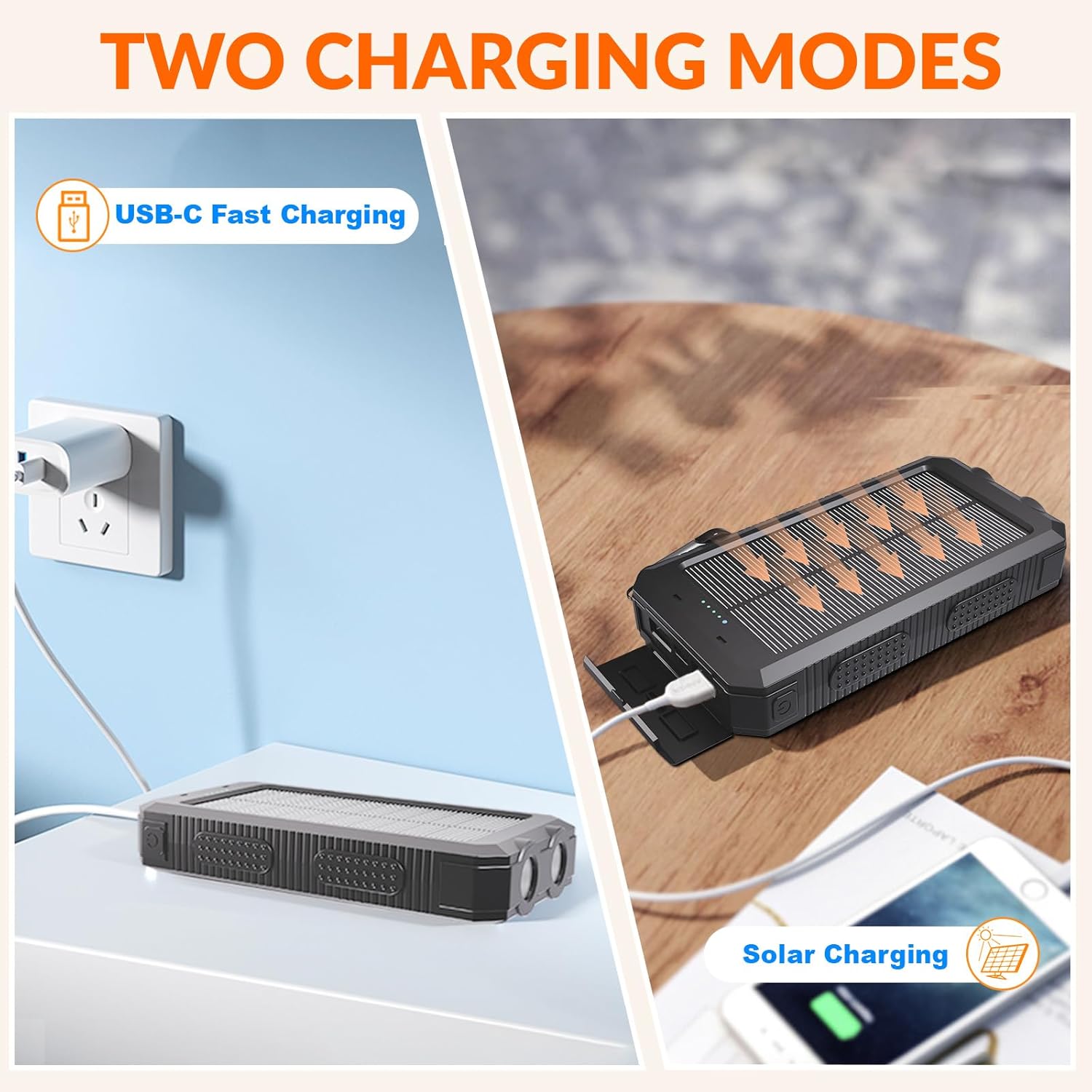
Solar Charging (Emergency Use):
The solar panel is designed for emergency charging and to maintain battery life. It is not intended as the primary charging method due to varying solar intensity and efficiency.
- Place the solar panel directly under strong sunlight.
- The green solar charging indicator light will turn on, indicating that solar charging is active.
- The blue battery status indicator lights will blink to show the charging progress.
Note: Solar charging efficiency depends on sunlight intensity and panel angle. For faster charging, use a wall adapter.
Operating Instructions
Charging External Devices:
The power bank can charge up to 6 devices simultaneously using its built-in cables and additional ports.
- Press the Power ON/OFF switch once to activate the power bank and check the battery level.
- Using Built-in Cables: Pull out the appropriate built-in cable (Type C, Lightning, or Micro USB) and connect it to your device.
- Using USB Ports: Connect your device's charging cable to one of the USB-A output ports or the Type-C In/Output port.
- Your device should begin charging automatically.
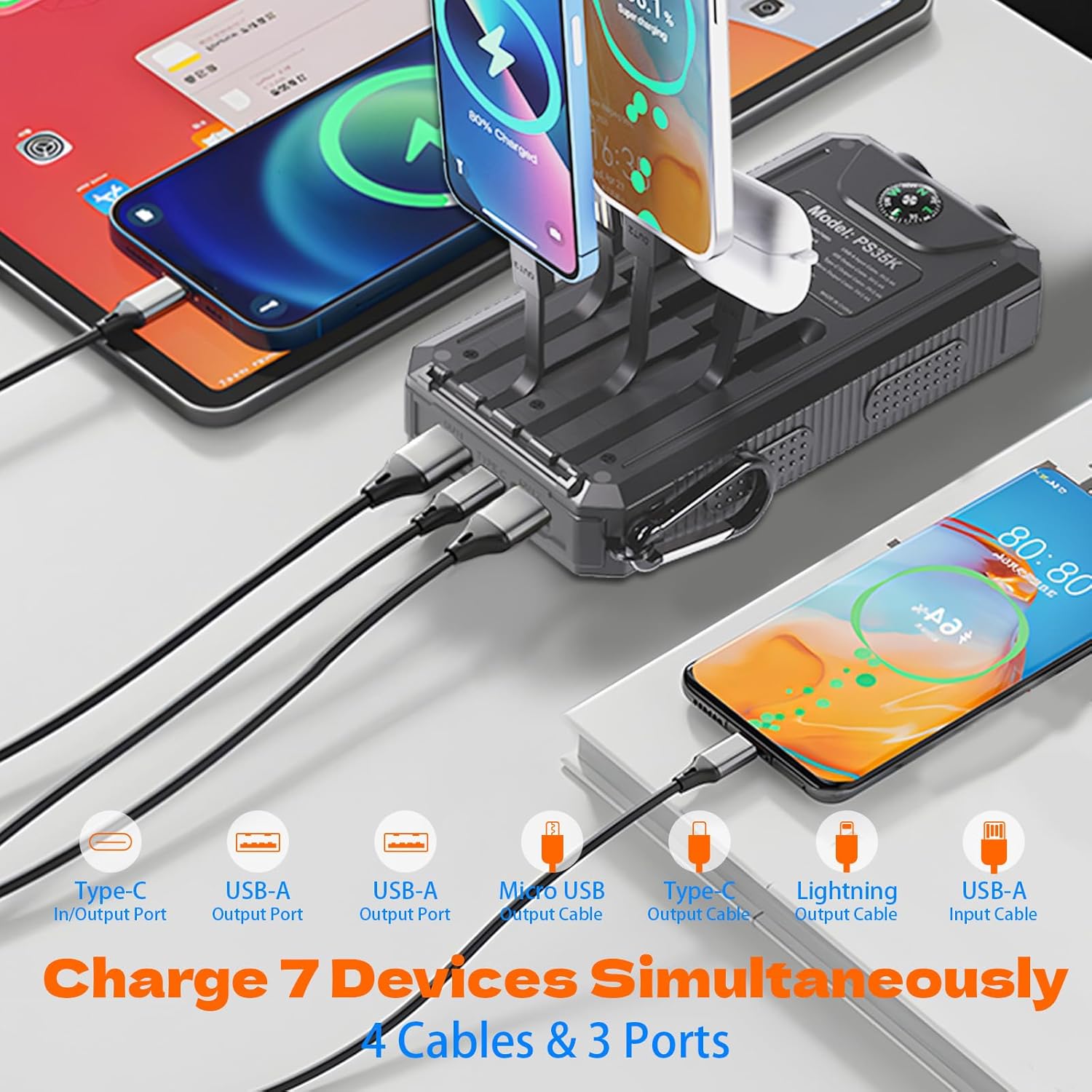
The power bank is compatible with a wide range of electronic devices, including iPhones, Samsung phones, iPads, digital cameras, Nintendo Switch, AirPods, Huawei devices, speakers, and electric toothbrushes.

Flashlight Operation:
The dual LED flashlight offers three modes for different situations.
- Turn On/Off: Press and hold the Power ON/OFF switch for 3 seconds.
- Switch Modes: Once the flashlight is on, short press the Power ON/OFF switch to cycle through modes:
- Normal Electric Torch Mode (Steady light)
- SOS Mode (Morse code for distress)
- Strobe Mode (Rapid flashing)

Maintenance
To ensure the longevity and optimal performance of your Kepswin Solar Power Bank, follow these maintenance guidelines:
- Cleaning: Wipe the device with a soft, dry cloth. Avoid using harsh chemicals or abrasive cleaners.
- Storage: Store the power bank in a cool, dry place away from direct sunlight and extreme temperatures when not in use.
- Water and Dust Protection: Ensure the silicone protection cover for the charging ports is securely closed to maintain its waterproof and dustproof properties.
- Regular Charging: If storing for extended periods, charge the power bank at least once every three months to prevent battery degradation.
- Avoid Drops: While designed to be shockproof with thickened anti-fall silicone corners, avoid unnecessary drops or impacts to prevent internal damage.

Troubleshooting
If you encounter any issues with your Kepswin Solar Power Bank, please refer to the following common solutions:
| Problem | Possible Cause | Solution |
|---|---|---|
| Power bank not charging. | Loose connection, faulty cable/adapter, insufficient sunlight (for solar). | Ensure all cables are securely connected. Try a different charging cable or wall adapter. For solar charging, place the panel in direct, strong sunlight. |
| Device not charging from power bank. | Power bank not turned on, low battery, incompatible device, faulty cable. | Press the Power ON/OFF switch to activate. Check power bank battery level. Ensure your device is compatible. Try a different charging cable. |
| Flashlight not working. | Insufficient battery, incorrect operation. | Charge the power bank. Press and hold the Power ON/OFF switch for 3 seconds to turn on/off. |
| Slow charging. | Using solar charging as primary, low power adapter, multiple devices charging. | Use a wall adapter for faster charging. Ensure the wall adapter provides sufficient output (e.g., 5V/2A or higher). Charge fewer devices simultaneously. |
Specifications
| Feature | Detail |
|---|---|
| Model Number | PS35K |
| Battery Capacity | 20,000mAh (74Wh) |
| Product Dimensions | 5.9 x 3.1 x 0.78 inches |
| Item Weight | 10.5 ounces |
| Input (Type-C) | 5V/2A (Max) |
| Output (USB-A) | 5V/2.1A (Max) |
| Output (Built-in Cables) | 5V/2.1A (Max) |
| Solar Panel Output | 5V/1.6A (Max) |
| Certifications | UL, CE, FCC, RoHS, UN38.3 |
| Material | ABS+PC |
| Features | Waterproof, Dustproof, Shockproof, Dual LED Flashlight, Compass, Carabiner |
Warranty and Support
Kepswin is committed to providing high-quality products and excellent customer service.
- Quality Guarantee: The product comes with a 365-Day Quality Guarantee.
- Customer Support: We offer 24/7 customer support to address any issues or questions you may have. Please refer to the contact information provided with your purchase or visit the official Kepswin website for assistance.
- Package Contents: Your purchase includes the Kepswin solar-powered portable charger, a free carabiner, and this user manual.
no relevant documents