
1. Introduction
This manual provides detailed instructions for the installation, operation, and maintenance of your ZOSI C290 4K 8MP UHD Wired WiFi Security Camera. Please read this manual thoroughly before using the product to ensure correct usage and optimal performance. Keep this manual for future reference.

Image: ZOSI C290 4K 8MP UHD Wired WiFi Security Camera.
2. Package Contents
Verify that all items listed below are included in your package. If any items are missing or damaged, please contact ZOSI customer support.
- 1 x ZOSI C290 Camera
- 1 x 64GB Memory Card (pre-installed or separate)
- 1 x Power Adapter (DC 12V)
- 1 x Mounting Screw Bag
- 1 x Waterproof Lid
- 1 x Quick Start Guide
- 1 x Mounting Hole Template
- 1 x Warning Sticker
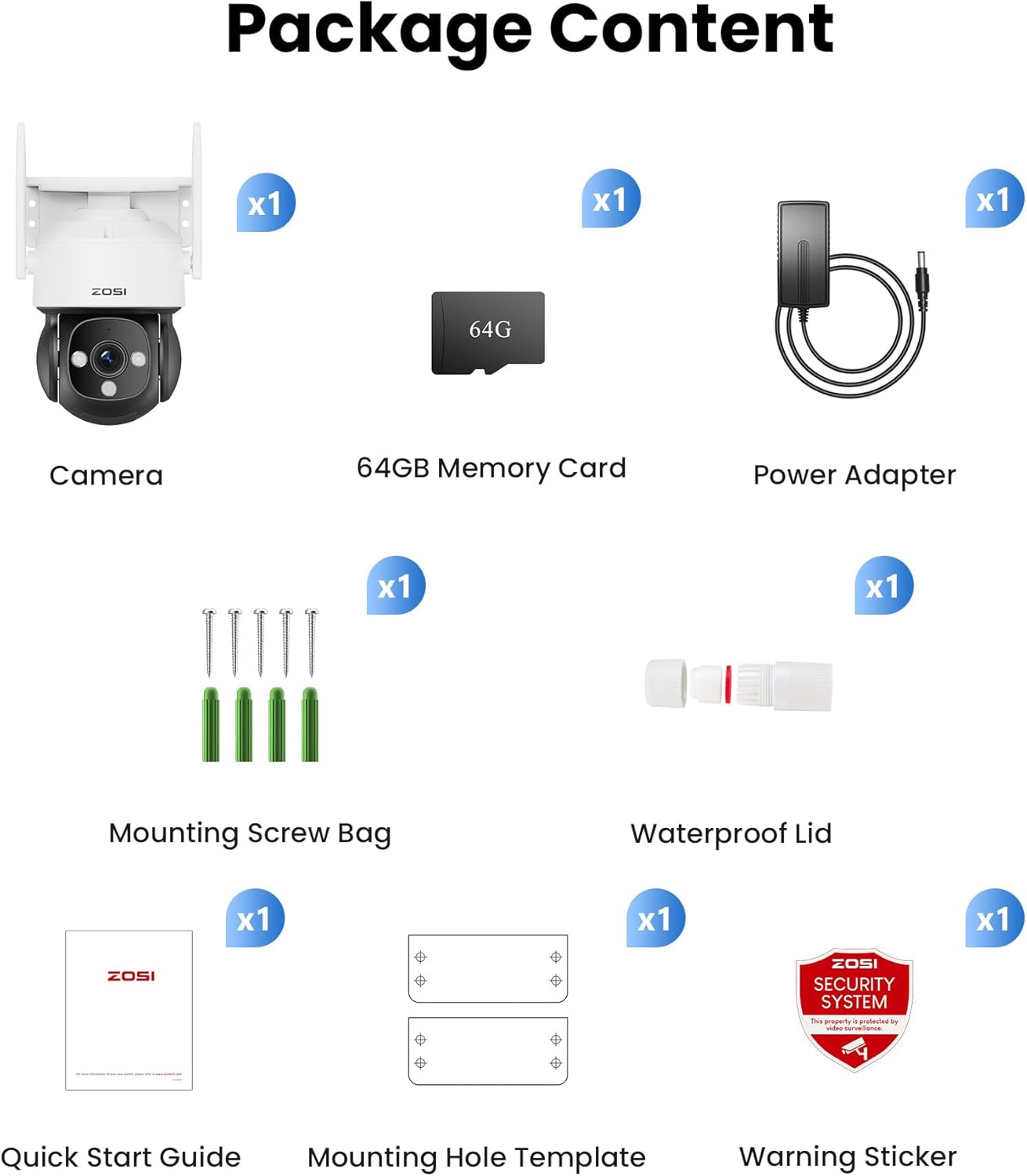
Image: Contents included in the ZOSI C290 camera package.
3. Product Overview
Familiarize yourself with the components and interfaces of your ZOSI C290 camera.

Image: Labeled diagram of the ZOSI C290 camera components.
- Antenna: For Wi-Fi connectivity.
- IP66 Weatherproof Housing: Protects the camera from outdoor elements.
- Microphone: For audio input and two-way communication.
- 4.0mm Lens: Captures 4K UHD video.
- 3pcs IR-LEDs: Provides infrared night vision up to 100ft.
- Memory Card Slot: Supports up to 256GB MicroSD card for local storage.
- Network Port: For wired Ethernet connection (optional).
- Power Port: Connects to the DC 12V power adapter.
- Reset Button: Used to reset the camera to factory settings.
- Speaker: For audio output and two-way communication.
4. Setup
4.1 Power Requirements
The ZOSI C290 camera is a wired device and requires a constant power supply via the included DC adapter. It is not battery-operated. Ensure a suitable power outlet is available near the installation location.
4.2 Network Connection
The camera supports 2.4GHz Wi-Fi networks only. It does not support 5GHz Wi-Fi. For a stable connection, ensure your Wi-Fi router is configured for 2.4GHz and provides adequate signal strength at the camera's location. An Ethernet port is also available for a wired network connection.
4.3 Mounting the Camera
The camera can be mounted on a wall or ceiling. Use the provided mounting screw bag and mounting hole template for installation. Ensure the camera is securely fastened and positioned to cover the desired monitoring area.
4.4 App Installation and Initial Configuration
- Download the "Zosi Smart" app from your smartphone's app store (iOS or Android).
- Create an account or log in if you already have one.
- Important: Add the camera manually within the app by following the on-screen instructions. Do not rely on automatic detection, as this may lead to improper functionality. Select the correct camera model during the setup process.
- Follow the app's prompts to connect the camera to your 2.4GHz Wi-Fi network or wired Ethernet connection.
- Once connected, you can view the live feed and configure camera settings.
5. Operating the Camera
5.1 4K Ultra HD Video
The camera captures video at 8MP (3840x2160) resolution, providing clear and detailed images. You can switch to 4K mode within the Zosi Smart app for optimal viewing quality.
5.2 Pan & Tilt Functionality
The camera features 360° horizontal pan and 90° vertical tilt capabilities, allowing you to adjust the viewing angle remotely via the app. This provides comprehensive coverage without blind spots.

Image: Illustrates the 360-degree viewing capability of the camera.
5.3 AI Motion Detection and Auto Tracking
The camera is equipped with advanced AI algorithms to detect specific events:
- Human Detection: Identifies human figures.
- Vehicle Detection: Recognizes vehicles.
- Face Detection: Detects human faces.
- Zone Intrusion: Alerts when an object enters a defined area.
- Absence Detection: Alerts when an object is removed from a defined area.
- Entry & Exit Detection: Monitors movement across a virtual line.
When a human is detected, the camera can automatically track their movement, ensuring continuous monitoring. Instant app notifications are sent upon detection.

Image: AI detection features for human and vehicle recognition.
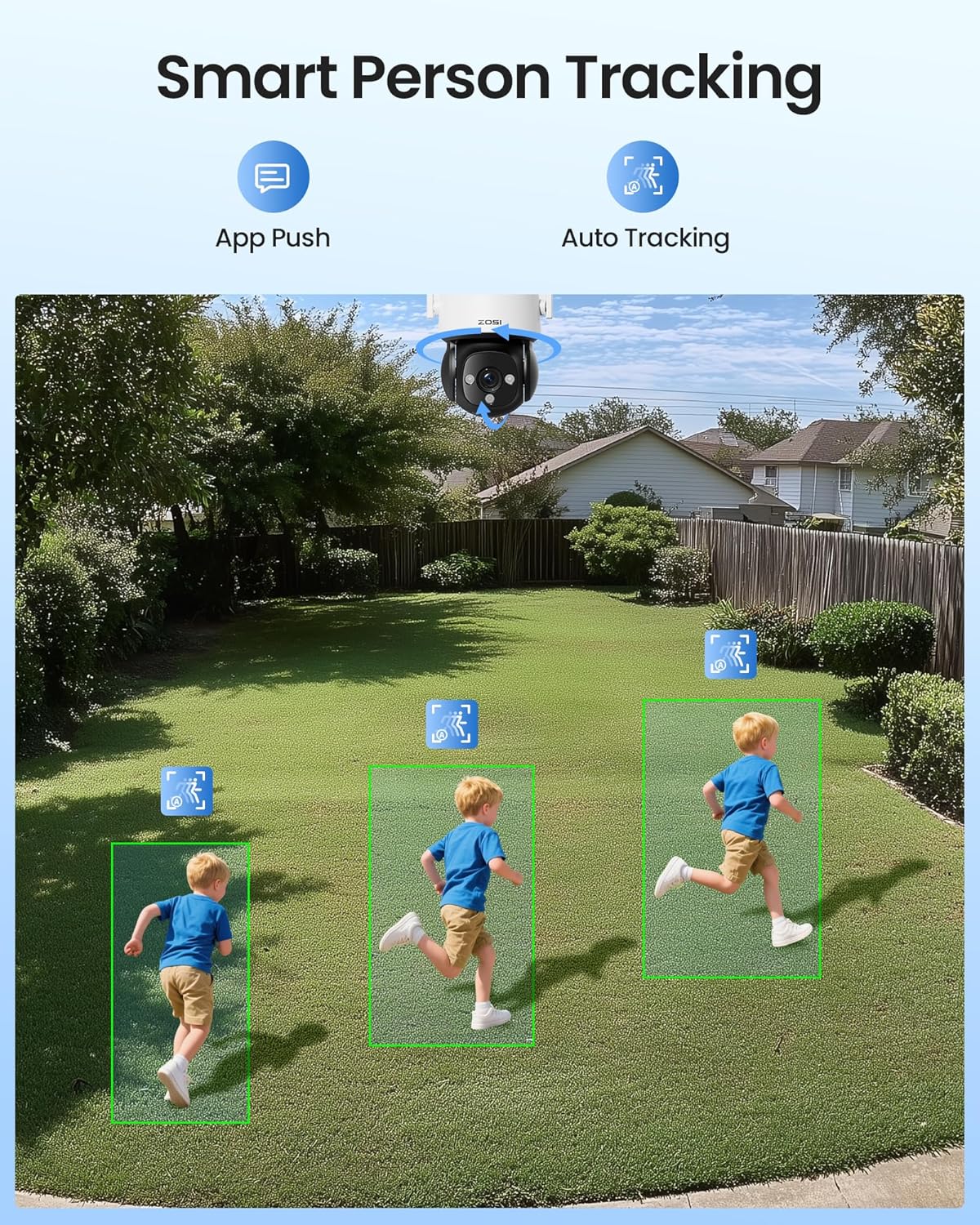
Image: Smart person tracking in action.
5.4 Night Vision
Equipped with three infrared LEDs, the camera provides clear black-and-white night vision up to 100 feet (30 meters), even in low-light conditions. The f/1.6 aperture enhances light capture for brighter night details.

Image: Night vision clarity comparison.
5.5 Two-Way Audio and Siren Alarm
The built-in microphone and speaker enable real-time two-way communication through the Zosi Smart app. You can listen to the environment and speak through the camera. Additionally, a sound alarm can be triggered to deter intruders.

Image: 24/7 live view and communication via the app.

Image: Siren alarm deterring intruders.
5.6 Local Storage
The camera supports local storage via a MicroSD memory card (up to 256GB). A 64GB card is included. This allows for 24/7 continuous recording or motion-triggered recording without a monthly subscription fee. Footage can be accessed and managed through the Zosi Smart app or AVSS PC client.
6. Maintenance
6.1 Weather Resistance
The camera has an IP66 waterproof rating, making it suitable for outdoor use in various weather conditions, including rain and snow, within a temperature range of -10°C to 55°C (14°F to 131°F).
6.2 Cleaning
To maintain optimal image quality, periodically clean the camera lens with a soft, dry cloth. Avoid using harsh chemicals or abrasive materials that could scratch the lens or housing.
6.3 Firmware Updates
Regularly check the Zosi Smart app for available firmware updates. Keeping your camera's firmware up-to-date ensures access to the latest features, security enhancements, and performance improvements.
7. Troubleshooting
- Camera not connecting to Wi-Fi: Ensure your router is broadcasting a 2.4GHz Wi-Fi signal. The camera does not support 5GHz networks. Verify the Wi-Fi password is correct and the camera is within range of the router.
- App setup issues: Always add the camera manually in the Zosi Smart app. If the app automatically detects the camera, proceed with manual addition to prevent potential functionality problems.
- No power: Confirm the DC power adapter is securely connected to both the camera and a working power outlet. The camera requires continuous wired power.
- Blurred image: Ensure the lens is clean. Objects very close to the lens may appear blurred; the camera is designed for monitoring at a distance.
- Motion detection not working: Check the motion detection settings in the Zosi Smart app. Ensure detection zones are properly configured and sensitivity levels are appropriate.
- Two-way audio issues: Verify that microphone and speaker permissions are granted to the Zosi Smart app on your smartphone. Check volume settings on both the app and your phone.
8. Specifications
| Model Name | C290 (1NK-2908M64-US-VC) |
| Video Capture Resolution | 4K (3840 x 2160) |
| Effective Video Resolution | 2160p |
| Indoor/Outdoor Usage | Indoor, Outdoor |
| Power Source | Corded Electric (DC 12V) |
| Connectivity Protocol | Wi-Fi (2.4GHz only) |
| Mounting Type | Ceiling Mount, Wall Mount |
| Flash Memory Installed Size | 64 GB (expandable up to 256GB) |
| Night Vision Range | Up to 100 ft |
| Pan/Tilt | 360° Horizontal Pan, 90° Vertical Tilt |
| Special Features | 2-Way Audio, Local Recording, Motion Sensor, Night Vision, PTZ Technology, AI Human/Vehicle/Face Detection, Auto Tracking, Siren Alarm |
| Operating Temperature | -10°C to 55°C (14°F to 131°F) |
| IP Rating | IP66 Weatherproof |
| Product Dimensions | 7.01 x 7.01 x 5.2 inches |
| Item Weight | 1.79 pounds |
9. Warranty and Support
9.1 Warranty Information
ZOSI provides a hassle-free warranty for this product. Please refer to the official ZOSI website or your purchase documentation for specific warranty terms and conditions.
9.2 Technical Support
ZOSI offers lifetime technical support for its products. If you encounter any issues or have questions regarding your ZOSI C290 camera, please contact ZOSI customer support through their official website or the contact information provided in your product packaging. You can also manage devices and playback via the Zosi Smart app or AVSS PC client.


