
1. Introduction
This manual provides instructions for the RCmall Building Block Bluetooth Speaker Module, designed to integrate wireless audio into your custom building block creations. This module allows you to add sound functionality to MOC (My Own Creation) projects such as vehicles, trains, and buildings, enhancing the interactive experience.
The speaker module features Bluetooth connectivity for streaming audio from compatible devices and is designed for seamless integration with standard building block sets. Its compact design ensures aesthetic consistency while providing quality audio output.
2. Safety Information
WARNING: CHOKING HAZARD. This product contains small parts and is not suitable for children under 3 years of age. Adult supervision is recommended during assembly and use, especially with younger users.
3. What's in the Box
Please check the contents of your package. It should include:
- 1 x RCmall Building Block Bluetooth Speaker Module
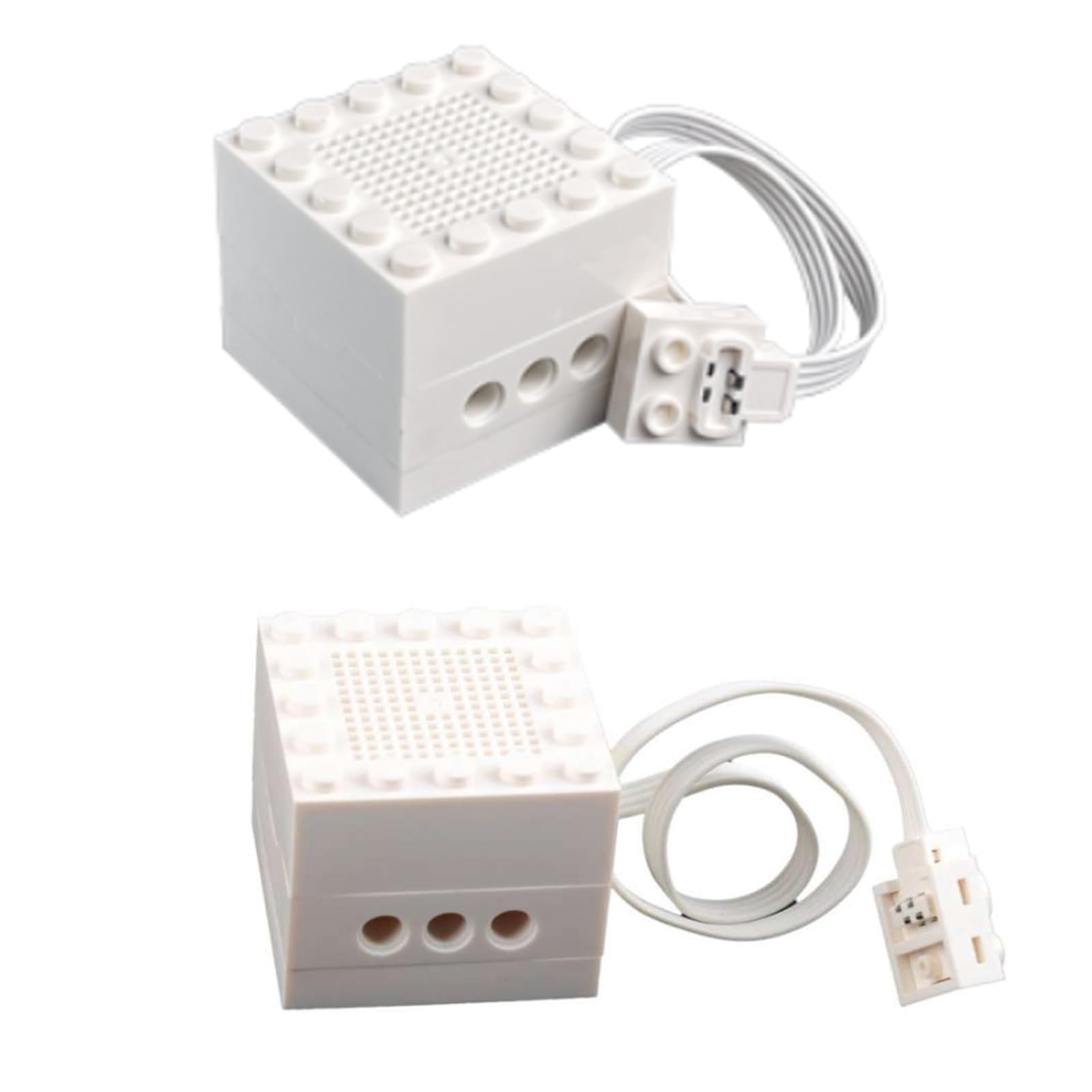
Image: The RCmall Building Block Bluetooth Speaker Module, white in color, shown with its integrated connecting cable and power connector.
4. Setup Instructions
Follow these steps to set up your Building Block Bluetooth Speaker Module:
- Connect to Power: Connect the speaker module's cable to a compatible building block battery case or power source. The module operates on 5.0-7.4V DC power. Ensure the connection is secure.
- Enable Bluetooth: On your mobile device (smartphone, tablet, etc.), navigate to the settings menu and enable the Bluetooth function.
- Search for Device: Your device will begin searching for available Bluetooth devices. Look for a device named "JiMuYinXiang" in the list of discovered devices.
- Pair Device: Select "JiMuYinXiang" to initiate the pairing process. Your device should indicate a successful connection.
- Begin Audio Playback: Once successfully paired, you can now play music or other audio wirelessly from your device through the speaker module.
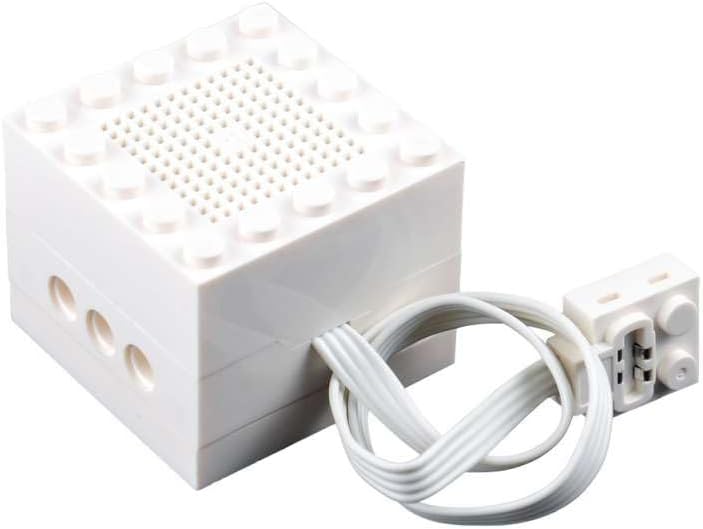
Image: A close-up view of the white building block speaker module, highlighting the speaker grille on top and the three circular connection ports on the side.

Image: The white building block speaker module viewed from another angle, clearly showing the white connecting cable extending from its side to a small power connector.
5. Operating Instructions
After successful setup and pairing, operating the speaker module is straightforward:
- Power On/Off: The speaker module powers on when connected to a compatible power source and powers off when disconnected. There is no separate power button on the module itself.
- Volume Control: Adjust the volume directly from your connected Bluetooth device. The speaker module does not have independent volume controls.
- Audio Playback: Use your connected device's media player to select and play audio. The sound will be transmitted wirelessly to the speaker module.
- Reconnecting: If the Bluetooth connection is lost or you wish to reconnect after powering off, ensure the speaker module is powered, then re-enable Bluetooth on your device and select "JiMuYinXiang" from the paired devices list.
6. Maintenance
To ensure the longevity and optimal performance of your speaker module, follow these maintenance guidelines:
- Cleaning: Use a soft, dry cloth to gently wipe the surface of the speaker module. Do not use liquid cleaners, solvents, or abrasive materials, as these can damage the plastic or electronic components.
- Storage: Store the module in a cool, dry place away from direct sunlight and extreme temperatures.
- Handling: Handle the module with care. Avoid dropping it or subjecting it to strong impacts, which could damage internal components.
- Moisture: Keep the module away from water and high humidity. It is not waterproof.
7. Troubleshooting
If you encounter issues with your speaker module, refer to the following common problems and solutions:
- No Sound:
- Ensure the speaker module is properly connected to a power source and is receiving power.
- Verify that your Bluetooth device is successfully paired with "JiMuYinXiang".
- Check the volume level on your connected device.
- Ensure the audio source on your device is playing.
- Cannot Pair with Bluetooth Device:
- Make sure Bluetooth is enabled on your device.
- Ensure the speaker module is powered on.
- Move your device closer to the speaker module to ensure it's within Bluetooth range.
- Try turning off and on the Bluetooth function on your device, then search again.
- If previously paired, try "forgetting" or "unpairing" "JiMuYinXiang" from your device's Bluetooth settings and then re-pairing.
- Poor Sound Quality or Disconnections:
- Ensure there are no obstructions between your device and the speaker module.
- Move away from other wireless devices that might cause interference.
- Ensure your device's battery is not critically low.
8. Specifications
| Product Dimensions | 2.5 x 2.5 x 1.25 inches (approximately 4 x 4 x 3.2 cm) |
| Item Weight | 8 ounces |
| Power Input | 5.0-7.4V DC |
| Bluetooth Pairing Name | JiMuYinXiang |
| Color | White |
| Cable Length | 21 cm |
| Manufacturer | Rcmall |
| Model Number (ASIN) | B0FJL8VZSL |
9. Warranty and Support
Specific warranty information for the RCmall Building Block Bluetooth Speaker Module is not provided in this manual. For details regarding warranty coverage, returns, or technical support, please refer to the purchase documentation or contact the seller directly.
You may also visit the RCmall Store on Amazon for additional product information or to contact the manufacturer/seller.