
1. Introduction
The SPOT Trace Satellite Tracking Device provides advanced 100% satellite-based tracking and messaging capabilities, ensuring connectivity even beyond cellular coverage. Designed for monitoring valuable assets, it offers peace of mind by allowing users to track movement, send status updates, and alert emergency services when necessary. This manual provides essential information for setting up, operating, and maintaining your SPOT Trace device.
Key Features:
- Satellite Tracking: View your asset's GPS coordinates online in near real-time using Globalstar satellite technology.
- Movement Alerts: Receive notifications when the device's vibration sensor detects asset movement.
- Custom Messages: Pre-program and send status messages to contacts at specific waypoints.
- Emergency SOS: Dedicated SOS button to notify search and rescue officials in critical situations.
- Global Coverage: Operates using 100% satellite technology, ensuring communication in remote locations.
2. What's in the Box
Upon opening your SPOT Trace package, please ensure all the following items are present:
- SPOT Trace Device
- Micro USB Cable
- Quick Reference Guide
- Mounting Accessories
- 4 AAA Lithium Batteries (included)
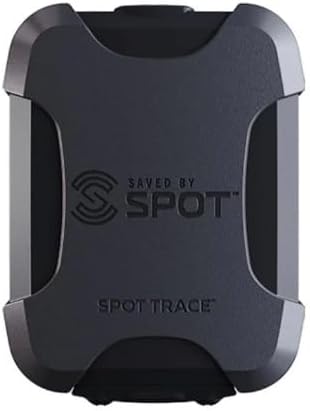
Image: Front view of the SPOT Trace Satellite Tracking Device. It is a compact, dark grey unit with the "SAVED BY SPOT" logo and "SPOT TRACE" text on the front.
3. Setup
3.1. Subscription Activation
The SPOT Trace device requires an active service plan to function. Please visit the official SPOT website to select and activate your desired service plan. This step is crucial for enabling tracking, messaging, and emergency features.
3.2. Battery Installation
Your SPOT Trace device comes with 4 AAA lithium batteries. To install or replace them, refer to the Quick Reference Guide for specific instructions on opening the battery compartment. Ensure correct polarity when inserting the batteries.
3.3. Device Placement
For optimal performance, the SPOT Trace requires a clear, unobstructed view of the sky to acquire satellite signals. Avoid placing the device under metal coverings or indoors, as this can interfere with signal reception and message transmission.

Image: Side view of the SPOT Trace device, showing its compact profile and rugged design.
4. Operating Instructions
4.1. Powering On/Off
To power on the device, press and hold the power button until the indicator lights illuminate. To power off, press and hold the power button again until the lights turn off. The device can send a "Power Off Message" to your contacts if configured in your service plan.
4.2. Tracking and Location Services
The SPOT Trace uses GPS to determine its location and transmits these coordinates via the Globalstar satellite network. You can view your asset's location in near real-time on SPOT's cloud-based mapping platform, accessible from your smartphone, computer, or tablet. Tracking intervals can be selected from 2½, 5, 10, 30, or 60 minutes, depending on your service plan.

Image: A graphic illustrating the key features of SPOT Trace, including Tracking, Movement Alerts, Dock Mode, Power Off Message, Low Battery Message, and Status Message.
4.3. Movement Alerts and Dock Mode
The device features a vibration sensor that detects movement. When movement is detected, it can send text/email messages to your pre-configured contacts. "Dock Mode" can be configured for assets primarily stored on water, optimizing tracking for this specific use case.
4.4. Status and Check-in Messages
You can pre-program custom status messages via your online account. These messages can be sent to your contacts with your current GPS location, providing updates on your status or the asset's status. A "Status Message" can also be set to send a daily alert confirming your asset is secure.

Image: A graphic emphasizing how SPOT Trace helps users stay connected and guard their gear, highlighting instant text/email alerts and cloud-based mapping.
4.5. SOS and Emergency Services
The SPOT Trace includes a dedicated SOS button. In an emergency, pressing and holding this button for three seconds will send an an SOS message with your GPS coordinates to the 24/7 Search & Rescue services. This feature is intended for life-threatening situations and should only be used when immediate assistance is required.
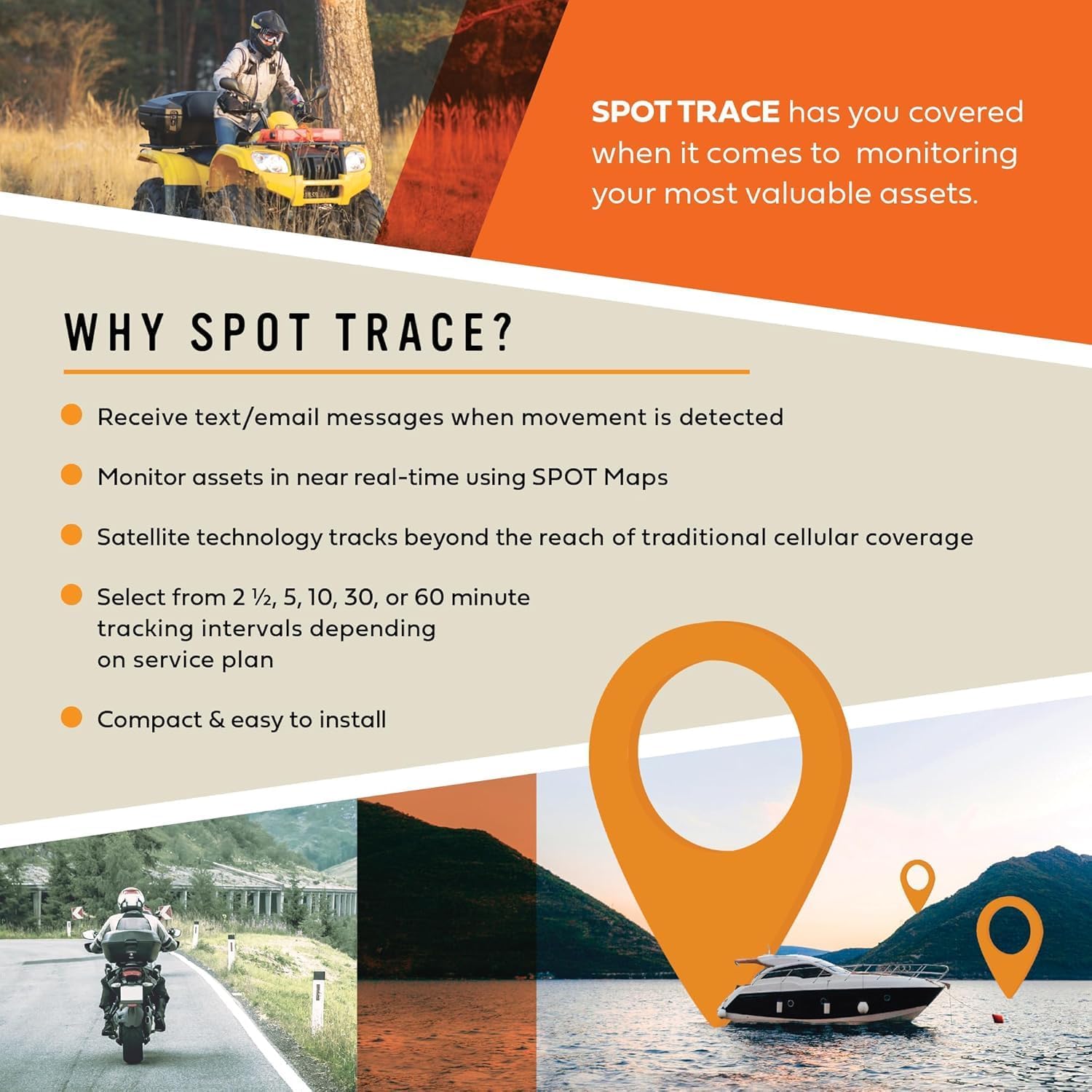
Image: A graphic outlining the benefits of SPOT Trace, including text/email messages on movement, real-time monitoring, satellite technology, tracking intervals, and compact design.
5. Maintenance
5.1. Battery Management
The SPOT Trace operates on 4 AAA batteries. The device can send a "Low Battery Message" to your contacts when battery levels are critical. Always ensure you have fresh batteries or a power source available, especially before extended use in remote areas. For optimal performance, use high-quality lithium batteries.
5.2. Device Care
The SPOT Trace is designed to be durable. Keep the device clean and free from debris. While it is built for outdoor use, avoid unnecessary exposure to extreme conditions beyond its specified operating limits. Ensure the USB port cover is securely closed to maintain water resistance.
6. Troubleshooting
6.1. Signal Acquisition Issues
If the device is not acquiring a signal or transmitting messages, ensure it has a clear, unobstructed view of the sky. Indoor use or placement under dense foliage/metal structures can prevent satellite communication. Move to an open area and try again.
6.2. Message Delivery Reliability
While SPOT Trace utilizes 100% satellite technology, message delivery can occasionally be affected by environmental factors or satellite availability. If messages are not consistently delivered, ensure the device is placed optimally for signal transmission and that your service plan is active and correctly configured. Prioritized messages (like SOS) are designed for higher reliability.
6.3. 5G Interference
SPOT devices are intended for use off-grid where cellular service is unavailable. When using your device within 5G coverage areas, you may experience interference. For optimal performance, use the device in areas without cellular coverage or away from strong 5G signals.
7. Specifications
| Product Dimensions | 2.02 x 0.95 x 2.69 inches |
| Item Weight | 3.04 ounces |
| Item Model Number | Trace |
| Batteries | 4 AAA batteries required (included) |
| Connectivity Technology | Satellite |
| Supported Application | GPS |
| Specific Uses For Product | Monitoring valuable assets |
8. Warranty & Support
8.1. Legal Disclaimer
Buyer is responsible for the installation and use of the device. Buyer acknowledges that they are responsible for abiding by all laws regarding the use of electronic tracking, which varies from state to state. If the buyer is unsure of legalities regarding the use of GPS equipment, the buyer is advised to consult with competent legal counsel. Seller is not responsible for actions resulting from misuse of equipment, or damage incurred from misuse, intentional or accidental. Seller is not responsible for improperly installed devices, or damages incurred through negligence or accident.
8.2. Customer Service
For further assistance, technical support, or inquiries regarding your service plan, please visit the official SPOT X website or contact their customer service directly. Contact information can typically be found on the SPOT X brand store or within your Quick Reference Guide.