
Introduction
This manual provides detailed instructions for the setup, operation, and maintenance of your FRONTECH Wireless Gaming Keyboard and Mouse Combo (Model KB-0025B). This high-performance wireless set is designed for precision and comfort, featuring rainbow backlighting, multimedia keys, and a high-DPI mouse. Please read this manual thoroughly before use to ensure optimal performance and longevity of your device.
Package Contents
Verify that all items are present in the package:
- 1 x Wireless Keyboard
- 1 x Wireless Mouse
- 1 x USB Receiver (typically stored in the mouse battery compartment)
- 1 x Charging Cable (Type-C)
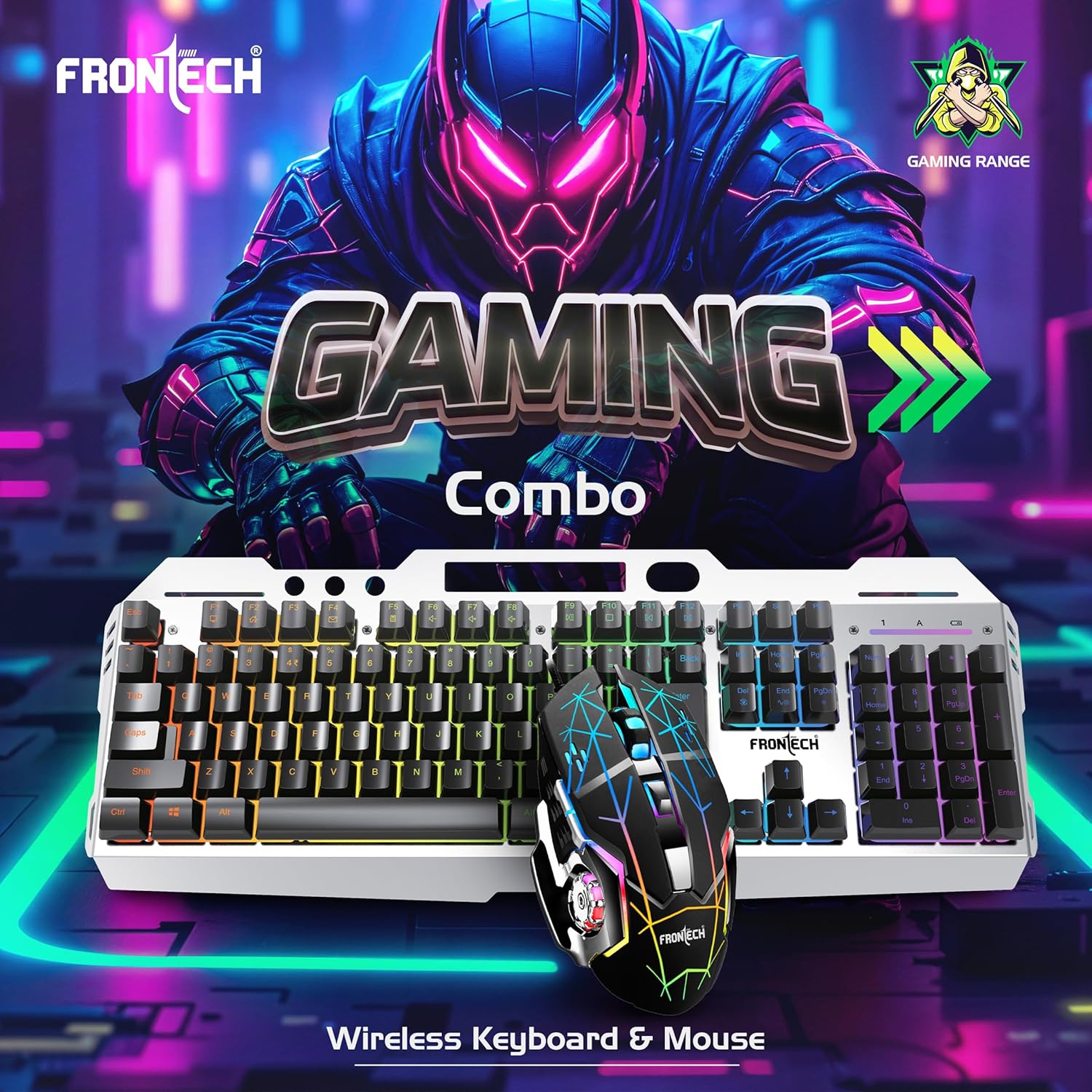
Image: The FRONTECH Wireless Gaming Keyboard and Mouse Combo, showcasing both devices.
Setup
- Charge the Devices: Before first use, fully charge both the keyboard and mouse using the provided Type-C charging cable. Connect the cable to the charging port on each device and to a USB power source. The keyboard has a 450mAh battery, and the mouse has a 300mAh battery.
- Locate the USB Receiver: The 2.4GHz USB receiver is typically stored in a compartment on the underside of the mouse. Carefully remove it.
- Connect the Receiver: Insert the USB receiver into an available USB port on your computer or compatible device.
- Power On: Turn on the keyboard and mouse using their respective power switches. The devices should automatically connect to the receiver.
- Compatibility: The combo is compatible with Windows, Mac, Android, and iOS systems.

Image: The keyboard highlighting 2.4GHz wireless transmission and 104 keys.
Operating Instructions
Keyboard Functions
- 104 Keys: Standard keyboard layout for general use and gaming.
- 12 Multimedia Keys: Access common functions like volume control, media playback, and web browser shortcuts. These are typically accessed by pressing the Fn key in combination with the F1-F12 keys.
- Rainbow Backlighting: The keyboard features rainbow backlighting. Use the Fn key in combination with specific keys (e.g., Fn + Scroll Lock or Fn + Page Up/Down) to control backlight modes, brightness, or to turn it on/off. Refer to the keyboard markings for specific combinations.
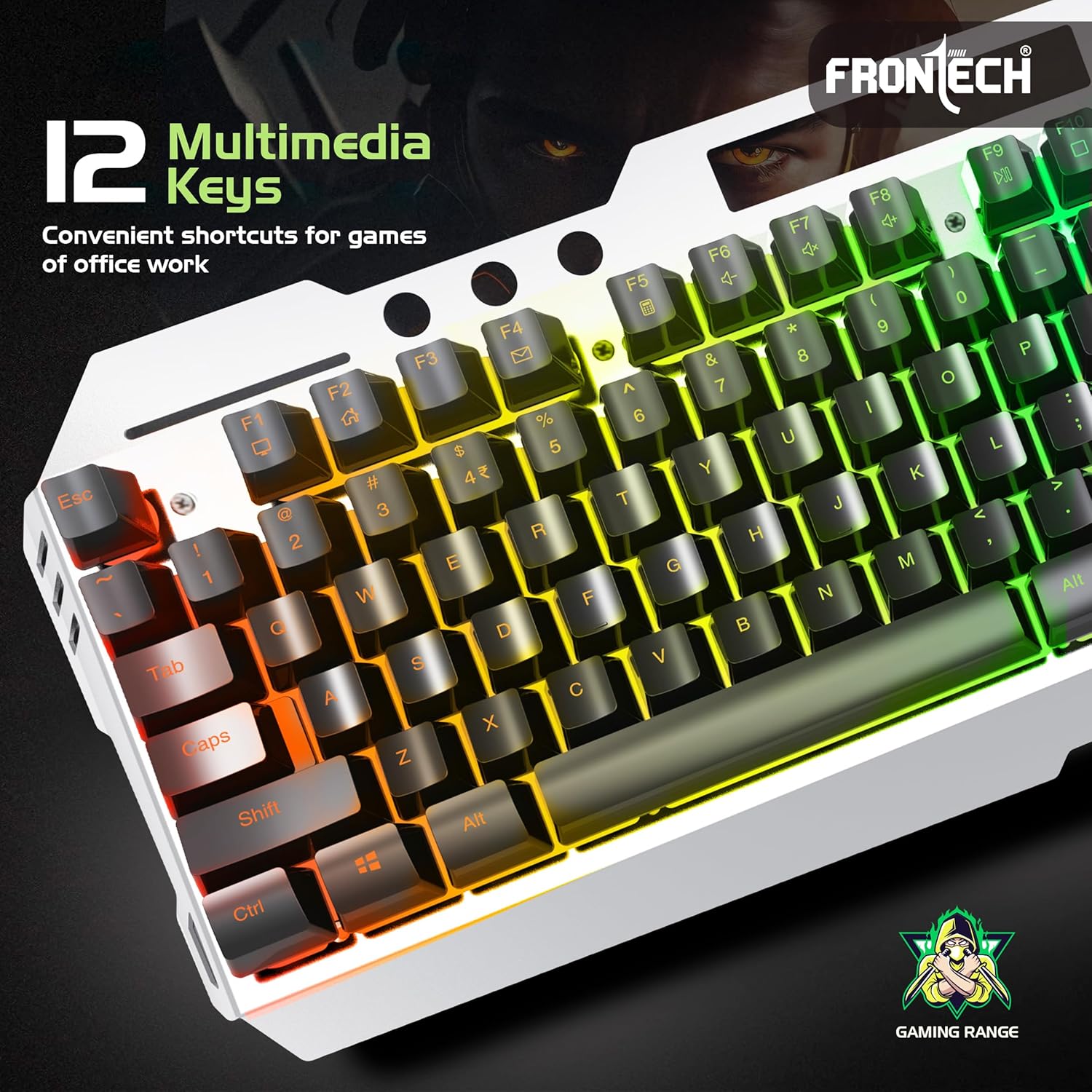
Image: Close-up of the keyboard highlighting the 12 multimedia keys.

Image: The keyboard with the FN button highlighted for backlight control.
Mouse Functions
- 6 Buttons: Includes left-click, right-click, scroll wheel, DPI adjustment button, and two side buttons (forward/backward).
- DPI Adjustment: The mouse offers up to 4800 DPI resolution. Use the dedicated DPI button (usually located below the scroll wheel) to cycle through different DPI settings to adjust cursor sensitivity.
- Soft Clicks: Designed for quiet operation.
- LED Rainbow Lighting: The mouse features vibrant LED lighting.

Image: The wireless mouse with '4800 DPI' prominently displayed.
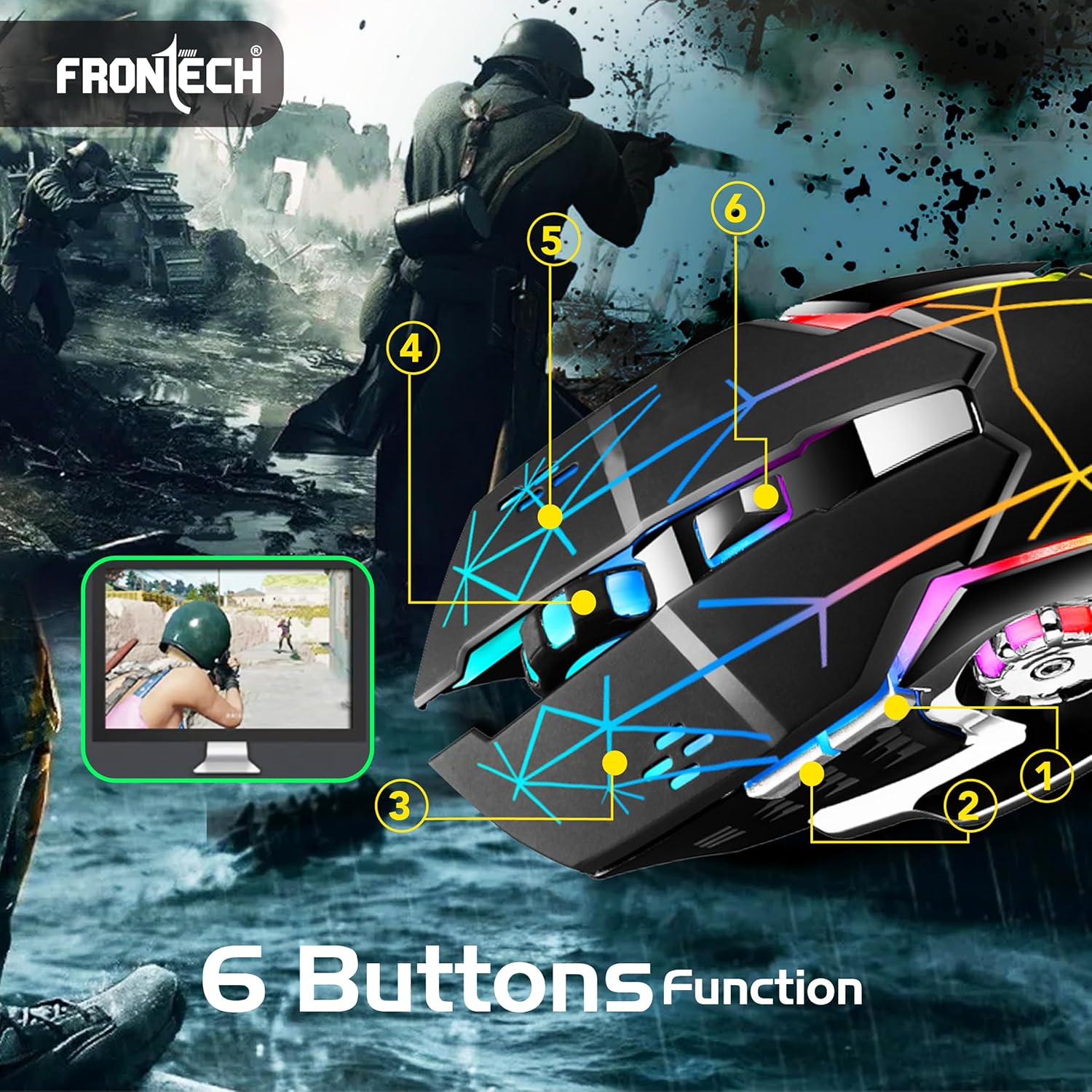
Image: The wireless mouse with its 6 buttons labeled for function.

Image: The ergonomic design of the mouse, highlighting soft click and LED rainbow lighting.
Charging
Both the keyboard and mouse are equipped with built-in rechargeable batteries. Use the provided Type-C charging cable to recharge them.
- Keyboard Battery: 450mAh rechargeable battery.
- Mouse Battery: 300mAh rechargeable battery.
- Charging Indicator: An indicator light (usually red) will illuminate during charging and turn off or change color when fully charged.
- Charging Time: Allow sufficient time for a full charge before initial use and when the battery is low.

Image: The keyboard and mouse shown with their respective battery capacities and Type-C charging port.
Maintenance
- Cleaning: Use a soft, dry cloth to clean the surfaces of the keyboard and mouse. For stubborn dirt, a slightly damp cloth can be used, ensuring no moisture enters the device.
- Storage: Store the devices in a cool, dry place away from direct sunlight and extreme temperatures.
- Battery Care: To prolong battery life, avoid completely draining the battery frequently. Recharge when the low battery indicator appears.
- USB Receiver: Keep the USB receiver in a safe place when not in use, preferably in its designated storage slot in the mouse.
Troubleshooting
| Problem | Possible Cause | Solution |
|---|---|---|
| Devices not connecting | Low battery, USB receiver not properly inserted, device not powered on, driver issue. | Ensure devices are charged and powered on. Reinsert the USB receiver. Try a different USB port. Restart your computer. |
| Lag or unresponsiveness | Interference from other wireless devices, low battery, too far from receiver. | Move closer to the receiver. Ensure no strong wireless interference. Recharge devices. |
| Keyboard keys not working | Low battery, software issue, physical damage. | Recharge the keyboard. Test on another computer. If specific keys, check for debris. |
| Mouse cursor erratic or not moving | Low battery, dirty optical sensor, unsuitable surface, DPI setting too low. | Recharge the mouse. Clean the optical sensor. Use on a suitable mouse pad. Adjust DPI settings. |
| Backlight not working | Backlight turned off, low battery. | Press the backlight control keys (e.g., Fn + Scroll Lock) to cycle modes or turn on. Recharge the keyboard. |
| Charging issues | Faulty cable, power source issue, damaged charging port. | Try a different Type-C cable and USB power adapter. Ensure the charging port is clean and undamaged. |
Specifications
| Feature | Detail |
|---|---|
| Model Number | KB-0025B |
| Connectivity | 2.4GHz Wireless (USB Receiver) |
| Keyboard Keys | 104 keys + 12 Multimedia Keys |
| Keyboard Backlight | Rainbow Backlit (On/Off function) |
| Mouse DPI | Up to 4800 DPI |
| Mouse Buttons | 6 buttons (Soft-click) |
| Keyboard Battery | 450mAh Rechargeable |
| Mouse Battery | 300mAh Rechargeable |
| Charging Port | Type-C |
| Compatibility | Windows, Mac, Android, iOS (WindowsXP/2000/ME/VISTA/7/8/10/11) |
| Keyboard Dimensions | 457mm x 174.7mm x 37.1mm |
| Keyboard Weight | 750g |
| Mouse Dimensions | 131mm x 76mm x 40mm |
| Mouse Weight | 94g (with battery) |
| Color | Black + Silver |
| Country of Origin | China |
Warranty Information
The FRONTECH Wireless Gaming Keyboard & Mouse Combo (KB-0025B) is backed by a 1-Year Limited Warranty from the date of purchase. This warranty covers manufacturing defects under normal use. It does not cover damage caused by misuse, accident, unauthorized modification, or external causes.
Please retain your proof of purchase for warranty claims.
Support
For technical assistance, warranty claims, or further inquiries, please contact FRONTECH customer support through the retailer where the product was purchased or refer to the official FRONTECH website for contact information.