
Introduction
This manual provides essential information for the safe and effective use of your ModaWin W98 Kids Smart Watch. Please read these instructions carefully before operating the device and retain them for future reference.
What's in the Box
- ModaWin W98 Smart Watch
- Magnetic Charging Cable
- User Manual
Setup
1. Charging the Smart Watch
Before first use, fully charge the watch. Connect the magnetic charging cable to the charging points on the back of the watch and plug the USB end into a standard USB power adapter (not included). A full charge typically takes approximately 3 hours.

The ModaWin W98 Smart Watch uses a magnetic charging cable for easy and secure power replenishment.
2. Powering On/Off
- To Power On: Press and hold the side button until the screen illuminates.
- To Power Off: Press and hold the side button, then select 'Power Off' on the screen.
3. Initial Settings
Upon first power-on, you may be prompted to set the language, time, and date. Follow the on-screen instructions to configure these settings.
4. Connecting to the H Band App (Optional)
For enhanced features like call/message notifications, custom watch faces, and parental controls, download the H Band app from your smartphone's app store. Ensure your phone's Bluetooth is enabled, then follow the app's instructions to pair with your watch. The watch is compatible with Android 4.4+ and iOS 8.0+ devices.
Operating Instructions
1. Navigating the Touchscreen
- Swipe Up/Down: Scroll through menus and notifications.
- Swipe Left/Right: Access different feature screens (e.g., activity, heart rate, games).
- Tap: Select an item or open an application.
- Side Button: Press to return to the home screen or wake the display.
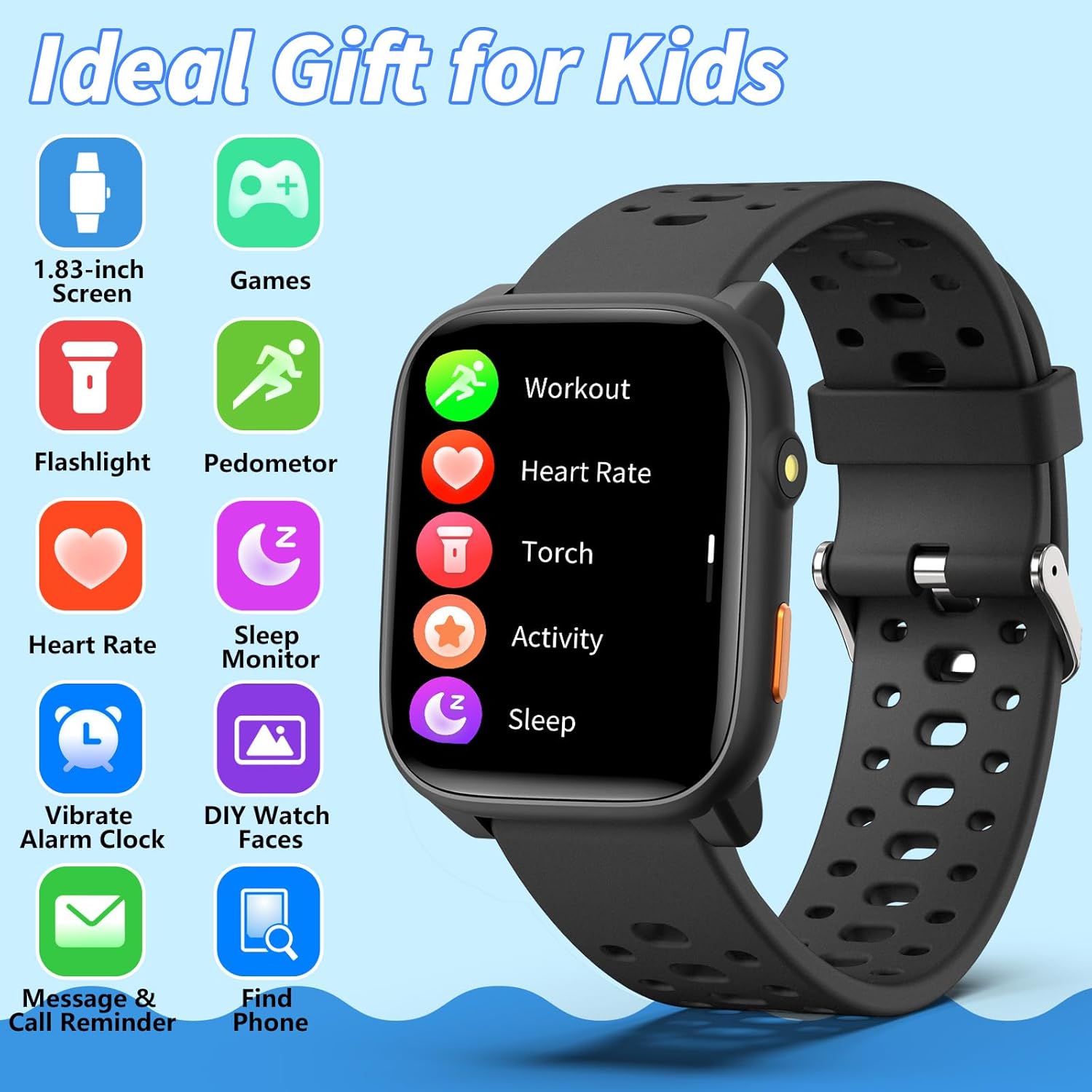
An overview of the main features accessible directly on the ModaWin W98 Smart Watch, including health tracking, utility tools, and communication alerts.
2. Key Features
- Activity Tracking (Pedometer & 100+ Sport Modes): The watch tracks steps, distance, and calories burned. Access the 'Workout' or 'Activity' menu to view daily summaries or select from over 100 sport modes for specific activity tracking.
- Heart Rate Monitor: Navigate to the Heart Rate screen to measure your current heart rate. The watch provides 24/7 heart rate tracking.
- Sleep Monitor: The watch automatically monitors sleep patterns, including sleep duration, wake-up times, deep sleep, and light sleep. View detailed reports in the H Band app.
- Puzzle Games: The watch includes 12 built-in puzzle games. Access them from the main menu. Parental controls are available via the H Band app to limit game time or lock games.
- Flashlight: Activate the flashlight feature from the quick settings or main menu for convenient illumination.
- Vibrating Alarm Clock: Set alarms directly on the watch or through the H Band app. The watch will vibrate to alert the user.
- Timer and Stopwatch: Access these utility functions from the watch's menu for timing activities.
- Call & Message Notifications: When connected to the H Band app on a smartphone, the watch can display notifications for incoming calls and messages.
- Custom Watch Faces: Choose from over 100 watch faces available in the H Band app, or customize your own using personal images.

The ModaWin W98 Smart Watch actively tracking a child's physical activity, displaying calories burned, steps taken, and distance covered. The watch supports over 100 sport modes.

The heart rate monitoring function of the ModaWin W98 Smart Watch, showing a real-time heart rate reading.

The sleep monitoring feature of the ModaWin W98 Smart Watch, providing insights into sleep patterns including duration, wake-up times, deep sleep, and light sleep.
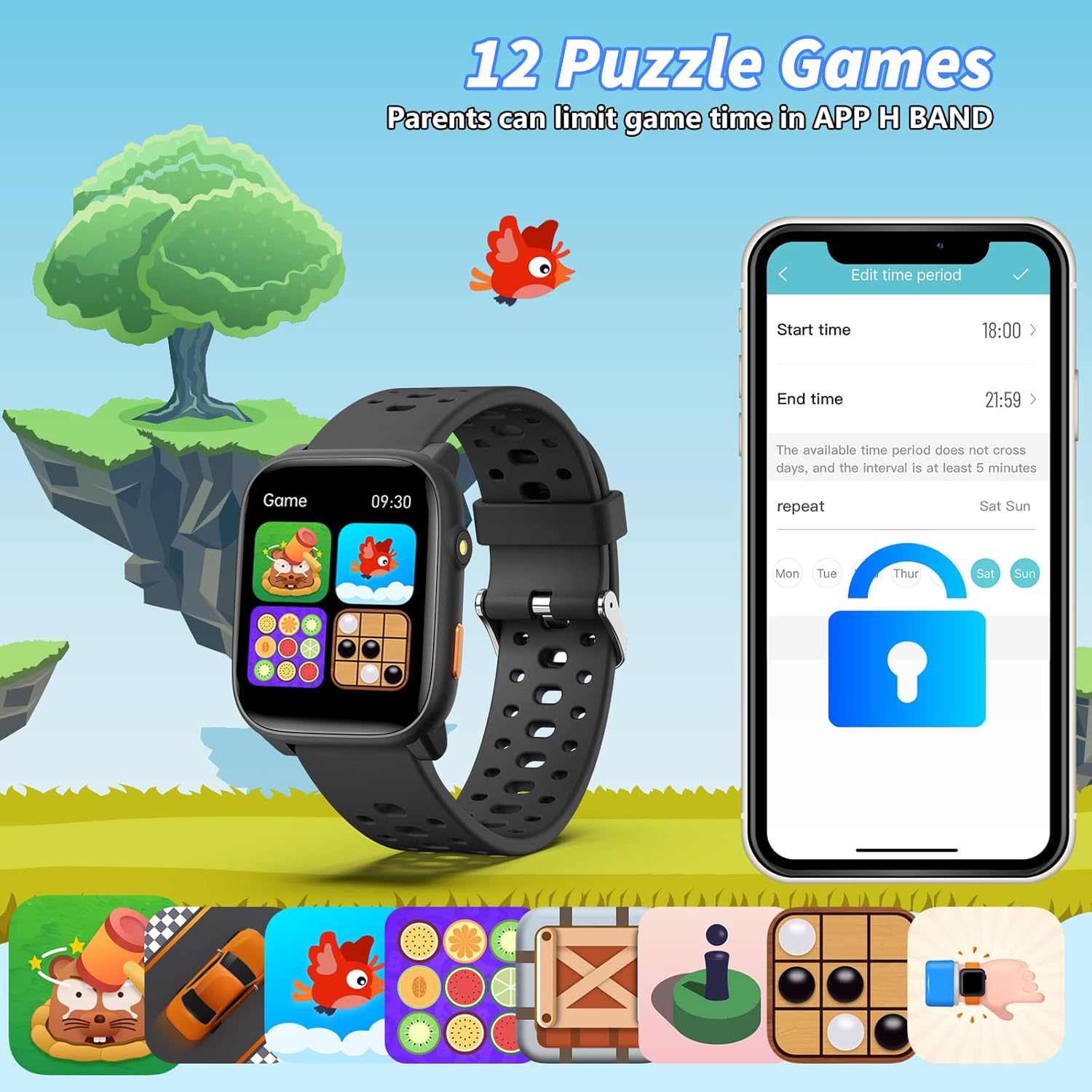
The ModaWin W98 Smart Watch features 12 built-in puzzle games. The accompanying "H Band" app allows parents to set time limits for game play.

The built-in flashlight feature of the ModaWin W98 Smart Watch, providing convenient illumination.
Maintenance
Cleaning the Watch
Wipe the watch and strap regularly with a soft, damp cloth. Avoid using harsh chemicals or abrasive materials.
Water Resistance
The ModaWin W98 Smart Watch is IP68 waterproof, meaning it is resistant to dust and can withstand immersion in water up to 1 meter for 30 minutes. It is suitable for daily activities like hand washing or light rain. However, it is not recommended for swimming, showering with hot water, or diving, as steam and high water pressure can damage the device.

The ModaWin W98 Smart Watch is IP68 waterproof, suitable for daily activities like hand washing.
Battery Care
To prolong battery life, avoid fully discharging the watch frequently. Charge the device when the battery level is low. Store the watch in a cool, dry place when not in use for extended periods.
Troubleshooting
| Problem | Possible Solution |
|---|---|
| Watch does not turn on | Ensure the watch is fully charged. Connect it to the charging cable and allow it to charge for at least 30 minutes before attempting to power on again. |
| Cannot pair with smartphone | Ensure Bluetooth is enabled on your smartphone and the watch. Make sure the H Band app is installed and open. Restart both the watch and the smartphone, then try pairing again. Check that your smartphone meets the OS requirements (Android 4.4+ or iOS 8.0+). |
| Inaccurate activity tracking | Ensure the watch is worn snugly on the wrist. Calibrate the pedometer if an option is available in the app. |
| Short battery life | Reduce screen brightness, limit frequent heart rate monitoring, and close unused applications. Ensure the watch is fully charged before use. |
| Screen is unresponsive | Restart the watch by pressing and holding the side button. If the issue persists, ensure the screen is clean and dry. |
Specifications
| Feature | Detail |
|---|---|
| Model Number | W98 |
| Display Size | 1.83 inches |
| Display Type | LCD |
| Display Resolution | 240 x 240 |
| Battery Capacity | 170 mAh |
| Battery Type | Lithium-polymer |
| Average Battery Life (Normal Use) | 6 days |
| Charging Time | 3 hours |
| Connectivity | Bluetooth |
| Memory Storage | 128 MB |
| Operating System Compatibility | Android 4.4+ and iOS 8.0+ |
| Water Resistance Rating | IP68 (up to 1 meter for 30 minutes) |
| Band Material | Silicone or Rubber |
| GPS | No GPS |
| Supported Application | H Band |
| Special Features | Heart Rate Monitor, Sleep Monitor, 100+ Sports Tracking, Pedometer, Games, Alarm, Flashlight |
Warranty and Support
Limited Warranty
The ModaWin W98 Kids Smart Watch comes with a limited warranty. Please refer to the warranty card included in your product packaging for specific terms and conditions. This warranty typically covers manufacturing defects but does not cover damage caused by misuse, accidents, unauthorized modifications, or normal wear and tear.
Customer Support
For any questions, technical assistance, or warranty claims, please contact ModaWin customer support through the retailer where the product was purchased or refer to the contact information provided on the official ModaWin website, if available.