
1. Introduction
The NEEWER 1.55X Blue Flare Anamorphic Phone Camera Lens (Model LS-75) is designed to enhance mobile photography and videography by providing a 110% wider field of view and a cinematic 2.4:1 aspect ratio through 1.55x compression. This lens also produces a distinctive retro blue streak glare effect, ideal for cinematic filming, vlogging, and photography. It features multicoated HD optical glass with 4 elements in 4 groups for clear and sharp images.
2. Package Contents
- 1 x Blue Anamorphic Lens
- 1 x 17mm Threaded Clip
- 2 x Lens Caps
- 1 x Cleaning Cloth
- 1 x Storage Case
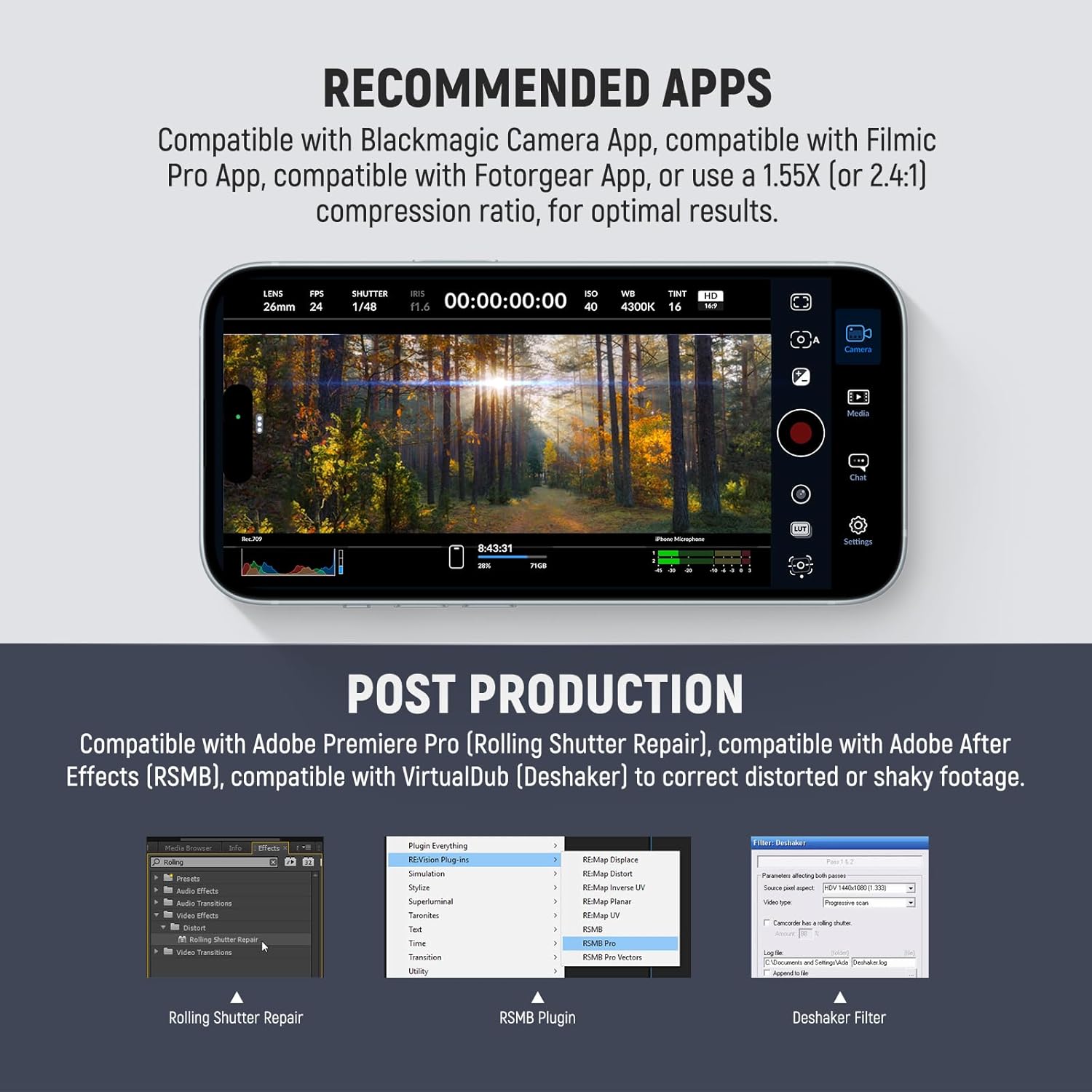
Image: Contents of the NEEWER 1.55X Blue Flare Anamorphic Lens package.
3. Setup Instructions
3.1 Attaching the Lens
- Ensure your smartphone's main camera lens and the anamorphic lens are clean using the provided cleaning cloth.
- Attach the 17mm threaded lens clip to your smartphone, aligning it over the main camera lens. The clip features a 1.1-inch (28mm) adjustable jaw opening for compatibility with various phone thicknesses.
- Mount the anamorphic lens onto the clip by screwing it into the 17mm thread. Ensure it is securely fastened.
- Alternatively, if using a NEEWER phone cage, case, or backplate with 17mm lens mounting threads, the lens can be directly connected without the clip.

Image: Illustration of attaching the 17mm threaded lens to a smartphone's main camera.
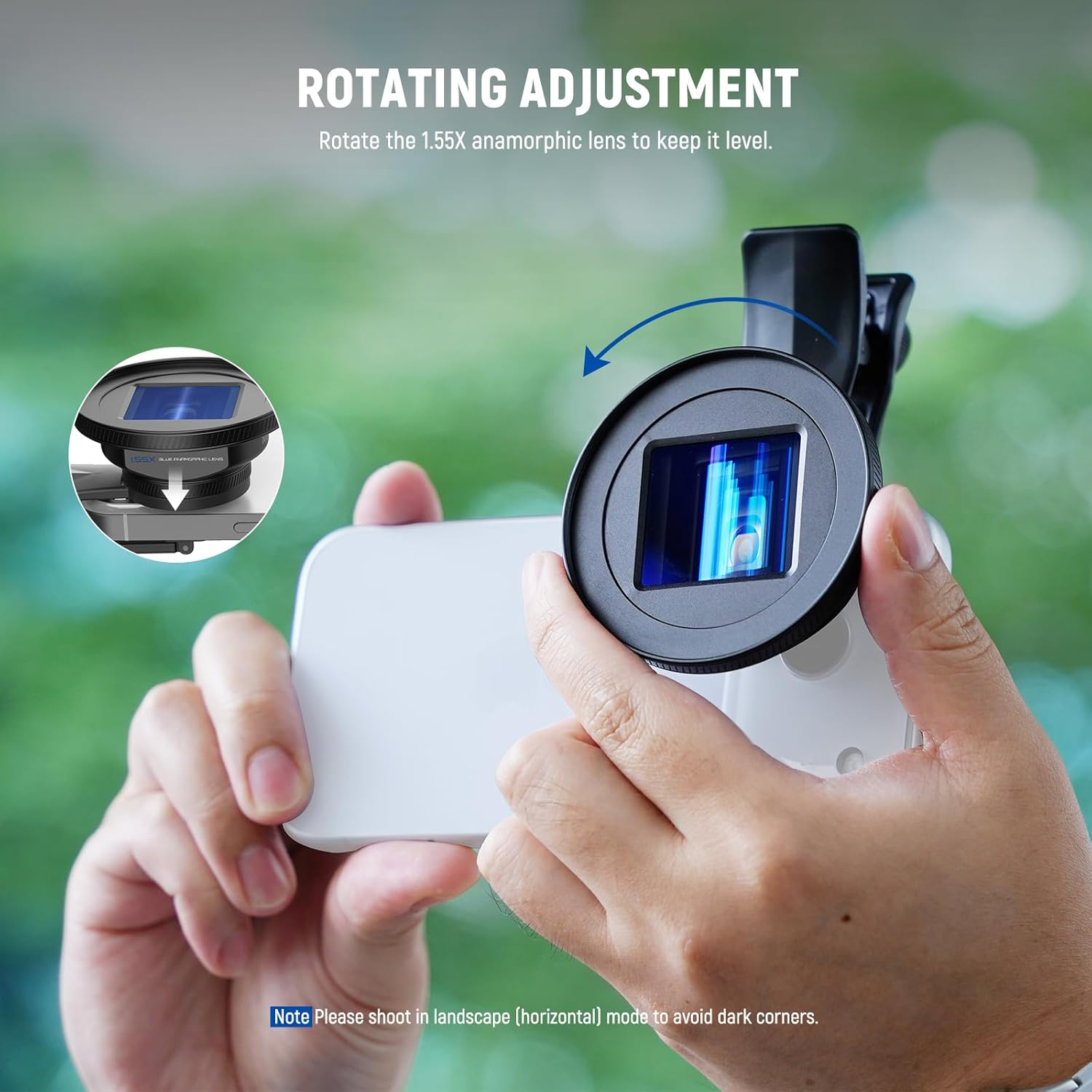
Image: Rotating the anamorphic lens for proper alignment.
4. Operating Instructions
4.1 Achieving the 1.55X Anamorphic Effect
To utilize the 1.55x anamorphic effect, it is essential to use a third-party camera application that supports anamorphic de-squeeze or a 1.55x (or 2.4:1) compression ratio. Do not use your phone's built-in camera app, as it will not correctly de-squeeze the footage.
- Recommended Apps: Blackmagic Camera App, Filmic Pro App, Fotogear App.
- Open your chosen third-party app and navigate to its settings. Select the 1.55x compression ratio option to enable the anamorphic effect.

Image: Steps to activate the 1.55x anamorphic effect using a third-party app.
4.2 General Usage Tips
- Always shoot in landscape (horizontal) mode to prevent dark corners or vignetting in your footage.
- If vignetting occurs, ensure the lens is tightened correctly. You may also need to zoom the camera to 1.1x or more within your camera app to eliminate dark edges.

Image: Cinematic effect comparison (before and after applying the anamorphic lens).

Image: Stunning cinematic effect achieved with the NEEWER 1.55X Blue Anamorphic Lens.
5. Maintenance
5.1 Cleaning the Lens
The lens features multicoated HD optical glass with multiple protective coatings to resist water, fingerprints, and scratches. To maintain optimal image quality:
- Use the included cleaning cloth to gently wipe the lens surfaces.
- Avoid using harsh chemicals or abrasive materials that could damage the coatings.
- Always clean the main and adjacent cameras on your phone before attaching the lens.

Image: Internal structure of the multicoated HD optical lens.
5.2 Storage
When not in use, store the lens in its provided storage case with both lens caps attached to protect it from dust, scratches, and impacts.
6. Troubleshooting
6.1 Avoiding Rolling Shutter & Jello Effect
Rolling shutter and jello effects can occur in video footage, especially with fast movements. To minimize these:
- Use a tripod, gimbal, or stabilizer to keep your phone steady during recording.
- Employ a faster shutter speed in your camera app settings.
- For heavier or longer lenses, consider using a NEEWER phone case and phone cage for enhanced stability.
6.2 Post-Production Correction
For correcting distorted or shaky footage in post-production, the following tools are compatible:
- Adobe Premiere Pro's Rolling Shutter Repair
- Adobe After Effects' RSMB plugin
- VirtualDub's Deshaker filter
Image: Recommended apps and post-production tools for optimal results.
7. Specifications
| Feature | Detail |
|---|---|
| Model | LS-75 |
| Lens Type | Anamorphic |
| Focal Length Description | 1.55X |
| Cinematic Aspect Ratio | 2.4:1 (via 1.55x compression) |
| Field of View | 110% wider |
| Optical Design | 4 elements in 4 groups |
| Lens Material | Multicoated HD Optical Glass |
| Housing Material | Aluminum Alloy |
| Mounting Thread Size | 17mm |
| Compatible Mountings | Smartphones (via 17mm threaded clip), NEEWER phone cages/cases with 17mm threads |
| Item Weight | 4 Ounces (approx. 113g) |
8. Warranty and Support
8.1 Warranty Information
This NEEWER product is covered by a 1-Year Manufacturer Warranty from the date of purchase. Please retain your proof of purchase for warranty claims.
8.2 Customer Support
For technical assistance, troubleshooting, or warranty inquiries, please contact NEEWER customer support through their official website or the retailer where the product was purchased. Provide your product model (LS-75) and purchase details for efficient service.