
Introduction
This manual provides essential instructions for the safe assembly, operation, and maintenance of your Bestier H200671A Criss Cross Office Chair. Please read this manual thoroughly before assembly and use to ensure proper function and longevity of your product. Keep this manual for future reference.
Important Safety Information
- Always follow assembly instructions carefully.
- Do not stand or place heavy objects on the armrests when they are laid flat at 180°. This can cause damage or injury.
- Ensure all screws and bolts are securely tightened before use. Periodically check and re-tighten as necessary.
- Do not use the chair if any parts are missing, damaged, or broken. Contact customer support for replacement parts.
- Maximum weight capacity: 350 lbs (158 kg). Do not exceed this limit.
- Keep children and pets away from the assembly area. Small parts can be a choking hazard.
- Use the chair on a level surface to prevent tipping.
Package Contents
Before beginning assembly, verify that all components are present and undamaged. If any parts are missing or damaged, please contact Bestier customer support.
- Backrest
- Seat Cushion
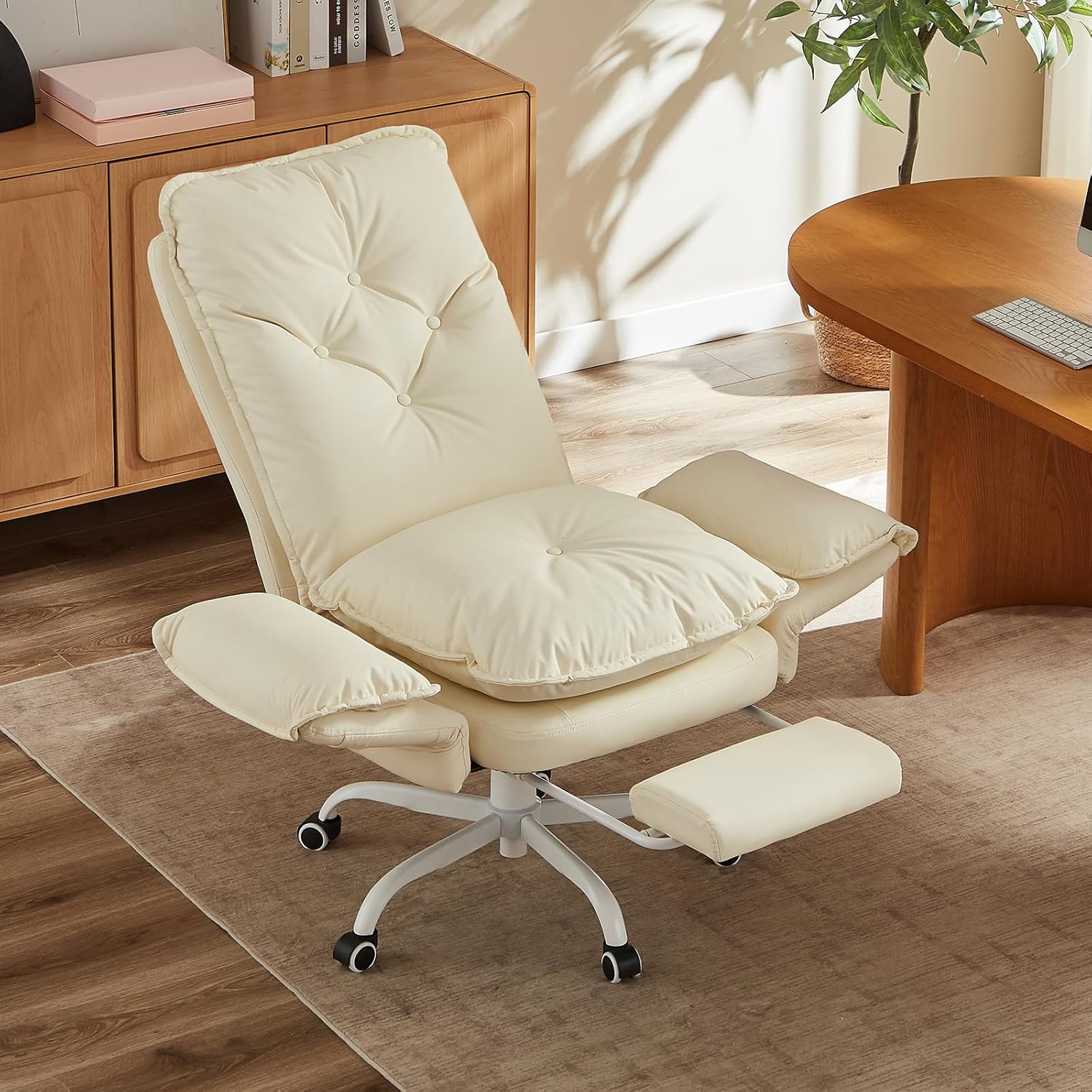
- Armrests (Left & Right)
- Footrest Assembly
- Base (Star Base)
- Casters (Wheels)
- Gas Lift Cylinder
- Mechanism Plate
- Hardware Pack (Screws, Washers, Allen Wrench)
Assembly Instructions
Follow these steps to assemble your Bestier Criss Cross Office Chair. An assembly video is available for visual guidance.
- Attach Casters to Base: Insert each caster into the holes at the end of the chair base legs until they click into place.
Description: A diagram showing casters being pushed into the star-shaped chair base.
- Insert Gas Lift: Place the gas lift cylinder into the center hole of the assembled base.
Description: A diagram showing the gas lift cylinder being inserted into the center of the chair base.
- Attach Mechanism Plate to Seat: Secure the mechanism plate to the underside of the seat cushion using the provided screws. Ensure the front of the mechanism faces the front of the seat.
Description: A diagram illustrating the attachment of the chair mechanism to the bottom of the seat cushion with screws.
- Connect Seat to Gas Lift: Carefully place the assembled seat onto the gas lift cylinder.
Description: A diagram showing the seat assembly being placed onto the gas lift cylinder.
- Attach Backrest to Seat: Align the backrest with the seat and secure it using the designated screws.
Description: A diagram showing the backrest being attached to the seat cushion with screws.
- Attach Armrests: Secure the armrests to both the seat and backrest using the provided screws.

Description: An image showing the process of attaching the armrests to the chair, highlighting the screw points. This image is from the A+ content and depicts a black chair, but the assembly process is identical.
- Install Footrest: Slide the footrest assembly into its designated slot under the seat.
Description: A diagram showing the footrest being inserted into the chair's mechanism.
- Final Check: Verify all connections are tight and the chair is stable before use.
For visual assistance, please refer to the official assembly video:
Description: An official product video demonstrating the assembly process of the Bestier Criss Cross Office Chair. This video is provided by the seller and shows step-by-step instructions for putting the chair together.
Operating Instructions
1. Height Adjustment
To adjust the chair height:
- To raise the seat: Lift the lever located under the right side of the seat while taking your weight off the chair. Release the lever at the desired height.
- To lower the seat: Lift the lever located under the right side of the seat while remaining seated. Release the lever at the desired height.
2. Reclining Function
The backrest can be adjusted between 90° and 135°.
- To recline: Pull the recline lever (usually on the left side, or a separate lever/knob) outwards, lean back to your desired angle, and push the lever back in to lock the position.
- To return upright: Pull the recline lever outwards, lean forward slightly, and push the lever back in to lock.

Description: An image illustrating the chair's reclining capabilities, showing angles for working (90°), gaming (110°), and relaxing (135°). It also highlights the 360° swivel function.
3. Adjustable Armrests (Flip-up Function)
The armrests can be adjusted from 90° (standard position) to 180° (flat) to accommodate different sitting styles or to save space.
- To flatten armrests: Gently push the armrest inward, then flatten it to 180°.
- To raise armrests: Lift the armrest to the desired angle. They can lock into multiple positions.

Description: An image demonstrating the chair's armrest adjustment, showing how they can be moved from a 90-degree upright position to a 180-degree flat position. This allows for cross-legged sitting or space-saving.
Important Safety Note: When the armrests are laid flat at 180°, it is not permitted to stand or place heavy objects on the armrests.
4. Retractable Footrest
The padded footrest can be extended for added comfort when reclining.
- To extend: Pull the footrest outwards from under the seat.
- To retract: Push the footrest back under the seat until it is fully stored.
Description: An image showing the chair with its footrest fully extended, demonstrating its use for relaxation. A person is comfortably seated with their feet on the footrest.
5. Ergonomic Features
The chair is designed with several ergonomic features for enhanced comfort and support:
- Head Support: Integrated into the high backrest for neck and head comfort.
- Back Support: Contoured backrest provides support for the spine.
- Lumbar Support: Designed to support the natural curve of the lower back.
- Leg Support: Provided by the retractable footrest.
- Silent Wheels: 360° rolling casters designed for smooth and quiet mobility.
- Removable Cushion: Seat cushion can be removed for easy cleaning and maintenance.
- Anti-Cat Claw Material: The PU leather surface is designed to resist pet scratches.

Description: An image detailing the various ergonomic and user-friendly features of the chair, such as head, back, lumbar, and leg support, silent wheels, a removable cushion, and the anti-cat claw property of the material.
Maintenance
- Cleaning: Wipe clean with a damp cloth. For PU leather, use a mild soap solution if necessary, then wipe dry immediately. Avoid harsh chemicals or abrasive cleaners. The removable seat cushion facilitates easier cleaning.
- Inspection: Periodically check all bolts and screws to ensure they are tight. Re-tighten as needed to maintain stability and safety.
- Caster Care: Keep casters free of hair and debris to ensure smooth rolling.
- Avoid Direct Sunlight: Prolonged exposure to direct sunlight can cause the PU leather to fade or crack.
Troubleshooting
| Problem | Possible Cause | Solution |
|---|---|---|
| Chair wobbles or is unstable. | Loose screws or uneven floor. | Check and tighten all assembly screws. Ensure the chair is on a flat, level surface. |
| Chair does not adjust height. | Gas lift cylinder malfunction or lever not engaged. | Ensure the height adjustment lever is fully engaged. If the issue persists, the gas lift may need replacement. Contact customer support. |
| Casters do not roll smoothly. | Debris caught in casters or casters damaged. | Remove any hair or debris from the caster wheels. If damaged, replace casters. |
| Backrest does not recline or lock. | Recline mechanism jammed or lever not engaged. | Check the recline lever for proper engagement. Ensure no obstructions are preventing movement. |
Specifications
| Brand: | Bestier |
| Model Name: | H200671A |
| Color: | Beige |
| Product Dimensions: | 18.11"D x 20.47"W x 42.91"H |
| Maximum Weight Recommendation: | 350 Pounds |
| Back Style: | High Back |
| Special Features: | Flippable Armrests, Reclining, Side Pocket |
| Material: | PU Leather, High-Density Foam (Fill Material) |
| Recommended Uses: | Gaming, Office, Reading, Relaxing |
| Item Weight: | 51.5 pounds |
| UPC: | 840408642330 |

Description: An image providing a detailed diagram of the chair's dimensions in inches, including overall height, width, seat dimensions, and footrest extension length, along with the 350 lbs weight capacity.
Warranty and Customer Support
Bestier provides customer support for any inquiries regarding product assembly, parts, or functionality. While specific warranty details are not provided in this manual, please retain your proof of purchase for any warranty claims.
For assistance, please contact Bestier customer service. Refer to your purchase documentation or the Bestier official website for contact information.
Hassle-Free Purchase: If you have any concerns before purchasing or after receiving the package, you can ask for help anytime, we always reply within 24 hours.