
1. Introduction
Welcome to the Gretsch Prelude D100CE Electroacoustic Guitar user manual. This guide provides comprehensive instructions for the proper setup, operation, and maintenance of your new instrument. Please read this manual thoroughly to ensure optimal performance and longevity of your guitar.
2. Product Overview and Features
The Gretsch D100CE is a dreadnought cutaway electroacoustic guitar designed for both aspiring musicians and experienced players. It combines quality craftsmanship with practical features for an enjoyable playing experience.
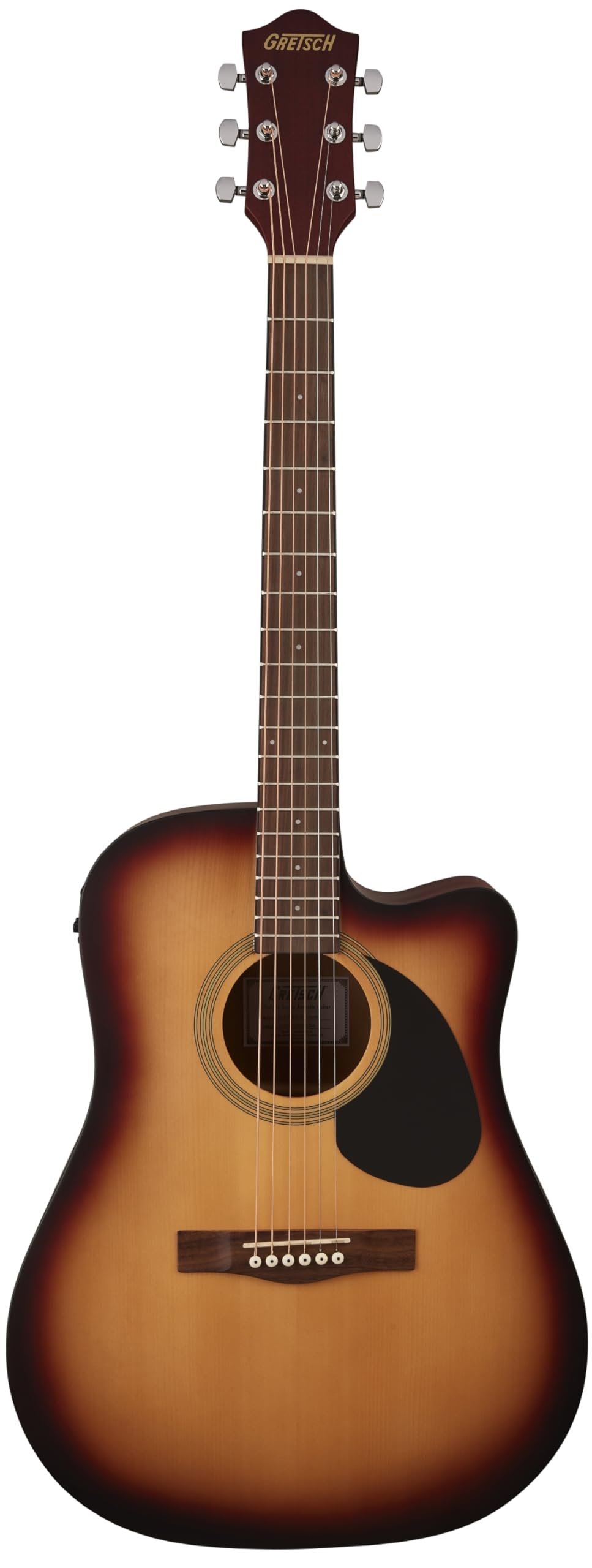
Image 2.1: Overview of the Gretsch D100CE guitar highlighting its key features.
Key Features:
- Durable and Lightweight All-Laminate Body with Cutaway: Provides a robust yet easy-to-handle instrument, with a cutaway for improved access to upper frets.
- Easy Playing "C" Shaped Nato Neck: Designed for comfort and playability, suitable for various hand sizes.
- Sealed-Gear Tuners: Ensures excellent tuning stability, keeping your guitar in tune for longer periods.
- Comfortable Satin Finish: Offers a smooth feel and reduces friction during play.
- Gretsch Pickup/Preamp System with Built-in Digital Tuner: Allows for amplified sound and includes convenient Volume and Tone controls, along with an integrated digital tuner for accurate tuning.
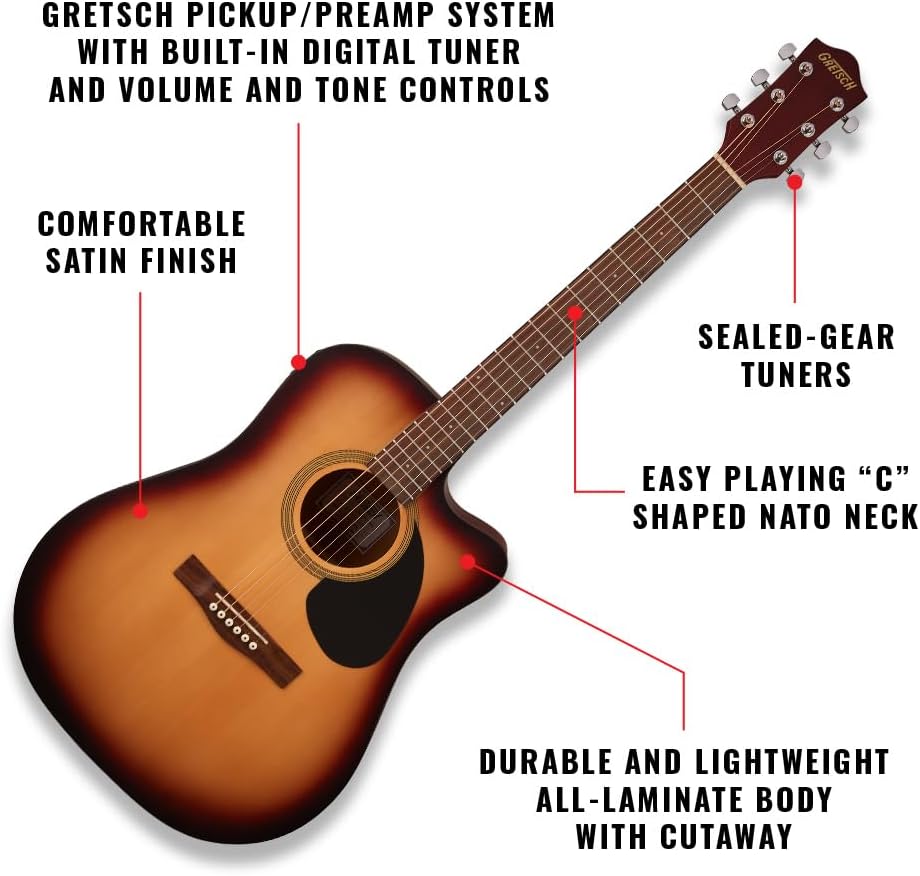
Image 2.2: The easy-playing neck and lightweight body design of the Gretsch D100CE.
3. Setup
3.1 Unpacking and Initial Inspection
- Carefully remove the guitar from its packaging.
- Inspect the guitar for any visible damage that may have occurred during shipping. If damage is found, contact your retailer immediately.
- Ensure all included accessories (if any) are present.
3.2 Tuning the Guitar
The Gretsch D100CE features sealed-gear tuners for stability and a built-in digital tuner for convenience.

Image 3.1: The headstock of the Gretsch D100CE, showing the sealed-gear tuners.
- To activate the built-in tuner, locate the preamp control panel on the side of the guitar and press the "Tuner" button.
- Pluck each string individually. The digital display will show the note being played and indicate if it is sharp, flat, or in tune.
- Adjust the corresponding tuning peg for each string until the tuner indicates the correct pitch (E-A-D-G-B-e for standard tuning).
- Press the "Tuner" button again to deactivate the tuner.
3.3 Connecting to an Amplifier
To amplify your guitar's sound, connect a standard 1/4-inch instrument cable (not included) from the guitar's output jack to your amplifier's input.

Image 3.2: The Gretsch pickup/preamp system with Volume, Tone, and Tuner controls.
- Ensure your amplifier is turned off and its volume is set to minimum.
- Insert one end of the instrument cable into the guitar's output jack (located at the bottom of the guitar).
- Insert the other end of the cable into the input of your amplifier.
- Turn on your amplifier and slowly increase its volume to your desired level.
4. Operating the Guitar
4.1 Using the Preamp Controls
The Gretsch D100CE is equipped with a built-in preamp system to shape your amplified sound.
- Volume Control: Adjusts the overall output level of the amplified sound. Turn clockwise to increase volume, counter-clockwise to decrease.
- Tone Control: Adjusts the tonal characteristics, from brighter (clockwise) to warmer (counter-clockwise) sounds.
- Tuner Button: Activates and deactivates the built-in digital tuner (refer to Section 3.2).
4.2 Playing Techniques
The "C" shaped nato neck and satin finish are designed for comfortable playing. Experiment with different strumming and fingerpicking techniques to explore the guitar's acoustic and amplified capabilities.
5. Maintenance
5.1 Cleaning
- After each use, wipe down the strings and body with a clean, soft, lint-free cloth to remove sweat and oils.
- For deeper cleaning, use guitar-specific cleaning products. Avoid harsh chemicals or abrasive materials.
5.2 String Replacement
Strings should be replaced regularly to maintain optimal tone and playability. The guitar uses Phosphor Bronze strings. When replacing strings, change them one at a time to maintain neck tension.
5.3 Storage
- Store your guitar in a stable environment, away from extreme temperature changes or humidity fluctuations.
- When not in use, store the guitar in a gig bag or hard case to protect it from dust and physical damage.
6. Troubleshooting
| Problem | Possible Cause | Solution |
|---|---|---|
| No sound when amplified |
|
|
| Guitar won't stay in tune |
|
|
| Distorted or weak amplified sound |
|
|
7. Specifications
| Feature | Detail |
|---|---|
| Brand | GRETSCH |
| Model | D100CE |
| Body Material | Basswood (Back/Sides), Bamboo (Top) |
| Neck Material | Nato Wood |
| Fretboard Material | Walnut Wood |
| Number of Strings | 6 |
| String Material | Phosphor Bronze |
| Hand Orientation | Right |
| Pickup/Preamp System | Gretsch system with built-in digital tuner, Volume, and Tone controls |
| Connector Type | 6.35 mm Jack |
| Dimensions (L x W x H) | 108 x 44.5 x 15.9 cm |
| UPC | 885978730537 |
| Country of Origin | China |
8. Warranty and Support
8.1 Product Warranty
This Gretsch D100CE guitar comes with a 2 Year Limited Warranty. Please retain your proof of purchase for warranty claims. For detailed warranty terms and conditions, refer to the official Gretsch website or contact customer support.
8.2 Customer Support
For further assistance, technical support, or inquiries regarding your Gretsch guitar, please visit the official Gretsch brand store or contact their customer service department.
Visit the Gretsch Brand Store on Amazon