
Important Safety Instructions
Please read all instructions carefully before using your Reaks Heated Blanket Throw. Retain this manual for future reference.
- Do not use with infants, children, incapacitated persons, or anyone insensitive to heat.
- Do not use if the blanket is wet.
- Avoid folding or bunching the blanket tightly during use to prevent overheating.
- Do not insert pins or other metallic objects into the blanket.
- Always disconnect the power cord from the outlet when not in use or before cleaning.
- This blanket is equipped with ETL and FCC certifications, ensuring it meets strict safety standards.
- The blanket features an automatic shut-off function after 3 hours to prevent overheating and conserve energy.
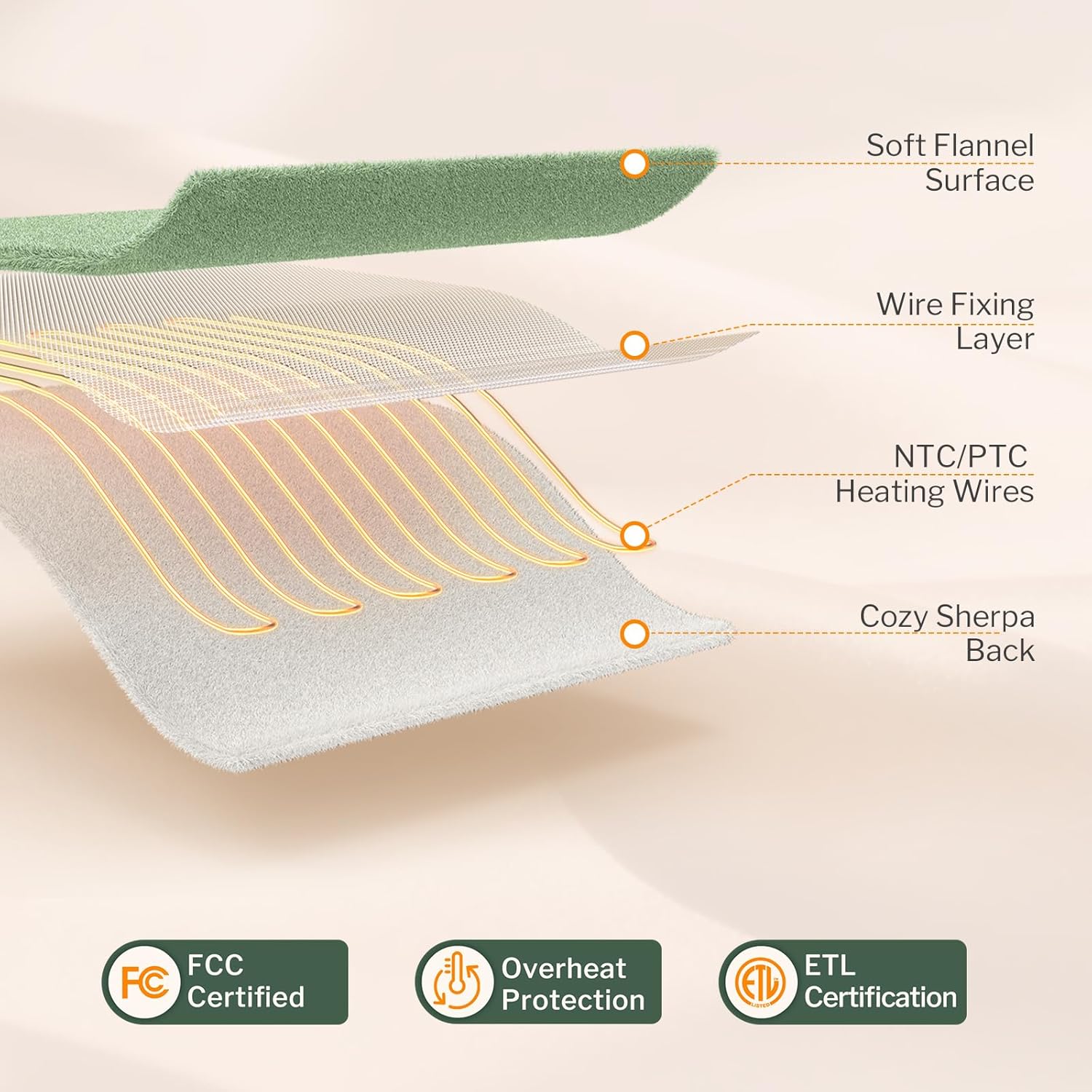
The Reaks Heated Blanket Throw is designed with multiple safety features, including FCC and ETL certifications, and built-in overheat protection.

Internal structure of the blanket showing the soft flannel surface, wire fixing layer, NTC/PTC heating wires, and cozy sherpa back for even heat distribution and comfort.
Product Overview
The Reaks Heated Blanket Throw provides customizable warmth and comfort. It features ultra-soft flannel and sherpa fabric, a user-friendly digital controller, and multiple heat and timer settings.
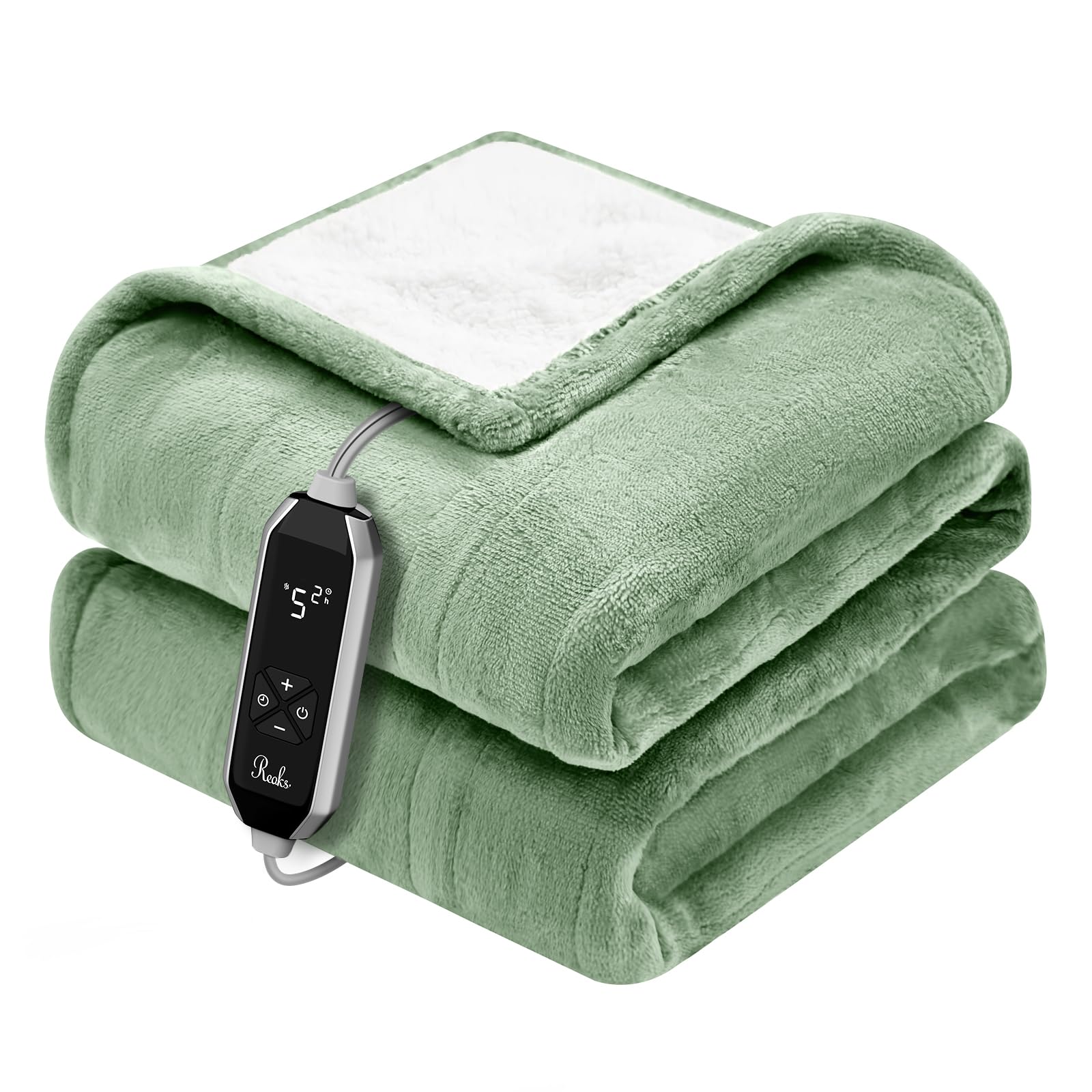
The Reaks Heated Blanket Throw, 50x60 inches, draped over a sofa, ready for use.

Detailed view of the thick flannel and sherpa fabric, highlighting its soft and comfortable texture.
Setup
- Unpack: Carefully remove the heated blanket and controller from its packaging.
- Connect Controller: Locate the connector on the blanket and firmly plug in the controller cord. Ensure a secure connection.
- Position Blanket: Place the blanket on your desired surface (sofa, bed, chair). Ensure it is spread out evenly and not bunched up.
- Plug In: Connect the power cord from the controller to a standard 120V AC electrical outlet.

The digital controller for the Reaks Heated Blanket, showing its intuitive button layout for heat and timer adjustments.
Operation
- Power On: Press the power button (⏻) on the controller to turn on the blanket. The display will illuminate.
- Adjust Heat: Use the '+' and '-' buttons to cycle through the 10 heat settings (ranging from 85°F to 115°F). Select your desired warmth level.
- Set Timer: Press the timer button (◷) to adjust the automatic shut-off timer. You can choose settings from 1 to 9 hours.
- Automatic Shut-Off: The blanket will automatically turn off after the set timer duration or after 3 hours if no specific timer is selected.
- Power Off: Press the power button (⏻) again to turn off the blanket.

A user enjoying the warmth of the Reaks Heated Blanket Throw while relaxing on a sofa.
Care and Maintenance
To ensure the longevity and proper functioning of your heated blanket, follow these care instructions:
- Disconnect Power: Always unplug the blanket from the wall outlet and detach the controller from the blanket before cleaning.
- Machine Wash: The blanket is machine washable. Use a gentle cycle with cold water.
- Detergent: Use a mild detergent. Do not use bleach.
- Rinse: Rinse thoroughly.
- Drying: Line dry or tumble dry on a low heat setting. Ensure the blanket is completely dry before reconnecting the controller and using it.
Do NOT: Dry clean, iron, or bleach the blanket. Do not wring or twist the blanket.

Instructions for machine washing the blanket, emphasizing the detachment of the controller before washing.
Troubleshooting
If you encounter any issues with your Reaks Heated Blanket Throw, please refer to the following common solutions:
- Blanket Not Heating:
- Ensure the power cord is securely plugged into a working electrical outlet.
- Verify that the controller cord is firmly connected to the blanket.
- Check if the power button on the controller has been pressed to turn the blanket on.
- Controller Display Not Working:
- Confirm the blanket is plugged into a live power source.
- Try unplugging and re-plugging the blanket from the wall outlet to reset the controller.
- Blanket Overheating or Shutting Off Unexpectedly:
- Ensure the blanket is spread out flat and not folded or bunched, which can trigger safety shut-off.
- The blanket has a built-in 3-hour auto-off safety feature. If it shuts off after this period, it is operating as designed.
If these steps do not resolve the issue, please contact customer support.
Specifications
| Feature | Detail |
|---|---|
| Model Name | TH001 |
| Size | 50 x 60 inches |
| Material | Polyester (Flannel & Sherpa) |
| Color | Green |
| Heat Settings | 10 levels (85°F–115°F) |
| Timer Settings | 1-9 hours |
| Auto Shut-Off | Yes (3 hours default) |
| Safety Certifications | ETL, FCC |
| Care Instructions | Machine Washable |

Visual representation of the blanket's dimensions (50x60 inches) and suggested uses for different scenarios.
Warranty and Support
Reaks is committed to providing high-quality products and excellent customer service.
- Warranty: Please refer to the product packaging or the official Reaks website for specific warranty details.
- Customer Support: If you have any questions, concerns, or require assistance with your heated blanket, our professional support team is available 24/7.
- Contact: For support, please visit the Reaks store on Amazon or contact us through the platform where you purchased the product.
