
CSZZD VVB002
CSZZD Vanity Desk with LED Mirror and Rotating Organizer Shelves
Model: VVB002
Introduction
Thank you for choosing the CSZZD Vanity Desk. This manual provides essential information for the safe assembly, operation, and maintenance of your new vanity desk. Please read these instructions thoroughly before use and retain them for future reference.

Image: Overview of the CSZZD Vanity Desk, highlighting its features including top storage, large lighted mirror, open storage shelves, spacious desktop, power outlet, 3-tier 360° rotating cosmetic organizer shelves, large capacity wide drawer, and 6 deep drawers.
Important Safety Information
- Always unplug the vanity before assembly or disassembly.
- Be cautious of sharp edges and heavy weight when moving or assembling the vanity.
- Keep electrical components away from water.
- Do not overload the charging station.
- An anti-tipping device is included. Securely attach the vanity to the wall using this device to prevent accidental tipping, especially in households with children or pets.
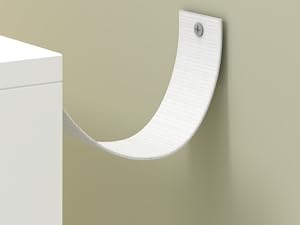
Image: Illustration of the anti-tipping device, showing how it secures the vanity to a wall.
Package Contents
Please refer to the detailed parts list provided in your product packaging for all included components and hardware. Ensure all parts are present and undamaged before beginning assembly.
Setup and Assembly
Detailed assembly instructions are included with your product. Follow the step-by-step guide carefully. Each accessory is labeled for easy identification.
Drawer Assembly
Ensure drawer slides are correctly aligned and securely fastened during assembly. Refer to the included instructions for specific details on attaching drawer handles and slides.
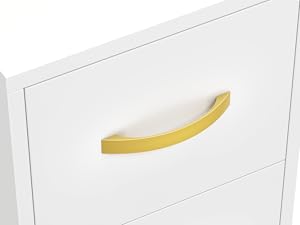
Image: Close-up view of a drawer with a gold handle.
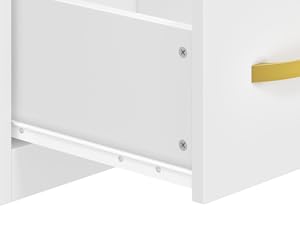
Image: Close-up view of a drawer slide mechanism, showing its attachment points.
Anti-Tipping Device Installation
For safety, install the anti-tipping device as instructed in the assembly manual. This device helps prevent the vanity from tipping over, reducing the risk of injury.
Operating Instructions
LED Mirror with Touch Control
The integrated LED mirror features adjustable brightness and three lighting modes: warm yellow, warm white, and cool white. To operate:
- Change Light Color: Touch the screen switch briefly to cycle through the three light colors.
- Adjust Brightness: Press and hold the screen switch to adjust the light brightness. Release when the desired brightness is achieved.
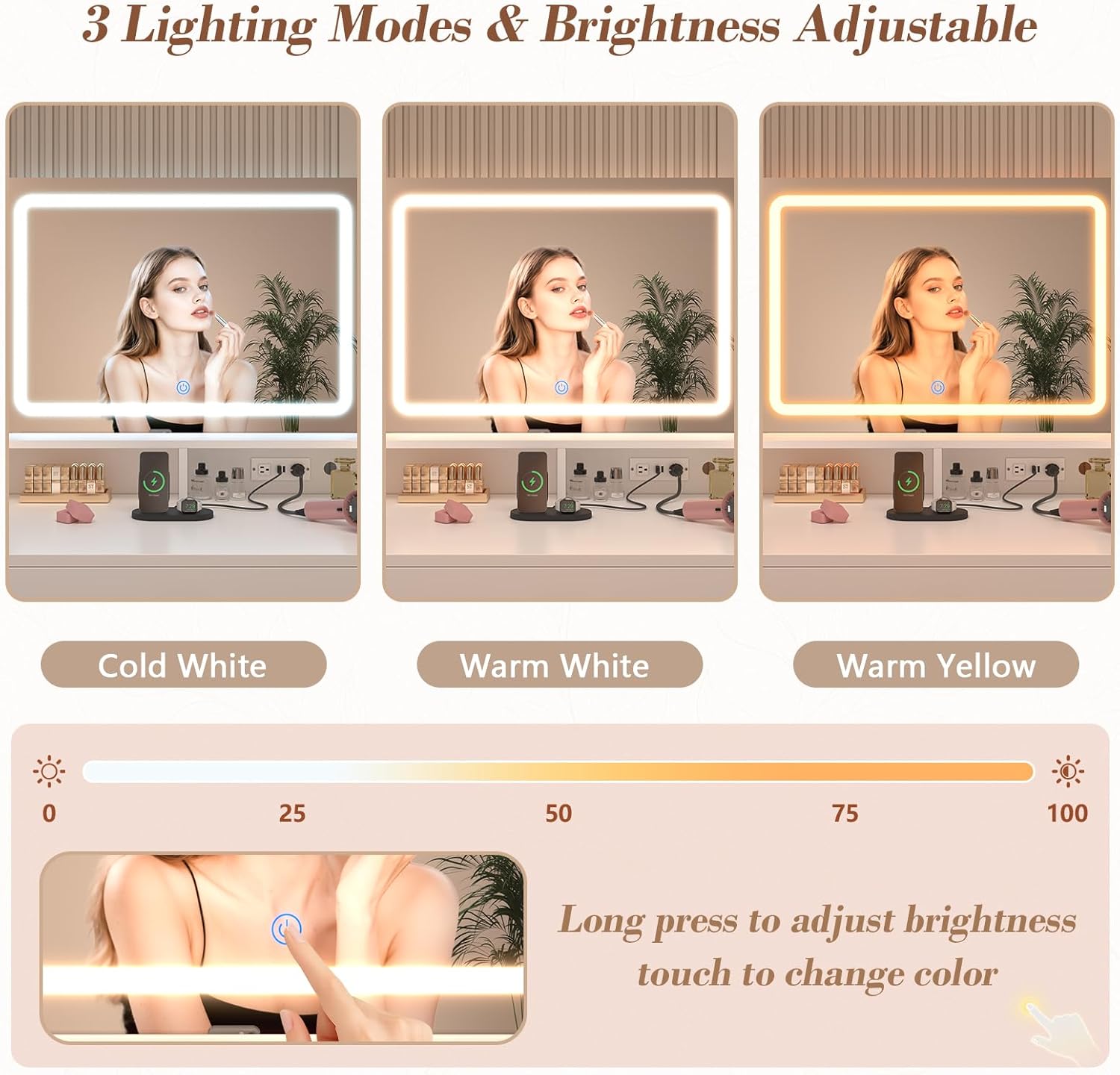
Image: The LED mirror demonstrating its three lighting modes (Cold White, Warm White, Warm Yellow) and the touch control for brightness adjustment.
360° Rotating Cosmetic Organizer Shelves
The vanity desk is equipped with 3-tier 360° rotating metal organizers on both sides. These shelves allow for easy access to your cosmetics and beauty products. Simply rotate the shelves gently to bring desired items within reach.

Image: Close-up of the 3-tier 360° rotating cosmetic organizer shelves, illustrating their functionality and capacity for storing items like cosmetics, lipstick, facial cream, nail polish, perfume, and facial masks.
Video: Demonstration of the CSZZD Makeup Vanity Desk, showcasing its 360-degree rotating organizer shelves, built-in power outlets, spacious desktop, 6 storage drawers, and LED mirror with touch control.
Convenient Charging Station
The vanity includes a built-in power strip with two standard AC outlets and two USB ports. This allows for convenient charging of electronic devices and powering styling tools directly at your vanity.

Image: Close-up view of the built-in charging station, detailing the two 125V/12A AC outlets and two 5V/2.1A USB ports, along with the 5.9-foot power cord.
Maintenance
- Cleaning: Wipe surfaces with a soft, damp cloth. Avoid harsh chemicals or abrasive cleaners that may damage the finish.
- Mirror Care: Clean the LED mirror with a glass cleaner and a lint-free cloth. Ensure the mirror is unplugged before cleaning.
- Electrical Components: Keep the charging station and LED mirror wiring dry and free from dust.
- Hardware: Periodically check all screws and fasteners to ensure they are tight. Retighten as necessary.
Troubleshooting
| Problem | Possible Cause | Solution |
|---|---|---|
| LED mirror lights do not turn on. | Power cord not plugged in; power outlet not active; touch switch malfunction. | Ensure the vanity is properly plugged into a working outlet. Check the power switch. If the issue persists, contact customer support. |
| Charging station not working. | Vanity not plugged in; device not properly connected; overloaded circuit. | Verify the vanity is plugged in. Ensure devices are correctly inserted into outlets/USB ports. Avoid plugging in too many high-power devices simultaneously. |
| Drawers are difficult to open/close. | Improper assembly of drawer slides; obstruction in the drawer. | Review assembly instructions for correct drawer slide installation. Check for any items obstructing the drawer path. |
Specifications
- Model Number: VVB002
- Product Dimensions: 15.7"D x 47.3"W x 55.1"H (40cm D x 120cm W x 140cm H)
- Item Weight: 107 pounds (48.5 kg)
- Material: Engineered Wood
- Frame Material: Wood
- Color: White
- Assembly Required: Yes
- Charging Station: 2 AC Outlets (125V/12A), 2 USB Ports (5V/2.1A)
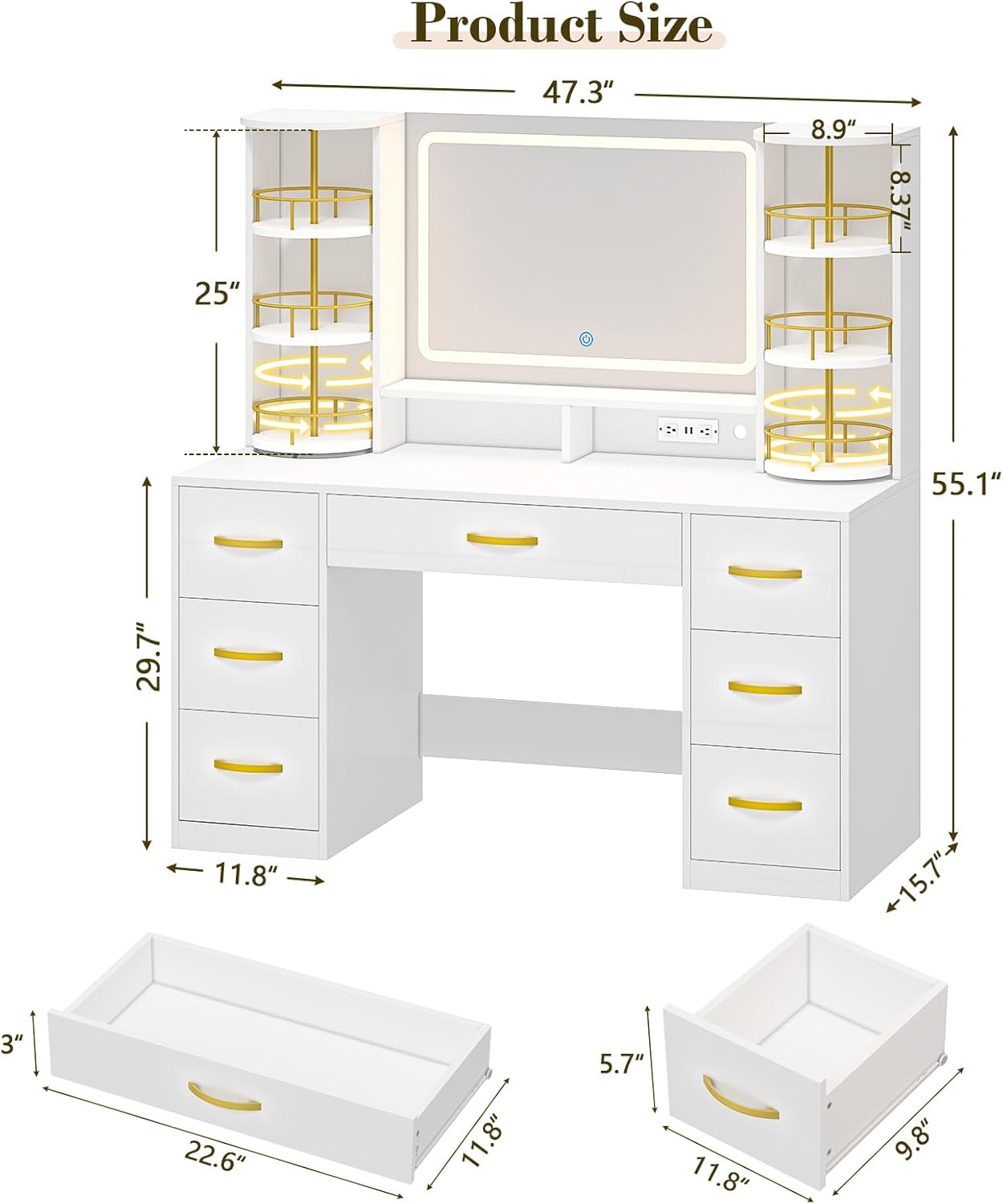
Image: Detailed product dimensions diagram for the CSZZD Vanity Desk.
Warranty and Support
This product comes with a manufacturer's warranty. For specific warranty details, please refer to the documentation included with your purchase or contact the seller directly. If you have any questions, require assistance with assembly, or encounter any issues, please click the "Contact Seller" option on the product purchase page for a satisfactory solution.
Ask a question about this manual
Ask about setup, troubleshooting, compatibility, parts, safety, or missing instructions. Manuals+ will review the question and use this page’s manual context to help answer it.