
Introduction
The NiPoGi Hyper H2 Mini PC is a compact yet powerful desktop computer designed for a wide range of applications, from daily office tasks and home entertainment to demanding multitasking and creative work. Featuring an Intel Core i9-11900H processor, ample memory, and high-speed storage, it delivers exceptional performance in a small form factor. This manual provides detailed instructions for setting up, operating, maintaining, and troubleshooting your NiPoGi Hyper H2 Mini PC.
What's in the Box
- 1 x NiPoGi H2 Mini PC Intel Core i9-11900H
- 1 x EU Power Adapter
- 1 x HDMI Cable
- 1 x VESA Mount
- 1 x User Manual
Safety Information
Please read the following safety guidelines carefully before using your NiPoGi Hyper H2 Mini PC to ensure safe and optimal operation.
Initial Startup Tips:
- To avoid issues during initial setup, do not connect to the internet (wired or Wi-Fi) until the operating system has fully started. You can skip mailbox setup during the initial OS configuration.
- If using only a wired network, disconnect the Ethernet cable, restart the device, and ensure it remains disconnected from the network during initial OS setup.
- If you have established a Wi-Fi connection and the OS is not loading, temporarily turn off your Wi-Fi router.
General Warnings:
The device is designed for ease of use and quick installation. Its compact size and blue lighting are aesthetic features. Ensure proper ventilation and avoid blocking air vents to prevent overheating.
Setup Guide
1. Connecting Peripherals
Before powering on, connect your monitor, keyboard, and mouse to the appropriate ports on the mini PC. The NiPoGi Hyper H2 offers a variety of ports for versatile connectivity.
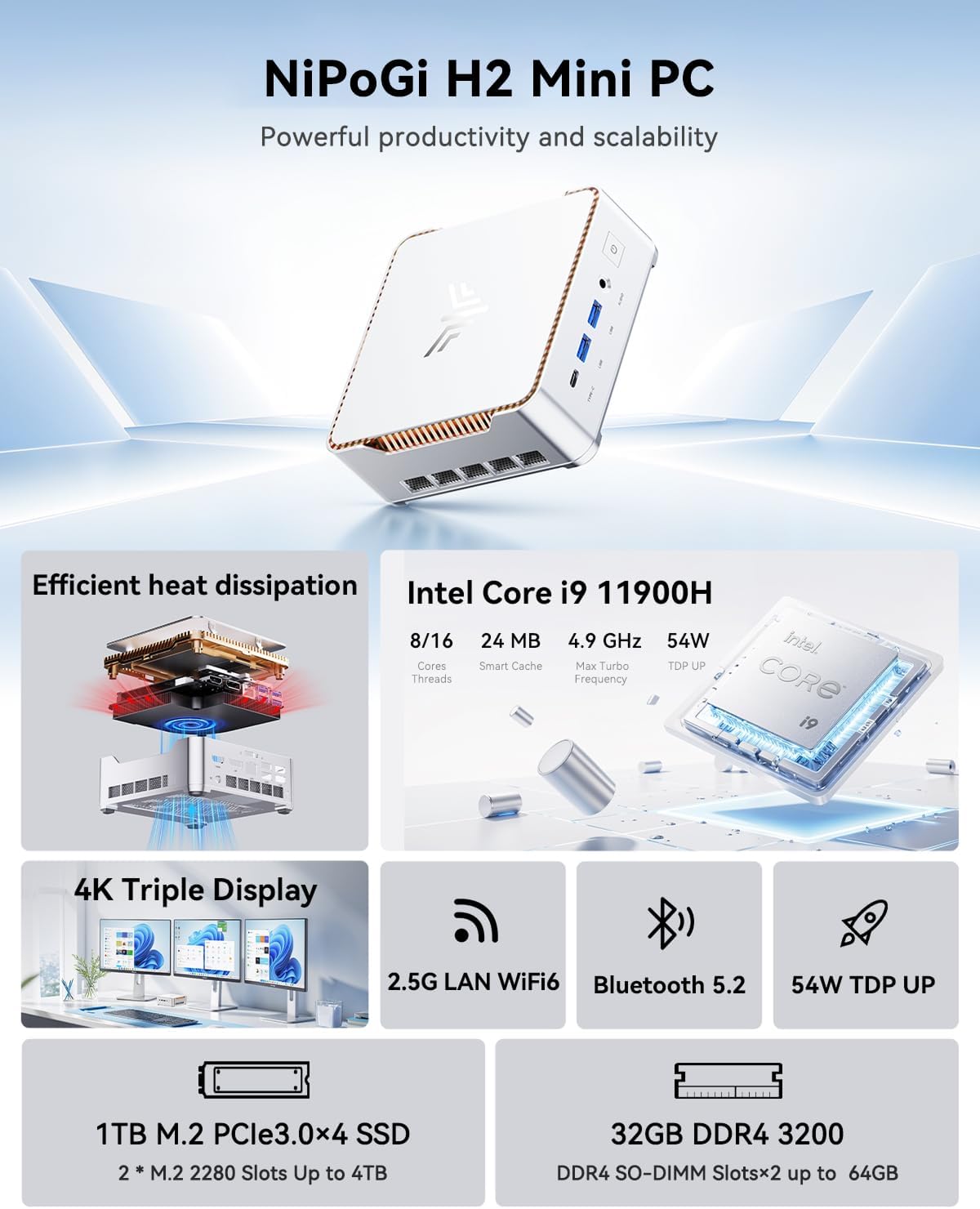
Figure 1: Front and Rear Ports of the NiPoGi Hyper H2 Mini PC. The front panel includes USB Type-C, USB 3.2 Gen2, and an audio jack, along with the power button. The rear panel features HDMI 2.0, DC power input, DisplayPort 1.4, RJ45 Gigabit Ethernet, and multiple USB 3.2 Gen1 ports.
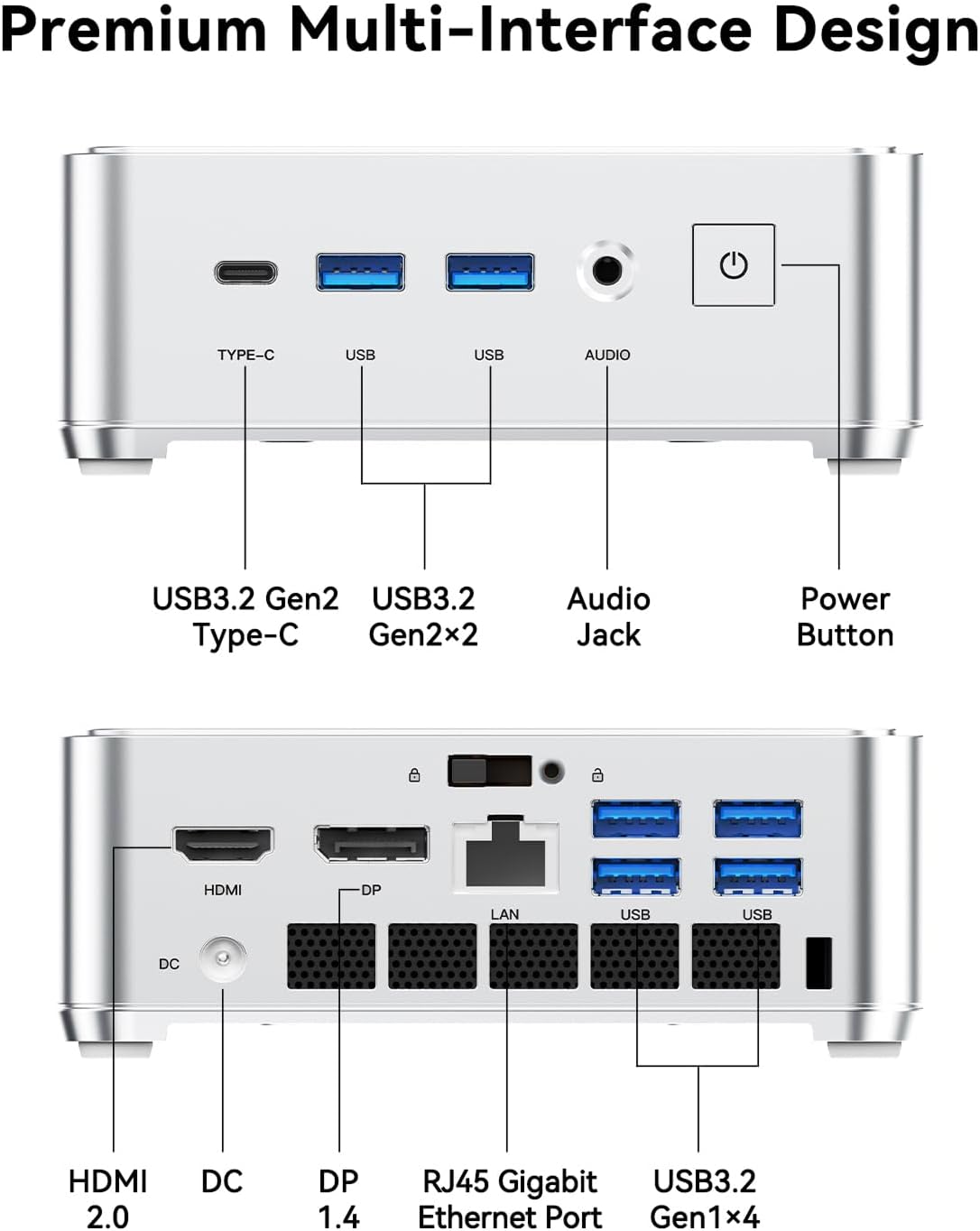
Figure 2: Premium Multi-Interface Design. This diagram provides a clear layout of all available ports, including USB 3.2 Gen2 Type-C, USB 3.2 Gen2x2, Audio Jack, Power Button on the front, and HDMI 2.0, DC, DP 1.4, RJ45 Gigabit Ethernet Port, and USB 3.2 Gen1x4 on the rear.
2. Powering On
Connect the EU Power Adapter to the DC input port on the mini PC, then plug it into a power outlet. Press the power button located on the front panel to turn on the device. The system comes pre-installed with Windows 11 Pro.
3. Display Configuration
The NiPoGi Hyper H2 supports up to three 4K displays simultaneously via HDMI 2.0, DisplayPort 1.4, and USB 3.2 Gen2 Type-C. This allows for an expanded workspace and enhanced visual experience.

Figure 3: Triple 4K Display Setup. The mini PC can drive three independent 4K displays at 60Hz, significantly boosting productivity and entertainment possibilities.
4. Network Connection
The mini PC features integrated dual-band Wi-Fi 6 (802.11ax) for fast and stable wireless connectivity, and a Gigabit Ethernet port for wired connections. Bluetooth 5.2 is also included for connecting wireless peripherals.
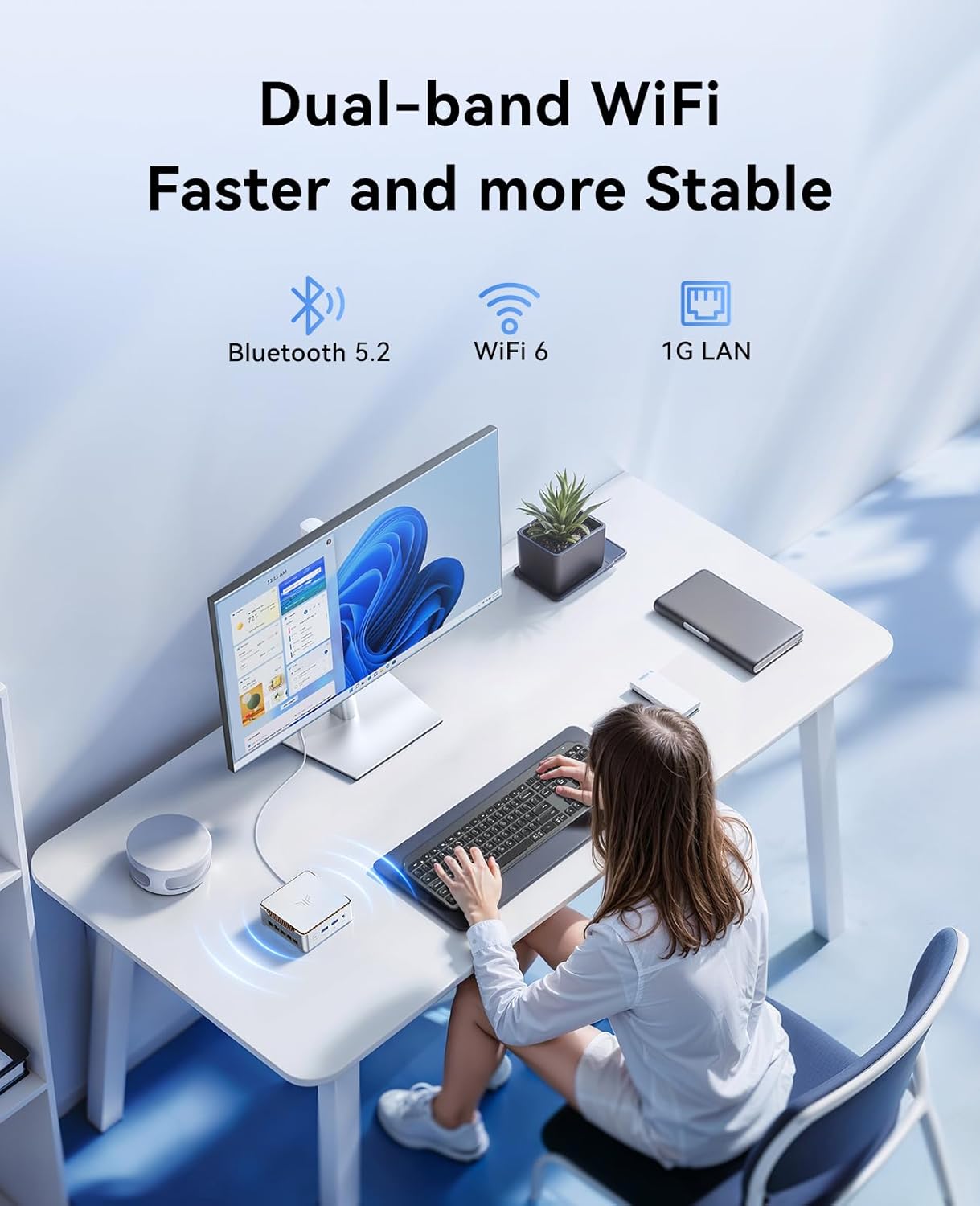
Figure 4: Fast and Stable Wireless Connection. The NiPoGi Hyper H2 supports Wi-Fi 6 and Bluetooth 5.2, ensuring reliable and high-speed data transmission for all your wireless needs.
Operating Instructions
System Performance
The NiPoGi Hyper H2 is equipped with an Intel Core i9-11900H processor, featuring 8 cores and 16 threads with a max turbo frequency of 4.9 GHz. This powerful CPU, combined with 32GB of high-speed DDR4 RAM and a 1TB NVMe SSD, ensures smooth performance for demanding applications and multitasking.

Figure 5: Intel Core i9 11900H Processor. Details include 8 cores, 16 threads, 24 MB Smart Cache, 4.9 GHz Max Turbo Frequency, and 54W TDP. A performance chart compares its multi-core score against other processors.
Storage and Memory Expansion
The mini PC comes with 32GB DDR4 3200MHz RAM, expandable up to 64GB via two SO-DIMM slots. It includes a 1TB M.2 2280 NVMe PCIe 3.0 x4 SSD and features an additional M.2 2280 slot that supports either NVMe or SATA SSDs, allowing for storage expansion up to 4TB.

Figure 6: Effortless Expansion. The internal layout highlights the two DDR4 SO-DIMM slots (up to 64GB) and two M.2 2280 slots for NVMe PCIe 3.0 SSDs (up to 4TB), providing flexible upgrade options.
Usage Scenarios
The NiPoGi Hyper H2 is versatile and suitable for various applications, including online conferences, photo editing, light office work, online education, stock trading, and home theater setups.

Figure 7: For Different Occasions. This image showcases the adaptability of the mini PC across professional and personal environments, meeting diverse daily needs.
Maintenance
Heat Dissipation
The NiPoGi Hyper H2 features an upgraded silent high-speed centrifugal fan, dual heat fins, and an optimized dual air duct design for efficient heat dissipation. This cooling system helps maintain optimal performance and extends the lifespan of the components.
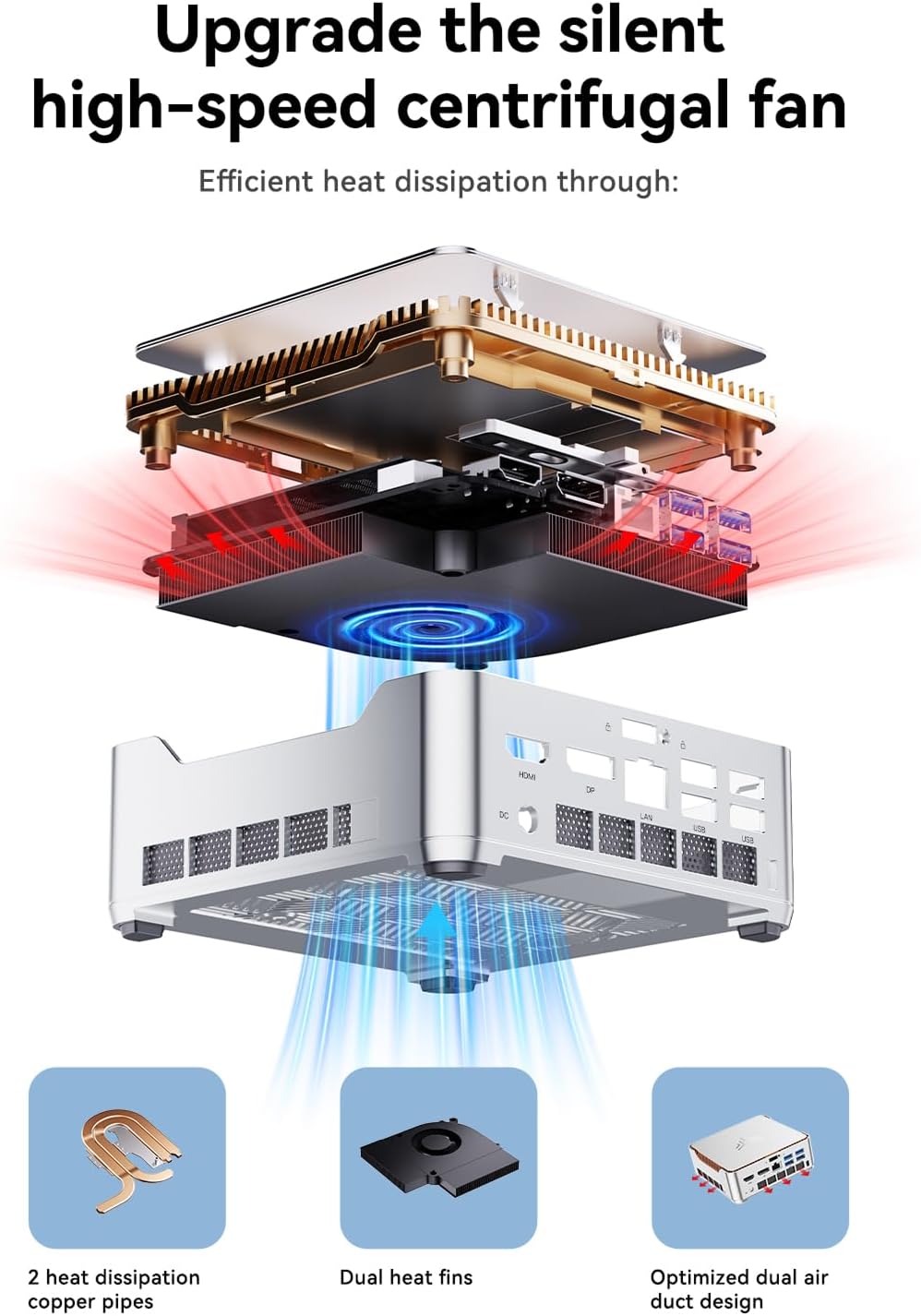
Figure 8: Efficient Heat Dissipation. The diagram highlights the internal cooling components, including 2 heat dissipation copper pipes, dual heat fins, and an optimized dual air duct design, ensuring the mini PC remains cool under load.
Regularly ensure that the air vents are clear of dust and obstructions to allow for proper airflow. Avoid placing the mini PC in enclosed spaces that could restrict ventilation.
Troubleshooting
This section provides solutions to common issues you might encounter with your NiPoGi Hyper H2 Mini PC.
No Display Output:
- Ensure all display cables (HDMI, DisplayPort, Type-C) are securely connected to both the mini PC and the monitor.
- Verify that the monitor is powered on and set to the correct input source.
- Try connecting to a different display or using a different cable to rule out faulty equipment.
Network Connectivity Issues:
- For Wi-Fi, ensure the Wi-Fi adapter is enabled in Windows settings. Check if the router is functioning correctly and within range.
- For wired connections, ensure the Ethernet cable is properly connected and the network adapter is enabled.
- Refer to the "Initial Startup Tips" in the Safety Information section if you encounter network issues during the initial OS setup.
System Slowdown or Freezing:
- Check for excessive background processes in Task Manager.
- Ensure sufficient free space on the SSD.
- Monitor system temperatures to ensure the cooling system is functioning effectively.
- Update drivers and the operating system to the latest versions.
Specifications
| Feature | Detail |
|---|---|
| Brand | NiPoGi |
| Model | H2 |
| Processor | Intel Core i9-11900H (8 Cores, 16 Threads, up to 4.9 GHz) |
| RAM | 32 GB DDR4 (expandable up to 64 GB) |
| Storage | 1 TB M.2 NVMe PCIe 3.0 x4 SSD (expandable up to 4 TB) |
| Graphics | Intel UHD Graphics 1.45GHz |
| Display Output | HDMI 2.0 x1, DisplayPort 1.4 x1, USB 3.2 Gen2 Type-C x1 (supports Triple 4K@60Hz display) |
| Network | Wi-Fi 6 (802.11ax) Dual-band, RJ45 Gigabit Ethernet |
| Bluetooth | Bluetooth 5.2 |
| USB Ports | 2x USB 3.2 Gen2 Type-A, 4x USB 3.2 Gen1 Type-A, 1x USB 3.2 Gen2 Type-C (full-featured) |
| Audio | 3.5mm Audio Jack |
| Operating System | Windows 11 Pro (pre-installed) |
| Dimensions | 16.3 x 16.3 x 11.6 cm (approximate package dimensions) |
| Weight | 1.4 kg |
Warranty and Support
NiPoGi is committed to providing high-quality customer service and professional support for your Hyper H2 Mini PC.
- Warranty: Free replacement for 12 months from the date of purchase.
- Technical Support: Lifetime technical support is available.
- Customer Service: 24/7 professional customer service is provided.
For any inquiries or assistance, please contact NiPoGi customer support through the official channels provided with your product documentation or on the NiPoGi website.