
1. Introduction
Thank you for choosing the Lichaser LED Backlight Sheet. This product is designed to provide high-quality, flexible, and dimmable lighting for various applications, including backlighting natural stone, marble, onyx, quartz, or glass surfaces. It features smart control options via an app, a 2.4G remote, and voice commands through Alexa and Google Home. This manual provides detailed instructions for installation, operation, and maintenance to ensure optimal performance and longevity of your LED backlight sheets.
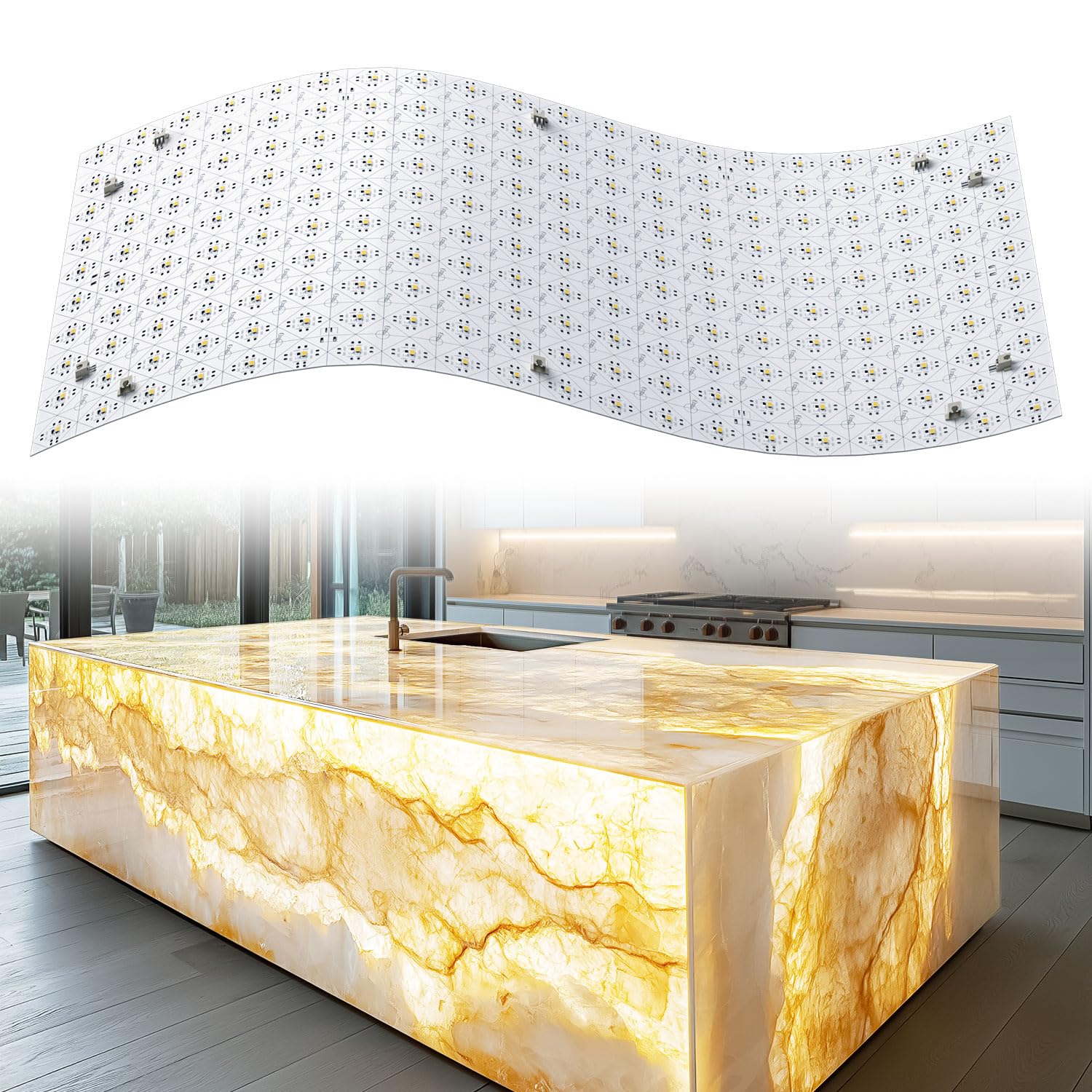
Image 1.1: Lichaser LED Backlight Sheet illuminating a kitchen island.
2. What's in the Box
Please verify that all components are present before proceeding with installation:
- Flexible LED Sheet (Quantity varies by pack size, e.g., 4 Pack includes 4 sheets)
- Wi-Fi Controller
- 2.4G Remote Control
- Silicone Gloves
- Connection Accessories (various cables and silicone cushions)
Note: A 24V power adapter is NOT included and must be purchased separately.

Image 2.1: Package contents and dimensions (19.7 x 9.7 inches per sheet).
3. Product Features
- High Brightness & CRI: Features high brightness (36W = 3600 lm per sheet) and a Color Rendering Index (CRI) of 95+, providing vivid and accurate lighting.
- Flexible & Cuttable Design: The soft LED sheet is extremely flexible, allowing it to be bent to any angle. It can also be easily cut to fit curved surfaces and corners, with each LED supporting individual cutting.
- Dimmable with App Control: Utilize the Surplife app to adjust brightness (0%-100%), set timer schedules, select from preset modes (breathing, gradient, jump), or create customized lighting scenes. The app also supports group control for multiple devices.
- 2.4G Remote Control: An included 2.4G remote allows 360° control within a 50-foot range, offering convenient operation without direct line-of-sight.
- Voice Control Compatibility: Compatible with Amazon Alexa and Google Home for hands-free voice control after connecting to Wi-Fi. Remote control via app is also possible when away from home.
- Multi-panel Expansion: Designed for seamless connection of multiple panels to create large-area backlighting for natural stone, marble, agate, quartz, or glass surfaces.

Image 3.1: High brightness, CRI 95, flexible bending, and cuttable LED sheet.
4. Setup & Installation
Follow these steps for proper installation of your Lichaser LED Backlight Sheets. Ensure the power supply is disconnected before beginning installation.
- Prepare the Surface: Ensure the surface where the LED sheets will be installed is clean, dry, and smooth.
- Plan Layout: Determine the desired layout for your LED sheets. The sheets are flexible and can be cut along designated lines to fit specific shapes or sizes.
- Connect LED Sheets: Use the provided connection cables to link multiple LED sheets. Ensure correct polarity (V+ to V+, V- to V-).
- Connect to Wi-Fi Controller: Connect the LED sheets to the Wi-Fi controller using the appropriate connection cables. The controller has multiple output ports for connecting several sheets.
- Connect Power Supply: Connect the Wi-Fi controller to a compatible 24V power supply (not included). The power supply should be sized according to the total wattage of the connected LED sheets.
- Secure Sheets: Peel off the adhesive backing from the LED sheets and firmly press them onto the desired surface. Use the included silicone cushions for additional support if needed.
- Power Calculation: To determine the required power supply wattage, use the formula: Power supply = (36W × number of panel lights) ÷ 0.8. This accounts for an 80% efficiency factor for the power supply.
Video 4.1: Detailed steps for installing the Lichaser LED Backlight Sheets, including wiring connections and placement. This video demonstrates how to connect multiple panels to the Wi-Fi controller and secure them to a surface.

Image 4.2: Specific steps for connecting panel lights to the controller. Note: Power supply is not included.
5. Operating Instructions
5.1. App Control (Surplife App)
Download the "Surplife" app from your smartphone's app store. Follow the in-app instructions to connect your Wi-Fi controller. Once connected, you can:
- Adjust Brightness: Fine-tune the light intensity from 0% to 100%.
- Set Timer Schedules: Program the lights to turn on/off at specific times.
- Select Preset Modes: Choose from various dynamic lighting effects like breathing, gradient, and jump.
- Create Custom Scenes: Design and save your own unique lighting configurations.
- Group Control: Manage multiple Lichaser LED devices simultaneously.
- Online Control: Control your lights remotely from anywhere with an internet connection.

Image 5.1: Surplife App interface demonstrating various control modes.
5.2. 2.4G Remote Control
The included 2.4G remote control provides convenient physical control over your LED sheets. It operates within a 50-foot range and does not require direct line-of-sight.
- Power On/Off: Use the power button to turn the lights on or off.
- Brightness Adjustment: Dedicated buttons for increasing or decreasing brightness, and quick-select buttons for 100%, 50%, and 25% brightness.
- Mode Selection: Cycle through various lighting modes.
- Speed Adjustment: Adjust the speed of dynamic lighting effects.
Note: The remote requires 2 AAA batteries, which are not included.

Image 5.2: The 2.4G Handy Remote Control for the LED Backlight Sheet.
5.3. Voice Control (Alexa & Google Home)
After connecting your Wi-Fi controller to your home network and linking it with your Amazon Alexa or Google Home account, you can control the LED sheets using voice commands. Examples include:
- "Alexa, turn on the Flexible LED Sheet."
- "Hey Google, turn the brightness of the Flexible LED Sheet to 80%."
- "Alexa, set the Flexible LED Sheet to warm white."
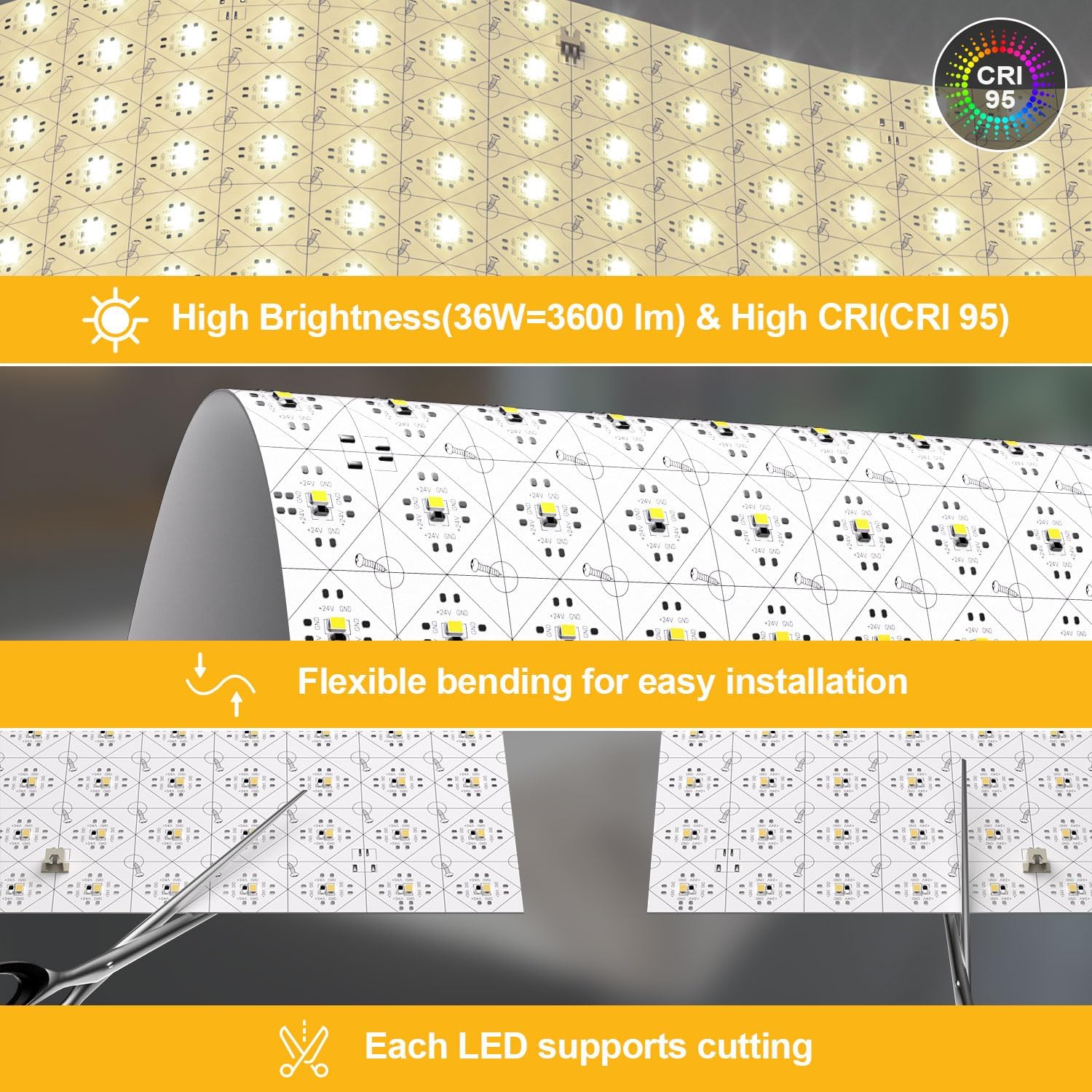
Image 5.3: Intelligent Voice Control with Amazon Alexa and Google Assistant.
6. Multi-panel Expansion
The Lichaser LED Backlight Sheets are designed for seamless expansion. You can connect multiple panels to cover larger areas. Each kit includes sufficient interfaces and connection cables for typical multi-panel setups. When expanding, always ensure your power supply is adequately rated for the total wattage of all connected panels. Refer to the power calculation formula in the Setup & Installation section.

Image 6.1: Multi-scenario application examples for the LED Backlight Sheet.
7. Maintenance
The Lichaser LED Backlight Sheets require minimal maintenance. To ensure optimal performance and appearance:
- Cleaning: Gently wipe the surface of the LED sheets with a soft, dry cloth. Avoid using abrasive cleaners or solvents, as these can damage the LEDs or the sheet material.
- Inspection: Periodically check all connections to ensure they are secure.
- Environment: Ensure the installation environment remains within suitable temperature and humidity ranges. The product is designed for indoor use and is not water-resistant.
8. Troubleshooting
If you encounter issues with your Lichaser LED Backlight Sheet, please refer to the following common troubleshooting steps:
| Problem | Possible Cause | Solution |
|---|---|---|
| Lights do not turn on. |
|
|
| Lights flicker or are dim. |
|
|
| Remote control not working. |
|
|
| App control not working. |
|
|
If the problem persists after trying these steps, please contact Lichaser customer support for further assistance.
9. Specifications
| Feature | Detail |
|---|---|
| Brand | Lichaser |
| Model Name | Spider T |
| Color Temperature | 3000K (Warm White) |
| Voltage | 24 Volts |
| Wattage (per sheet) | 36 Watts |
| Material | LED |
| Indoor/Outdoor Usage | Indoor |
| Control Method | App, 2.4G Remote Control, Voice Control (Alexa, Google Home) |
| Connectivity Protocol | Wi-Fi |
| Special Features | Adjustable Brightness, Supports Curved Cutting, Flexible |
| Water Resistance Level | Not Water Resistant |
| Item Weight | 2.07 pounds (for 4-pack) |
| Package Dimensions | 15.04 x 11.14 x 2.91 inches |
10. Safety Information
- Always disconnect power before installation, maintenance, or troubleshooting.
- Use only a compatible 24V DC power supply. Ensure the power supply's wattage rating is sufficient for the total number of connected LED sheets.
- This product is for indoor use only. Do not expose to water or high humidity.
- Do not attempt to repair or modify the LED sheets or controller. Refer to qualified personnel for service.
- Keep out of reach of children.
- Avoid direct eye exposure to the LED light for prolonged periods.
11. Warranty and Support
Lichaser products are designed for quality and reliability. If you encounter any problems during installation, operation, or have questions regarding your LED Backlight Sheet, please do not hesitate to contact our after-sales service. We are committed to assisting you in solving any issues and ensuring your satisfaction.
For support, please refer to the contact information provided with your purchase or visit the official Lichaser website.