
Introduction
This manual provides detailed instructions for the installation, operation, and maintenance of your Clouree WiFi 4G Alarm System, model CL103-E. This system is designed to enhance home security through a combination of wireless sensors, a central control panel, and remote access capabilities. Please read this manual thoroughly before using the product to ensure proper functionality and safety.
Package Contents
The Clouree WiFi 4G Alarm System CL103-E kit typically includes the following components. Please verify all items are present upon unboxing.

Image: The complete Clouree WiFi 4G Alarm System CL103-E kit, showing the main control panel, siren, SOS button, PIR motion sensors, door/window sensors, remote controls, and RFID key fobs.
- 1x Main Control Panel (Alarm Host)
- 1x Wired Siren
- 1x SOS Button
- 4x PIR Motion Sensors
- 8x Door/Window Magnetic Sensors
- 3x Remote Controls
- 3x RFID Key Fobs
- Power Adapter for Main Panel
- Mounting Screws and Adhesive Tape
- User Manual
Product Overview
The Clouree CL103-E system operates on both 2.4GHz WiFi and GSM/3G/4G networks, providing dual-network reliability. It supports up to 100 wireless detectors, remote controls, or RFID cards. The main control panel features a touchscreen interface for easy management.

Image: The Clouree CL103-E control panel mounted on a wall, displaying its screen with indicators for 4G signal, scheduled arm/disarm, anti-dismantle function, and backup battery status. The system can support up to 99 additional detectors.
Key Features:
- Dual Network Connectivity: Supports 2.4GHz WiFi and GSM/3G/4G for reliable communication. (Note: 5G SIM cards are not supported.)
- Mobile App Control: Manage your system via the Tuya or Smart Life APP, receiving instant notifications.
- Physical Anti-Tamper: Triggers an alarm if the main panel is forcibly removed.
- Password-Lock Alarm: Requires a password to stop the alarm once activated.
- Voice Assistant Integration: Compatible with Alexa and Google Assistant for voice control.
- Expandable System: Supports up to 100 wireless accessories.
Setup
1. Initial Power-Up and SIM Card Installation
- Connect the main control panel to a power outlet using the provided adapter.
- If using 4G functionality, insert a compatible 2G/3G/4G SIM card into the designated slot on the main panel. Ensure the SIM card is active and has sufficient credit/data for calls and SMS.
2. App Integration (Tuya/Smart Life)
- Download the Tuya Smart or Smart Life app from your mobile device's app store.
- Register or log in to your account.
- On the main control panel, navigate to Menu > Wi-Fi > Air Link Configure. The panel will start blinking quickly.
- In the app, tap 'Add Device', then select 'Sensors' and choose 'Alarm (Wi-Fi)'. Follow the in-app instructions to connect the alarm system to your 2.4GHz Wi-Fi network.

Image: A visual guide demonstrating the Air Link configuration process, showing the main control panel blinking and the Smart Life app interface for adding a Wi-Fi alarm device.
3. Pairing Wireless Sensors and Accessories
The system supports pairing up to 100 wireless accessories. Refer to the main panel's menu for specific pairing instructions for each accessory type.
- PIR Motion Sensors: Install in areas requiring motion detection. Optimal installation height is 1.8 to 2.2 meters.
- Door/Window Magnetic Sensors: Install on doors and windows. When the magnetic contact is broken, an alarm is triggered.
- Remote Controls: Use for arming, disarming, home mode, and SOS functions.
- RFID Key Fobs: Tap on the main panel's RFID reader to quickly arm or disarm the system without a password.

Image: A PIR motion sensor mounted on a wall, illustrating its 32ft (10m) range and 110-degree field of view for comprehensive area coverage.

Image: A door magnetic sensor installed on a door frame, showing an 'Alarm' notification when the door is opened, indicating the sensor has been triggered.
Operating the System
1. Arming and Disarming
The system can be armed or disarmed using the control panel, remote controls, RFID key fobs, or the mobile app.
- Away Mode: Arms all sensors. Ideal when no one is home.
- Home Mode: Arms perimeter sensors (e.g., door/window sensors) while allowing movement within the home.
- Disarm: Deactivates all sensors.

Image: Two remote controls, each with buttons for Arm, Disarm, Home, and SOS functions, providing convenient system management.

Image: Two RFID key fobs on a wooden surface, illustrating their use for tap-to-control functionality without needing to enter a code.
2. Mobile App Control and Notifications
The Tuya Smart or Smart Life app allows you to control the system remotely, receive instant alerts, and customize settings.

Image: A person holding a smartphone displaying the alarm system app, showing options to arm, disarm, set home mode, and access history records.
3. Voice Control
Integrate your alarm system with Amazon Alexa or Google Assistant for convenient voice commands.

Image: A woman in bed interacting with an Amazon Echo device, demonstrating how to arm the home security system using voice commands like "Alexa, arm my home!".
4. Scheduled Arm/Disarm
Set specific times for the system to automatically arm or disarm, optimizing convenience and security routines.

Image: A four-panel image illustrating different daily scenarios for scheduled arming and disarming: disarming at 7:00 AM, arming at 8:00 AM, disarming at 6:00 PM, and arming at 10:00 PM.
5. SOS Function
In an emergency, press the SOS button on the remote control or the dedicated SOS button to trigger an immediate alarm and notify pre-set contacts.

Image: An elderly man holding his head, with an SOS pendant button highlighted, indicating its use for emergency situations.
6. Renaming Sensors
Customize the names of your sensors within the mobile app to easily identify which sensor has been triggered in an alarm event.
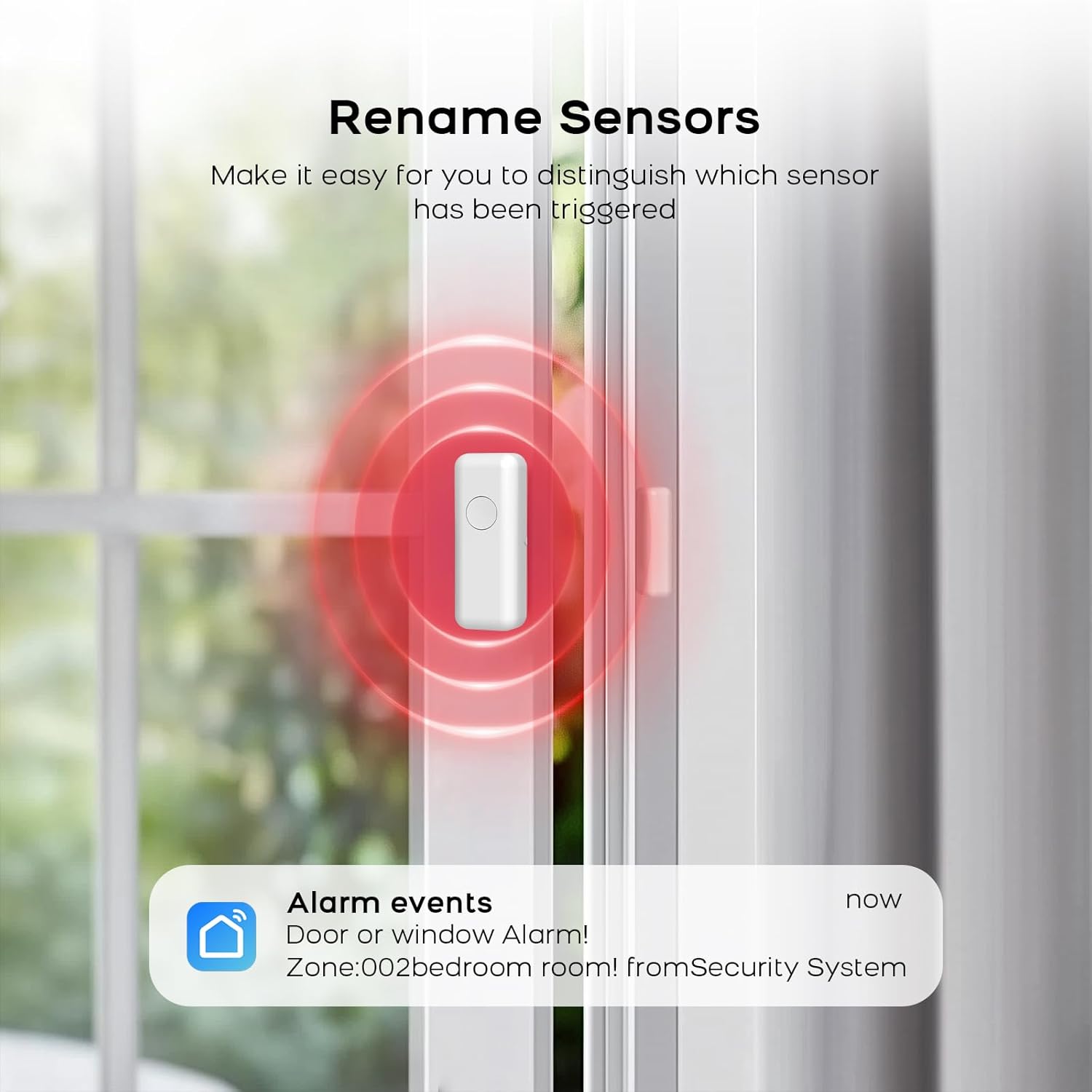
Image: A smartphone displaying an alarm notification for a "Door or window Alarm!" from "Zone:002bedroom room! from Security System", demonstrating the ability to rename sensors for clearer identification.
Maintenance
1. Battery Replacement
- Main Control Panel: The main panel has a built-in lithium polymer backup battery. Ensure it is regularly charged by keeping the panel connected to power.
- Wireless Sensors: PIR motion sensors and door/window sensors are battery-powered. Replace batteries when a low battery alert is received. Use recommended battery types (e.g., AAA for some components).
- Remote Controls/SOS Button: Replace batteries as needed.
2. Cleaning
Wipe the control panel and sensors with a soft, dry cloth. Avoid using abrasive cleaners or solvents that could damage the devices.
Troubleshooting
| Issue | Possible Cause | Solution |
|---|---|---|
| System not connecting to Wi-Fi | Incorrect Wi-Fi password; 5GHz Wi-Fi network; weak signal. | Ensure correct 2.4GHz Wi-Fi network and password. Move panel closer to router. |
| No SMS/Call notifications | SIM card not inserted correctly; SIM card inactive/no credit; incorrect phone numbers configured. | Check SIM card installation and status. Verify configured phone numbers in settings. |
| Sensor not triggering alarm | Sensor not paired; low battery; sensor out of range; incorrect zone setting. | Re-pair sensor. Replace batteries. Check sensor placement and signal strength. Verify zone settings. |
| False alarms | PIR sensor placed near heat sources/drafts; low battery in sensor; sensor malfunction. | Relocate PIR sensors away from environmental disturbances. Replace sensor batteries. Contact support if issue persists. |
| Voice control not working | Incorrect integration with Alexa/Google Assistant; device not linked. | Ensure proper linking of the Smart Life/Tuya skill in your voice assistant app. Check network connectivity. |
Specifications
- Model Number: CLA103F-US4G-E
- Connectivity: 2.4GHz WiFi, GSM/3G/4G (5G SIM cards not supported)
- Power Source: Corded Electric with Lithium Polymer backup battery
- Compatible Devices: Tuya Smart, Smart Life, Amazon Alexa, Google Assistant
- Control Method: App, Voice, Remote Control, RFID
- Max. Wireless Accessories: Up to 100 (remote controllers, RFID cards, wireless detectors)
- PIR Sensor Range: 32ft (10m) / 110° field of view
- Item Dimensions (Main Panel): Approximately 1 x 1 x 1 inches (L x W x H)
- Item Weight: 1.08 Kilograms (2.38 pounds)
- Batteries Included: Yes (3 AAA batteries required for some components, included)
Warranty and Support
Clouree provides customer support for its products. If you encounter any issues or have questions regarding your Clouree WiFi 4G Alarm System, please contact Clouree customer service via Amazon email. They aim to provide a satisfactory solution and address any concerns.
For additional support, refer to the official Clouree store page on Amazon: Clouree Store