
Important Safety Information
Please read and understand all instructions before beginning assembly and use. Failure to follow these instructions may result in injury or damage to the product.
- Keep all small parts and packaging materials away from children and pets.
- Ensure all connections are secure before use. Periodically check and re-tighten fasteners as needed.
- Do not exceed the maximum load-bearing capacity of the storage shelves (33 lbs per layer).
- Use only the provided power adapter for the LED lights and USB/Type-C ports.
- Avoid exposing electrical components to moisture.
- Assembly requires at least two adults.
Package Contents
Verify that all components are present before assembly. If any parts are missing or damaged, contact customer support.
- Headboard panels (upholstered sections)
- Storage shelf components
- Metal support legs
- LED light strip and controller
- USB/Type-C charging module
- Power adapter
- Bed frame adapters (2 units)
- Assembly hardware (screws, bolts, washers)
- Assembly tools (e.g., Allen wrench)
- Instruction manual
Assembly Instructions
Follow these steps carefully for proper assembly. All necessary tools and hardware are included.
- Unpack and Identify Parts: Lay out all components on a clean, soft surface to prevent scratches. Compare with the parts list to ensure everything is present.
- Assemble the Headboard Frame: Attach the main headboard panels together using the provided hardware. Ensure all connections are finger-tight initially.
- Install Storage Shelf Components: Secure the storage shelf base and dividers to the top of the headboard frame.
- Attach Metal Support Legs: Fasten the metal support legs to the bottom of the headboard frame. The height is adjustable; select the desired height before fully tightening.
- Install LED Light Strip: Carefully adhere the LED light strip to the designated area within the storage shelf. Connect it to the LED controller.
- Install USB/Type-C Charging Module: Insert the charging module into its cutout on the headboard and secure it. Connect its power cable.
- Final Tightening: Once all components are in place and aligned, fully tighten all screws and bolts.
- Attach to Bed Frame: Use the included bed frame adapters to securely attach the headboard to your existing bed frame. Adjust the connectors and backrest height to fit your bed size and mattress height.

Image: Headboard dimensions and adjustable height. The headboard can be adjusted between 41.3 inches (min) and 43.3 inches (max) in height. The storage space is 7.1 inches high.
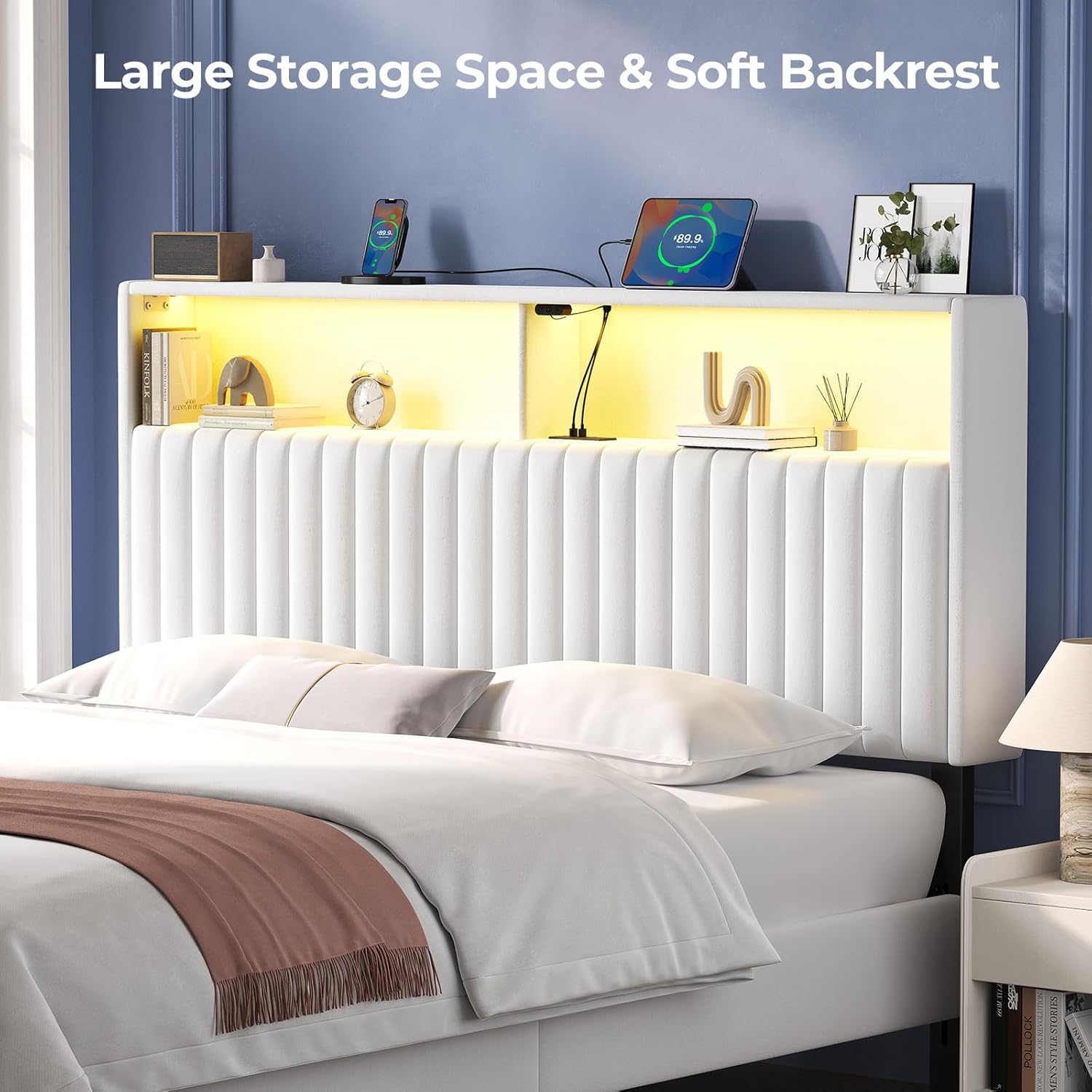
Image: Bed frame compatibility. The headboard includes adapters suitable for bed frames with round holes, vertical slots, or horizontal slots on their legs.
Operating Instructions
LED Lighting System
The integrated LED lighting system offers customizable ambiance.
- Power On/Off: Use the power button on the LED controller or the mobile app to turn the lights on or off.
- Color Selection: Access over 60,000 DIY color options via the dedicated mobile app.
- Modes: The system supports various modes including Music Mode (syncs with music), Mic Mode (syncs with voice recordings), and Timing Mode (for scheduled operation). Control these modes through the mobile app.
- Brightness Adjustment: Adjust the brightness levels using the app or the controller buttons.
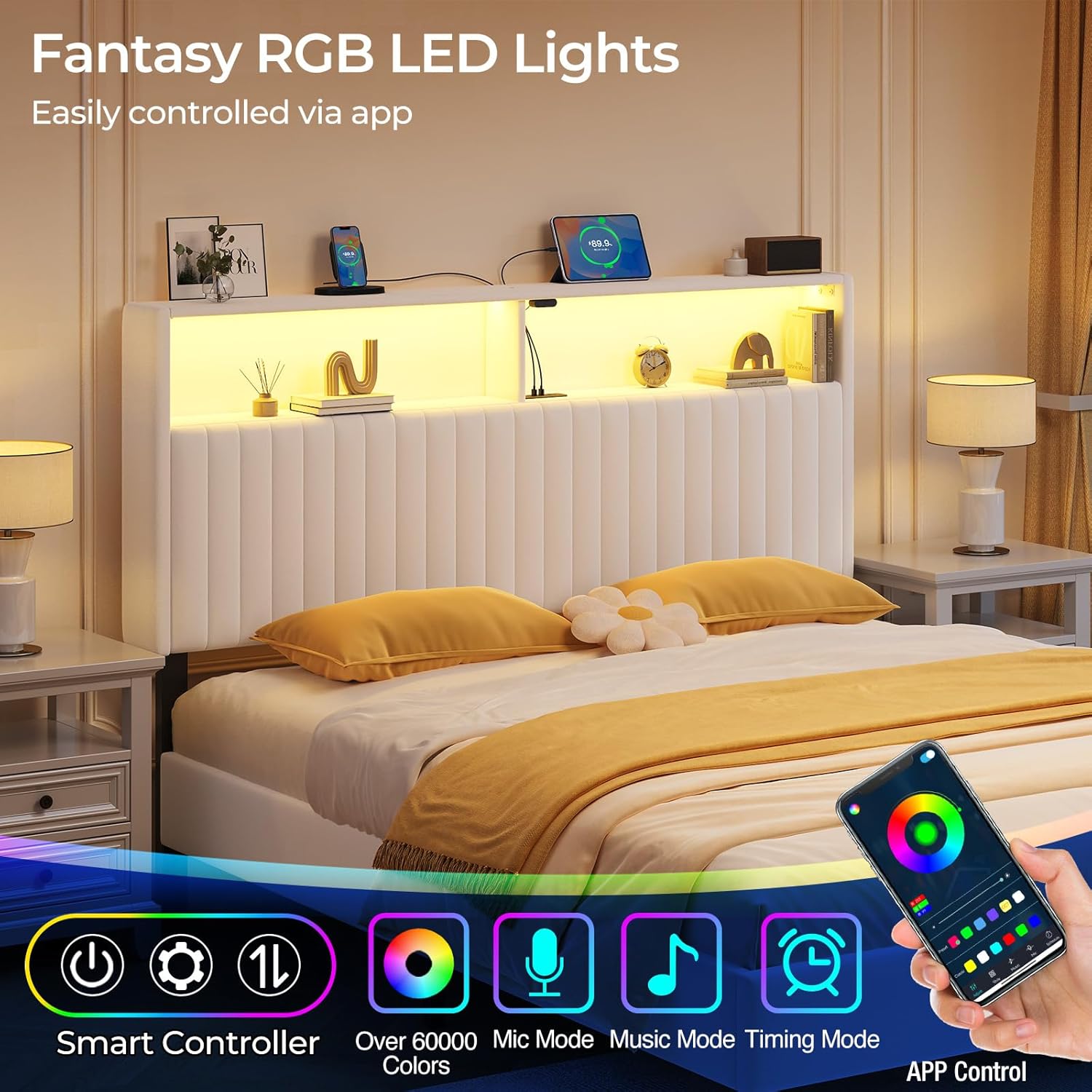
Image: Headboard with LED lights and app control. The image shows the headboard's storage shelves illuminated by the LED lights, with a smartphone displaying the LED control application.

Image: LED light controller buttons. The controller features buttons for power, settings, and mode/brightness adjustment.
USB & Type-C Charging Ports
The headboard includes built-in USB and Type-C ports for convenient device charging.
- Connect Devices: Plug your compatible devices (phones, tablets, headphones, power banks) into the available USB (5V/2.4A) or Type-C (5V/3A) ports.
- Power Source: Ensure the headboard's power adapter is plugged into a functional wall outlet for the charging ports to operate.

Image: USB and Type-C charging panel. The panel includes one Type-C port (5V/3A) and two USB ports (5V/2.4A).
Maintenance
Velvet Upholstery Care
The headboard features soft, durable velvet upholstery.
- Regular Cleaning: Gently vacuum the velvet surface with an upholstery attachment to remove dust and debris.
- Spot Cleaning: For spills, blot immediately with a clean, dry cloth. For stubborn stains, use a mild fabric cleaner specifically designed for velvet, testing on an inconspicuous area first. Avoid excessive rubbing.
- Avoid Direct Sunlight: Prolonged exposure to direct sunlight can cause fading.

Image: Velvet fabric texture. The image highlights the soft and skin-friendly texture of the velvet upholstery.
General Maintenance
- Hardware Check: Periodically inspect all screws and bolts to ensure they remain tight. Re-tighten as necessary to maintain stability.
- Electrical Components: Keep the USB/Type-C ports and LED controller free from dust and debris. Do not attempt to disassemble or repair electrical components yourself.
Troubleshooting
| Problem | Possible Cause | Solution |
|---|---|---|
| LED lights not turning on | Power adapter not connected; LED strip or controller faulty; App connection issue. | Ensure power adapter is securely plugged in. Check connections of LED strip to controller. Restart the mobile app and re-pair if necessary. |
| USB/Type-C ports not charging | Power adapter not connected; Device cable faulty; Device incompatible. | Verify power adapter is plugged in. Try a different charging cable. Ensure your device is compatible with standard USB/Type-C charging. |
| Headboard feels unstable | Loose hardware; Incorrect assembly. | Check and tighten all screws and bolts. Review assembly instructions to ensure all parts are correctly installed. |
| Difficulty attaching to bed frame | Incorrect adapter usage; Misalignment. | Ensure the correct bed frame adapters are used and properly aligned with your bed frame's leg holes. Adjust headboard height as needed. |
Specifications
- Brand: Rolanstar
- Model: HD005-RR
- Size: Queen
- Material: Velvet upholstery, Iron frame
- Dimensions (Queen): 61.6"L × 5.3"W × 43.3"H (Adjustable Height)
- Storage Space Height: 7.1 inches
- Storage Load Capacity: 33 lbs per layer
- Special Features: Adjustable Height, LED Lighting, Storage Compartment, USB Charging Station (1x Type-C 5V/3A, 2x USB 5V/2.4A)
- Included Components: Light kit, Bed frame adapters
- Item Weight: 27.3 Pounds
- UPC: 840504701641
Warranty and Support
For warranty information, product support, or to order replacement parts, please contact Rolanstar customer service. Refer to your purchase documentation for specific warranty terms and contact details.
Customer Service: Please visit the official Rolanstar website or refer to the contact information provided with your purchase.