
Introduction
Thank you for choosing the Philips Sonicare AdvancedClean Electric Toothbrush. This manual provides essential information for the safe and effective use of your new toothbrush. Please read it carefully before first use and keep it for future reference.

Image: The Philips Sonicare AdvancedClean Electric Toothbrush, presented in a pink color, alongside its charging base and product packaging. The packaging highlights features like Gum Pro, White mode, brush head replacement reminder, and a 2-minute timer.
Important Safety Information
WARNING:
- Do not use the brush for purposes other than oral hygiene.
- Keep out of reach of young children to avoid choking hazards.
- Supervise use by young children.
- Replace the brush head regularly.
Package Contents
Your Philips Sonicare AdvancedClean Electric Toothbrush package includes:
- 1x Philips Sonicare AdvancedClean Electric Toothbrush Handle
- 1x G3 Premium Gum Care Brush Head
- 1x Charger Base

Image: A visual representation of the package contents, including the Philips Sonicare AdvancedClean electric toothbrush handle, one G3 Premium Gum Care brush head, and the charging base with its USB cable.
Setup
- Charge the Toothbrush: Before first use, charge your toothbrush for at least 24 hours. Connect the charger base to a power outlet and place the toothbrush handle on the charger. The battery indicator on the smart screen will show the charging status.
- Attach the Brush Head: Align the brush head with the handle so the bristles face the same direction as the front of the handle. Push the brush head down firmly onto the metal shaft until it stops.
- Initial Use: Wet the bristles and apply a small amount of toothpaste.
Operating Instructions
Brushing Technique
- Place the toothbrush bristles against your teeth at a slight angle towards the gumline.
- Press the power button to start brushing.
- Gently move the brush head slowly across each tooth, allowing the Sonicare technology to do the work. Do not scrub.
- Brush all four quadrants of your mouth evenly. The SmarTimer ensures you brush for the dentist-recommended 2 minutes, and the QuadPacer signals when to move to the next section.
- The toothbrush will automatically turn off after 2 minutes.
Smart Screen and Features
The intelligent screen provides real-time feedback to optimize your brushing habits:
- Usage Duration: Displays how long you have been brushing.
- Battery Life: Shows the remaining battery charge.
- Brush Head Replacement Reminder: Alerts you when it's time to change your brush head for optimal performance.

Image: A close-up of the Philips Sonicare AdvancedClean toothbrush handle, highlighting its smart screen. The screen displays icons for "Gum Pro" and "White" brushing modes, a "Replace Brush Head" reminder, and a "2:00" minute timer, indicating its intelligent feedback capabilities.
Pressure Sensor
Your toothbrush is equipped with a sophisticated pressure sensor. If you apply too much pressure during brushing, an orange light ring at the base of the handle will illuminate immediately, signaling you to reduce pressure. This protects your gums and teeth from excessive force.

Image: A close-up of the base of the Philips Sonicare AdvancedClean toothbrush handle, showing a red glowing light ring. This indicates the activation of the pressure sensor, alerting the user to reduce brushing force to protect teeth and gums.
Brushing Modes
The Philips Sonicare AdvancedClean offers 5 distinct brushing modes to cater to your specific oral care needs:
- Clean: For daily, exceptional cleaning.
- Sensitive: Gentle cleaning for sensitive teeth and gums.
- White: Removes surface stains for a brighter smile.
- Gum Pro: Effectively cleans gums for improved gum health.
- Clean+: For a deep, refreshing clean.

Image: The Philips Sonicare AdvancedClean toothbrush handle displaying icons for its five distinct brushing modes: Clean, Deep Clean, Gum Pro, Sensitive, and White. This visual highlights the versatility of the toothbrush for various oral care needs.
Sonic Technology and Fluid Action
The advanced sonic technology delivers up to 31,000 brush strokes per minute, ensuring a gentle yet effective clean. Sonicare's Fluid Action technology drives fluids between teeth and along the gumline, enhancing the cleaning process and reaching areas manual brushes might miss.
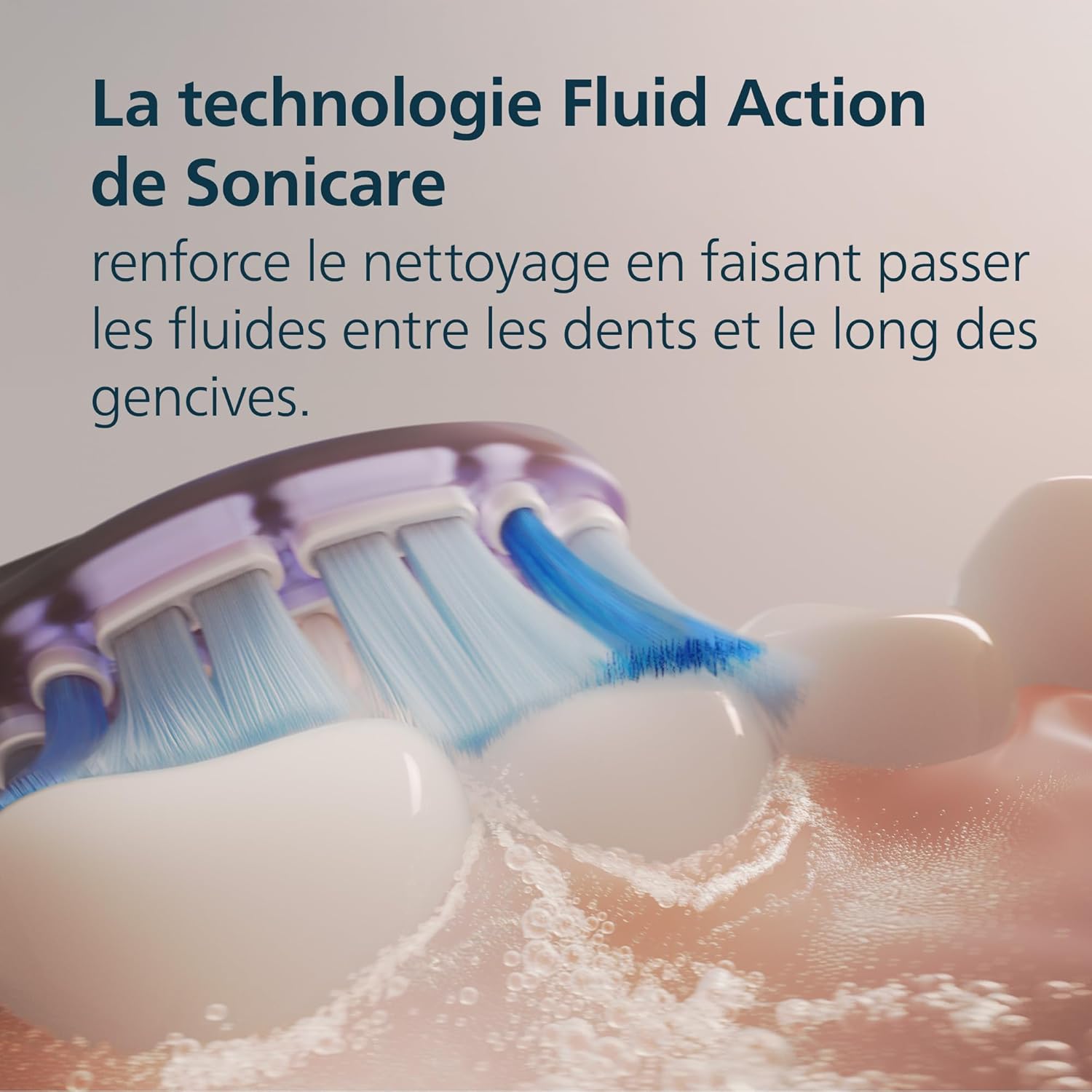
Image: A magnified view of the Philips Sonicare brush head in action, illustrating the "Fluid Action" technology. Water and toothpaste are shown being propelled between the bristles and around the teeth, demonstrating how the sonic vibrations create dynamic cleaning action.
Maintenance
Cleaning the Toothbrush
- After each use, rinse the brush head and bristles thoroughly under running water.
- Wipe the handle with a damp cloth. Do not immerse the handle in water.
- Clean the charger base with a damp cloth as needed. Ensure it is unplugged before cleaning.
Replacing the Brush Head
For optimal performance and hygiene, replace your brush head every 3 months, or sooner if the bristles are splayed or worn. The smart screen will also remind you when it's time for a replacement.

Image: A detailed view of the Philips Sonicare G3 Premium Gum Care brush head. This brush head is designed with soft, flexible bristles for gentle yet effective cleaning, particularly around the gumline.
Troubleshooting
| Problem | Possible Cause | Solution |
|---|---|---|
| Toothbrush does not turn on. | Battery is depleted. | Place the toothbrush on the charger for at least 24 hours. |
| Toothbrush stops during use. | Battery is low or the 2-minute timer has completed. | Recharge the toothbrush. If the timer completed, simply restart for additional brushing if desired. |
| Orange light ring illuminates during brushing. | Too much pressure is being applied. | Reduce the pressure you are applying to your teeth and gums. |
| Brush head feels loose. | Brush head not fully seated. | Remove and re-attach the brush head, ensuring it is pushed down firmly onto the metal shaft. |
Specifications
| Feature | Detail |
|---|---|
| Brand | PHILIPS |
| Model Number | HX3792/12 |
| Power Source | Battery Powered |
| Brushing Modes | 5 (Clean, Sensitive, White, Gum Pro, Clean+) |
| Brushing Technology | Advanced Sonic (up to 31,000 movements/minute) |
| Special Features | Smart Screen, Pressure Sensor, SmarTimer, QuadPacer |
| Brush Head Material | Nylon |
| Handle Material | Plastic |
| Color | Rose |
| Item Firmness Description | Soft to Medium |
| Country of Origin | China |
| Package Dimensions | 21.8 x 11.9 x 6.4 cm; 320 grams |
Warranty and Support
Philips offers the following for your Sonicare AdvancedClean Electric Toothbrush:
- 2-Year Warranty: Your toothbrush is covered by a 2-year limited warranty from the date of purchase. Please retain your proof of purchase.
- 30-Day Money-Back Guarantee: If you are not completely satisfied with your Philips Sonicare product, you may be eligible for a refund within 30 days of purchase. Refer to Philips' official website or your retailer for full terms and conditions.
For further assistance, product registration, or to find replacement parts, please visit the official Philips website or contact Philips customer support.