
1. Introduction
Thank you for choosing the MASTJUST 'lite' Bone Conduction Bluetooth Headphones. These headphones utilize advanced bone conduction technology to transmit sound directly to your inner ear through vibrations, allowing you to enjoy audio while remaining aware of your surroundings. The open-ear design ensures comfort during extended use and enhances safety in various environments.
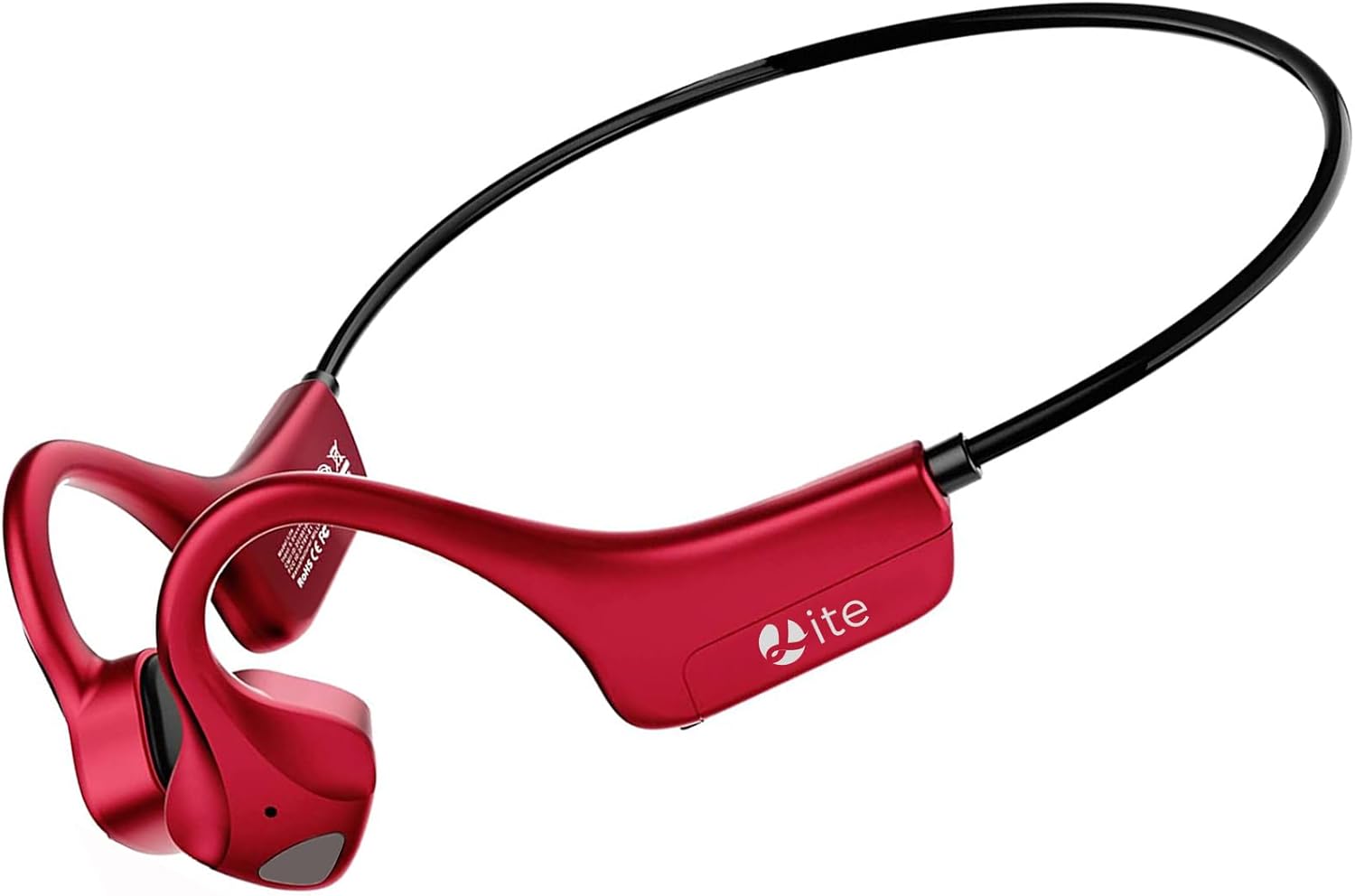
Figure 1: MASTJUST 'lite' Bone Conduction Bluetooth Headphones
2. Product Features
- Advanced Bone Conduction Technology: Delivers sound through bone vibrations, bypassing the eardrum for a unique listening experience.
- Open-Ear Design: Keeps your ears open to ambient sounds, promoting safety during outdoor activities and comfort for long wear.
- IP67 Waterproof & Dustproof: Designed to withstand sweat, rain, and dust, making them ideal for sports and various weather conditions.
- Bluetooth 5.2 Connectivity: Ensures stable, fast, and efficient wireless connection with compatible devices.
- Type-C Fast Charging: Offers quick charging capabilities for minimal downtime.
- Integrated Microphone with Noise Cancellation: Provides clear hands-free calling, suitable for telework and online meetings.
- Lightweight and Secure Fit: Weighing approximately 25g, the ergonomic ear-hook design ensures a comfortable and stable fit, even during intense activities.

Figure 2: Key Features Overview

Figure 3: IP67 Waterproof and Dustproof Design
3. Package Contents
- MASTJUST 'lite' Bone Conduction Bluetooth Headphones
- USB Type-C Charging Cable
- User Manual (this document)
4. Device Layout and Controls
The MASTJUST 'lite' headphones feature intuitive controls for easy operation. The main control buttons are located on the side of the headphone unit.
- Power Button / Volume +: Used to power the device on/off and increase volume.
- Volume - Button: Used to decrease volume.
- Multi-function Button: Controls playback (play/pause), call management (answer/end calls), and voice assistant activation.
- USB Charging Port: Type-C port for charging the device.
5. Setup
5.1. Charging the Headphones
Before first use, fully charge the headphones. Connect the provided USB Type-C charging cable to the charging port on the headphones and a compatible USB power source. The charging indicator will show the charging status.
- Charging Time: Approximately 2 hours for a full charge.
- Quick Charge: A 10-minute quick charge can provide up to 1.5 hours of use.
5.2. Bluetooth Pairing
To connect your headphones to a device:
- Ensure the headphones are powered off.
- Press and hold the Power Button until the indicator light flashes, indicating pairing mode.
- On your device (smartphone, tablet, laptop), enable Bluetooth and search for available devices.
- Select "MASTJUST lite" from the list of found devices to connect.
- Once connected, the indicator light will change, and you will hear a confirmation tone.
The headphones support automatic re-pairing. After the initial connection, they will automatically connect to the last paired device when powered on.

Figure 4: Automatic Pairing and Instant Connection
6. Operating Instructions
6.1. Power On/Off
- Power On: Press and hold the Power Button for approximately 3 seconds.
- Power Off: Press and hold the Power Button for approximately 5 seconds.
6.2. Music Playback
- Play/Pause: Press the Multi-function Button once.
- Next Track: Double-press the Multi-function Button.
- Previous Track: Triple-press the Multi-function Button.
6.3. Call Management
- Answer/End Call: Press the Multi-function Button once during an incoming call or active call.
- Reject Call: Press and hold the Multi-function Button for 2 seconds during an incoming call.
- Activate Voice Assistant: Press and hold the Multi-function Button for 2 seconds when not on a call.
6.4. Volume Control
- Increase Volume: Press the Volume + Button.
- Decrease Volume: Press the Volume - Button.

Figure 5: Awareness of Surroundings During Use

Figure 6: Extended Battery Life for Active Lifestyles
7. Maintenance
To ensure the longevity and optimal performance of your MASTJUST 'lite' headphones, follow these maintenance guidelines:
- Cleaning: Wipe the headphones with a soft, dry cloth. For stubborn dirt, use a slightly damp cloth and then dry thoroughly. Do not use harsh chemicals or abrasive cleaners.
- Water Exposure: While the headphones are IP67 rated for water and dust resistance, avoid prolonged submersion in water. After exposure to sweat or rain, wipe them dry before charging.
- Storage: Store the headphones in a cool, dry place away from direct sunlight and extreme temperatures.
- Charging: Always use the provided USB Type-C cable or a certified equivalent for charging.
8. Troubleshooting
If you encounter issues with your headphones, refer to the following common solutions:
- No Sound:
- Ensure the headphones are powered on and charged.
- Check if the headphones are properly paired with your device.
- Adjust the volume on both the headphones and your connected device.
- Cannot Pair:
- Make sure Bluetooth is enabled on your device.
- Ensure the headphones are in pairing mode (indicator light flashing).
- Turn off and on both the headphones and your device, then try pairing again.
- Move closer to your device to ensure a strong Bluetooth signal.
- Sound Leakage:
- Bone conduction technology inherently allows some sound to be audible to others at higher volumes. This is normal.
- Reduce the volume to minimize sound leakage.
- Consider using earplugs in conjunction with the headphones in noisy environments if privacy is a concern.
- Intermittent Connection/Sound Drops:
- Ensure there are no obstacles between the headphones and your device.
- Avoid environments with strong electromagnetic interference.
- Keep the headphones within the effective Bluetooth range (typically 10 meters).
9. Specifications
| Model Name | lite |
| Connectivity Technology | Wireless (Bluetooth 5.2) |
| Noise Control | Active Noise Cancellation (for calls) |
| Ear Placement | Open-Ear |
| Headphone Form Factor | True Wireless |
| Waterproof Level | IP67 |
| Item Weight | 150 g |
| Charging Time | 2 Hours |
| Continuous Use Time | 8 Hours |
| Standby Time | Up to 1 Week (480 Hours) |
| Impedance | 8 Ohms |
| Material | Rubber, Plastic |
| Compatible Devices | Tablet, Laptop, Mobile Phone |
10. Warranty and Support
MASTJUST provides a reliable warranty and customer support for your product:
- 30-Day Free Exchange/Return/Refund: If you are not satisfied with the product within 30 days of purchase, you are eligible for a free exchange, return, or refund.
- 12-Month Long-Term Warranty: The product comes with a 12-month warranty from the date of purchase.
- Customer Support: If you encounter any issues or have questions during use, please contact us through your order history.
How to Contact Support:
- Go to "Your Account" > "Order History".
- Find your order for the MASTJUST 'lite' headphones.
- Click on "Sold by" > "Ask a question".
We are committed to providing the best possible service and support.