
Introduction
This manual provides comprehensive instructions for the BREND BR-2244 Emergency Radio. This device is designed to provide essential communication and utility functions in various situations, including emergencies, outdoor activities, and daily use. It features DAB/FM radio, Bluetooth connectivity, an SOS alarm, a power bank function, and an LED flashlight, with multiple charging options.

Image: The BREND BR-2244 Emergency Radio, a compact green device with a screen and buttons, shown charging a smartphone via its USB port.
Package Contents
Please verify that all items are present in the package:
- BREND BR-2244 Emergency Radio
- USB-C Charging Cable
- Quick Start Guide
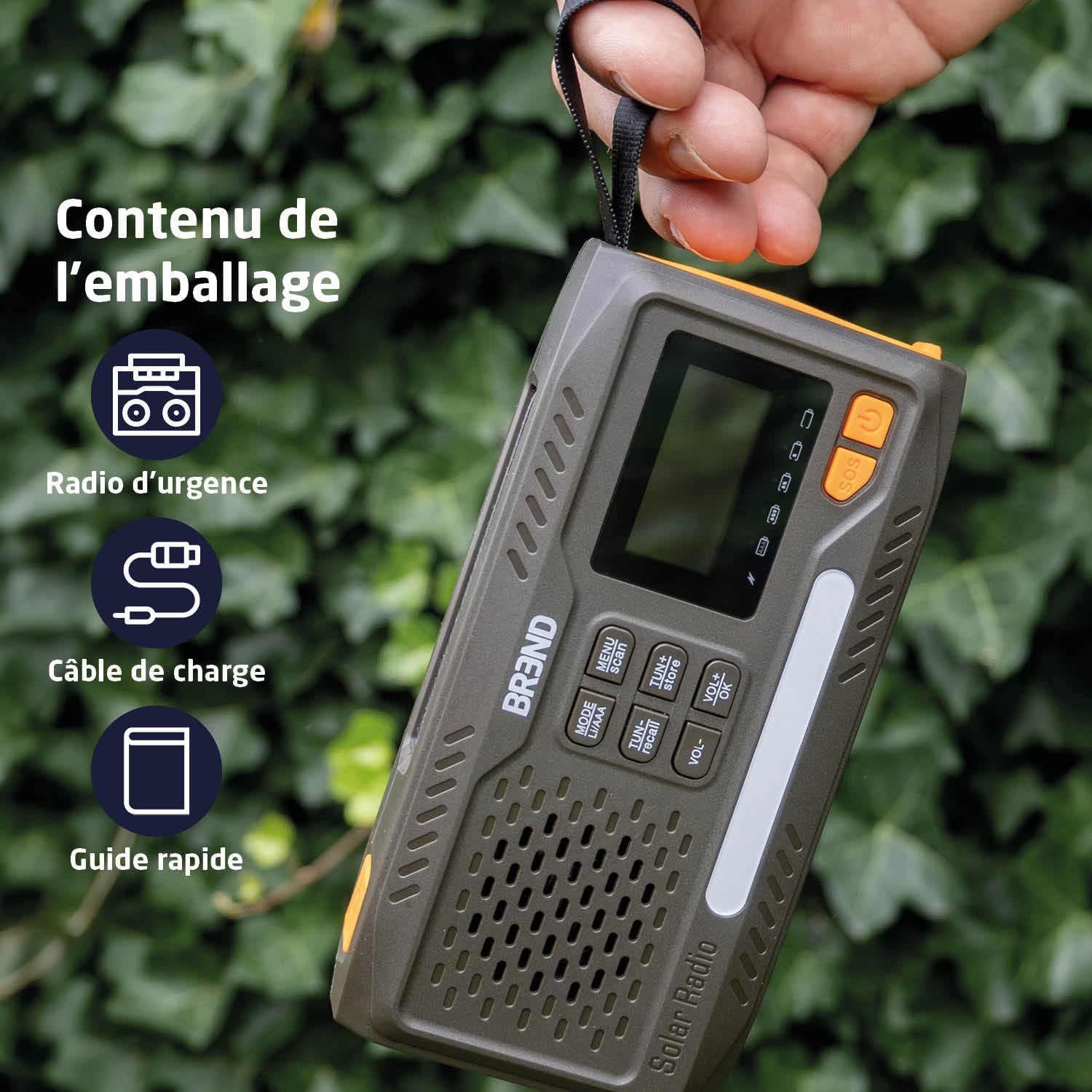
Image: An overhead view showing the BREND BR-2244 Emergency Radio, a charging cable, and a quick guide, representing the package contents.
Setup
Initial Charging
Before first use, fully charge the internal battery using the provided USB-C cable. Connect the USB-C end to the radio's input port and the other end to a standard USB power adapter (not included) or a computer USB port.
Optional AAA Battery Installation
For extended power or as a backup, you can install 3 AAA batteries (not included). Open the battery compartment cover on the back of the radio and insert the batteries according to the polarity markings.

Image: A detailed view of the BREND BR-2244 Emergency Radio's side and back, highlighting the USB-C port, the hand crank, the solar panel, and the open compartment for three AAA batteries.
Operating Instructions
Power On/Off
Press and hold the Power button to turn the radio on or off.
Radio Operation (DAB/FM)
- Extend the telescopic antenna for optimal reception.
- Press the MODE button to switch between DAB and FM modes.
- In FM mode, press SCAN to automatically search and store available stations.
- Use TUN- and TUN+ buttons to manually tune or navigate through stored stations.
- Adjust volume using VOL- and VOL+ buttons.

Image: The BREND BR-2244 Emergency Radio with its telescopic antenna fully extended, indicating FM radio frequency range (87.5-108 MHz) and DAB radio frequency range (170-240 MHz).
Bluetooth Speaker Function
- Press the MODE button until "Bluetooth" or a similar indicator appears on the display.
- On your smartphone or other Bluetooth-enabled device, search for "BR-2244" and pair with it.
- Once connected, audio will play through the radio's 3W speaker.
LED Flashlight and Night Light
The radio features a multi-mode LED flashlight and a night light strip.
- Press the Flashlight button (usually located on the side or front) to cycle through flashlight modes (e.g., low, high, flashing).
- Press the Night Light button (if separate) to activate the ambient night light.

Image: The BREND BR-2244 Emergency Radio with its three-mode LED flashlight illuminated, showing different brightness levels.
SOS Alarm Function
In an emergency, activate the SOS alarm:
- Press and hold the SOS button (typically orange).
- The radio will emit a loud siren sound and flash a visible light signal.
- Press the SOS button again to deactivate the alarm.
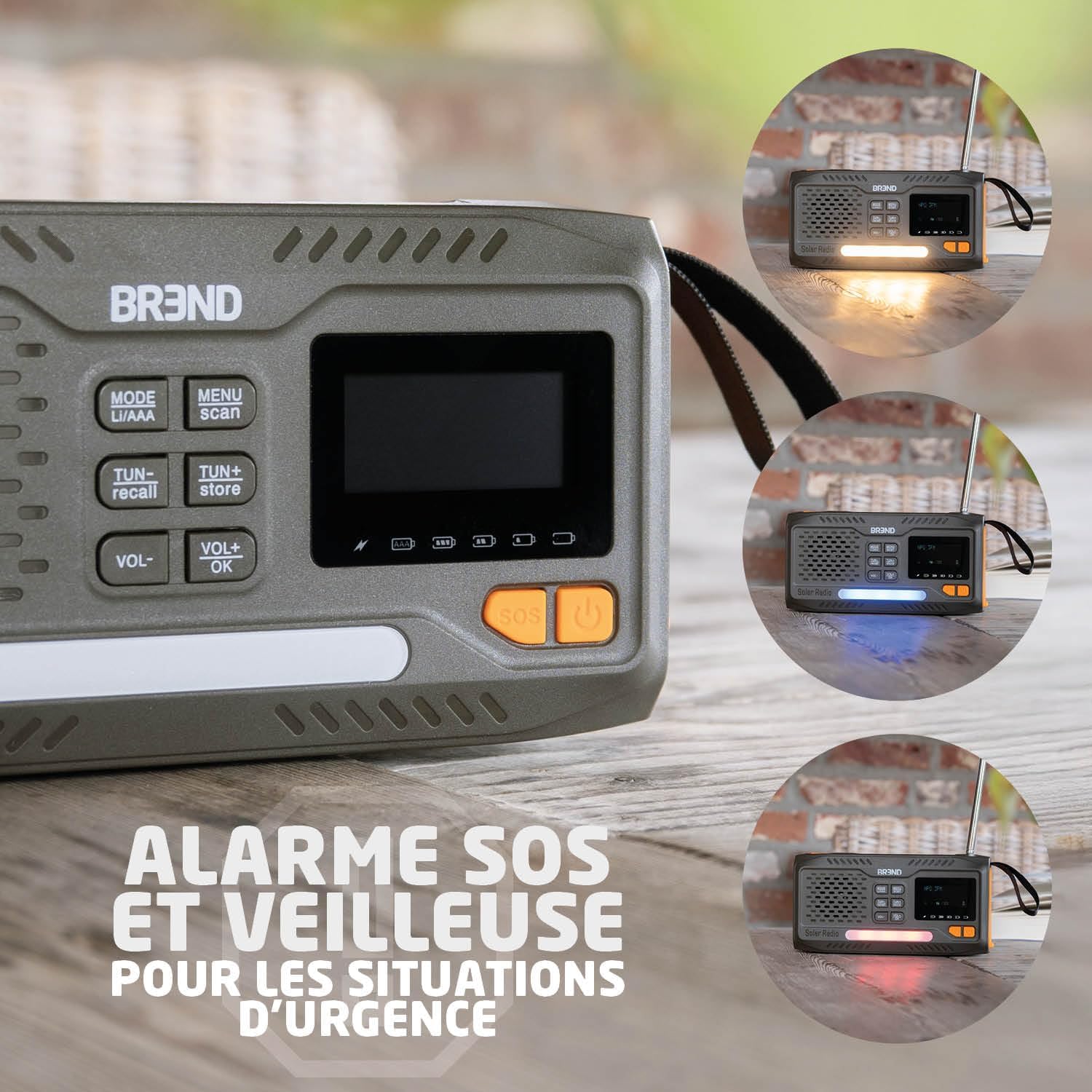
Image: A close-up of the BREND BR-2244 Emergency Radio's display and controls, showing the SOS button and the night light strip illuminated in different colors (white, blue, red) to indicate its function.
Power Bank Function
The BR-2244 can charge external devices:
- Connect your smartphone or other USB-powered device to the radio's USB-A output port using your device's charging cable.
- The radio's internal battery will begin charging the connected device.

Image: The BREND BR-2244 Emergency Radio connected to a smartphone via a charging cable, demonstrating its power bank capability. Icons for Bluetooth speaker, LCD screen, and 3.5mm headphone jack are also visible.
Charging Methods
The BREND BR-2244 offers multiple ways to recharge its internal battery:
- USB-C Charging: Connect the provided USB-C cable to a 5V USB power source. This is the fastest charging method.
- Solar Panel Charging: Place the radio with its solar panel facing direct sunlight. The charging indicator will illuminate. This method is ideal for maintaining charge or slow charging in outdoor environments.
- Hand Crank Dynamo: Rotate the hand crank clockwise or counter-clockwise at a steady pace (approximately 120-150 RPM) for 3-5 minutes to generate enough power for short periods of use or to initiate charging.
- AAA Batteries: As a backup, 3 AAA batteries can power the radio directly.
Maintenance
- Keep the radio clean by wiping it with a soft, dry cloth. Do not use abrasive cleaners or solvents.
- Ensure all ports are free from dust and debris.
- Store the radio in a cool, dry place when not in use.
- If storing for an extended period, fully charge the internal battery every 3 months to prolong its lifespan.
- The radio is IP44 splash-proof, meaning it is protected against splashing water from any direction. Do not submerge the device in water.

Image: The BREND BR-2244 Emergency Radio sitting outdoors with water droplets on its surface, illustrating its IP44 splash-proof rating.
Troubleshooting
| Problem | Possible Cause | Solution |
|---|---|---|
| Radio does not turn on. | Low battery or no power. | Charge the radio via USB-C, solar, or hand crank. Check AAA batteries if installed. |
| Poor radio reception. | Antenna not extended or weak signal. | Fully extend the telescopic antenna. Try repositioning the radio. |
| Bluetooth not connecting. | Radio not in Bluetooth mode or device not discoverable. | Ensure radio is in Bluetooth mode. Make sure your device's Bluetooth is on and discoverable. Try restarting both devices. |
| Flashlight not working. | Low battery or flashlight button not pressed correctly. | Charge the radio. Press the flashlight button firmly. |
| External device not charging. | Radio battery too low or incorrect cable. | Ensure the radio has sufficient charge. Use a compatible USB-A to device cable. |
Specifications
- Brand: BREND
- Model: BR-2244
- Connectivity: Bluetooth 5.0
- Special Features: SOS Alarm, Power Bank, LED Flashlight, Night Light
- Radio Tuner: DAB+, FM
- Power Source: Rechargeable Internal Battery, Solar Panel, Hand Crank, 3x AAA Batteries (not included)
- Input Voltage: 5 Volts (via USB-C)
- Speaker Output: 3W
- Dimensions: 15 cm (L) x 8 cm (W) x 4 cm (H)
- Weight: 300 Grams
- Water Resistance: IP44 (Splash-proof)

Image: The BREND BR-2244 Emergency Radio displayed with its approximate dimensions: 15 cm in length and 7.5 cm in height, and a weight of 300g.
Warranty Information
The BREND BR-2244 Emergency Radio comes with a manufacturer's warranty of 2 years. Please retain your proof of purchase for warranty claims. The warranty covers defects in materials and workmanship under normal use. It does not cover damage caused by misuse, accidents, unauthorized modifications, or natural disasters.
For warranty service, please contact customer support with your purchase details.
Customer Support
If you encounter any issues or have questions regarding your BREND BR-2244 Emergency Radio that are not covered in this manual, please contact BREND customer support.
For more information and support, you may visit the official BREND store on Amazon: BREND Amazon Store