
1. Product Overview
The Elikliv EM3K-AF Max is an advanced autofocus digital microscope designed for detailed inspection and observation. It features a 10.1-inch IPS screen, 3K resolution, HDMI and USB output capabilities, and a robust 10-inch stand. This manual provides instructions for proper setup, operation, and maintenance of your device.

Figure 1: Elikliv EM3K-AF Max Digital Microscope. This image shows the complete microscope unit with its 10.1-inch display, camera module, gooseneck lights, and stable base.
2. Package Contents
Verify that all items listed below are included in your package:
- 1x EM3K-AF Max Auto-Focus Digital Microscope
- 1x Metal Base with 10 inch Stand
- 1x Controller (Remote Control)
- 1x HDMI Cable
- 1x 64GB Micro SD Card
- 1x Light Barrier
- 2x USB Cable
3. Setup Instructions
- Assemble the Stand: Attach the camera module to the 10-inch metal stand. Ensure it is securely fastened.
- Connect Gooseneck Lights: Insert the two gooseneck LED lights into the designated ports on the base. Adjust their position to illuminate the working area.
- Power Connection: Connect the microscope to a power source using one of the provided USB cables.
- Insert Micro SD Card: Locate the Micro SD card slot on the microscope unit and insert the 64GB Micro SD card. This is required for saving images and videos.
- Optional External Display Connection:
- For HDMI output: Connect the provided HDMI cable from the microscope to an external monitor or TV.
- For USB output: Connect a USB cable from the microscope to a computer. Install any necessary drivers or software as prompted by your computer's operating system.
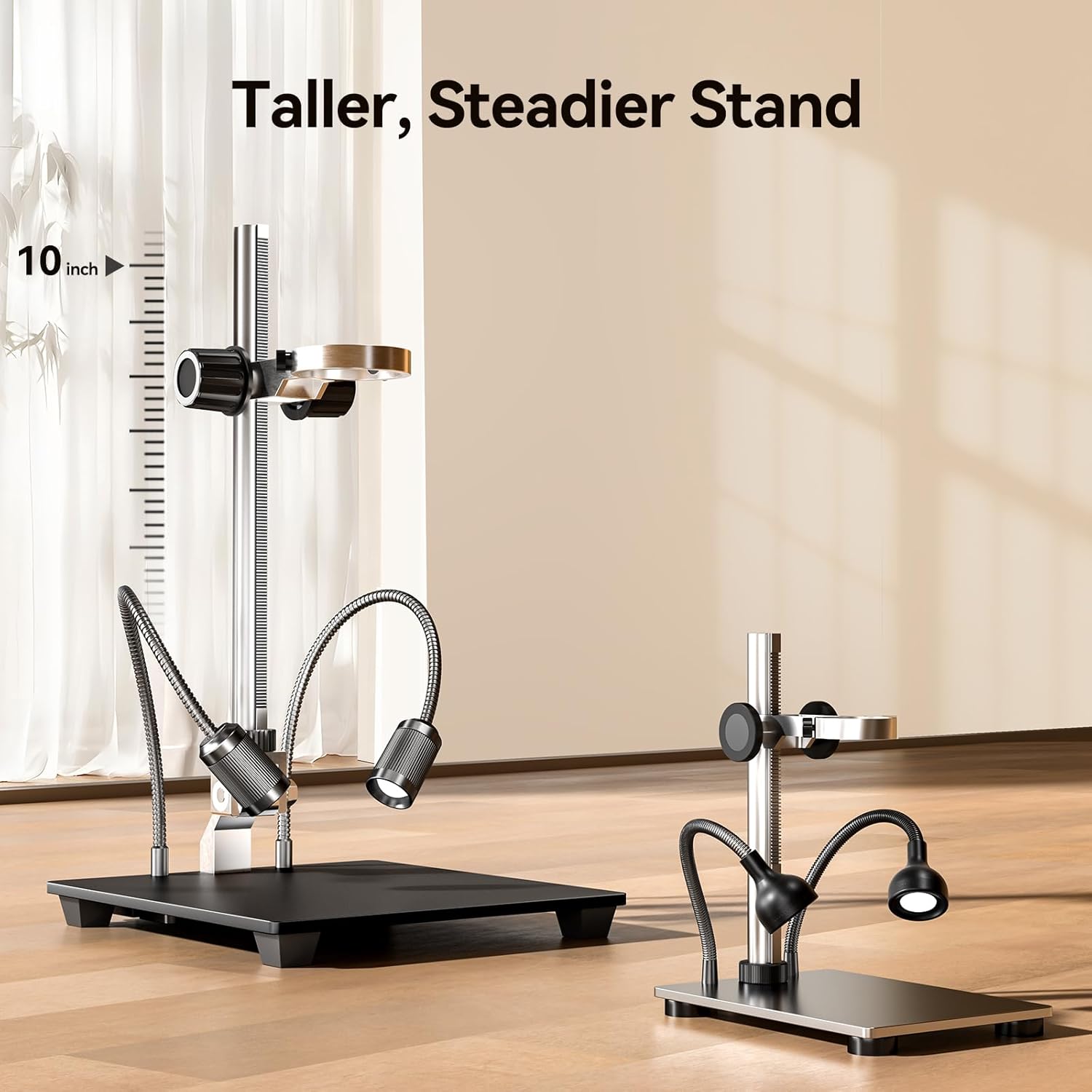
Figure 2: The 10-inch stand provides ample working space for various objects. This image illustrates the height and stability of the microscope's stand.
4. Operating Instructions
4.1 Powering On/Off
Press the POWER button on the microscope unit or the remote control to turn the device on or off.
4.2 Autofocus Function
The EM3K-AF Max features an automatic focus system. Place the object under the lens, and the microscope will automatically adjust focus within approximately 2 seconds. This allows for hands-free operation during tasks like soldering or coin inspection.

Figure 3: Autofocus in action. This image demonstrates the microscope's ability to quickly achieve a sharp focus from a blurry image within 2 seconds.
For specific scenarios, manual focus adjustment may be available via controls on the camera module or remote.
4.3 Magnification Adjustment
The microscope offers up to 2000X magnification. Adjust the height of the camera module on the stand to change the optical magnification. Digital zoom can be controlled via the unit's buttons or the remote control.
4.4 Lighting Control
The dual gooseneck LED lights provide adjustable illumination. Use the controls on the lights or the microscope unit to adjust both brightness and aperture. This helps reduce glare and highlight fine details on various surfaces.
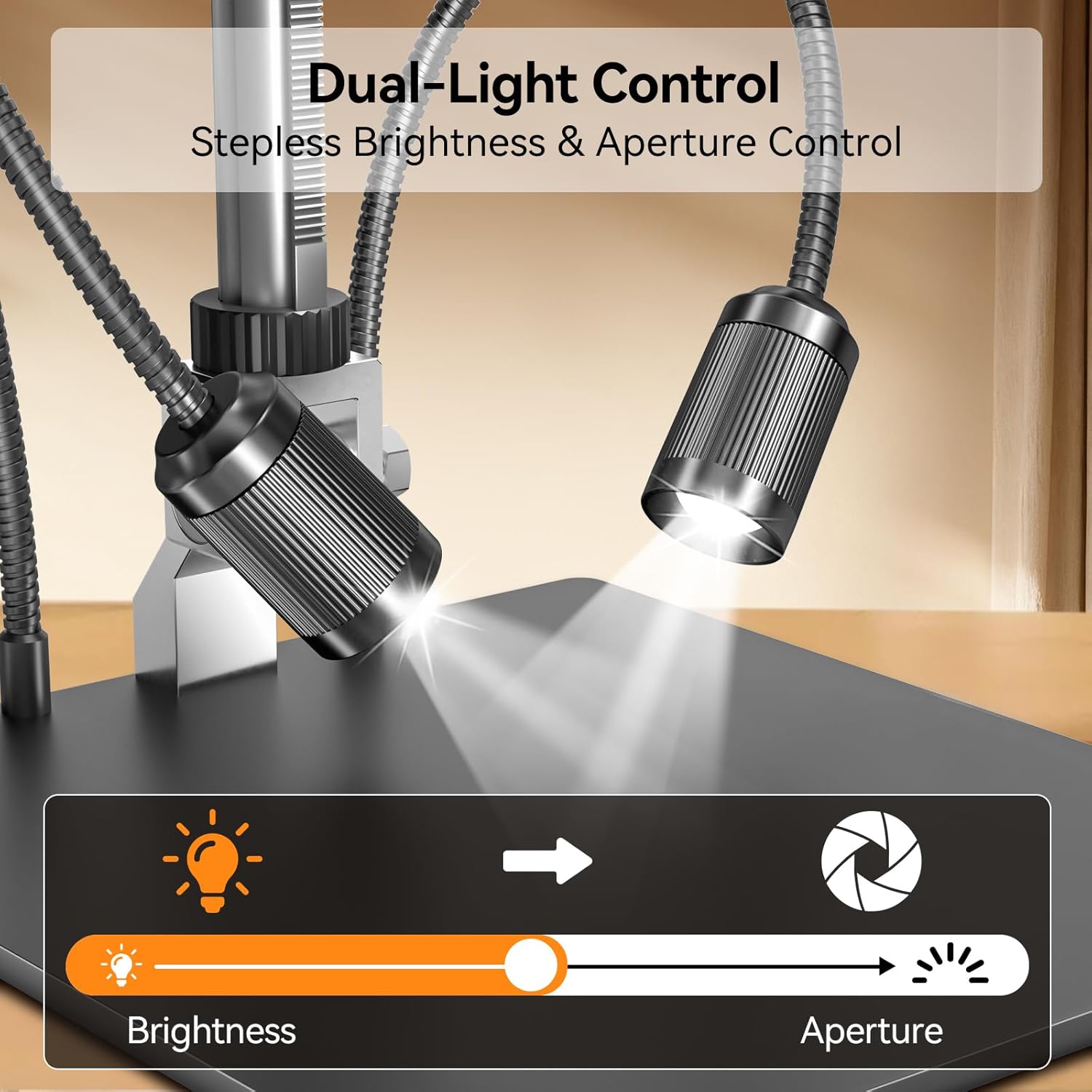
Figure 4: Dual-light control for optimal illumination. This image shows the adjustable brightness and aperture settings for the gooseneck lights.
4.5 Image and Video Capture
The microscope supports 38MP image capture and 3840x2160P (3K) video recording. Use the remote control to capture photos or start/stop video recording without disturbing the microscope's position.

Figure 5: Remote control for hands-free operation. The remote allows users to capture images, record videos, and zoom without touching the microscope.
All captured media is stored on the inserted 64GB Micro SD card.
4.6 External Display and Output
The EM3K-AF Max supports simultaneous output to its integrated 10.1-inch IPS screen, an HDMI monitor, and a USB-connected computer. This allows for real-time sharing and larger viewing options.
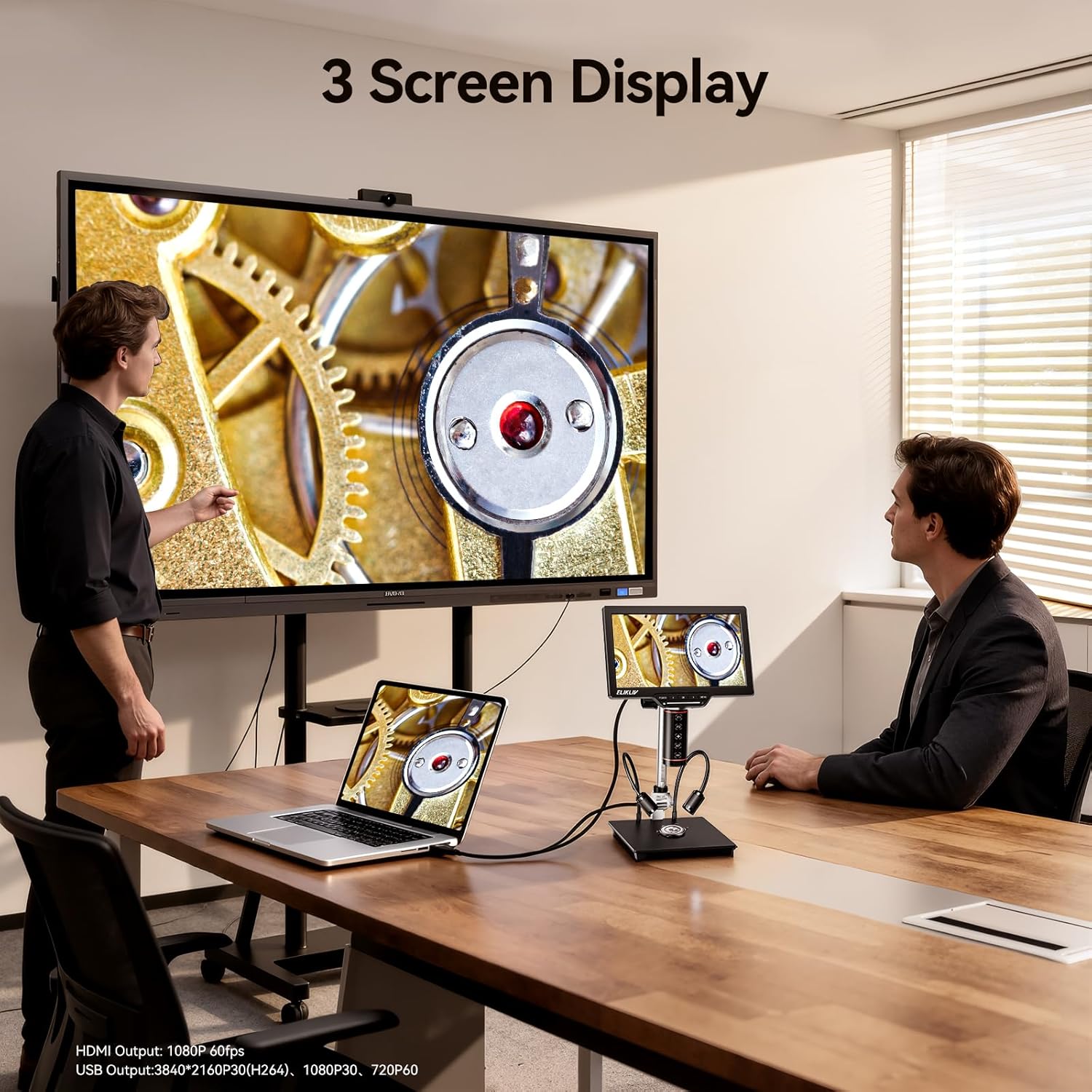
Figure 6: Triple-screen display capability. This image shows the microscope simultaneously displaying its view on its own screen, an external monitor via HDMI, and a laptop via USB.
4.7 Crosshair Grid Function
The microscope allows for the creation of custom grid lines or crosshairs on the screen. This feature is useful for precise measurements, alignment, and grading tasks, such as PCB work or coin inspection.
4.8 Product Video
Video 1: Elikliv Autofocus EM3K-AF Coin and Soldering Microscope. This video demonstrates the microscope's autofocus feature, dual lighting, and application in coin inspection and soldering tasks.
5. Maintenance
- Cleaning the Lens and Screen: Use a soft, lint-free cloth specifically designed for optical surfaces to clean the lens and screen. Avoid abrasive materials or harsh chemicals.
- Dust Protection: When not in use, cover the microscope to prevent dust accumulation on the lens and screen.
- Storage: Store the microscope in a dry, cool environment, away from direct sunlight and extreme temperatures.
- Cable Management: Ensure all cables are neatly arranged and not under tension to prevent damage.
6. Troubleshooting
| Problem | Possible Cause | Solution |
|---|---|---|
| No power | Power cable not connected; Power adapter faulty; Power outlet not working. | Check power cable connection; Try a different power adapter; Test the power outlet with another device. |
| Image is blurry/out of focus | Autofocus not engaged; Object too far/close; Lens dirty. | Ensure autofocus is active; Adjust the height of the camera module; Clean the lens. |
| No image on external display | HDMI/USB cable loose or faulty; Incorrect input selected on external display. | Check cable connections; Try a different cable; Select the correct HDMI/USB input on your monitor/TV. |
| Cannot save images/videos | Micro SD card not inserted; SD card full or corrupted; SD card not formatted. | Insert Micro SD card; Delete unnecessary files or replace card; Format the SD card (refer to device settings). |
| Lights not working | Lights not connected; Brightness set to minimum; Lights faulty. | Ensure gooseneck lights are securely connected; Adjust brightness settings; Contact support if lights remain non-functional. |
7. Specifications
| Feature | Detail |
|---|---|
| Model Name | Elikliv EM3K-AF Max |
| Screen Size | 10.1-inch IPS |
| Image Resolution | 38 Megapixels (3K clarity) |
| Video Resolution | 3840x2160P (3K) |
| Magnification | Up to 2000X |
| Autofocus | Yes, with TOF AI Chip |
| Output Ports | HDMI, USB |
| Storage | 64GB Micro SD Card (included) |
| Lighting | Dual Gooseneck LED with adjustable brightness and aperture |
| Stand Height | 10 inches |
| Material | Metal (stand) |
| Product Dimensions | 7.5 x 5 x 17 inches |
| Item Weight | 2 pounds |
| Power Input | 5 Volts (DC) |
8. Warranty and Support
For warranty information and technical support, please refer to the official Elikliv website or contact Elikliv customer service directly. Keep your purchase receipt as proof of purchase for warranty claims.
Online resources and FAQs may also be available on the manufacturer's website to assist with common inquiries and advanced usage tips.