
1. Introduction
Thank you for choosing the Anminto S1 Underwater Fishing Camera. This device is designed to enhance your fishing experience by providing a clear, real-time view of the underwater environment. Featuring a 5-inch IPS monitor, 1000TVL resolution, IP68 waterproofing, and infrared night vision, the S1 is suitable for various fishing scenarios including ice, river, and boat fishing.

Figure 1: Anminto S1 Underwater Fishing Camera system components.
2. Safety Information
- Always ensure all connections are secure before deploying the camera in water.
- Do not attempt to open or modify the waterproof camera housing.
- Keep the monitor away from extreme temperatures and direct sunlight for prolonged periods.
- Use only the provided charging cable and adapter to prevent damage.
- Exercise caution when handling the camera cable to avoid entanglement or injury.
3. Package Contents
Verify that all items are present in your package:
- 5-inch IPS Monitor with Sun Visor
- Underwater Fishing Camera (1000TVL, IP68 Waterproof)
- 65ft (20-meter) Camera Cable
- Power Adapter/Charging Cable
- User Manual
- Mounting Accessories (e.g., ice fishing stand, general use stand)
4. Product Overview
The Anminto S1 system consists of a high-resolution monitor and a durable underwater camera connected by a robust cable. The monitor features a 5-inch IPS display for wide viewing angles and clear visuals, even in bright conditions thanks to its integrated sun visor.
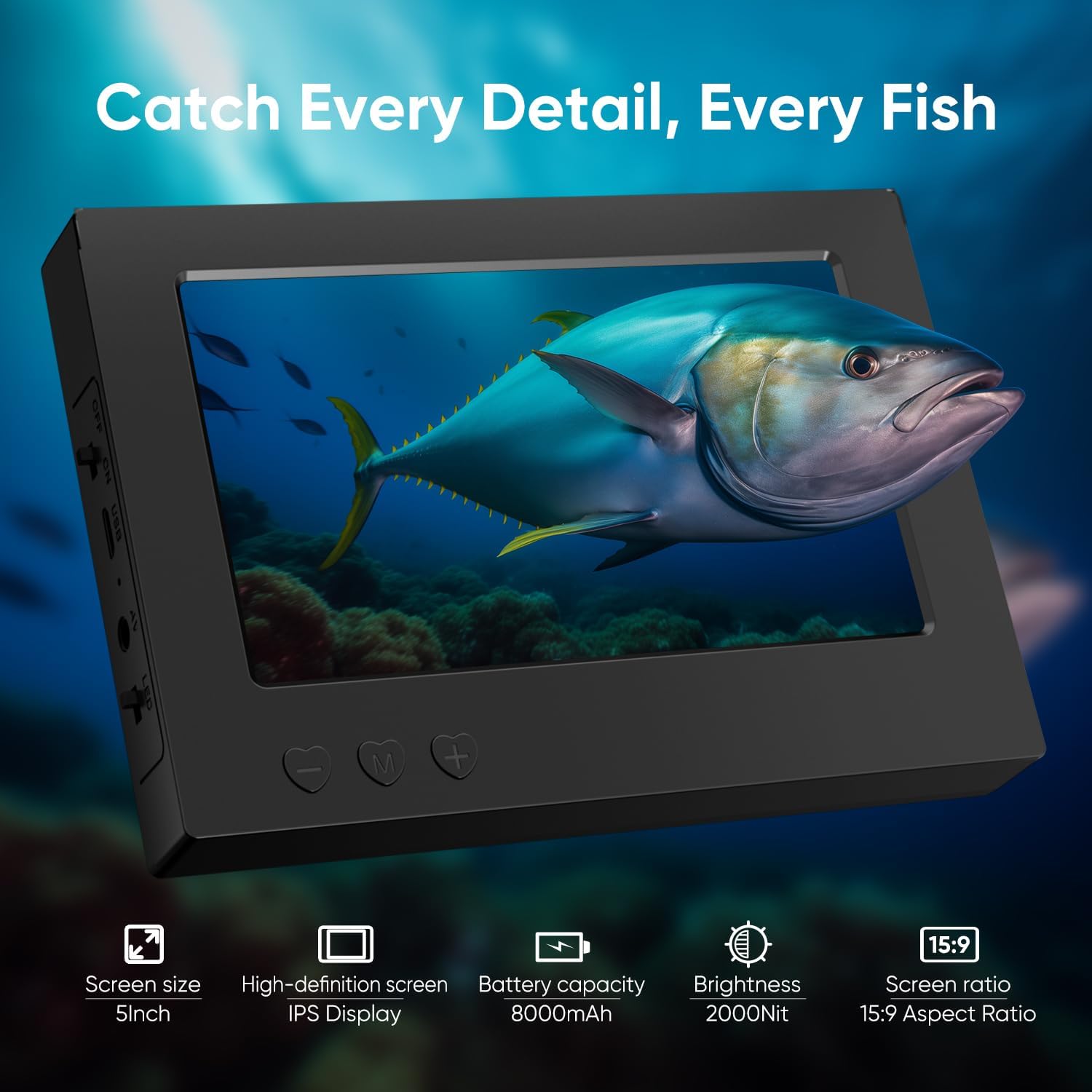
Figure 2: The 5-inch IPS monitor provides a high-definition viewing experience.
The camera is equipped with 12 infrared lights for night vision and is IP68 rated, ensuring reliable operation in deep and challenging underwater environments. The 65ft cable is designed to withstand significant pulling force, ensuring secure deployment.

Figure 3: The camera's infrared lights enable clear viewing in low-light conditions.

Figure 4: The robust cable ensures reliable performance and durability.
5. Setup
5.1 Charging the Device
Before first use, fully charge the monitor's built-in 8000mAh battery using the provided power adapter. A full charge typically provides 10-14 hours of continuous operation.

Figure 5: The monitor's battery provides extended usage.
5.2 Connecting the Camera
- Carefully uncoil the camera cable from its spool.
- Locate the camera input port on the side of the monitor.
- Align the connector from the camera cable with the port and push firmly until it clicks into place. Ensure a secure connection to maintain waterproofing.
5.3 Attaching Mounting Accessories
The camera comes with interchangeable heads and mounting options for different fishing scenarios. For ice fishing, attach the specialized stand to the camera for stable deployment through an ice hole.

Figure 6: Interchangeable camera heads for versatile use.
For general use, the camera can be attached to a fishing line or a separate pole. Refer to the specific accessory instructions for detailed attachment steps.
Video 1: Demonstrates the setup and connection of the FishPRO underwater camera system.
Video 2: Explains the features and setup of the FishPRO Magnetic Fishing Camera System.
Video 3: Shows the ZXBVSU 5-inch underwater fishing camera, ideal for ice fishing.
Video 4: Highlights the portable 4.3-inch ice fishing camera with USB-C charging.
6. Operating Instructions
6.1 Power On/Off
Press and hold the power button on the monitor to turn the device on or off. The screen will display the live feed from the camera once powered on.
6.2 Deploying the Camera
Carefully lower the camera into the water. The 65ft cable allows for deep water exploration. For optimal viewing, position the camera to avoid direct sunlight or strong currents.

Figure 7: The camera is suitable for diverse fishing environments.
6.3 Adjusting Viewing Angle and Night Vision
The camera offers a 178° wide viewing angle. Use the included accessories to adjust the camera's orientation as needed. To activate night vision, press the dedicated button on the monitor. The 12 infrared lights will illuminate the underwater area for clear viewing in dark or murky conditions.

Figure 8: The wide viewing angle captures expansive underwater scenes.
6.4 Recording Video
If your model supports recording, insert a compatible SD card (not included) into the designated slot. Use the menu buttons on the monitor to navigate to the recording function and start/stop video capture. The 1000TVL (1080P) resolution ensures high-quality video footage.

Figure 9: Experience sharp underwater clarity with 1000TVL resolution.
7. Maintenance
- Cleaning: After each use, gently wipe the camera lens and monitor screen with a soft, damp cloth. Ensure the camera is dry before storage.
- Battery Care: For optimal battery life, avoid fully discharging the battery frequently. Charge the device regularly, especially before extended storage.
- Cable Inspection: Periodically inspect the camera cable for any signs of wear, cuts, or damage. Replace if necessary to maintain performance and safety.
- Storage: Store the device in a cool, dry place, away from direct sunlight and extreme temperatures. Use the provided carrying case for protection during transport and storage.
8. Troubleshooting
| Problem | Possible Cause | Solution |
|---|---|---|
| No image on screen | Loose camera connection, low battery, device off | Check cable connection, charge battery, power on device |
| Poor image quality | Murky water, dirty lens, incorrect settings | Clean camera lens, adjust brightness/contrast, use night vision in dark water |
| Device not charging | Faulty cable/adapter, port damage | Ensure cable is properly connected, try a different charger, contact support |
| Short battery life | Battery degradation, extreme temperatures | Ensure full charge, operate within recommended temperature range |
9. Specifications
| Feature | Detail |
|---|---|
| Monitor Size | 5-inch IPS |
| Camera Resolution | 1000TVL (1080P) |
| Viewing Angle | 178° |
| Night Vision | 12 Infrared Lights |
| Waterproof Rating | IP68 (up to 9000Pa pressure) |
| Cable Length | 65ft (20 meters) |
| Cable Strength | Withstands up to 100kg pull |
| Battery Capacity | 8000mAh |
| Battery Life | 10-14 hours |
| Item Weight | 1.8 pounds |
| Package Dimensions | 10.3 x 9 x 3 inches |
10. Warranty and Support
Anminto products are backed by a manufacturer's warranty. For detailed warranty information, product registration, or technical assistance, please refer to the contact information provided in your product packaging or visit the official Anminto website. Our customer support team is available 24/7 to assist you with any inquiries.