
Introduction
The VEHOP S55 OWS Bluetooth Open Ear Wireless Sleeping Earbuds are designed to provide a comfortable and immersive audio experience. Featuring Bluetooth 5.4 connectivity, button controls, Type-C fast charging, and ENC call noise reduction, these earbuds are ideal for sleeping, meditation, and general entertainment. Their open-ear design ensures comfort for extended wear, including while sleeping on your side.
Key Features
- Sleeping Earbuds: Ultra-soft ear tips and ergonomic shape for maximum comfort during sleep.
- Bluetooth 5.4: Advanced wireless freedom and exceptional sound transmission.
- Mini and Comfortable: Lightweight build that conforms perfectly to your ears for all-day wear.
- Stereo Noise Reduction: Crystal-clear audio without unwanted background noise.
- Long Standby: Extended battery life ensures readiness for audio content.
- Universal Compatibility: Effortless pairing with any Bluetooth-enabled device (smartphones, tablets, laptops).
What's in the Box
- VEHOP S55 OWS Bluetooth Earbuds
- Charging Case
- Charging Cable (Type-C)
Product Overview
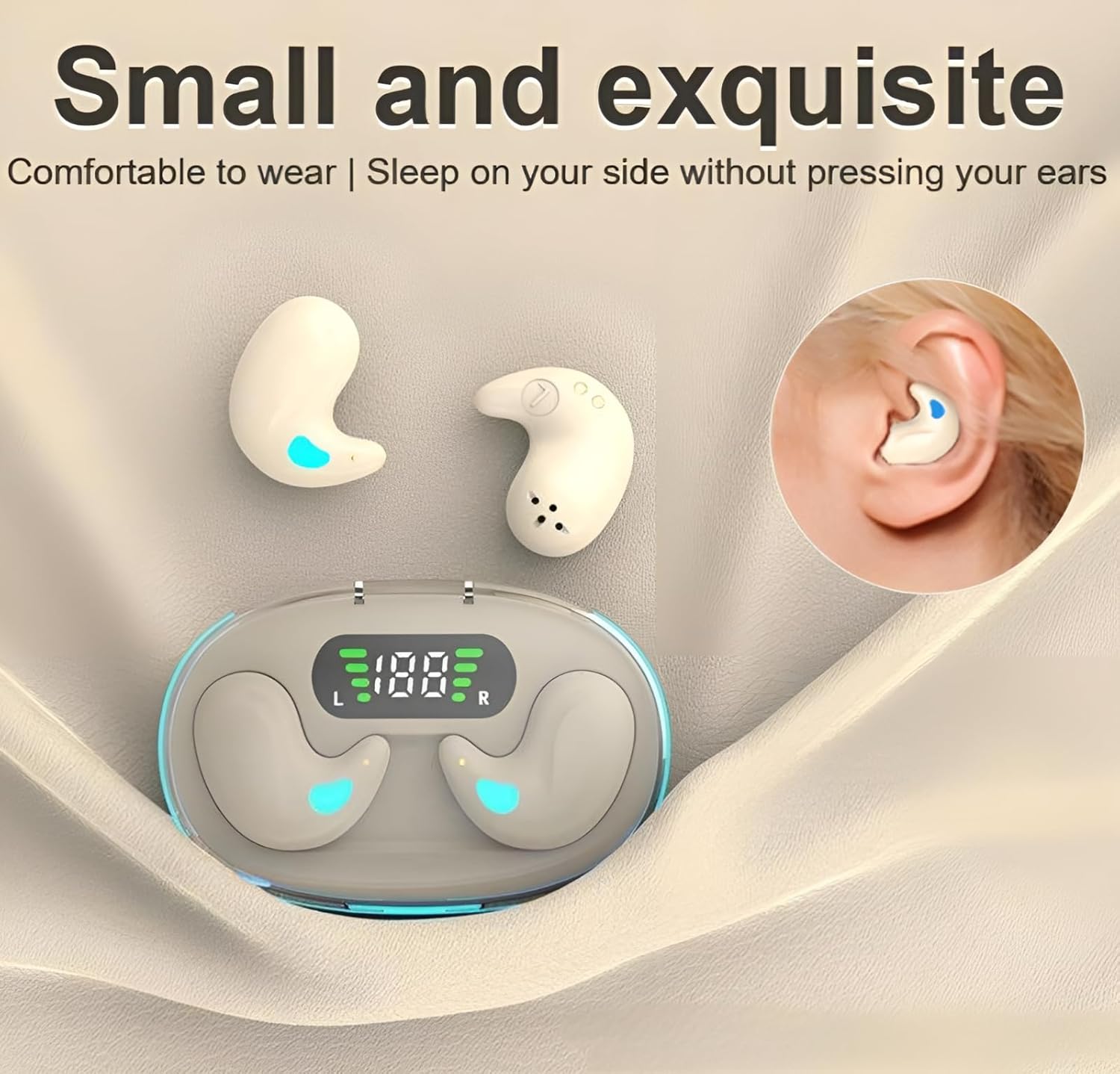
The VEHOP S55 OWS earbuds are designed to be small and exquisite, ensuring comfort even when sleeping on your side without pressing against your ears.

Experience seamless audio with the VEHOP S55 OWS earbuds, designed to minimize delay for an uninterrupted gaming experience.

The charging case for the VEHOP S55 OWS earbuds features a large capacity, providing lower power consumption and extended battery life for prolonged use.

With a waterproof and dustproof design, the VEHOP S55 OWS earbuds are built to withstand various environments, protecting internal components from splashes and dust.

The VEHOP S55 OWS earbuds feature intuitive one-finger touch controls for easy operation, including switching songs, adjusting volume, answering calls, and activating the voice assistant.

Enjoy an immersive audio experience with the VEHOP S55 OWS earbuds, designed to restore high-frequency brightness, full medium-frequency, and vigorous elastic low-frequency sound.

The VEHOP S55 OWS earbuds are specifically designed as sleep headphones, ensuring comfort for side sleepers as they are less likely to stick out or cause discomfort.

Experience original sound quality and wireless enjoyment with the VEHOP S55 OWS earbuds, featuring long battery life, intelligent power digital display, intelligent noise reduction, and Bluetooth 5.3.
This video provides a visual overview of the VEHOP S55 OWS Bluetooth Open Ear Wireless Sleeping Earbuds, highlighting their design, features, and benefits for sleeping, meditation, and entertainment.
Setup
1. Initial Charging
- Before first use, place both earbuds into the charging case.
- Connect the Type-C charging cable to the case and a power source.
- Charge the earbuds and case fully. The charging time is approximately 2 hours. The digital display on the case will indicate charging status.
2. Bluetooth Pairing
- Open the charging case. The earbuds will automatically power on and enter pairing mode.
- On your device (smartphone, tablet, laptop), enable Bluetooth.
- Search for "VEHOP S55" in the list of available Bluetooth devices.
- Select "VEHOP S55" to connect. Once connected, a voice prompt will confirm successful pairing.
- If pairing fails, place the earbuds back into the case, close it, and repeat the steps.
Operating Instructions
The VEHOP S55 earbuds feature touch controls for various functions. Refer to the diagram below for specific actions:
| Function | Action |
|---|---|
| Power On/Off | Press the switch button for 3 seconds |
| Play/Pause | Lightly press the switch button once |
| Next Song | Press the switch button twice |
| Previous Song | Press the switch button twice lightly (on the other earbud, if applicable, or specific earbud for previous) |
| Volume Up/Down | Press the switch for 3 seconds (specific earbud for up/down) |
| Answer/End Call | Lightly press the switch button once |
| Reject Call | Press and hold the switch button for 2 seconds |
| Activate Voice Assistant (Siri) | Lightly press the switch button for 2 seconds |
Note: Specific earbud assignments for volume and track control may vary. Refer to the product's quick start guide for precise left/right earbud functions.
Charging
- Earbuds Charging: Place the earbuds into the charging case. They will automatically begin charging.
- Case Charging: Connect the provided Type-C cable to the charging port on the case and a USB power adapter. The digital display will show the battery level.
- Battery Life: The earbuds offer up to 30 hours of total battery life with the charging case.
- Charging Time: Approximately 2 hours for a full charge of the case and earbuds.
Specifications
| Feature | Detail |
|---|---|
| Model Name | S55 |
| Connectivity Technology | Wireless (Bluetooth) |
| Wireless Communication Technology | Bluetooth 5.4 |
| Bluetooth Range | 10 Metres |
| Noise Control | Sound Isolation, Noise Reduction (ENC) |
| Control Type | Button Control, Touch Control |
| Audio Driver Type | Dynamic Driver |
| Battery Life | 30 Hours (with charging case) |
| Charging Time | 2 Hours |
| Water Resistance Level | Water Resistant |
| Material | Acrylonitrile Butadiene Styrene (ABS) |
| Item Weight | 50 Grams |
| Product Dimensions | 9 x 4 x 2 cm |
| Recommended Uses | Calling, Entertainment, Sleeping, Fitness |
Troubleshooting
- No Sound/Connection Issues: Ensure earbuds are charged and within Bluetooth range (10 meters). Re-pair the earbuds with your device. Check device volume.
- One Earbud Not Working: Place both earbuds back into the charging case, close the lid, then open again to reset. Re-pair if necessary.
- Charging Problems: Ensure the charging cable is securely connected to both the case and the power source. Try a different charging cable or adapter. Clean charging contacts on earbuds and case.
- Unresponsive Touch Controls: Ensure your fingers are clean and dry. Try resetting the earbuds by placing them in the case and closing the lid.
Warranty and Support
This product comes with a standard manufacturer's warranty. For warranty claims, technical support, or further assistance, please refer to the contact information provided with your purchase or visit the official VEHOP support website.